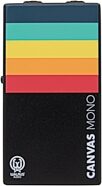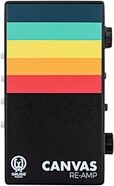
Walrus Audio Canvas Re-Amp


zZounds Gear Experts Say...
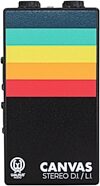
Enjoy the freedom and versatility that comes with reamping! Walrus Audio's Canvas Re-Amp delivers a flat frequency response and is ideal for guitar signals.
Overview
The Walrus Audio Canvas Re-Amp is a studio tool, designed to send previously recorded dry guitar tracks, drums, or other instruments through guitar pedals or different amp combinations.
- Custom wound transformer that converts your signals impedance to work with guitar pedals and amplifiers.
- Converts 1/4" balanced line level output from your DAW/Interface to unbalanced 1/4" Hi-Z output to pedals or amps.
- Input 1/4" Jack: connect a 1/4" cable from your audio interface output.
- Input XLR Jack: connect an XLR cable from your audio interface output.
- Output Jack - 1/4" cable to pedalboard or amplifier of choice to re-amp through.
Features:
- Flat frequency response from 20 Hz to 20k Hz.- Custom wound transformer that converts your signals impedance to work with guitar pedals and amplifiers.
- Converts 1/4" balanced line level output from your DAW/Interface to unbalanced 1/4" Hi-Z output to pedals or amps.
- Input 1/4" Jack: connect a 1/4" cable from your audio interface output.
- Input XLR Jack: connect an XLR cable from your audio interface output.
- Output Jack - 1/4" cable to pedalboard or amplifier of choice to re-amp through.
Specs
-Volume: Control the level of the re-amp signal being sent back into your pedalboard/amp.
-GND Lift: Isolates the GND pin on XLR input to help reduce hum if present. Leave out for normal operation.
-MUTE: Mutes the output signal when pushed in. Leave out for normal operation.
-PHASE: When pushed in your signal will be phase inverted by 180 degrees. Leave out for normal operation.
-HPF: Applies a gentle first order high-pass filter at 200 Hz to reduce low frequency rumble in your signal.
-GND Lift: Isolates the GND pin on XLR input to help reduce hum if present. Leave out for normal operation.
-MUTE: Mutes the output signal when pushed in. Leave out for normal operation.
-PHASE: When pushed in your signal will be phase inverted by 180 degrees. Leave out for normal operation.
-HPF: Applies a gentle first order high-pass filter at 200 Hz to reduce low frequency rumble in your signal.
Dimensions and Weight in Packaging
Base Item
- Shipping Weight: 0.81 lbs
- Shipping Dimensions: 6 x 5 x 3 in
- Manufacturer Part Number (MPN): 900-1081
Open Box (Like New)
- Shipping Weight: 0.81 lbs
- Shipping Dimensions: 6 x 5 x 3 in
- Manufacturer Part Number (MPN): 900-1081
Documents and Manuals
For support or warranty questions, please contact the manufacturer:
Phone: 405-295-7847
Email: customerservice@walrusaudio.com
Web: https://www.walrusaudio.com/pages/contact
Phone: 405-295-7847
Email: customerservice@walrusaudio.com
Web: https://www.walrusaudio.com/pages/contact
Open Box (Like New)
What is Open Box (Like New)?
Was $134.95
$119.95
you're approved! No credit check!
- No interest and no late fees
- No paperwork
- No social security number required
- No questions about your income
Just provide your credit or debit card number in checkout as usual, and we’ll ship your order before the end of the business day.
FREE
-Day
Shipping!
Get it
for
Get it
(or get it
with an order of
),
if you order within
Shipping to
This is a carousel with product cards. Use the previous and next buttons to navigate.
Related Accessories




This is a carousel with product cards. Use the previous and next buttons to navigate.
Related Accessories
This is a carousel with product cards. Use the previous and next buttons to navigate.
People who bought this item also bought
JHS Colour Box V2 Preamp Pedal - 10th Anniversary Edition
$449.00
- 8 payments of$56.13/mo
- No Credit Check6 payments of$74.83/mo
-
Focusrite Scarlett 16i16 Gen 4 USB Audio Interface
$409.99
- 8 payments of$51.25/mo
- No Credit Check6 payments of$68.33/mo
-
Gamechanger Audio Plasma Distortion Pedal
$299.00
- 8 payments of$37.38/mo
- No Credit Check6 payments of$49.83/mo
-
Warm Audio RingerBringer Analog Ring Modulation Pedal
$219.00
- No Credit Check6 payments of$36.50/mo
-