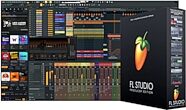
Image-Line FL Studio Producer Edition Software


zZounds Gear Experts Say...
Get producing with FL Studio's most popular edition. This slick DAW gives you Stem Separation, 27 instruments and 59 FX plug-ins, and free updates for life!
Overview
Image-Line FL Studio 2026 Producer Edition is the full recording, editing, mixing, and mastering version of the desktop DAW that music-makers around the world use to turn ideas into finished tracks. Producer Edition adds audio recording, Stem Separation, the Edison and Newtime audio editors, and denoising to FL Studio's pattern-based workflow, along with 27 instruments and 59 effects -- enough to take a track from first idea to finished master.
FL Studio 2026 concentrates on finding sounds faster, keeping projects safe, and getting more done without leaving the arrangement. A redesigned FLEX with an expanded browser and factory library makes preset hunting quicker, FL Cloud project saving backs up your work from inside FL Studio, and Gopher moves from answering questions to carrying out tasks. The Chord Panel now reads notes and chords directly in the Piano roll, and the Remix a Song tool starts a remix at the correct BPM with stems already separated.
- Pay once and own every future version. No subscriptions, no upgrade fees, ever.
- The redesigned FLEX adds an expansive preset browser, a lighter engine, and a new factory library with over 200 presets across 8 Core Series packs.
- Back up projects to FL Cloud from inside FL Studio, with 500MB of private, encrypted storage included free.
- Remix a Song sets the correct BPM and separates stems for you, so a remix starts on the music rather than the file prep.
- Audio Logger keeps the last 60 seconds of your Master output recoverable, so an unrecorded take is not lost.
- Gopher answers questions in your language and now takes action -- organizing tracks, setting levels, routing audio, and writing Piano roll and VFX scripts.
- The Chord Panel detects notes and chords live in the Piano roll, and the Chord Stamp Tool adds top-down and bottom-up voice leading.
- Record audio into the Playlist and edit it in Edison and Newtime, with denoising and Stem Separation included.
- 27 instruments and 59 effects in total, including Sytrus, Slicex, Kepler, Maximus, Vocodex, and FLEX.
read less
FL Studio 2026 concentrates on finding sounds faster, keeping projects safe, and getting more done without leaving the arrangement. A redesigned FLEX with an expanded browser and factory library makes preset hunting quicker, FL Cloud project saving backs up your work from inside FL Studio, and Gopher moves from answering questions to carrying out tasks. The Chord Panel now reads notes and chords directly in the Piano roll, and the Remix a Song tool starts a remix at the correct BPM with stems already separated.
Lifetime Free Updates
All Editions include Lifetime Free Updates. When FL Studio is updated, you can update too. Free. Forever.The Redesigned FLEX
One of FL Studio's most popular instruments has been rebuilt from the ground up around speed and simplicity. An expansive browser makes presets easier to explore, while streamlined controls focus on the essentials for dialing in your sound. The rebuilt engine loads quicker and runs lighter on CPU, and a new factory library gives you more to start with -- including over 200… read more presets across 8 Core Series packs, available free to every FL Studio user.Save Projects to FL Cloud
Save your projects to FL Cloud from inside FL Studio, so your work is backed up if you move to a new computer or run into a problem. Every user gets 500MB of cloud storage free, with FL Cloud Plus and Pro offering up to 1TB. Storage is private, encrypted, and never used to train AI.Remix a Song
Start a remix with the tempo already matched and the source split into stems, so you can get to the creative part instead of prepping the file.Audio Logger
The last 60 seconds of your Master output are kept ready to recover at any time. If you play something worth keeping without hitting record, it is still there.Loop Starter
Pick a genre, roll the dice, and get stacks of loops and one-shots that fit together -- a fast way to spark an idea and build from there. An FL Cloud subscription unlocks a much larger Loop Starter library.Gopher
Your FL Studio expert, built into the Communications Panel. Gopher answers production questions from the manual and knowledge base in most major languages, and now works hands-on: it can organize tracks, set levels, route audio, and generate Piano roll and VFX scripts on request. Your work is not collected and is not used to train models.Instant Chord Detection
The Chord Panel detects notes and chords directly in the Piano roll, so you can stay in key, read your own ideas faster, and try progressions without guessing. Switch it on from the toolbar.Chord Stamp Tool
Top-down and bottom-up voice-leading modes make it quicker to move between chords musically.Piano Roll Note Labels
Rename notes in the Piano roll to leave yourself visual cues for melodic changes and arrangement markers.Audio Clip Gain Controls
Bring clips to a consistent level with per-clip gain, applied to a single clip or a full selection, without extra steps.Audio Recording and Editing
Record external or internal sources straight into the Playlist as editable Audio Clips, then work on them in Edison and Newtime -- two audio editors included with Producer Edition for waveform editing, time correction, and noise removal.FL Studio Mobile Rack
A rack of low-CPU instruments and effects from FL Studio Mobile is included -- 7 instruments and 29 effects you can drop straight into your desktop workflow.Works on Windows and macOS
FL Studio runs on Windows and macOS and comes with interface translations in Spanish, English, German, French, and Chinese.Hardware Integration
FL Studio supports many brands and models of keyboards, synths, MIDI controllers and more. Just plug in your hardware and start creating.User Themes
Feeling at home in the studio matters, so FL Studio gives you creative control over its color Themes. You can share them too -- there are thousands of community-created Themes available from the Forum.Don't wait, modulate
FL Studio has a versatile modulation system for connecting almost anything in any section or plugin to anything else in the program. From simple sidechain to mind-bending frequency mods, FL Studio has you covered.Colored Waveforms
Analyze your audio at a glance -- precisely colored waveforms let you spot low, mid, and high frequencies in any waveform.Scale Snapping
No music theory training? No problem. Snap notes to any chosen scale in FL Studio to play advanced riffs and basslines, no matter your level.Built Differently
Since 1998, FL Studio has been engineered by music makers, for music makers. Your creative freedom, inspiration, and empowerment guide every decision Image-Line makes.27 Instruments and 59 Effects
Choose from Patcher, Sytrus, Slicex, Kepler, Maximus, Vocodex, Fruity Parametric EQ2, FLEX, and many more.Features:
- Record, edit, arrange, mix, and master -- Producer Edition gives you what you need to take a track from idea to release.- Pay once and own every future version. No subscriptions, no upgrade fees, ever.
- The redesigned FLEX adds an expansive preset browser, a lighter engine, and a new factory library with over 200 presets across 8 Core Series packs.
- Back up projects to FL Cloud from inside FL Studio, with 500MB of private, encrypted storage included free.
- Remix a Song sets the correct BPM and separates stems for you, so a remix starts on the music rather than the file prep.
- Audio Logger keeps the last 60 seconds of your Master output recoverable, so an unrecorded take is not lost.
- Gopher answers questions in your language and now takes action -- organizing tracks, setting levels, routing audio, and writing Piano roll and VFX scripts.
- The Chord Panel detects notes and chords live in the Piano roll, and the Chord Stamp Tool adds top-down and bottom-up voice leading.
- Record audio into the Playlist and edit it in Edison and Newtime, with denoising and Stem Separation included.
- 27 instruments and 59 effects in total, including Sytrus, Slicex, Kepler, Maximus, Vocodex, and FLEX.
Specs
Instruments, Effects and Editors
- Instruments: 27
- Effects: 59
- Audio Editors: 2 (Edison, Newtime)
- Video and Visual Tools: 5
Key Features
- Lifetime Free Updates: Included
- Audio Recording: Included
- Stem Separation: Included
- Denoising: Included
- Loop Starter: Included
- Gopher AI Assistant: Included
- Chord Generator: Included
- FL Studio Mobile Rack and FX: Included
- FL Studio Remote: Included
- Newtone Pitch Correction: Signature Bundle and up
- Fruity Video Player: Signature Bundle and up
macOS
- Operating System: macOS 10.15 (Catalina) or later
- Processor: Intel or Apple Silicon
- RAM: 4 GB minimum
- Hard Drive Space: 4 GB
- Additional Requirements: A more powerful CPU allows for more instruments and effects to run simultaneously
- Supported Plugins: VST2, VST3, AU, CLAP, Others
Windows
- Operating System: Windows 10 or 11
- Processor: Intel or AMD
- RAM: 4 GB minimum
- Hard Drive Space: 4 GB
- Additional Requirements: A more powerful CPU allows for more instruments and effects to run simultaneously
- Supported Plugins: VST2, VST3, CLAP, Others
Digital Download
- Manufacturer Part Number (MPN): 1035-989
Documents and Manuals
For support or warranty questions, please contact the manufacturer:
Web: https://www.image-line.com/fl-studio-support/
Web: https://www.image-line.com/fl-studio-support/
Reviews
Reviewers gave this product an overall rating of 0.5 out of 5 stars.
(1 ratings)
Submitted February 17, 2024 by Luther M in Titusville, FL
"Very Non-User friendly. Absolutely NO SUPPORT From FL RUN AWAY FROM THIS!!"
Verified Customer
zZounds has verified that this reviewer made a purchase from us.
I purchased FL Studio Pro from zZounds in early December last year, paid full price and five (5) Support Tickets later (2/17/2024) no response whatsoever. The company has no listed phone numbers with the Support Tickets being the only contact method available. And they seriously do not respond to them. The Video Tutorals are completely useless as they are presented by teenage Speed Readers. You have to hit pause every few seconds! I've done better by web searching. On top of all that, once I get in and dispite having purchased and registered this, it only will run in "TRIAL" and won't allow you access to saved files. I REALLY REGRET PURCHASING THIS DAW!! Please don't make the same $200.00 mistake that I did. My next step is to try via zZounds (I'm a consistant customer) to see if they will contact FL for me.
Musical Background:
Memphis, New York & Nashville Manager, Publisher & Songwriter
Musical Style:
Rock, Alternitive, Americana
9 of 21 people (43%) people found this review helpful. Did you?
Thanks for your opinion!
Digital Download
$179.00
you're approved! No credit check!
- No interest and no late fees
- No paperwork
- No social security number required
- No questions about your income
Just provide your credit or debit card number in checkout as usual, and we’ll ship your order before the end of the business day.
FREE
-Day
Shipping!
Get it
for
Get it
(or get it
with an order of
),
if you order within
Shipping to
Which edition of FL Studio is right for you?
- See which features are included in FL Studio Fruity Edition, FL Studio Producer Edition, FL Studio Signature Edition, and FL Studio All Plugins Edition. Compare FL Studio Editions »
This is a carousel with product cards. Use the previous and next buttons to navigate.
Related Accessories
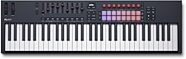
Novation FLkey 61 MK2 USB MIDI Keyboard Controller for FL Studio, 61-Key
$329.99
- 8 payments of$41.25/mo
- No Credit Check6 payments of$55.00/mo
-
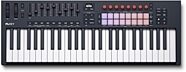
Novation FLkey 49 Mk2 USB MIDI Keyboard Controller, 49-Key
$279.99
- No Credit Check6 payments of$46.66/mo
-
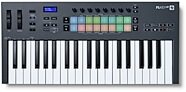
Novation FLkey 37 MK1 USB MIDI Keyboard Controller for FL Studio, 37-Key
$219.99
- No Credit Check6 payments of$36.66/mo
-
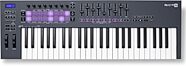
Novation FLkey 49 MK1 USB MIDI Keyboard Controller for FL Studio, 49-Key
$249.99
- No Credit Check6 payments of$41.66/mo
-
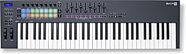
Novation FLkey 61 MK1 USB MIDI Keyboard Controller for FL Studio, 61-Key
$299.99
- 8 payments of$37.50/mo
- No Credit Check6 payments of$50.00/mo
-
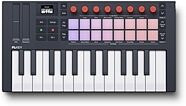
Novation FLkey Mini 25 Mk2 USB MIDI Keyboard Controller, 25-Key
$129.99
- No Credit Check6 payments of$21.66/mo
-
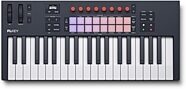
Novation FLkey 37 Mk2 USB MIDI Keyboard Controller, 37-Key
$229.99
- No Credit Check6 payments of$38.33/mo
-


This is a carousel with product cards. Use the previous and next buttons to navigate.
Related Accessories
-
Novation FLkey 61 MK2 USB MIDI Keyboard Controller for FL Studio, 61-Key
$329.99
- 8 payments of$41.25/mo
- No Credit Check6 payments of$55.00/mo
-
-
Novation FLkey 49 Mk2 USB MIDI Keyboard Controller, 49-Key
$279.99
- No Credit Check6 payments of$46.66/mo
-
-
Novation FLkey 37 MK1 USB MIDI Keyboard Controller for FL Studio, 37-Key
$219.99
- No Credit Check6 payments of$36.66/mo
-
-
Novation FLkey 49 MK1 USB MIDI Keyboard Controller for FL Studio, 49-Key
$249.99
- No Credit Check6 payments of$41.66/mo
-
-
Novation FLkey 61 MK1 USB MIDI Keyboard Controller for FL Studio, 61-Key
$299.99
- 8 payments of$37.50/mo
- No Credit Check6 payments of$50.00/mo
-
-
Novation FLkey Mini 25 Mk2 USB MIDI Keyboard Controller, 25-Key
$129.99
- No Credit Check6 payments of$21.66/mo
-
-
Novation FLkey 37 Mk2 USB MIDI Keyboard Controller, 37-Key
$229.99
- No Credit Check6 payments of$38.33/mo
-
-
-
This is a carousel with product cards. Use the previous and next buttons to navigate.
People who bought this item also bought
Epiphone Inspired by Gibson Les Paul Custom Electric Guitar, (with Gig Bag)
$799.00
- 12 payments of$66.58/mo
- No Credit Check6 payments of$133.17/mo
Comes in 3 Colors-
Focusrite Scarlett 2i2 Studio Gen 4 Audio Interface Recording Package
$339.99
- 8 payments of$42.50/mo
- No Credit Check6 payments of$56.66/mo
-

Yamaha HS5 Active Studio Monitor
$199.99
- No Credit Check6 payments of$33.33/mo
Comes in 2 Quantities, 2 Colors-
-
Novation FLkey 49 MK1 USB MIDI Keyboard Controller for FL Studio, 49-Key
$249.99
- No Credit Check6 payments of$41.66/mo
-

Universal Audio Apollo Twin X Duo Gen 2 Thunderbolt Audio Interface, Analog Classics Edition
$999.00
- 12 payments of$83.25/mo
- No Credit Check6 payments of$166.50/mo
-
Avid Pro Tools Studio Music Production Software (Perpetual License) with 1-Year Software Updates + Support Plan
$599.00
- 12 payments of$49.92/mo
- No Credit Check6 payments of$99.83/mo
-

Audio-Technica ATH-M50x Headphones
$159.00
- No Credit Check6 payments of$26.50/mo
Comes in 2 Colors, 2 Mfg Models-
Akai MPK Mini IV USB MIDI Keyboard Controller, 25-Key
$99.00
- No Credit Check6 payments of$16.50/mo
Comes in 2 Colors-