
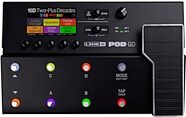
Line 6 POD Go Guitar Effects Processor Pedalboard
Line 6 packed 270+ of their best amp and effects models into this 5-pound floor POD. With its easy-to-use interface and color screen, you'll be good to GO!
$599.99
- 12 payments of$50.00/mo
- No Credit Check6 payments of$100.00/mo
Line 6 M13 Stompbox Modeler Pedal
No longer available at zZounds
zZounds Gear Experts Say...
This all-in-one FX modeler packs over 100 distortions, delays, reverbs and filters -- plus a 28-second looper. Store 48 pedalboard setups for instant recall!
Overview
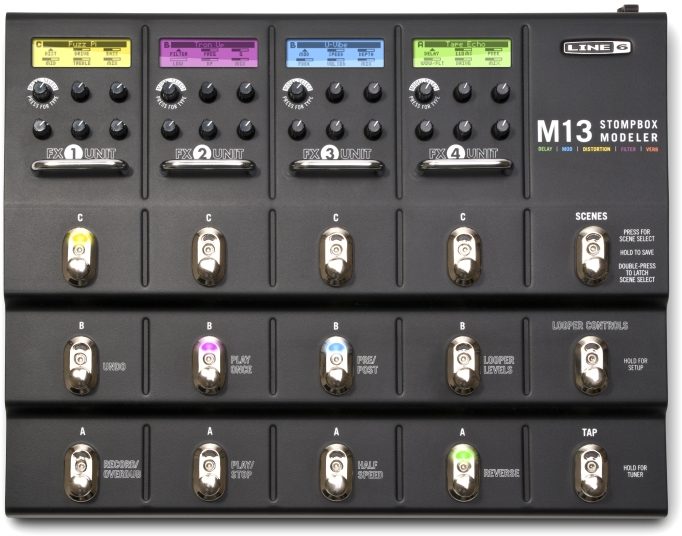
As pioneers of the effects-modeling game, Line 6 never ceases to amaze musicians -- and the new Line 6 M13 Stompbox Modeler Pedal is surely not one to disappoint. This all-in-one stompbox modeler offers any effect you and your guitar could imagine. Unlike other stompbox modelers, the M13 offers a large footprint with fifteen metal footswitches -- much like a conventional stompbox pedalboard -- providing you the ability to use up to four effects independently or in any combination, with room to store your favorite 48 pedalboard schemes for instant recall at the press of a button.
- Choose from nearly a hundred… read more effects including delays, distortions, modulations, compressions, EQs, filters, and reverbs
- Built-in 28 second looper with dedicated footswitches for playback, dubbing, mixing, and more
- Run up to four effects simultaneously
- Six dedicated rotary encoder knobs per effect channel for selecting effect model and tweaking effect parameters
- Store up to 48 gig-worthy pedalboard schemes and recall them instantly without touching a single cable
- True bypass helps keep your signal bright and clean when no effect is in use
- Conveniently located universal tempo tap input for controlling effect speed
- Built-in chromatic tuner accessible via footswitch
- Roadworthy sturdy all-metal chassis and footswitches
- 1/4-inch mono or stereo inputs
- 1/4-inch mono or stereo outputs
- 1/4-inch mono or stereo assignable stereo send and return
- Two-expression pedal jacks
- MIDI in and out
- Powered via included AC power adapter
- Weighs about 10 pounds read less
Nearly 100 Realistic Effect Models -- Plus a 28-Second Looper
Line 6 has long set the standard for studio-quality effect models in consumer products, so it comes as no surprise that the M13 delivers dozens of stunning distortions, delays, reverbs, filters, and more -- many of which have been painstakingly modeled after real, historically significant effect circuits. It's even got a built-in 28-second looper with dedicated footswitches to control playback, playback speed, dubbing, and more.Designed to Gig: Sturdy Metal Chassis with Metal Footswitches
With a large footprint and sturdy all-metal chassis and footswitches, the M13 Stompbox Modeller is designed with gigging in mind. That's just one box, one power cable, and one instrument cable for all your guitar's effects, in one easy to use pedalboard.Features:
- All-in-one stompbox modeller- Choose from nearly a hundred… read more effects including delays, distortions, modulations, compressions, EQs, filters, and reverbs
- Built-in 28 second looper with dedicated footswitches for playback, dubbing, mixing, and more
- Run up to four effects simultaneously
- Six dedicated rotary encoder knobs per effect channel for selecting effect model and tweaking effect parameters
- Store up to 48 gig-worthy pedalboard schemes and recall them instantly without touching a single cable
- True bypass helps keep your signal bright and clean when no effect is in use
- Conveniently located universal tempo tap input for controlling effect speed
- Built-in chromatic tuner accessible via footswitch
- Roadworthy sturdy all-metal chassis and footswitches
- 1/4-inch mono or stereo inputs
- 1/4-inch mono or stereo outputs
- 1/4-inch mono or stereo assignable stereo send and return
- Two-expression pedal jacks
- MIDI in and out
- Powered via included AC power adapter
- Weighs about 10 pounds read less
Specs
- 100+ stompbox FX, up to 4 in any order/combination; All the models from best-selling Line 6 pedals and rack gear including DL4(TM) Delay Modeler and others
- 19 delays, 18 distortions, 12 reverbs, 26 filters, 22 mods, 12 compressors and EQs; Universal tap tempo
- Four bright LCD screens show parameter names and values, and built-in chromatic tuner; Dedicated knobs control each effect's parameters
- 28-second looper with dedicated footswitch controls for Play/Stop, Undo/Redo, Rec/Overdub, Half Speed, Reverse, Play Once, Pre/Post
- Create up to 48 pedal board scenes; No more tearing up Velcro(R) just to swap one or two pedals!
- Easy to use: No menus, no saving, no hassles - just turn the knobs and you're done. And your settings remain after you power down
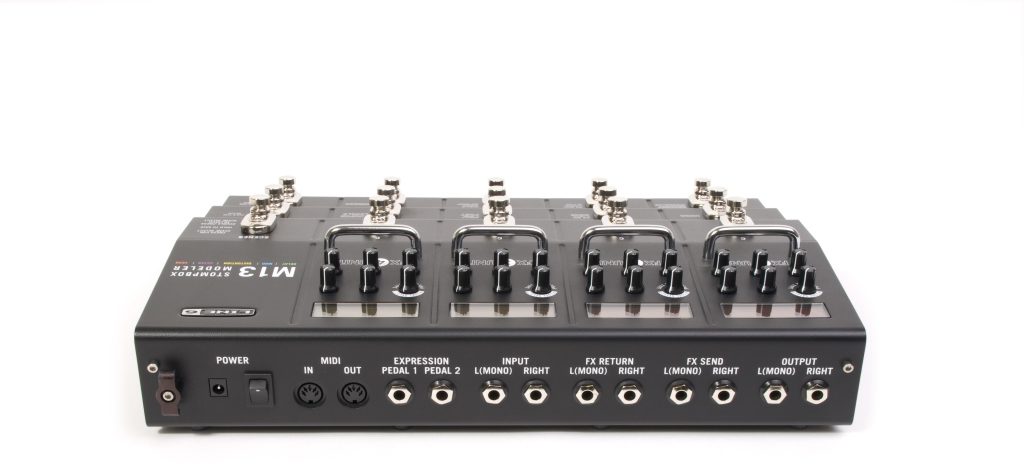
- Ins and Outs: Mono/stereo inputs and outputs (with True Analog bypass and DSP bypass), assignable mono/stereo FX send/return, two expression pedal jacks, MIDI in/out
- Heavy-duty, all-metal chassis and footswitches
- AC power adapter included
- 19 delays, 18 distortions, 12 reverbs, 26 filters, 22 mods, 12 compressors and EQs; Universal tap tempo
- Four bright LCD screens show parameter names and values, and built-in chromatic tuner; Dedicated knobs control each effect's parameters
- 28-second looper with dedicated footswitch controls for Play/Stop, Undo/Redo, Rec/Overdub, Half Speed, Reverse, Play Once, Pre/Post
- Create up to 48 pedal board scenes; No more tearing up Velcro(R) just to swap one or two pedals!
- Easy to use: No menus, no saving, no hassles - just turn the knobs and you're done. And your settings remain after you power down
- Ins and Outs: Mono/stereo inputs and outputs (with True Analog bypass and DSP bypass), assignable mono/stereo FX send/return, two expression pedal jacks, MIDI in/out
- Heavy-duty, all-metal chassis and footswitches
- AC power adapter included
Line 6's Description
Line 6 M13 Stompbox Modeler Pedal
Teeming with over 100 immortal distortions, delays, reverbs, and more, the Line 6 M13 Stompbox Modeler offers immediate access to an entire arsenal of history's most well-regarded stompbox sounds.With the Line 6 M13, you get 19 analog and digital delays, 18 well-known distortions from creamy to crazy, 12 reverb effects, 26 vibey filters including wahs and pitch effects, 22 tangy mods such as expressive trems or phasers, and 12 compressors and equalizers that squash, gate and color.
The Line 6 M13 alows you to use up to four models simultaneously, in any order and combination. It's like having a massive pedal board packed into a convenient, simple-to-use package.
The M13 includes all the models from best-selling Line 6 pedals and rack gear - DL4 Delay Modeler, DM4 Distortion Modeler, FM4 Filter Modeler, MM4 Modulation Modeler, Verbzilla, Echo Pro and others.
It's Stompbox Simple
Line 6 M13 Stompbox Modeler is easy to use, just like a classic stompbox. Tweak your tones on the fly using the M13's dedicated knobs. No menus, no saving, no hassles - just turn the knobs and you're done. And your settings remain when you power down!Four bright LCD screens show parameter names and values, and the built-in chromatic tuner.
Built-in Looper
The M13's 28-second looper is always at the ready with dedicated footswitches for Play/Stop, Undo/Redo, Rec/Overdub, Half Speed, Reverse, Play Once, and Pre/Post. You're free to adjust your sounds while looping or overdubbing.Up to 48 Different Pedalboards
Different arrangements of models, or pedal board "scenes," can be created for each of your gigs - one for your metal band, one for your punk band, one for your Top 40 gig...you get the picture. No more tearing up Velcro just to swap one or two pedals. Create and save up to 48 scenes. (Scenes can be backed up to your computer via MIDI in/out.)Ins and Outs
M13 Stompbox Modeler plays well with others. Take advantage of the stereo FX loop and put your other pedals in front, behind or even in between M13 Stompbox Modeler's models.Prepared for any live or studio situation, M13 Stompbox Modeler features mono/stereo inputs and outputs (with True Analog bypass or DSP bypass), mono/stereo assignable FX sends and returns, MIDI input and output and two expression pedal inputs.
Total Stompbox Experience
Built tank-tough with all-metal construction, M13 Stompbox Modeler is designed to survive on-stage abuse. From the chassis to the footswitches, it'll withstand constant stomping.Line 6 M13 Stompbox Modeler's treasured stompbox tones, built-in chromatic tuner, 28-second looper and bonehead simplicity will prove totally indispensable (not to mention highly addictive).
Reviews
Reviewers gave this product an overall rating of 5 out of 5 stars.
(40 ratings)
Submitted June 2, 2011 by a customer from hotmail.com
"The M13... it's not just for breakfast anymore"
Verified Customer
zZounds has verified that this reviewer made a purchase from us.
I don't see me replacing it any time soon, there is really nothing out there to take it's place
Sound
The sound quality is awesome. You can fine tune pretty much everything to get a sound and tone that you like.
Features
The M13 has so much built into it, it will take a very long time to find out what to do with all of it.
Ease of Use
Overall, it's like running 4 stompboxes of whatever you want in any order... set them up just like single units in a row.
Then you can run it like I do, with some of the effects in front of the amp, and some of them into the loop.
Quality
It's a tank
Value
Yeah, you get a pantload of effects for the price of a few.
Manufacturer Support
I haven't dealt with Line 6 myself, but I have checked on a couple of questions on their forums, and they appear to be fairly responsive
The Wow Factor
It's laid out great, easy to use, I LIKE IT!!!
Musical Background:
Hobbyist
Musical Style:
Rock, blues ,jazz
8 of 8 people (100%) people found this review helpful. Did you?
Thanks for your opinion!
No longer available at zZounds
Related Accessories

Related Accessories
This is a carousel with product cards. Use the previous and next buttons to navigate.
People who bought this item also bought
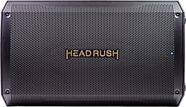
HeadRush FRFR112 MKII Bluetooth Powered Speaker Cabinet (2500 Watts)
$399.00
- 8 payments of$49.88/mo
- No Credit Check6 payments of$66.50/mo
-

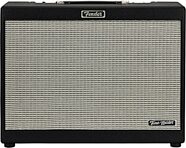
Fender FR-12 Tone Master Powered Speaker
$749.99
- 12 payments of$62.50/mo
- No Credit Check6 payments of$125.00/mo
-
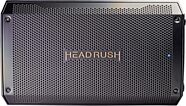
HeadRush FRFR108 MKII Powered Speaker Cabinet
$299.00
- 8 payments of$37.38/mo
- No Credit Check6 payments of$49.83/mo
-
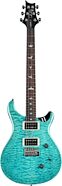
PRS Paul Reed Smith SE Custom 24 Quilt Top Electric Guitar (with Gig Bag)
$899.00
- 12 payments of$74.92/mo
- No Credit Check6 payments of$149.83/mo
-
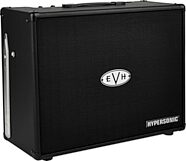
EVH Eddie Van Halen 5150 III Hypersonic FR-12 Powered Speaker
$699.99
- 12 payments of$58.33/mo
- No Credit Check6 payments of$116.66/mo
-
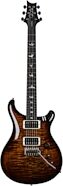
PRS Paul Reed Smith Custom 24 Gen III Electric Guitar (with Case)
$3,999.00
- Interest-Free Payment Plans
-
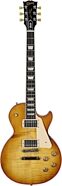
Gibson Exclusive Les Paul Studio Figured Electric Guitar (with Soft Case)
$1,799.00
- 12 payments of$141.58/mo
-
PRS Paul Reed Smith S2 Custom 24 Gloss Pattern Thin Electric Guitar (with Gig Bag)
$2,249.00
- 12 payments of$187.42/mo
-