Steinberg Cubase SX Audio Recording Software (Windows)
No longer available at zZounds

zZounds Gear Experts Say...
Unlimited undo and redo & offline process history. Sample accurate automation. Adaptive track mixer. Virtual instruments & VST effects.
Overview
Cubase is the name in professional recording. Be it for the ambitious newcomer or the hi-end professional, for home recording or big-budget Hollywood soundtracks.
There are good reasons why more and more musicians are deciding on Cubase: easy and really logical to use, it offers almost limitless professional possibilities. With its VST and ASIO interfaces, Cubase also boasts an exceptional level of flexibility.
They've made the dream of the virtual studio on your computer a reality.
Cubase SX - The Heart Of Your Studio.
Unlimited Undo and Redo & Offline Process History
Be anywhere, whenever you want. Travel back in time to that perfect edit when everything was coming together. With Cubase SX you can 'rewind' to that precise moment in your arrangement where you now intend to develop on your original idea. This is the power of the unlimited undo/redo functionality in Cubase SX: time travel is now a reality in the virtual world.
With Cubase SX you have total control of your final production, even if you have 'finished' the project. One of the great new features included in Cubase SX is the off-line processing of individual audio files which allows effects to be 'stamped' onto them layer after layer. The off-line process history lets you can jump back to any individual process such as a reverb and edit it, remove it or replace it with any other effect you desire.
Sample Accurate Automation
Automation adds flexibility and creative freedom to music production. That's why… read more they've included three automation modes. Choose between Touch fader, Auto Latch and X-over modes - they offer you even more choice in how you get your project sounding exactly the way you want it. They've also added something special: now you can draw various waveforms and curves in the automation tracks. Not just for audio effects and volume, even MIDI controller data and MIDI notes can be automated in seconds. Cubase SX turns automation into an instrument you can play.
Adaptive Track Mixer
Mixing is an art in itself. The mixer design in SX is an art in itself. To create your masterpiece you need an ergonomic interface, you need top-quality audio characteristics and you need flexible routing options. They have designed a brand new 32-bit floating-point mixer just for you. They have also included comprehensive surround sound mixing and panning controls. So you can now mix any project to 5.1 surround format for DVD productions. And of course full mixer automation of every parameter is included.
Virtual Instruments & VST Effects
They have included a fantastic new analog virtual synthesizer powered by Waldorf in addition to a 24 Bit drum machine and a great-sounding bass synth. Cubase SX also features an extended range of high-quality VST virtual effect processors such as the SPL De-Esser and the QuadraFuzz distortion unit. Combined with the plethora of virtual effects currently available, the huge range of quality VST effects available as standard with Cubase SX almost overwhelm with creative potential.
MIDI Plug-ins
Cubase SX offers real-time MIDI plug-ins such as Quantizer, Chorder, MIDI-Echo, Compressor and many more. Most of them can be inserted while playing on your MIDI keyboard - a great source of inspiration. Just like any other parameter in the Cubase SX mixer, they can also be fully automated.
VST System Link
Not a limited edition. Steinberg is yet again pushing back the limits of what is possible in digital audio. Having brought you technological breakthroughs such as VST, LTB and ASIO, Steinberg is proud to announce VST System Link.
This revolutionary new standard brings true connectivity and platform independence to the digital audio world. Not only does VST System Link harness the full CPU and disk power of several computers simultaneously regardless of platform, it will let you take your audio projects to new levels of complexity, and offers unbelievable flexibility in your working environment.
VST System Link is featured in the current versions of Nuendo, Cubase SX/SL and Cubase VST 5.2 (Public Beta).
VST System Link is a system for networking computers using Steinberg Virtual Studio Technology (VST) software and Audio Stream Input Output (ASIO) hardware. VST System Link enables the transfer of synchronization, transport, and audio data between two or more workstations equipped with compatible software and hardware over standard digital audio cabling systems such as ADAT, TDIF, AES/EBU, S/ PDIF etc. And because it uses the audio stream itself, synchronization is completely sample accurate, even across multiple workstation configurations!
How It Works
VST System Link uses a single bit of the audio stream as a carrier for transport and synchronization information, plus (optionally) other bits of the audio stream for MIDI information. Several computers can be linked in a daisy chain configuration, each one passing on the accumulated information to the next via standard digital audio cables, with routing to the various systems controlled by a master software "patchbay" running on the first computer in the chain.
Hookup
VST System Link can also carry literally hundreds of MIDI channels down the same single channel of a digital audio cable. Once you hook up your keyboard to the computer system via a standard MIDI interface you'll never need to use MIDI cables again. Any computer in a VST System Link network can be accessed from any other, so one keyboard can play any VST Instrument loaded on to any of the other computers on the network. Don't have enough power to run 8 synths on this computer? Then run some of them on another machine and access them just as if you had a hardware synth rack in your studio. And on top of that, VST MIDI doesn't suffer from the same timing and bandwidth problems of traditional MIDI - VST MIDI has sample accurate timing!
Uses of VST System Link
Anything you can do on one computer, only doubled! (Or tripled or quadrupled or whatever, depending on how many computers you've got). Since any audio stream can be sent to any machine, you can configure audio routing and processing in an almost infinite number of ways. Yes, this does mean you can run audio tracks on one computer, run virtual instruments on a second computer, do virtual effects processing on another computer, and mix it on a fourth computer! All you have to do is link their ASIO soundcards with the appropriate digital audio cables.
It's no problem to network both Windows and Macintosh machines easily with VST System Link. The VST engine doesn't care which OS it's running, it just sends data via the cross-platform ASIO protocol. And it's also cross-application - both Nuendo and Cubase can be networked seamlessly together as one system. If your laptop has some kind of digital I/O (for example the new Nuendo Audiolink 96 interfaces) you can also network it transparently with your desktop computer. So for example someone using a Titanium PowerBook for field recording can bring the machine into the studio, link it with the Windows machine there, and start working immediately without needing to wait to transfer files or burn a CD ROM. The two systems will automatically co-exist as one.
Applications
The great thing about VST System Link is that it gets rid of all limitations of computer-based recording. Now we can truly achieve unlimited numbers of simultaneous tracks, enormous amounts of virtual effects, and incredible polyphony on virtual instruments. Not to mention get around the "one person in front of the keyboard at a time" syndrome - now several people can work on the same project at the same time, each in front of his own computer.
Example Configurations
1. Post Production
In this scenario, several engineers and producers can work on different areas of the same project. For example, one workstation can be configured to do sound effects, another can be doing dialogue editing, and another can be working on background music. Each machine can stream its output to the master mixing console, all the streams being time locked by VST System Link's sync protocol. Or they can all stream to yet another computer for virtual mixdown. Of course yet another machine can be used to run digital video in perfect synchronization too, with a lockup time of only a few milliseconds!
2. Music Recording
Here one workstation can be the virtual tape machine, while another is dedicated to just running virtual instruments. This allows the keyboard player to layer up huge synth sounds and samples on his own computer without affecting the tracking engineer's ability to record lots of audio tracks quickly; yet still have all the data from both of them locked together instantly, and without having to run mounds of audio cables around the studio - all you need is one digital audio cable to handle it all.
3. Music Mixing
This setup has one machine as the virtual mixer, one as an effects rack, and another is running virtual instruments. The mixer station handles audio playback with lots of EQ and dynamics processing; virtual instruments are running on a second machine; then both audio and virtual synth tracks run together to the third computer for adding reverbs, flangers, etc. For huge mixes with lots of audio tracks, tracks can be split across computers to give a pseudo RAID effect. Note that in this scenario there is no latency in mixing the virtual instruments, nor is there any timing fluctuation (both of which can be major headaches if locking computers together with MIDI); and the full 32 Bit resolution of the virtual synths and the effects outputs is passed directly to the mixing computer.
4. Project Studio
How many times have you upgraded your computer and wondered what to do with the old one? Now it just becomes another processor in your system. Use it as a dedicated keyboard rack full of virtual synths, or load up HALion and use it as a powerful sampler, or add that new surround reverb effects processor without having to worry about it hogging your main machine's processor. An old computer can be invisibly hooked into a project system with very little effort and cost, and give great results in whatever capacity you need. Or rack mount a bunch of machines for the ultimate in tracks and effects capability.
Professional Score Layouts
Cubase Score VST has for many years been the industry standard software used for film soundtrack production and music education. This is because of its perfect integration of score-writing, sequencing and music production. Cubase SX includes all of the scoring and playback features of its older sibling.
The amazing possibilities opened up by the new multiple undo/redo functionality are capitalized on in the scoring section. Now you can "throw the new manuscript in the bin" and return to the stage where you got it right, all in a matter of seconds - and audition exactly where you want to start afresh. Music production has never been more intuitive, more creative, and more powerful. read less
There are good reasons why more and more musicians are deciding on Cubase: easy and really logical to use, it offers almost limitless professional possibilities. With its VST and ASIO interfaces, Cubase also boasts an exceptional level of flexibility.
They've made the dream of the virtual studio on your computer a reality.
Cubase SX - The Heart Of Your Studio.
Unlimited Undo and Redo & Offline Process History
Be anywhere, whenever you want. Travel back in time to that perfect edit when everything was coming together. With Cubase SX you can 'rewind' to that precise moment in your arrangement where you now intend to develop on your original idea. This is the power of the unlimited undo/redo functionality in Cubase SX: time travel is now a reality in the virtual world.
With Cubase SX you have total control of your final production, even if you have 'finished' the project. One of the great new features included in Cubase SX is the off-line processing of individual audio files which allows effects to be 'stamped' onto them layer after layer. The off-line process history lets you can jump back to any individual process such as a reverb and edit it, remove it or replace it with any other effect you desire.
Sample Accurate Automation
Automation adds flexibility and creative freedom to music production. That's why… read more they've included three automation modes. Choose between Touch fader, Auto Latch and X-over modes - they offer you even more choice in how you get your project sounding exactly the way you want it. They've also added something special: now you can draw various waveforms and curves in the automation tracks. Not just for audio effects and volume, even MIDI controller data and MIDI notes can be automated in seconds. Cubase SX turns automation into an instrument you can play.
Adaptive Track Mixer
Mixing is an art in itself. The mixer design in SX is an art in itself. To create your masterpiece you need an ergonomic interface, you need top-quality audio characteristics and you need flexible routing options. They have designed a brand new 32-bit floating-point mixer just for you. They have also included comprehensive surround sound mixing and panning controls. So you can now mix any project to 5.1 surround format for DVD productions. And of course full mixer automation of every parameter is included.
Virtual Instruments & VST Effects
They have included a fantastic new analog virtual synthesizer powered by Waldorf in addition to a 24 Bit drum machine and a great-sounding bass synth. Cubase SX also features an extended range of high-quality VST virtual effect processors such as the SPL De-Esser and the QuadraFuzz distortion unit. Combined with the plethora of virtual effects currently available, the huge range of quality VST effects available as standard with Cubase SX almost overwhelm with creative potential.
MIDI Plug-ins
Cubase SX offers real-time MIDI plug-ins such as Quantizer, Chorder, MIDI-Echo, Compressor and many more. Most of them can be inserted while playing on your MIDI keyboard - a great source of inspiration. Just like any other parameter in the Cubase SX mixer, they can also be fully automated.
VST System Link
Not a limited edition. Steinberg is yet again pushing back the limits of what is possible in digital audio. Having brought you technological breakthroughs such as VST, LTB and ASIO, Steinberg is proud to announce VST System Link.
This revolutionary new standard brings true connectivity and platform independence to the digital audio world. Not only does VST System Link harness the full CPU and disk power of several computers simultaneously regardless of platform, it will let you take your audio projects to new levels of complexity, and offers unbelievable flexibility in your working environment.
VST System Link is featured in the current versions of Nuendo, Cubase SX/SL and Cubase VST 5.2 (Public Beta).
VST System Link is a system for networking computers using Steinberg Virtual Studio Technology (VST) software and Audio Stream Input Output (ASIO) hardware. VST System Link enables the transfer of synchronization, transport, and audio data between two or more workstations equipped with compatible software and hardware over standard digital audio cabling systems such as ADAT, TDIF, AES/EBU, S/ PDIF etc. And because it uses the audio stream itself, synchronization is completely sample accurate, even across multiple workstation configurations!
How It Works
VST System Link uses a single bit of the audio stream as a carrier for transport and synchronization information, plus (optionally) other bits of the audio stream for MIDI information. Several computers can be linked in a daisy chain configuration, each one passing on the accumulated information to the next via standard digital audio cables, with routing to the various systems controlled by a master software "patchbay" running on the first computer in the chain.
Hookup
VST System Link can also carry literally hundreds of MIDI channels down the same single channel of a digital audio cable. Once you hook up your keyboard to the computer system via a standard MIDI interface you'll never need to use MIDI cables again. Any computer in a VST System Link network can be accessed from any other, so one keyboard can play any VST Instrument loaded on to any of the other computers on the network. Don't have enough power to run 8 synths on this computer? Then run some of them on another machine and access them just as if you had a hardware synth rack in your studio. And on top of that, VST MIDI doesn't suffer from the same timing and bandwidth problems of traditional MIDI - VST MIDI has sample accurate timing!
Uses of VST System Link
Anything you can do on one computer, only doubled! (Or tripled or quadrupled or whatever, depending on how many computers you've got). Since any audio stream can be sent to any machine, you can configure audio routing and processing in an almost infinite number of ways. Yes, this does mean you can run audio tracks on one computer, run virtual instruments on a second computer, do virtual effects processing on another computer, and mix it on a fourth computer! All you have to do is link their ASIO soundcards with the appropriate digital audio cables.
It's no problem to network both Windows and Macintosh machines easily with VST System Link. The VST engine doesn't care which OS it's running, it just sends data via the cross-platform ASIO protocol. And it's also cross-application - both Nuendo and Cubase can be networked seamlessly together as one system. If your laptop has some kind of digital I/O (for example the new Nuendo Audiolink 96 interfaces) you can also network it transparently with your desktop computer. So for example someone using a Titanium PowerBook for field recording can bring the machine into the studio, link it with the Windows machine there, and start working immediately without needing to wait to transfer files or burn a CD ROM. The two systems will automatically co-exist as one.
Applications
The great thing about VST System Link is that it gets rid of all limitations of computer-based recording. Now we can truly achieve unlimited numbers of simultaneous tracks, enormous amounts of virtual effects, and incredible polyphony on virtual instruments. Not to mention get around the "one person in front of the keyboard at a time" syndrome - now several people can work on the same project at the same time, each in front of his own computer.
Example Configurations
1. Post Production
In this scenario, several engineers and producers can work on different areas of the same project. For example, one workstation can be configured to do sound effects, another can be doing dialogue editing, and another can be working on background music. Each machine can stream its output to the master mixing console, all the streams being time locked by VST System Link's sync protocol. Or they can all stream to yet another computer for virtual mixdown. Of course yet another machine can be used to run digital video in perfect synchronization too, with a lockup time of only a few milliseconds!
2. Music Recording
Here one workstation can be the virtual tape machine, while another is dedicated to just running virtual instruments. This allows the keyboard player to layer up huge synth sounds and samples on his own computer without affecting the tracking engineer's ability to record lots of audio tracks quickly; yet still have all the data from both of them locked together instantly, and without having to run mounds of audio cables around the studio - all you need is one digital audio cable to handle it all.
3. Music Mixing
This setup has one machine as the virtual mixer, one as an effects rack, and another is running virtual instruments. The mixer station handles audio playback with lots of EQ and dynamics processing; virtual instruments are running on a second machine; then both audio and virtual synth tracks run together to the third computer for adding reverbs, flangers, etc. For huge mixes with lots of audio tracks, tracks can be split across computers to give a pseudo RAID effect. Note that in this scenario there is no latency in mixing the virtual instruments, nor is there any timing fluctuation (both of which can be major headaches if locking computers together with MIDI); and the full 32 Bit resolution of the virtual synths and the effects outputs is passed directly to the mixing computer.
4. Project Studio
How many times have you upgraded your computer and wondered what to do with the old one? Now it just becomes another processor in your system. Use it as a dedicated keyboard rack full of virtual synths, or load up HALion and use it as a powerful sampler, or add that new surround reverb effects processor without having to worry about it hogging your main machine's processor. An old computer can be invisibly hooked into a project system with very little effort and cost, and give great results in whatever capacity you need. Or rack mount a bunch of machines for the ultimate in tracks and effects capability.
Professional Score Layouts
Cubase Score VST has for many years been the industry standard software used for film soundtrack production and music education. This is because of its perfect integration of score-writing, sequencing and music production. Cubase SX includes all of the scoring and playback features of its older sibling.
The amazing possibilities opened up by the new multiple undo/redo functionality are capitalized on in the scoring section. Now you can "throw the new manuscript in the bin" and return to the stage where you got it right, all in a matter of seconds - and audition exactly where you want to start afresh. Music production has never been more intuitive, more creative, and more powerful. read less
Specs
System Requirements
Processor: Pentium III 500 MHz or AMD K7 (Pentium III or AMD Athlon 1 GHz or faster recommended)
RAM: 256 MB RAM (512 MB RAM MB recommended)
Operating System: Windows 2000, Windows XP Home and Professional
Sound Card: Windows MME & DirectSound (ASIO-compliant Audio Card recommended)
Other: USB Port required
Processor: Pentium III 500 MHz or AMD K7 (Pentium III or AMD Athlon 1 GHz or faster recommended)
RAM: 256 MB RAM (512 MB RAM MB recommended)
Operating System: Windows 2000, Windows XP Home and Professional
Sound Card: Windows MME & DirectSound (ASIO-compliant Audio Card recommended)
Other: USB Port required
Documents and Manuals
For support or warranty questions, please contact the manufacturer:
Phone: 844-358-4022
Email: steinbergussupport@yamaha.com
Web: https://helpcenter.steinberg.de
Phone: 844-358-4022
Email: steinbergussupport@yamaha.com
Web: https://helpcenter.steinberg.de
Reviews
Reviewers gave this product an overall rating of 4.5 out of 5 stars.
(77 ratings)
Submitted September 28, 2003 by a customer from cox.net
"The ONLY solution for PC professional audio."
Verified Customer
zZounds has verified that this reviewer made a purchase from us.
I will own this for many years and the best part is that Steinberg will uprade to newer verions at a discount. For now, with v1.0.6 I am happy as a clam.
Sound
Cubase SX is THE only alternative for PC-Based professional/project studios. Logic has been acquired by Apple, and that means no-can-do for Microsoft XP users like myself. The complexity and learning curve might be too much for a few users, so be prepared to buy a few books and keep them as 'bathroom reading' because there is a lot to come up to speed on. I recommend "Cubase SX Power" by author Robert Guerin as a must own. The manuals for this program are entirely PDF, and are hundreds of pages long. I've learned to keep the PDF's on the hard drive 'just in case' and use a book to learn the basics of this awesome program. The interface is intuitive, and with a few clicks, one can enable and record any audio file, real-time audio instrument or vocal, and midi with relative ease. The installed effects are very handy and easily accessible. I am using this with a (souped up) EMachines T2082XP Home Edition, installed with 700MB+RAM that uses an awesome AMD Athlon processor at 166 or so. With my Echo Gina 24/96 soundcard, 2-in, 8 out, I am able to input and output studio quality sounds to wherever they may need to be.
Features
I use a simple MIDI Oxygen unit for MIDI and use Reason 2.5 to toy with songs. I am a guitar player, so my belief is that MIDI is great… read more but real audio is better.
The Wow Factor
My acquistion of Cubase SX was a dream finalization of an otherwise lame excuse for a recording solution. I've been down the following road for computer-based software (granted these were with inferior prior machines) with no positive resuls to speak of: PG Music's Power Tracks Pro, Cakewalk's Professional 8 (both very old and antiquated by todays versions of their offerings), and yes the current Steinberg's Cubasis VST 3.0, which I found to be a scathing dissappointment, as it lacked any features associated with a professional audio solution.
Musical Style:
Alternative, Rock read less
Sound
Cubase SX is THE only alternative for PC-Based professional/project studios. Logic has been acquired by Apple, and that means no-can-do for Microsoft XP users like myself. The complexity and learning curve might be too much for a few users, so be prepared to buy a few books and keep them as 'bathroom reading' because there is a lot to come up to speed on. I recommend "Cubase SX Power" by author Robert Guerin as a must own. The manuals for this program are entirely PDF, and are hundreds of pages long. I've learned to keep the PDF's on the hard drive 'just in case' and use a book to learn the basics of this awesome program. The interface is intuitive, and with a few clicks, one can enable and record any audio file, real-time audio instrument or vocal, and midi with relative ease. The installed effects are very handy and easily accessible. I am using this with a (souped up) EMachines T2082XP Home Edition, installed with 700MB+RAM that uses an awesome AMD Athlon processor at 166 or so. With my Echo Gina 24/96 soundcard, 2-in, 8 out, I am able to input and output studio quality sounds to wherever they may need to be.
Features
I use a simple MIDI Oxygen unit for MIDI and use Reason 2.5 to toy with songs. I am a guitar player, so my belief is that MIDI is great… read more but real audio is better.
The Wow Factor
My acquistion of Cubase SX was a dream finalization of an otherwise lame excuse for a recording solution. I've been down the following road for computer-based software (granted these were with inferior prior machines) with no positive resuls to speak of: PG Music's Power Tracks Pro, Cakewalk's Professional 8 (both very old and antiquated by todays versions of their offerings), and yes the current Steinberg's Cubasis VST 3.0, which I found to be a scathing dissappointment, as it lacked any features associated with a professional audio solution.
Musical Style:
Alternative, Rock read less
Did you find this review helpful?
Thanks for your opinion!
No longer available at zZounds
In most cases, a product is unavailable because it has been discontinued by the manufacturer

This is a carousel with product cards. Use the previous and next buttons to navigate.
People who bought this item also bought


Universal Audio Apollo Twin X Duo Gen 2 Thunderbolt Audio Interface, Essentials+ Edition
$999.00
- 12 payments of$83.25/mo
- No Credit Check6 payments of$166.50/mo
-
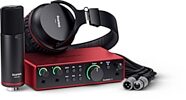
Focusrite Scarlett 2i2 Studio Gen 4 Audio Interface Recording Package
$329.99
- 8 payments of$41.25/mo
- No Credit Check6 payments of$55.00/mo
-

Akai MPC Key 37 Gen 2 Music Production Center Keyboard
$999.00
- 12 payments of$83.25/mo
- No Credit Check6 payments of$166.50/mo
-