
Customer Kudos
"zZounds has always had exemplary customer service, and you actually speak with a live agent who has access to the resources to give you solid answers, instead of an IVR/AI that is designed to limit calls and ignore the customer. Kudos to zZounds for letting customer support still mean something as comparred to other companies."
September 19, 2026
Beginner's Gear Guides: DJ Gear
Ready to be a DJ? Find your right rig here.
DJ gear has come a long way since the pioneering days of DJs like Larry Levan and Grandmaster Flash. While some hang on to old-school realness with two turntables, a mixer, and a microphone, new-school DJs can play entire sets with nothing but a laptop and DJ controller (or even less!). Take a look at these sample rig setups and build the one that's right for you. Whether you're touring the club scene or just workshopping mixes at home, we've got all the DJ gear you need to get started.
DJ gear has come a long way since the pioneering days of DJs like Larry Levan and Grandmaster Flash. While some hang on to old-school realness with two turntables, a mixer, and a microphone, new-school DJs can play entire sets with nothing but a laptop and DJ controller (or even less!). Take a look at these sample rig setups and build the one that's right for you. Whether you're touring the club scene or just workshopping mixes at home, we've got all the DJ gear you need to get started.
The Computer-Based DJ
With the latest computer-based DJ gear, all you need is a DJ controller and a laptop to spin your digital music collection. This model rig combines a versatile DJ controller (with DJ software) and a MIDI controller (with DAW software) to help you create original mixes and tracks. For bedroom mixmasters, a solid pair of studio monitors are an essential addition to your setup.
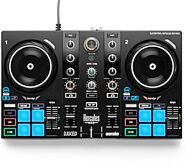
Hercules DJControl Inpulse 200 MK3 USB DJ Controller
$119.99
- No Credit Check6 payments of$20.00/mo
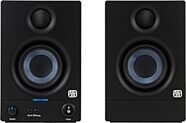
PreSonus Eris 3.5 Generation 2 Active Studio Monitors
$99.99
- No Credit Check6 payments of$16.66/mo
The Mobile DJ
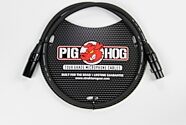
The party really starts when a mobile DJ turns up. This rig is built around a Mixstream Pro Go, a battery-powered all-in-one DJ controller that nixes the laptop for a built-in touchscreen interface and speakers. For this setup, you'll need a pair of XLR cables to connect this controller's audio outputs to the line inputs of a PA system (if you need more oomph). For even more portability, a battery-powerable PA lets you set up sans power outlets!
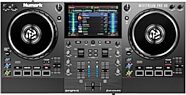
Numark Mixstream Pro Go Battery-Powered Standalone DJ System/Controller
$839.00
- 12 payments of$69.92/mo
- No Credit Check6 payments of$139.83/mo
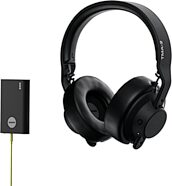
AIAIAI TMA-2 Studio Wireless Headphones
$299.00
- 8 payments of$37.38/mo
- No Credit Check6 payments of$49.83/mo
Comes in 2 Colors

The Vinyl Purist
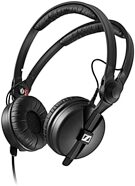
Like turntablist pioneers of the late '70s, the purist selector likes to keep things real and traditional. Got some records you've been waiting to spin out? All you need is two direct-drive turntables, a mixer, and a pair of RCA cables to connect them together. A pair of DJ headphones will help you cue and monitor.

Reloop RP-7000 MK2 Direct-Drive Turntable
$649.99
- 12 payments of$54.17/mo
- No Credit Check6 payments of$108.33/mo
Comes in 2 Colors
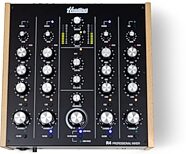
Headliner R4 Rotary DJ Mixer, 4-Channel
$599.99
- 12 payments of$50.00/mo
- No Credit Check6 payments of$100.00/mo
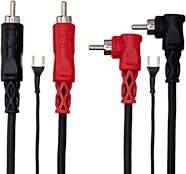
Hosa CRA-200DJ Stereo Interconnect Cable (Dual RCA to Dual Right-Angle RCA with Ground Wire)
$20.95
Comes in 2 Sizes/Lengths, 2 Mfg Models
The Hybrid Performer
Today's DJ mixers can combine audio from a vast array of sources. Connect a pair of turntables to a DVS system like a Reloop Flux DVS System
, and scratch "virtually" any digital audio file. This sample setup is great for live mixing -- simply connect the mixer's USB output to a laptop running Serato DJ software. With this setup, you can still add CDJs to more channels of your external mixer. Finally, connect the whole thing to a pair of powered speakers and get ready to really rock the party.
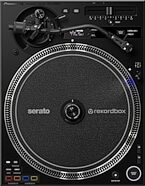

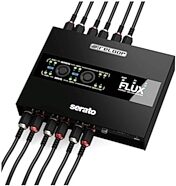
Reloop Flux 6x6 In/Out USB-C DVS Interface for Serato DJ Pro
$449.99
- 8 payments of$56.25/mo
- No Credit Check6 payments of$75.00/mo

Alto Professional TS415 Powered Speaker
$449.00
- 8 payments of$56.13/mo
- No Credit Check6 payments of$74.83/mo
Comes in 2 Quantities
DJ Accessories and Lighting
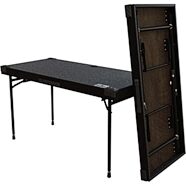
No matter which path you choose, every DJ should have a trusty set of headphones and a solid mic. A set of lights can add a whole new dimension to your performance, while a DJ table can provide a platform to place all your DJ equipment on. Stands keep your laptop and decks right in front of you, solidly grounded, ready for many a gig.
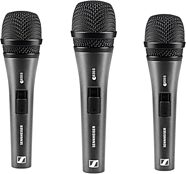
Sennheiser e835 Cardioid Dynamic Handheld Microphone
$279.00
- No Credit Check6 payments of$16.66/mo
Comes in 2 Quantities, 2 Mfg Models, 2 Styles
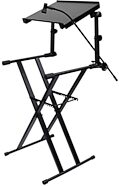
Odyssey LTBXS2MTCP 2-Tier DJ X-Stand Combo Pack
$359.95
- 8 payments of$44.99/mo
- No Credit Check6 payments of$59.99/mo
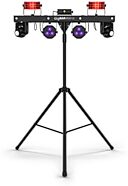
Chauvet DJ GigBAR Move ILS Lighting System
$1,129.99
- 12 payments of$94.17/mo
- No Credit Check6 payments of$188.33/mo
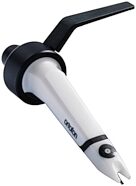
Ortofon Concorde MKII Scratch Cartridge
$173.99
- No Credit Check6 payments of$29.00/mo
Comes in 2 Quantities, 2 Case/Bag Options
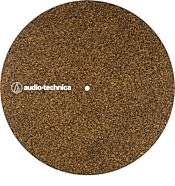
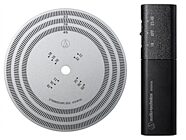
Audio-Technica AT6181DL Stroboscope Disc and Quartz Strobe Light
$179.00
- No Credit Check6 payments of$29.83/mo
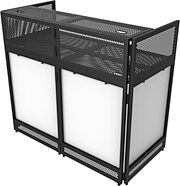
Odyssey DJBOOTH50 DJ and Live Sound Booth With Removable Top
$569.95
- 8 payments of$71.24/mo
- No Credit Check6 payments of$94.99/mo
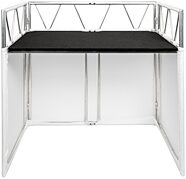
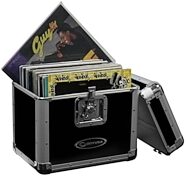
Odyssey KLP2 Stacking Record Case for 70 12" Vinyl Records
$109.95
- No Credit Check6 payments of$18.32/mo
Comes in 4 Colors