
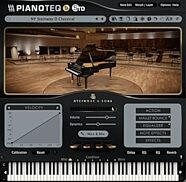
Modartt Pianoteq PRO Piano Plug-in Software



zZounds Gear Experts Say...
Hear how realistic a piano virtual instrument can sound. Modartt Pianoteq PRO physically models the piano for rich, complex sounds from natural to extreme.
Overview
Pianoteq PRO is the ultimate product for professional composers and recording studios, and has proved to be an indispensable tool in many recording projects - from movie soundtracks and tv commercials to the latest hit songs.
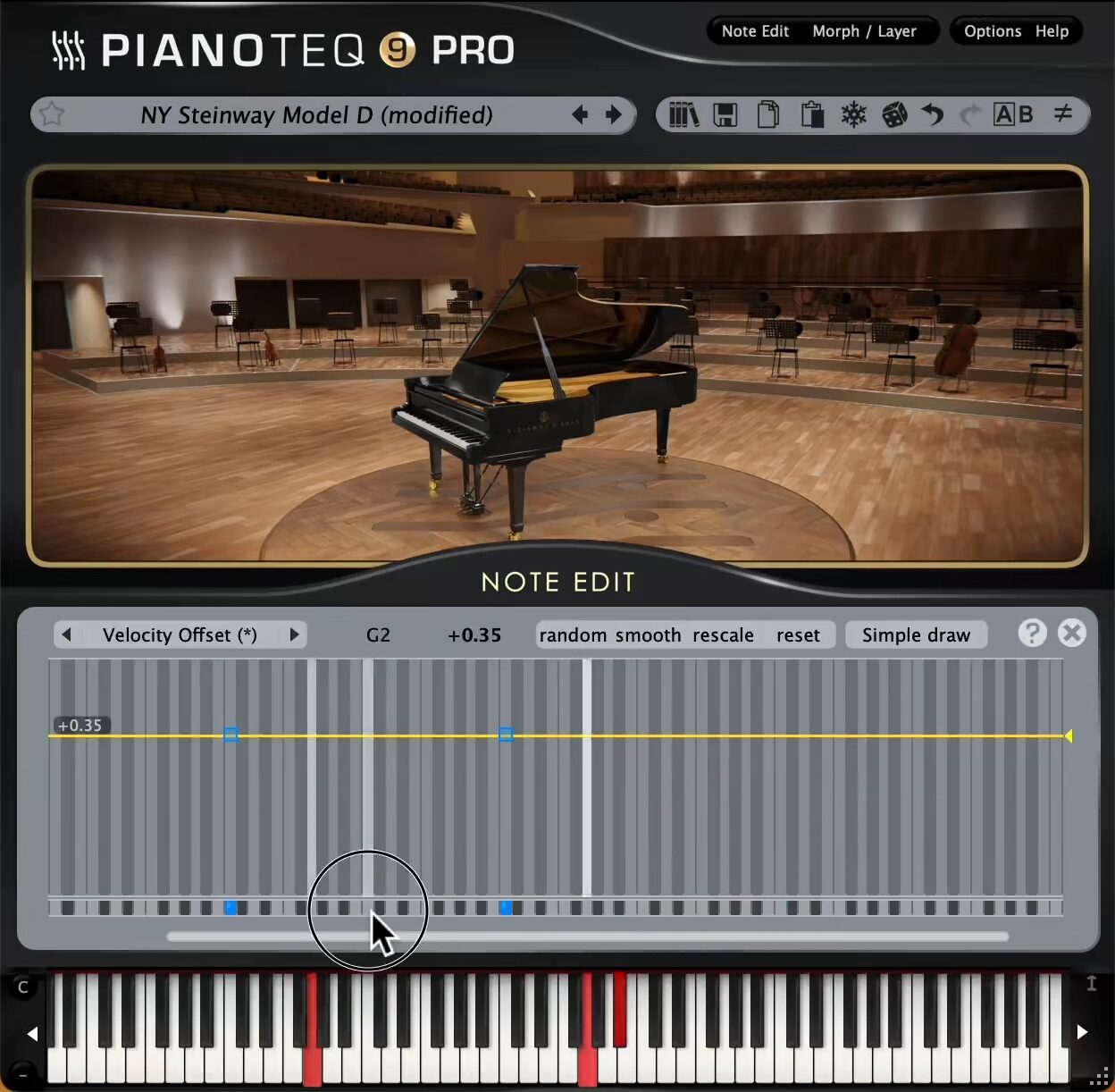
By being physically modelled, Pianoteq PRO brings you an extremely sophisticated tool for sound shaping and instrument creation, letting you create your own unique sounds that will enrich your projects. The PRO version works with internal sample rates up to 192 Khz. By using its powerful Note Edit feature, you are able to adjust physical parameters for specific ranges, and even note by note. You can also turn any Pianoteq instrument into a multi-instrument by using advanced keyboard splits for up to 105 notes (concerns instruments with extended octave range).
The note editor is designed so that you can work with it effectively - it saves you time and increases your creativity. On top of this, its spectrum profile editor lets you adjust each overtone for each note, bringing you thousands of sound combinations that will help you finding your own unique instrument.
Enhanced soundboard model
Pianoteq 9 has an audio engine based on an improved model of the soundboard vibration, enhancing stereo and spatial perception. Each note you play creates a rich, vibrant swirl, making the sound feel organic and evolving, like ripples shimmering at the surface of a lake.
New Triple Harp and improved Electric pianos
An Italian Triple Harp has joined the… read more Harp pack. Rooted in the Baroque era, its sound carries a characterful and delicate timbre, perfect for basso continuo. Additionally, The Concert and Celtic harps now benefit from improved transients.
The MKII and Reeds of the Electric Pianos pack are updated too, elevating dynamic response and adding extra grit in the fortissimo range, offering greater expressivity with more detail in every note.
Expanded sound palette
Expressive "Sombre" presets have been added to all grand pianos, delivering a highly dynamic response with a silken tone ideal for emotive and cinematic playing. The soft, intimate sound of Felt presets is now also available in historical pianos. Most instruments feature refreshed Binaural presets for an immersive headphones experience.
Interface features
The microphones panel has been revamped, now letting you place up to eight simultaneous microphones in 3D space anywhere around the instrument - a level of flexibility made possible only by physical modelling - while the streamlined mixing panel offers intuitive controls for stereo and multi-channel outputs.
read less
By being physically modelled, Pianoteq PRO brings you an extremely sophisticated tool for sound shaping and instrument creation, letting you create your own unique sounds that will enrich your projects. The PRO version works with internal sample rates up to 192 Khz. By using its powerful Note Edit feature, you are able to adjust physical parameters for specific ranges, and even note by note. You can also turn any Pianoteq instrument into a multi-instrument by using advanced keyboard splits for up to 105 notes (concerns instruments with extended octave range).
The note editor is designed so that you can work with it effectively - it saves you time and increases your creativity. On top of this, its spectrum profile editor lets you adjust each overtone for each note, bringing you thousands of sound combinations that will help you finding your own unique instrument.
In Pianoteq 9
Enhanced soundboard model
Pianoteq 9 has an audio engine based on an improved model of the soundboard vibration, enhancing stereo and spatial perception. Each note you play creates a rich, vibrant swirl, making the sound feel organic and evolving, like ripples shimmering at the surface of a lake.
New Triple Harp and improved Electric pianos
An Italian Triple Harp has joined the… read more Harp pack. Rooted in the Baroque era, its sound carries a characterful and delicate timbre, perfect for basso continuo. Additionally, The Concert and Celtic harps now benefit from improved transients.
The MKII and Reeds of the Electric Pianos pack are updated too, elevating dynamic response and adding extra grit in the fortissimo range, offering greater expressivity with more detail in every note.
Expanded sound palette
Expressive "Sombre" presets have been added to all grand pianos, delivering a highly dynamic response with a silken tone ideal for emotive and cinematic playing. The soft, intimate sound of Felt presets is now also available in historical pianos. Most instruments feature refreshed Binaural presets for an immersive headphones experience.
Interface features
The microphones panel has been revamped, now letting you place up to eight simultaneous microphones in 3D space anywhere around the instrument - a level of flexibility made possible only by physical modelling - while the streamlined mixing panel offers intuitive controls for stereo and multi-channel outputs.
Specs
System Requirements:
What software do I need to get started?
Pianoteq works in Windows 7 (64-bit) or higher, MacOS X 10.11 or higher and Linux (x86, arm). Besides a standalone version, Pianoteq includes 64-bit VST (PC/Mac), Audio Units (Mac) and AAX plug-ins. The advantage of a plug-in is that you can work with it in a software host that offers multitrack mode, external effects and advanced note editing. Examples of hosts (non exhaustive list): Logic, GarageBand, Cubase, Sonar, Reaper, Cantabile. For further information on how to use these type of hosts, please visit their websites.
Any specific software drivers that I need to have installed?
If you use a PC, you will need to install ASIO drivers. This makes it possible to play back in real time from a keyboard, so that when you press a key on the keyboard, the sound will be heard immediately (with just a few milliseconds delay). Usually, ASIO drivers will be installed automatically during the driver installation of the soundcard. However, some budget soundcards (usually internal ones) do not offer ASIO drivers. It is then possible to use third-party ASIO drivers, such as ASIO4ALL, with various results.
Where do I install the instruments to my full version of Pianoteq?
If you are installing any of the free instruments, you can drag and drop the PTQ file onto the Pianoteq interface. It will then be installed automatically. Other instruments are already installed as they are embedded as demo instruments in the Preset menu. You can unlock each of these instruments by registering the corresponding serial number in the user area and updating your licence (Options - About - Update licence).
Can I load Pianoteq in Pro Tools?
Pianoteq offers a 64-bit AAX version (for loading in Pro Tools 11 or later). You might be able to load Pianoteq in Pro Tools 10 by using Blue Cat's PatchWork or DDMF's Metaplugin.
Can I use Pianoteq in Windows 95/98/ME/2000/XP/Vista or MacOS X 10.6?
No. Previous versions of Pianoteq can be downloaded from the user area and may support older operating systems. Pianoteq 7.5.4 works in MacOS 10.9. Pianoteq 6.7.3 works in Windows XP. Pianoteq 6.0.3 works in MacOS 10.6.8.
Is Pianoteq compatible with Windows 11?
Yes.
How do I install Pianoteq on Raspberry Pi?
You can find instructions in README_LINUX.txt in the Linux 7z archive of Pianoteq 7, along with the ARM and Intel binaries.
Is Pianoteq compatible with macOS 13 (Ventura)?
Yes.
Should I uninstall the trial version before installing the full version?
It is not necessary to uninstall it. If you are using the trial version in your projects, it might be a good idea to keep it for a while, side by side with the full version, for transition purposes. Before uninstalling, you should first create a backup of your customized presets and archived midi files.
Can I load Pianoteq in Logic?
Yes. Pianoteq is compatible with Logic Pro 10.4.8 and later. Older versions of Pianoteq can be loaded in older versions of Logic.
Digital Download
- Manufacturer Part Number (MPN): 1035-4169
Documents and Manuals
For support or warranty questions, please contact the manufacturer:
Web: https://www.modartt.com/support
Web: https://www.modartt.com/support
Digital Download
$399.00
you're approved! No credit check!
- No interest and no late fees
- No paperwork
- No social security number required
- No questions about your income
Just provide your credit or debit card number in checkout as usual, and we’ll ship your order before the end of the business day.
- 8 payments of$49.88/mo
FREE
-Day
Shipping!
Get it
for
Get it
(or get it
with an order of
),
if you order within
Shipping to
This is a carousel with product cards. Use the previous and next buttons to navigate.
People who bought this item also bought

Arturia V Collection 11 Pro Software
$699.00
- 12 payments of$58.25/mo
- No Credit Check6 payments of$116.50/mo
-
Native Instruments Kontrol S88 MK3 USB MIDI Keyboard Controller, 88-Key
$1,299.00
- 12 payments of$108.25/mo
-
Native Instruments Kontrol S61 MK3 USB MIDI Keyboard Controller, 61-Key
$849.00
- 12 payments of$70.75/mo
- No Credit Check6 payments of$141.50/mo
-
Native Instruments Komplete 26 Ultimate Software
$1,249.00
- 12 payments of$104.08/mo
- No Credit Check6 payments of$208.17/mo
-
Rode RODECaster Video S All-In-One Production Console for Audio and Video
$799.00
- 12 payments of$66.58/mo
- No Credit Check6 payments of$133.17/mo
-
FabFilter Total Bundle Plug-ins Software
$1,069.00
- 12 payments of$89.08/mo
- No Credit Check6 payments of$178.17/mo
-
Items You Recently Viewed
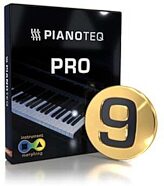
Modartt Pianoteq PRO Piano Plug-in Software
$399.00
- 8 payments of$49.88/mo
- No Credit Check6 payments of$66.50/mo
-