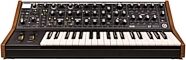
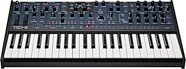
Moog Subsequent 37 Analog Synthesizer Keyboard
Dial in classic Moog sounds or build brand-new ones! A hot-rodded Sub 37, the 2-note paraphonic Subsequent 37 features fatter Multidrive distortion and more.
$1,899.00
- 12 payments of$158.25/mo
Moog Music Minimoog Voyager Rack Mount Analog Synth
No longer available at zZounds
zZounds Gear Experts Say...
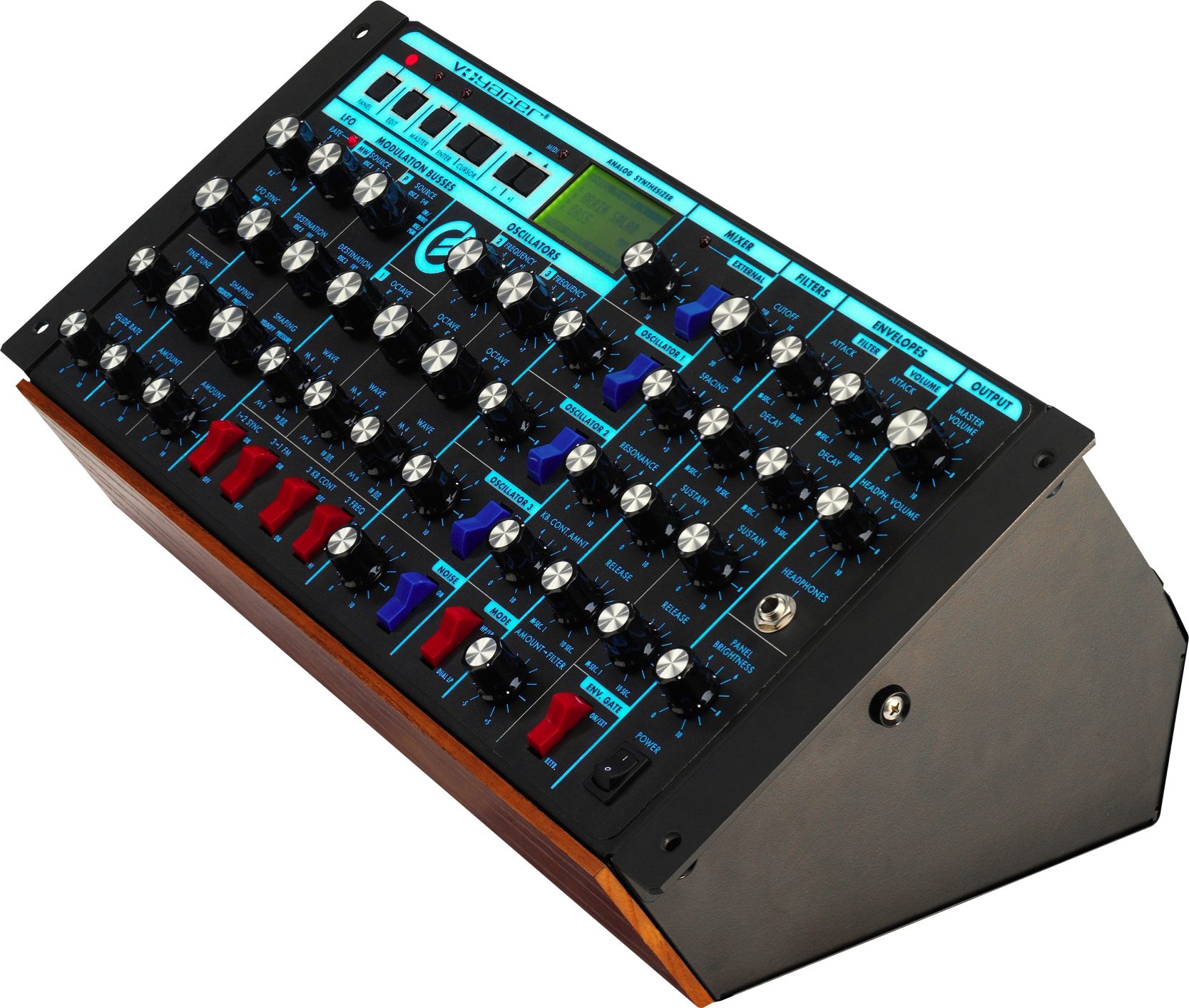
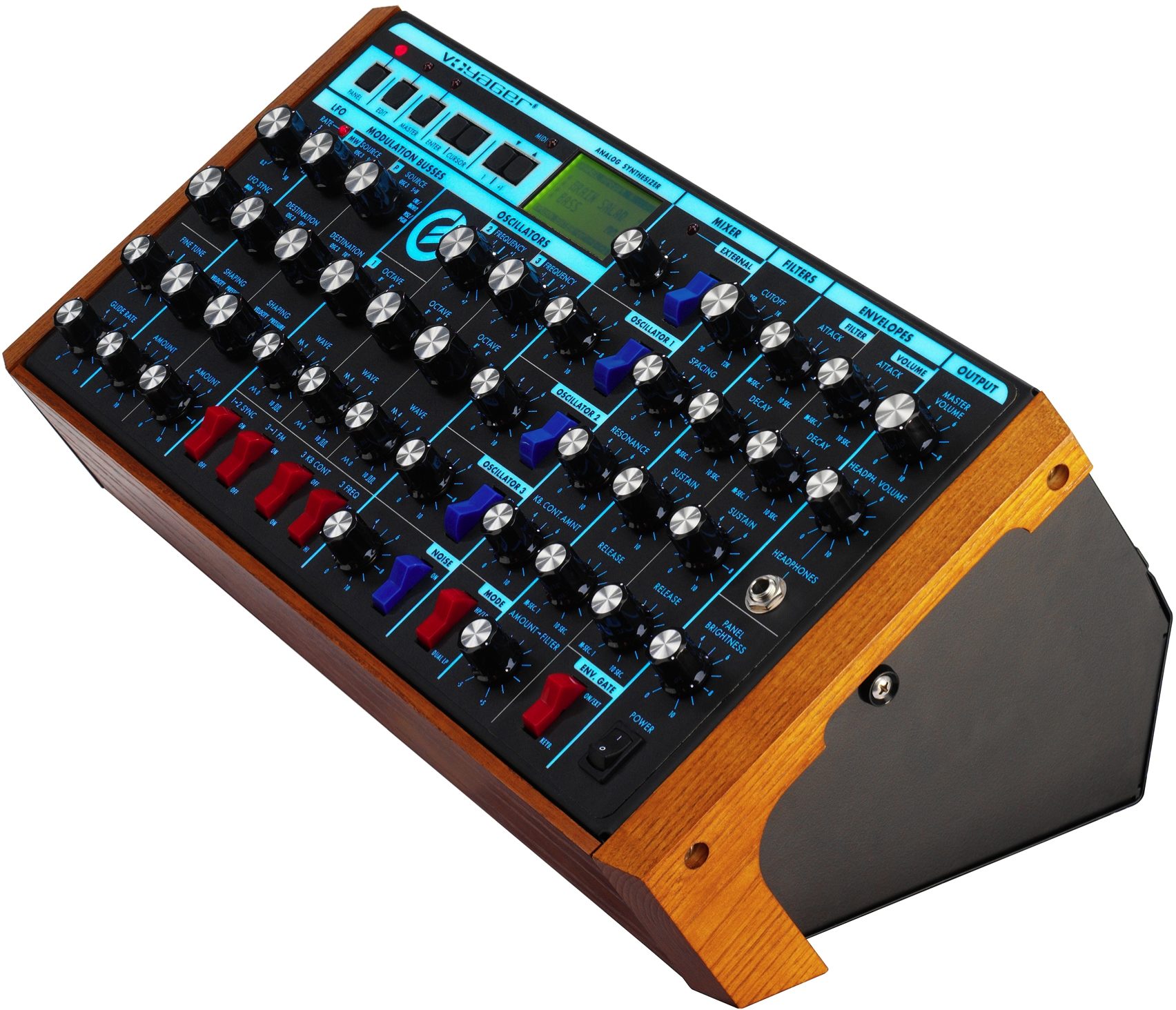
It's the rackmount edition of the Moog Voyager! Plug in a MIDI controller, try out 128 Moog presets, and build your own fat analog synth sounds from scratch.
Overview
The Minimoog Voyager Rack Mount Edition takes all the mind-bending power of the Minimoog Voyager and packages it in a 19" wide by 5U (8 3/4") high package, which is designed for rack-mount or table-top use.
The Voyager Rack Mount Edition contains all the synthesis functions of the award-winning Voyager. It also includes the Electric Blue back lit panel that Moog introduced with the Anniversary Edition Voyager, complete with front panel brightness control. One feature is the switchable output mode. A slider switch on the rear panel selects -2dBm unbalanced, floating outputs, or +4 dBm, 600 Ohm electronically balanced outputs for professional applications. Another great feature is the Input Accessory Port, for CV/Gate Inputs.
The Voyager Rack Mount Edition can be controlled completely through MIDI. All front panel controls transmit and receive MIDI Continuous Controller messages. Match the RME (or up to 16 of them!) up with your existing Voyager to achieve some serious polyphony.
Now, all Rack Mount Editions will have the upgraded software and hardware to allow the player 7 banks of 128 presets and the following capabilities:
The External Mixer knob (just right of the display panel) has a dual function that allows you to rapidly change presets as opposed to continuously punching the cursor buttons.
MIDI Enhancements:
- Allows you to send either 7 or 14 bit resolution from the Mod Wheel.
- Optionally reduces the amount of MIDI data being sent from the Touch Surface.
(These… read more changes enable the Voyager to work better with older MIDI equipment.)
So many sounds to spark your creativity!
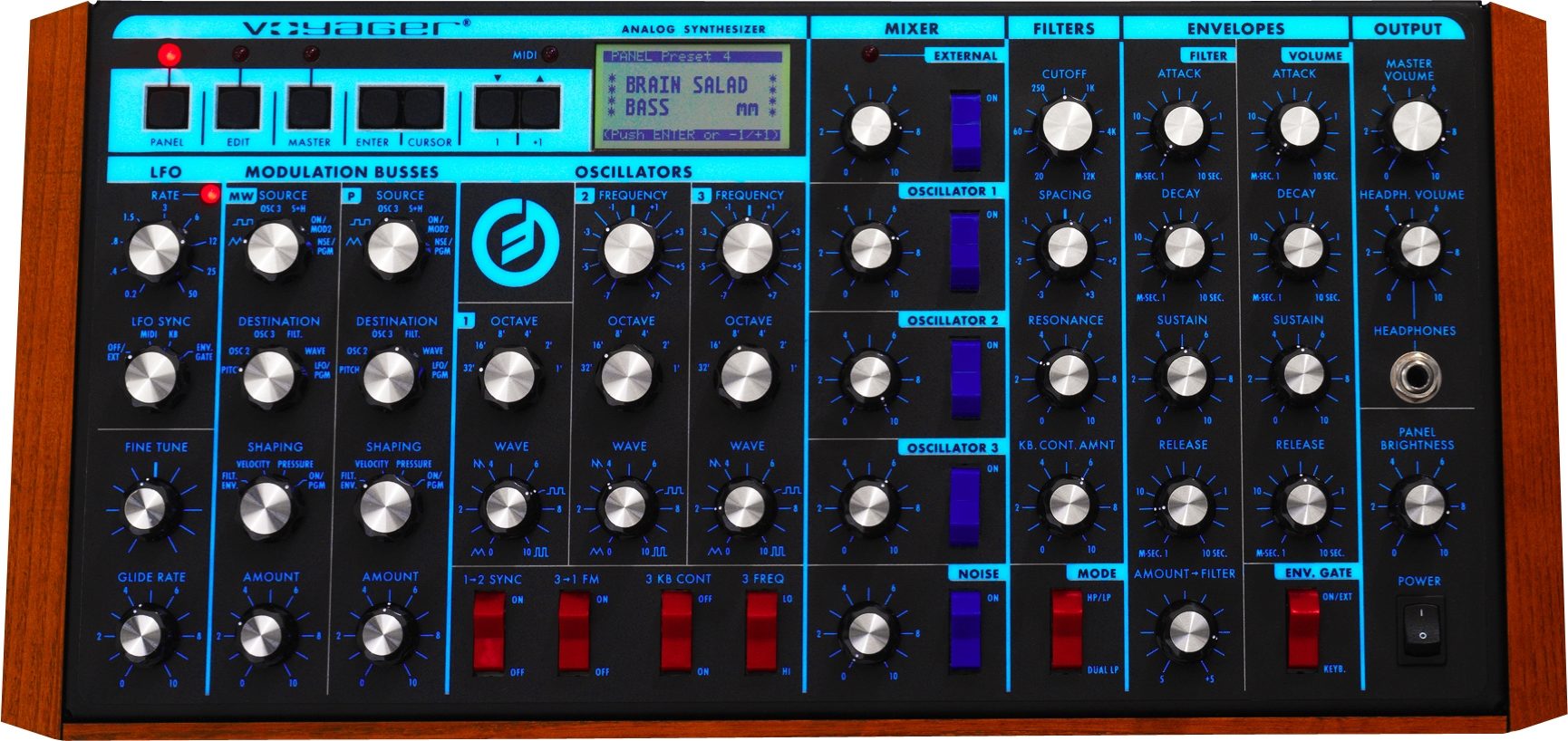
- Frequency: controls (2) vary the frequencies of Oscillators #2 and #3 over a +/-7 semitone range with respect to Oscillator #1.
- Octave: selectors (3) set the frequency ranges of the oscillators in six octave steps.
- Wave: controls (3) provide continuous control over the waveforms of the oscillators, from triangular, to sawtooth, to square, to narrow rectangular.
- 1-2 Sync: switch synchronizes the Oscillator #2 waveform to the frequency of Oscillator #1, for dramatic timbral effects.
- 3-1 FM: switch provides linear frequency modulation of Oscillator #1 by Oscillator #3.
- 3 KB Cont: switch disconnects Oscillator #3 from control by the keyboard, thereby enabling it to function as a drone.
- 3 Freq: switch lowers the frequency of Oscillator #3 into the sub-audio range, thereby enabling it to function as a low frequency audio or modulating oscillator.
- Input Level controls (5): adjust the relative levels of the oscillator, noise, and external audio input signals.
- Input switches (5): enable the player to quickly switch individual audio signals in and out.
- External Level LED: enables the player to set the correct external audio signal level.
- Cutoff: control sweeps the frequencies of both filters throughout the audio range.
- Spacing: control sets the spacing between the frequencies of the two filters, over a +/-3 octave range.
- Resonance: control adjusts the resonance of both filters, from none (pure lowpass response) to filter oscillation.
- KB Cont Amount: control sets how much the filters open and close as the player presses different keys on the keyboard.
- Dual Lowpass/Highpass-Lowpass switch selects between dual lowpass operation or highpass-lowpass operation.
- Attack: controls (2) determine the attack times of the envelopes.
- Decay: controls (2) determine the decay time constants of the envelopes.
- Sustain: controls (2) determine the sustain levels of the envelopes.
- Release: controls (2) determine the release time constants of the envelopes.
- Amount to FIlter: control determines how much the filter envelope will open and close the filter, from full negative (inverted envelope) to full positive (non-inverted envelope).
- Envelope Gate Switch: selects whether the envelopes will be triggered by the keyboard, on , or by an externally-applied gate.
- Rate: control sets the LFO rate over the range 0.2 Hz (one cycle every five seconds) to 50 Hz (fifty times a second).
- Sync: selector selects LFO synchronization source to be from the keyboard gate, external envelope gate, external gate, or off (no synchronization).
- Rate LED: provides visual indication of the LFO rate.
- Source: selectors (2) selects the modulation source from the LFO triangle or square waveforms, Oscillator# 3, sample and hold, the external modulation input (MOD2) or noise.
- Destination: selectors (2) selects the modulation destination from all the audio oscillators, just Oscillator #2, just Oscillator #3, the filter cutoff frequencies, the oscillator waveforms, or LFO Rate.
- Shaping: selectors (2) selects the key pressure signal, filter envelope, note-on velocity or on to shape the modulation signal on that bus.
- Amount: controls (2) sets the overall modulation amount for each bus.
- Headphone Volume: control sets the overall level of the headphone output.
- Headphones Jack: 1/4-inch tip-ring-sleeve phone jack for regular headphones.
- Fine Tune: adjusts the overall tuning of the instrument.
- Volume
- Pan
- Filter Cutoff
- Waveform
- Pitch
- MOD2 - External Modulation Source
- MOD1 - External Control of the Pedal Mod. Bus
- Sample and Hold In
- Envelopes Rate
- LFO Rate
LFO Sync
A footswitch or gateapplied to this input will reset the LFO waveform to the beginning of its cycle.
Envelopes Gate
A footswitch or gate applied to this input will start the envelopes.
Sample and Hold Gate
A gate signal applied to this jack will trigger a sample and hold voltage.
Release
Foot switch plugged into this jack will have the same effect as depressing the corresponding switch on the left hand controller panel.
Mixer Ext In
Plug any instrument-level or line-level audio signal in this jack to combine with the oscillator and noise signals prior to filtering.
Mix Out/Filter Audio In
The output of the audio mixer appears here, before being fed to the filter. Normally, the Mixer output is bridged directly to the filter input. If you plug something into this jack, that breaks the normal connection. Using a standard insert cable (1/4-inch TRS plug to two 1/4-inch TS plugs) this jack can be used as an effects loop for external processing of the Mix before it goes to the filter.
Left(Mono) and Right Audio Outputs
The audio outputs are 1/4-inch unbalanced outputs. The 2 output channels are summed to mono when only the left(mono) output is used. Switchable audio out-2dBm unbalanced or +4dBm balanced 600 Ohms.
MIDI In, Thru, and Out Connectors
Standard MIDI connectors for interfacing with other MIDI gear.
Power Input
The Voyager's power input accepts a standard power cable. The Voyager works from 100-250 VAC, 50-60 Hz. read less
The Voyager Rack Mount Edition contains all the synthesis functions of the award-winning Voyager. It also includes the Electric Blue back lit panel that Moog introduced with the Anniversary Edition Voyager, complete with front panel brightness control. One feature is the switchable output mode. A slider switch on the rear panel selects -2dBm unbalanced, floating outputs, or +4 dBm, 600 Ohm electronically balanced outputs for professional applications. Another great feature is the Input Accessory Port, for CV/Gate Inputs.
The Voyager Rack Mount Edition can be controlled completely through MIDI. All front panel controls transmit and receive MIDI Continuous Controller messages. Match the RME (or up to 16 of them!) up with your existing Voyager to achieve some serious polyphony.
Now, all Rack Mount Editions will have the upgraded software and hardware to allow the player 7 banks of 128 presets and the following capabilities:
The External Mixer knob (just right of the display panel) has a dual function that allows you to rapidly change presets as opposed to continuously punching the cursor buttons.
MIDI Enhancements:
- Allows you to send either 7 or 14 bit resolution from the Mod Wheel.
- Optionally reduces the amount of MIDI data being sent from the Touch Surface.
(These… read more changes enable the Voyager to work better with older MIDI equipment.)
So many sounds to spark your creativity!
Oscillators Module
3 wide-range, high stability VCO's (Voltage Controlled Oscillators) with continuously-variable waveforms.- Frequency: controls (2) vary the frequencies of Oscillators #2 and #3 over a +/-7 semitone range with respect to Oscillator #1.
- Octave: selectors (3) set the frequency ranges of the oscillators in six octave steps.
- Wave: controls (3) provide continuous control over the waveforms of the oscillators, from triangular, to sawtooth, to square, to narrow rectangular.
- 1-2 Sync: switch synchronizes the Oscillator #2 waveform to the frequency of Oscillator #1, for dramatic timbral effects.
- 3-1 FM: switch provides linear frequency modulation of Oscillator #1 by Oscillator #3.
- 3 KB Cont: switch disconnects Oscillator #3 from control by the keyboard, thereby enabling it to function as a drone.
- 3 Freq: switch lowers the frequency of Oscillator #3 into the sub-audio range, thereby enabling it to function as a low frequency audio or modulating oscillator.
Mixer Module
- 5-input mixer for combining the audio sources prior to filtering.- Input Level controls (5): adjust the relative levels of the oscillator, noise, and external audio input signals.
- Input switches (5): enable the player to quickly switch individual audio signals in and out.
- External Level LED: enables the player to set the correct external audio signal level.
Filters Module
- Dual mode filter module includes dual lowpass and highpass-lowpass filtering. Dual lowpass mode consists of 2 Moog lowpass-resonant filters in parallel, 1 per output channel. Highpass-lowpass mode consists of Moog lowpass filter in series with a highpass filter.- Cutoff: control sweeps the frequencies of both filters throughout the audio range.
- Spacing: control sets the spacing between the frequencies of the two filters, over a +/-3 octave range.
- Resonance: control adjusts the resonance of both filters, from none (pure lowpass response) to filter oscillation.
- KB Cont Amount: control sets how much the filters open and close as the player presses different keys on the keyboard.
- Dual Lowpass/Highpass-Lowpass switch selects between dual lowpass operation or highpass-lowpass operation.
Envelopes Module
The Envelopes Module generates 2 wide-range ADSR (Attack Decay Sustain Release) envelopes. The Filter Envelope sweeps the filter and is available for modulation shaping. The Volume Envelope shapes the overall volume.- Attack: controls (2) determine the attack times of the envelopes.
- Decay: controls (2) determine the decay time constants of the envelopes.
- Sustain: controls (2) determine the sustain levels of the envelopes.
- Release: controls (2) determine the release time constants of the envelopes.
- Amount to FIlter: control determines how much the filter envelope will open and close the filter, from full negative (inverted envelope) to full positive (non-inverted envelope).
- Envelope Gate Switch: selects whether the envelopes will be triggered by the keyboard, on , or by an externally-applied gate.
LFO Module
Low Frequency Oscillator generates triangular, square, Sample & Hold, and smoothed Sample & Hold waveforms for use as modulating signals.- Rate: control sets the LFO rate over the range 0.2 Hz (one cycle every five seconds) to 50 Hz (fifty times a second).
- Sync: selector selects LFO synchronization source to be from the keyboard gate, external envelope gate, external gate, or off (no synchronization).
- Rate LED: provides visual indication of the LFO rate.
Modulation Busses Module
Selects the sources, destinations, and shaping signals for the Mod Wheel bus and the EXT Pedal/On bus.- Source: selectors (2) selects the modulation source from the LFO triangle or square waveforms, Oscillator# 3, sample and hold, the external modulation input (MOD2) or noise.
- Destination: selectors (2) selects the modulation destination from all the audio oscillators, just Oscillator #2, just Oscillator #3, the filter cutoff frequencies, the oscillator waveforms, or LFO Rate.
- Shaping: selectors (2) selects the key pressure signal, filter envelope, note-on velocity or on to shape the modulation signal on that bus.
- Amount: controls (2) sets the overall modulation amount for each bus.
Output Module
- Master Volume: control sets the overall level of the instrument's audio outputs.- Headphone Volume: control sets the overall level of the headphone output.
- Headphones Jack: 1/4-inch tip-ring-sleeve phone jack for regular headphones.
Glide and Fine Tune Module
- Glide: varies the speed at which the keyboard voltage changes, from instantaneous to several seconds.- Fine Tune: adjusts the overall tuning of the instrument.
Panel Mode Features
Panel Mode features include Compare, Quick Mode (Preset changes with +/-1 buttons), Parameter Display (view stored paramter value, current parameter value), and enable/disable preset Master and Headphone Volume.Edit Mode Features
Related to Preset Parameters not on Front Panel, these include: Compare tp Preset, Recall last Sound, Real Panel Control, Pitch Bend Amount, Programmable Mod Buss Sources, Destinations and Shaping, Keyboard and Trigger Modes, FIlter Pole Select, Envelope Gate Source, Touch Surface Destinations, Touch Surface Memory, Pot Mapping Mod. Matrix, LFO MIDI Clock Divider, Initialize Parameters, Preset Name, and Save Preset.Pedal/Control Inputs
These 10 jacks have red nuts. They accept either expression pedals or control voltages, and control the following performance parameters:- Volume
- Pan
- Filter Cutoff
- Waveform
- Pitch
- MOD2 - External Modulation Source
- MOD1 - External Control of the Pedal Mod. Bus
- Sample and Hold In
- Envelopes Rate
- LFO Rate
LFO Sync
A footswitch or gateapplied to this input will reset the LFO waveform to the beginning of its cycle.
Envelopes Gate
A footswitch or gate applied to this input will start the envelopes.
Sample and Hold Gate
A gate signal applied to this jack will trigger a sample and hold voltage.
Release
Foot switch plugged into this jack will have the same effect as depressing the corresponding switch on the left hand controller panel.
Mixer Ext In
Plug any instrument-level or line-level audio signal in this jack to combine with the oscillator and noise signals prior to filtering.
Mix Out/Filter Audio In
The output of the audio mixer appears here, before being fed to the filter. Normally, the Mixer output is bridged directly to the filter input. If you plug something into this jack, that breaks the normal connection. Using a standard insert cable (1/4-inch TRS plug to two 1/4-inch TS plugs) this jack can be used as an effects loop for external processing of the Mix before it goes to the filter.
Left(Mono) and Right Audio Outputs
The audio outputs are 1/4-inch unbalanced outputs. The 2 output channels are summed to mono when only the left(mono) output is used. Switchable audio out-2dBm unbalanced or +4dBm balanced 600 Ohms.
MIDI In, Thru, and Out Connectors
Standard MIDI connectors for interfacing with other MIDI gear.
Power Input
The Voyager's power input accepts a standard power cable. The Voyager works from 100-250 VAC, 50-60 Hz. read less
Documents and Manuals
For support or warranty questions, please contact the manufacturer:
Phone: 828-251-0090
Email: techsupport@moogmusic.com
Web: https://moogmusicsupport.zendesk.com
Phone: 828-251-0090
Email: techsupport@moogmusic.com
Web: https://moogmusicsupport.zendesk.com
No longer available at zZounds

This is a carousel with product cards. Use the previous and next buttons to navigate.
People who bought this item also bought
Moog DFAM Drummer From Another Mother Semi-Modular Analog Percussion Synthesizer
$599.00
- 12 payments of$49.92/mo
- No Credit Check6 payments of$99.83/mo
-
Moog Mother-32 Semi-Modular Analog Synthesizer
$599.00
- 12 payments of$49.92/mo
- No Credit Check6 payments of$99.83/mo
-
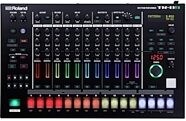
Roland TR-8S Rhythm Performer Drum Machine
$899.99
- 12 payments of$75.00/mo
- No Credit Check6 payments of$150.00/mo
-
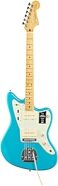
Fender American Pro II Jazzmaster Electric Guitar, Maple Fingerboard (with Case)
$1,939.99
- 12 payments of$161.67/mo
-
Moog Subharmonicon Desktop Analog Synthesizer
$499.00
- 8 payments of$62.38/mo
- No Credit Check6 payments of$83.17/mo
-