
Ultimate Support MDS-100 Modular Desktop Stand


zZounds Gear Experts Say...
Elevate your desktop synth rig on this stand. With a surface that's just under 19 x 8 x 6", it's the right fit for control surfaces, drum machines, and more.
Overview
The Ultimate Support MDS-100 modular desktop stand has been designed to support the wide variety of hardware-based performance and recording configurations musicians all over the world are creating. Whether you are using desktop synthesizers, adapting effects pedals to your hardware synths or looking for a way to elevate your control surfaces, the MDS-100 is the customizable solution you've been looking for.
The adjustable clamping walls and divider allow you to firmly place more than one device on the surface -- and you can expand to a two tier configuration using two MDS-100 units and the Ultimate Support MDS-X Expander. Forget about overpriced, proprietary solutions that limit your choices, and take control of your setup with the MDS series Modular Device Stands.
The adjustable clamping walls and divider allow you to firmly place more than one device on the surface -- and you can expand to a two tier configuration using two MDS-100 units and the Ultimate Support MDS-X Expander. Forget about overpriced, proprietary solutions that limit your choices, and take control of your setup with the MDS series Modular Device Stands.
WARNING: Cancer and Reproductive Harm - www.p65Warnings.ca.gov.
Specs
- Dimensions (W x D x H): 18.83 x 7.82 x 5.55" / 478.40 x 198.62 x 140.94mm
- Clamping Surface Depth: 8.34" (211.9mm)
- Clamping Surface Max Area: 133.27 sq. in. (85980.47 sq. mm)
- Clamping Width Range (w/o divider): 6.41" (162.9mm) - 15.98" (405.9mm)
- Clamping Width Range (with divider, each side): 2.84" (72.1mm) - 7.62" (193.59mm)
- Clamp Height: .91" (23mm) Weight: 2.8lbs. (1.3 kg)
- Clamping Surface Depth: 8.34" (211.9mm)
- Clamping Surface Max Area: 133.27 sq. in. (85980.47 sq. mm)
- Clamping Width Range (w/o divider): 6.41" (162.9mm) - 15.98" (405.9mm)
- Clamping Width Range (with divider, each side): 2.84" (72.1mm) - 7.62" (193.59mm)
- Clamp Height: .91" (23mm) Weight: 2.8lbs. (1.3 kg)
Dimensions and Weight in Packaging
Single
- Shipping Weight: 3.17 lbs
- Shipping Dimensions: 20 x 10 x 3 in
- Manufacturer Part Number (MPN): 17983
Pair, with Ultimate Support MDS-X Expander
- Shipping Weight: 7.29 lbs
Single
$67.99
you're approved! No credit check!
- No interest and no late fees
- No paperwork
- No social security number required
- No questions about your income
Just provide your credit or debit card number in checkout as usual, and we’ll ship your order before the end of the business day.
FREE
-Day
Shipping!
Get it
for
Get it
(or get it
with an order of
),
if you order within
Shipping to
Related Accessories


Related Accessories
This is a carousel with product cards. Use the previous and next buttons to navigate.
People who bought this item also bought

Electro-Voice EVERSE 8 Battery-Powered PA Speaker
$799.00
- 12 payments of$66.58/mo
- No Credit Check6 payments of$133.17/mo
Comes in 2 Quantities, 2 Colors-

Roland SH-4d Tabletop Synthesizer
$739.99
- 12 payments of$61.67/mo
- No Credit Check6 payments of$123.33/mo
-

Arturia KeyLab 49 MK3 USB MIDI Controller Keyboard
$479.00
- 8 payments of$59.88/mo
- No Credit Check6 payments of$79.83/mo
Comes in 2 Colors-

Universal Audio OX Stomp Dynamic Speaker Emulator Pedal
$399.00
- 8 payments of$49.88/mo
- No Credit Check6 payments of$66.50/mo
-
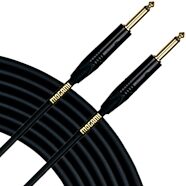
Mogami Gold Guitar/Instrument Cable
$69.95
- No Credit Check4 payments of$17.49/mo
Comes in 5 Sizes/Lengths-


Items You Recently Viewed

Ultimate Support MDS-100 Modular Desktop Stand
$67.99
- No Credit Check4 payments of$17.00/mo
Comes in 2 Quantities-