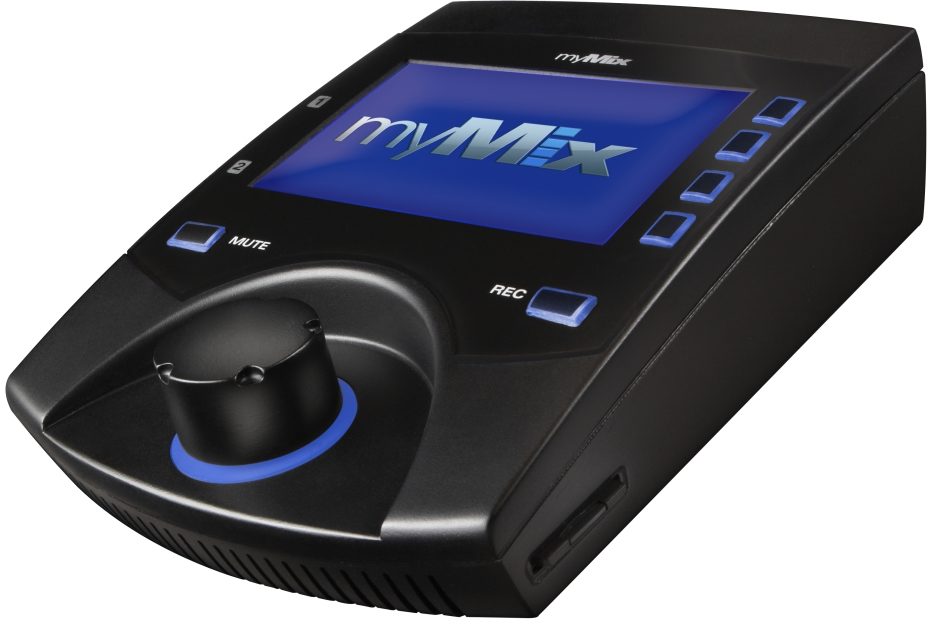
Movek myMix Networked Personal Mixer and Recorder
No longer available at zZounds


zZounds Gear Experts Say...
With myMix it's simple to create up to 8 independent stereo mixes with up to sixteen channels of audio controlled through an intuitive musician friendly interface.
Overview
Mixing with myMix
With myMix it's simple to create up to 8 independent stereo mixes with up to sixteen channels of audio controlled through an intuitive musician friendly interface.
Features
- Simple yet powerful control over the shape of your individual mix
- Create and Mix up to 8 independent stereo mixes
- Two balanced mic/line combo inputs with switchable phantom power
- Two balanced 1/4 inch outputs with Neutrik jacks
- One 1/8 inch headphone output
- RJ45 for Ethernet connection (standard or PoE)
- Sixteen channels of audio controlled through an intuitive interface
- Each channel can be muted or solo'd independently
- 4-band parametric master EQ for tailoring audio to your preferred output
- Output to stage monitors, headphones or direct connection to a PA
- Recallable profiles for users in multiple bands
- Record up to 18 tracks of 24bit, 48 kHz time-stamped WAV audio
- Files easily transfer from the SD card to your DAW software
- Includes stand mount to keep your monitoring with in arm's reach
- Powered by PoE Ethernet connection or External power supply
Instead of trying to remember who is on what channel on a confusing mixing board, myMix allows you to name your unit as well as each input. Mixing is simply a matter finding the name and instrument you would like adjust, selecting the channel, and making changes to volume, tone, pan and effect send level. In addition, each channel can be muted or solo'd independently and a master Mute button is available… read more to silence all channels at once. So if you want that guitar loud, make it loud. If you want to hear your singer in a huge Hall reverb, dial one up. If you want to mute the backing vocals, go for it. Every change you make is strictly for you and doesn't affect anyone else on the network.
Additional master EQ
myMix has an additional four band parametric master EQ for tailoring the output to headphones, in-ear monitors or stage monitors. Add another myMix to your system and use it to mix the show through your main PA system.
Profiles
Every change you make to your mix is constantly updated in the currently selected profile. If you play in multiple bands, set up a different profile for each gig. If the power goes out you can rest assured that your myMix will boot up with the last configuration.
Recording with myMix
Once you have realized all the benefits of being able to mix your own mix, you'll want to be able to hear how much better the band sounds. Have you ever had a great idea at rehearsal only to forget it two weeks later? Wouldn't it be cool to record a weekend show and have it ready for your fans the following Monday?
myMix is the ultimate device for capturing ideas at rehearsal, archiving the gig at the local club, or even tracking your next album. Up to 18 tracks of 24bit, 48kHz time-stamped .wav audio files can be recorded to optional micro SD, standard SD or SDHC cards. The moment you hit the REC button a new session folder is created and each signal is recorded directly from the preamp to an individual track without processing. An additional stereo track of your processed mix is also recorded to provide a quick reference. By pressing the REC button again the session is ended and you are able to either rename the session or simply keep the default name and continue on.
Simply transfer the files from the SD card into your favorite recording software for overdubs, mixing and mastering. Upload the finished product to your web page or social networking sites and keep your fans up to date with your latest stuff.
Integrate with myMix
myMix not only integrates with the gear you already have, it unlocks the potential of whatever is plugged into the system. myMix provides simple yet powerful control over the shape of your individual mix. Throw a mic in front of an amplifier cab, DI the latest modeler, run a two mic drum setup, use electronic drums, combine dynamic and condenser mics - whatever suits your application.
Do you absolutely require a stage monitor? Then by all means, crank it up. It will sound better when you are controlling what is coming out of it. Have you fallen in love with your wireless in-ears? Mix them in crazy stereo, add lots of effects, and put yourself into a different musical world. Are headphones good for rehearsals? Absolutely. Use the ones from your mp3 player, or splurge on a pricey studio set. When you've settled on an output device you can tweak the master EQ to boost bass in small headphones, cut mids in a powered wedge, or even ring out a main PA. And if you're the type of musician whose gear is constantly evolving, myMix evolves right along with you, storing multiple user profiles to quickly change between setups. read less
With myMix it's simple to create up to 8 independent stereo mixes with up to sixteen channels of audio controlled through an intuitive musician friendly interface.
Features
- Simple yet powerful control over the shape of your individual mix
- Create and Mix up to 8 independent stereo mixes
- Two balanced mic/line combo inputs with switchable phantom power
- Two balanced 1/4 inch outputs with Neutrik jacks
- One 1/8 inch headphone output
- RJ45 for Ethernet connection (standard or PoE)
- Sixteen channels of audio controlled through an intuitive interface
- Each channel can be muted or solo'd independently
- 4-band parametric master EQ for tailoring audio to your preferred output
- Output to stage monitors, headphones or direct connection to a PA
- Recallable profiles for users in multiple bands
- Record up to 18 tracks of 24bit, 48 kHz time-stamped WAV audio
- Files easily transfer from the SD card to your DAW software
- Includes stand mount to keep your monitoring with in arm's reach
- Powered by PoE Ethernet connection or External power supply
Instead of trying to remember who is on what channel on a confusing mixing board, myMix allows you to name your unit as well as each input. Mixing is simply a matter finding the name and instrument you would like adjust, selecting the channel, and making changes to volume, tone, pan and effect send level. In addition, each channel can be muted or solo'd independently and a master Mute button is available… read more to silence all channels at once. So if you want that guitar loud, make it loud. If you want to hear your singer in a huge Hall reverb, dial one up. If you want to mute the backing vocals, go for it. Every change you make is strictly for you and doesn't affect anyone else on the network.
Additional master EQ
myMix has an additional four band parametric master EQ for tailoring the output to headphones, in-ear monitors or stage monitors. Add another myMix to your system and use it to mix the show through your main PA system.
Profiles
Every change you make to your mix is constantly updated in the currently selected profile. If you play in multiple bands, set up a different profile for each gig. If the power goes out you can rest assured that your myMix will boot up with the last configuration.
Recording with myMix
Once you have realized all the benefits of being able to mix your own mix, you'll want to be able to hear how much better the band sounds. Have you ever had a great idea at rehearsal only to forget it two weeks later? Wouldn't it be cool to record a weekend show and have it ready for your fans the following Monday?
myMix is the ultimate device for capturing ideas at rehearsal, archiving the gig at the local club, or even tracking your next album. Up to 18 tracks of 24bit, 48kHz time-stamped .wav audio files can be recorded to optional micro SD, standard SD or SDHC cards. The moment you hit the REC button a new session folder is created and each signal is recorded directly from the preamp to an individual track without processing. An additional stereo track of your processed mix is also recorded to provide a quick reference. By pressing the REC button again the session is ended and you are able to either rename the session or simply keep the default name and continue on.
Simply transfer the files from the SD card into your favorite recording software for overdubs, mixing and mastering. Upload the finished product to your web page or social networking sites and keep your fans up to date with your latest stuff.
Integrate with myMix
myMix not only integrates with the gear you already have, it unlocks the potential of whatever is plugged into the system. myMix provides simple yet powerful control over the shape of your individual mix. Throw a mic in front of an amplifier cab, DI the latest modeler, run a two mic drum setup, use electronic drums, combine dynamic and condenser mics - whatever suits your application.
Do you absolutely require a stage monitor? Then by all means, crank it up. It will sound better when you are controlling what is coming out of it. Have you fallen in love with your wireless in-ears? Mix them in crazy stereo, add lots of effects, and put yourself into a different musical world. Are headphones good for rehearsals? Absolutely. Use the ones from your mp3 player, or splurge on a pricey studio set. When you've settled on an output device you can tweak the master EQ to boost bass in small headphones, cut mids in a powered wedge, or even ring out a main PA. And if you're the type of musician whose gear is constantly evolving, myMix evolves right along with you, storing multiple user profiles to quickly change between setups. read less
Specs
Inputs
Impedance:
- Mic: 2k ohms
- Line: 20k ohms
Input Gain:
- Microphone: variable from +4 dB to +60 dB
- Line: variable from -16 dB to +40 dB
Maximum Input Level:
- Mic: +14 dBu
- Line: +34 dBu
Frequency Response: 20 Hz to 20 kHz (+0dB, -1dB)
Outputs
Impedance:
Line: 75 ohms balanced
Headphone (to drive): >16 ohms
Max Output Level (Line): +21 dBu
Signal to Noise Ratio: > 104 dB
THD +N: (Microphone Input to Line Out) < 0,022 %
Cross talk (L to R): < -80 dB
Mute: > 100 dB
System Network
Network Type: Fast Ethernet 100 Mbps
Network Cabling: Cat 5
System Latency: 4 ms
AD/DA Conversion: 24-bit
Recording
Recording Media: SD or SDHC card
Recording Format: WAV file
Sampling Rate: 24-bit, 48 kHz
Connectors
Microphone Input: Balanced XLR (1 gnd, 2 pos, 3 neg)
Line Input: Balanced 1/4 inch jack (tip pos, ring neg, sleeve gnd)
Line Output: Balanced 1/4 inch jack (tip pos, ring neg, sleeve gnd)
Headphone Output: 3.5mm stereo jack
System Network: RJ45
Other
Included Accessories:
myMix PSU (24V, 12W)
myMix microphone stand adaptor
Dimensions (WxHxD): excluding mic stand adaptor 5.3 x 6.7 x 2.4 inches (134 x 171 x 60 mm)
Weight: excluding mic stand adaptor 1.1 lbs (0.5 kg)
Impedance:
- Mic: 2k ohms
- Line: 20k ohms
Input Gain:
- Microphone: variable from +4 dB to +60 dB
- Line: variable from -16 dB to +40 dB
Maximum Input Level:
- Mic: +14 dBu
- Line: +34 dBu
Frequency Response: 20 Hz to 20 kHz (+0dB, -1dB)
Outputs
Impedance:
Line: 75 ohms balanced
Headphone (to drive): >16 ohms
Max Output Level (Line): +21 dBu
Signal to Noise Ratio: > 104 dB
THD +N: (Microphone Input to Line Out) < 0,022 %
Cross talk (L to R): < -80 dB
Mute: > 100 dB
System Network
Network Type: Fast Ethernet 100 Mbps
Network Cabling: Cat 5
System Latency: 4 ms
AD/DA Conversion: 24-bit
Recording
Recording Media: SD or SDHC card
Recording Format: WAV file
Sampling Rate: 24-bit, 48 kHz
Connectors
Microphone Input: Balanced XLR (1 gnd, 2 pos, 3 neg)
Line Input: Balanced 1/4 inch jack (tip pos, ring neg, sleeve gnd)
Line Output: Balanced 1/4 inch jack (tip pos, ring neg, sleeve gnd)
Headphone Output: 3.5mm stereo jack
System Network: RJ45
Other
Included Accessories:
myMix PSU (24V, 12W)
myMix microphone stand adaptor
Dimensions (WxHxD): excluding mic stand adaptor 5.3 x 6.7 x 2.4 inches (134 x 171 x 60 mm)
Weight: excluding mic stand adaptor 1.1 lbs (0.5 kg)
Documents and Manuals
For support or warranty questions, please contact the manufacturer:
No longer available at zZounds
In most cases, a product is unavailable because it has been discontinued by the manufacturer
This is a carousel with product cards. Use the previous and next buttons to navigate.
People who bought this item also bought
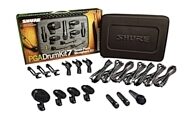
Shure PGADRUMKIT7 7-Piece Drum Microphone Kit (with Case)
$659.00
- 12 payments of$54.92/mo
- No Credit Check6 payments of$109.83/mo
-
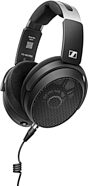
Sennheiser HD 490 PRO Plus Open-Back Studio Headphones
$499.00
- 8 payments of$62.38/mo
- No Credit Check6 payments of$83.17/mo
-
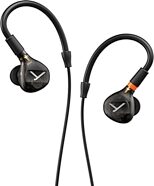
Beyerdynamic DT 72 iE Professional In-Ear Monitors
$579.99
- 8 payments of$72.50/mo
- No Credit Check6 payments of$96.66/mo
-
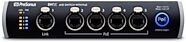
PreSonus SW5E 5-Port AVB Ethernet Switch with PoE
$524.99
- 8 payments of$65.62/mo
- No Credit Check6 payments of$87.50/mo
-
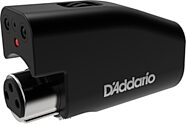
D'Addario PW-IRMM-01 Mic Mute Infrared Microphone Sensor
$99.99
- No Credit Check6 payments of$16.66/mo
-
Hosa HSS-000 Pro Balanced REAN 1/4-Inch TRS Interconnect Cable
$17.95Comes in 9 Sizes/Lengths, 9 Mfg Models