

Zoom H4n Pro Portable Handy Recorder
Record shows, interviews and more with this battery-powered 4-track recorder's built-in XY stereo mics and XLR/TRS inputs, then transfer audio files via USB.
$174.95
- No Credit Check6 x$29.16
- No Credit Check4 x$43.74
Zoom H4n Portable Digital Recorder
No longer available at zZounds
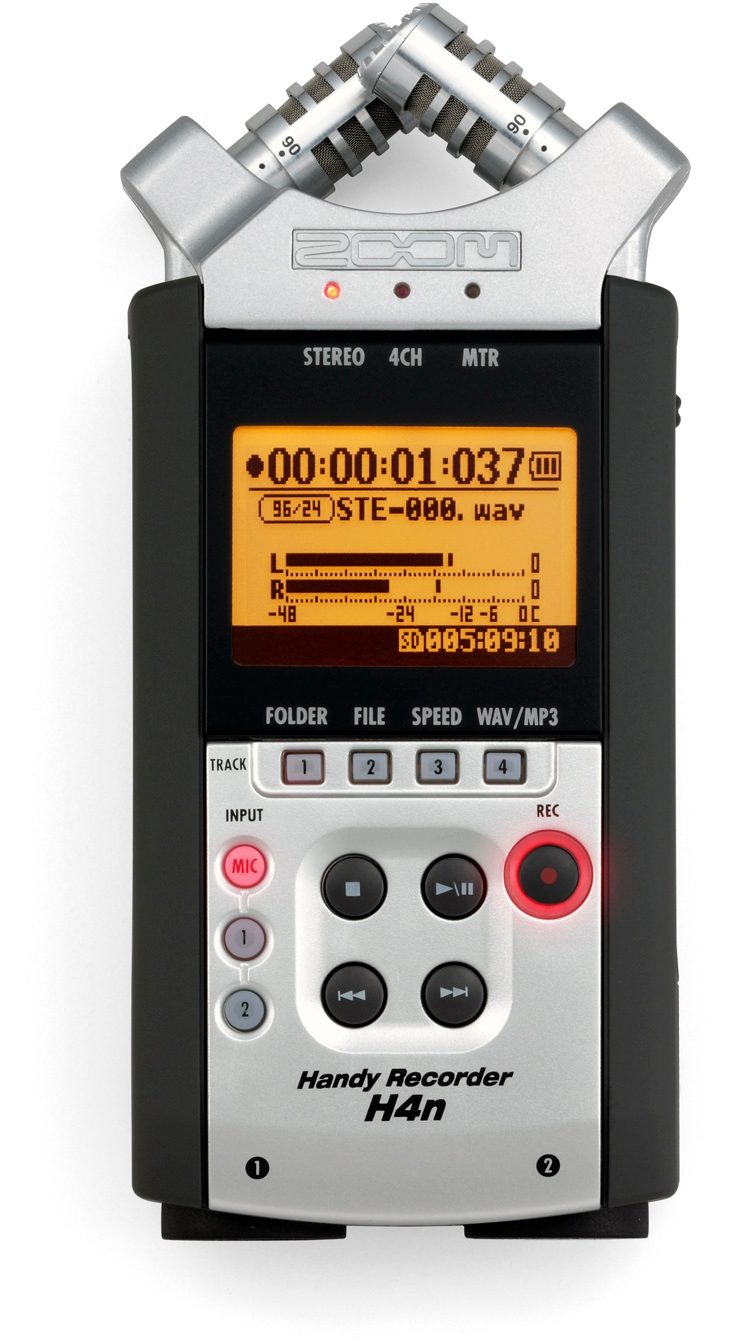
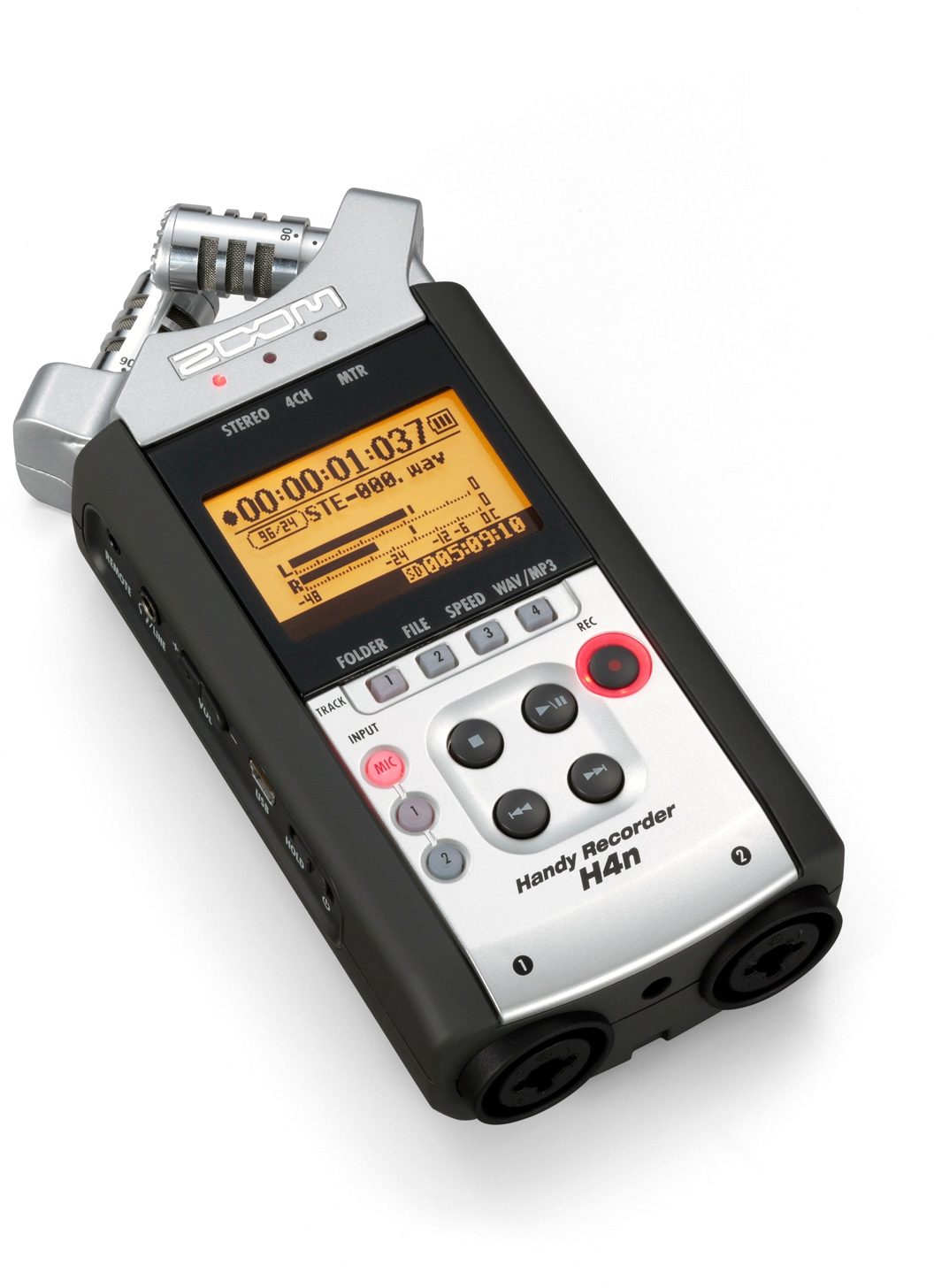
Capture performances, song ideas and more with this handheld 4-track recorder's built-in XY stereo microphones -- and transfer them to your computer via USB.
Overview
Whether you're a band that needs to record your live shows, a music student who wants a quick reference of your practice sessions, or a songwriter looking for the easiest way to capture ideas, the Zoom H4n portable digital recorder is a truly professional solution. Zoom has struck a smart balance between extreme ease-of-use and feature-rich recording with this incredibly useful device. Record in stereo at up to 96 kHz/24-bit resolution, or record 4 simultaneous tracks at 48 kHz/24-bit using the high-quality on-board stereo mics and XLR combo jacks for mic, line, or instrument-level sources. If you've got a million-dollar studio that you plan on locking yourself into for the next 10 years, don't get a Zoom H4n. Otherwise, you'll find innumerable uses for this portable wonder.
There's an easier way: mount the H4n on a mic stand using its built-in thread mount, and use its on-board condenser mics to capture a perfect X-Y stereo image, either 90 or 120 degrees wide. Next, run a stereo feed in from the soundboard onto the… read more remaining two tracks via 1/4" or XLR cables, and presto -- you're recording on four tracks. A large red light flickers on when an input clips, so you can easily tell when your levels are too hot, and adjust input gain accordingly, via the dial on the side of the H4n.
You can record continuously for six hours on two AA batteries, and a single 32 GB card can record over 15 hours of uncompressed 4-track 48 kHz/24-bit WAV files. Or record directly to 320 kbps MP3s in stereo mode for an incredible 222 hours of recording time. Simply plug your H4n into a computer to transfer and back up your files -- it'll show up as a USB drive with your WAVs or MP3s. Handy, indeed.
H Stands For Handy, 4 Stands For 4-Track
Ever try recording a live performance on your laptop? There's the power adapter, the audio interface, the microphones, the clips, stands, cables -- and the computer itself, precariously balanced next to the soundboard as it churns away. Don't forget to turn off the wireless card and set your OS not to go to sleep. And exactly how long can your DAW roll four tracks without freezing or running out of free space?There's an easier way: mount the H4n on a mic stand using its built-in thread mount, and use its on-board condenser mics to capture a perfect X-Y stereo image, either 90 or 120 degrees wide. Next, run a stereo feed in from the soundboard onto the… read more remaining two tracks via 1/4" or XLR cables, and presto -- you're recording on four tracks. A large red light flickers on when an input clips, so you can easily tell when your levels are too hot, and adjust input gain accordingly, via the dial on the side of the H4n.
You can record continuously for six hours on two AA batteries, and a single 32 GB card can record over 15 hours of uncompressed 4-track 48 kHz/24-bit WAV files. Or record directly to 320 kbps MP3s in stereo mode for an incredible 222 hours of recording time. Simply plug your H4n into a computer to transfer and back up your files -- it'll show up as a USB drive with your WAVs or MP3s. Handy, indeed.
Practice Partner
It's the rare piece of gear that can actually inspire you to practice. With 18 built-in amp modeling presets and an on-board tuner, you'll find that the H4n is an excellent practice amp for bass or guitar -- just plug in the headphones of your choice to listen and record. And with two microphones that can so easily be mounted on a single mic stand, it's never been easier to record your drum kit, either. With variable playback speed from 50% to 150%, learning new songs is a breeze. You can even alter pitch without changing playback speed, cancel the center channel, and use an existing track as a backing track while you record new vocals or instruments on top of it.Demo Machine
Need to make a quickie demo before a song idea escapes you? Stop playing into your cell phone! Grab your H4n and lay down a clear, detailed track that you won't be embarrassed to show the rest of the band. With a built-in metronome and multitracking capability, the H4n is an incredible tool for capturing ideas on the fly, whether you're using the on-board stereo mics, your line-level or instrument-level source, or any mic of your choice. Use 50 on-board DSP effects including compressor, delay, and reverb. And when you prefer to fire up your computer and record into a DAW, the H4n functions as a 2-in/2-out 48 kHz/24-bit bus-powered audio interface.Newsworthy Recordings
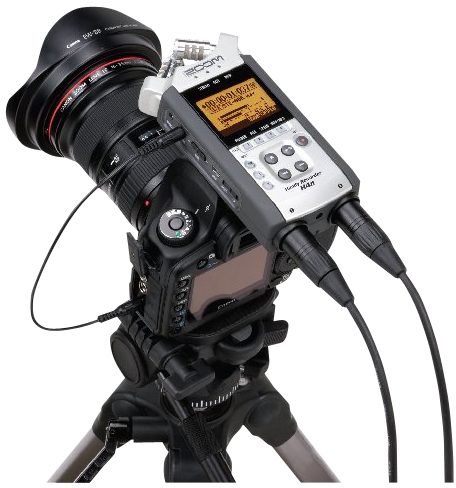
While zZounds is known for providing great gear to musicians and audio engineers, we've also found the H4n is a indispensable field audio recorder for filmmakers and journalists. Use it to record high-quality audio on set when you don't want to run audio into the camera. Record interviews or location sound effects with the on-board mics. You simply won't find a better location recorder that runs on two AA batteries.A Moveable Feast
Document band rehearsals, record field interviews, capture sound effects, or make demos just about anywhere -- the Zoom H4n can do it all. So, stop asking your friends if you can borrow their portable digital recorders, and get yourself one of the best on the market: the Zoom H4n. read lessSpecs
- Built-in X/Y stereo mics record at either 90 or 120 degrees
- Four channel simultaneous recording using built-in and external mics
- Digitally controlled, high-quality mic preamp for improved audio quality
- Large 1.9-Inch LCD screen and improved user interface for easy operation
- 24bit/96kHz Linear PCM recording for pristine recording
- MP3 recording for increased recording time
- Built-in reference speaker to check recordings
- Shock resistant rubberized body for improved chassis protection
- Broadcast Wave Format (BWF) compatible time stamp and track marker
- Records on SD/SDHC media of up to 32GB for maximum recording time
- Auto-record and pre-record feature so you never miss a moment
- Variable speed playback capability for "phrase training"
- Stamina mode enables 10 hours of continuous battery life
- Onboard mid-side matrix decoder for additional miking possibilities
- Built-in mounting joint for tripod and mic stand mounting
- USB 2.0 port for faster file transfer
- XLR inputs with phantom power allow recording with any mic
- Supports plug-in power type external mics
- Hi-Z Inputs for recording guitar and bass
- Studio effects onboard, including guitar and bass amp modeling
- USB audio interface capability
- Low-cut filter to reduce noise
- Normalizing and file splitting functions
- Mono mix function
- Onboard tuner and metronome
Optional remote control RC4, charger, and micro USB 2.0 cable (Sold Separately).
- Four channel simultaneous recording using built-in and external mics
- Digitally controlled, high-quality mic preamp for improved audio quality
- Large 1.9-Inch LCD screen and improved user interface for easy operation
- 24bit/96kHz Linear PCM recording for pristine recording
- MP3 recording for increased recording time
- Built-in reference speaker to check recordings
- Shock resistant rubberized body for improved chassis protection
- Broadcast Wave Format (BWF) compatible time stamp and track marker
- Records on SD/SDHC media of up to 32GB for maximum recording time
- Auto-record and pre-record feature so you never miss a moment
- Variable speed playback capability for "phrase training"
- Stamina mode enables 10 hours of continuous battery life
- Onboard mid-side matrix decoder for additional miking possibilities
- Built-in mounting joint for tripod and mic stand mounting
- USB 2.0 port for faster file transfer
- XLR inputs with phantom power allow recording with any mic
- Supports plug-in power type external mics
- Hi-Z Inputs for recording guitar and bass
- Studio effects onboard, including guitar and bass amp modeling
- USB audio interface capability
- Low-cut filter to reduce noise
- Normalizing and file splitting functions
- Mono mix function
- Onboard tuner and metronome
Optional remote control RC4, charger, and micro USB 2.0 cable (Sold Separately).
Documents and Manuals
For support or warranty questions, please contact the manufacturer:
Phone: 631-542-5270
Email: info@zoom-na.com
Web: https://zoomcorp.com/en/us/contact/
Phone: 631-542-5270
Email: info@zoom-na.com
Web: https://zoomcorp.com/en/us/contact/
Zoom's Description
Zoom H4n Portable Digital Recorder
The Zoom H4n combines the functions of a stereo field recorder, portable digital four-track, and USB audio interface into a single, no-compromise, audio recording wonder-tool. Capable of recording up to four simultaneous tracks of audio, the Zoom H4n is a single piece of pro-audio gear that can tackle a multitude of different audio tasks.Stereo Field Recorder
Sometimes, having just two tracks is plenty -- that's what 2CH mode on the Zoom H4n is for. The Zoom H4n's pair of detailed and accurate microphones are arranged to capture a perfect stereo audio image every time you hit record. The unit runs for hours on four AA-batteries, but Zoom includes an AC adaptor in the box for when an outlet is handy. Because the Zoom H4n can support up to 32 GB removable SDHC cards, you can record over 15 hours of uncompressed, better-than-CD-quality digital audio (it ships with a 2GB card to get started right away).Four Simultaneous Input Channels
Switch over to 4CH mode, and the Zoom H4n becomes a very special field recorder indeed. Just like on the original H4, the Zoom H4n sports a pair of combination XLR / 1/4-inch input jacks, and just like on the H4, you can hook up instruments, stereo mixing board feeds, dynamic mics or even condenser microphones to these inputs. Except on the Zoom H4n you can use all four inputs -- your input jacks and the built-in mics -- at the same time.Multitrack Recording Studio
When in MTR (multi-track record) mode, the H4n can record two tracks simultaneously, but play back four tracks independently, jut like digital four-track recorders that cost much more. Use the Zoom H4n in MTR mode to build a song, track by track. There's a whole toolbox of Zoom-designed effects like vocal processors, compression and reverbs, and even an entire guitar and bass amp modeling suite for direct recording of electric instruments.USB Interface
Recording at home or with a laptop handy? Record directly to your computer by using the H4n as a USB audio interface.Features:
- Includes H4n Handy Recorder, protective case, two AA batteries, owner's manual, and download license for Steinberg Cubase LE and WaveLab LE software- Built-in adjustable stereo mics
- Four channels of simultaneous recording when combined with two external mics
- 1.9" LCD screen
- Recording resolution up to 24-bit/96 kHz
- Built-in reference speaker
- Supports both SD and SDHC memory cards (up to 32 GB)
- Up to 10 hours of continuous battery life
- 2 XLR inputs, both with phantom power
- Can be used as a USB audio interface
- Low-cut filter
- Onboard tuner and Metronome
Reviews
Reviewers gave this product an overall rating of 5 out of 5 stars.
(42 ratings)
Submitted May 18, 2010 by a customer from comcast.net
"Dig it!"
Verified Customer
zZounds has verified that this reviewer made a purchase from us.
For what it does and all it has on deck, at the risk of repitition...this little recorder rocks.
Sound
On board mics do exceptionally well on acoustic singer/songwriter stuff AND pulls off the live cranked rock band (which my band is rather loud) surprisingly great. So much better than the little olympus deal we were using (which admittedly was not really the application for it, more for recording just voice). I would not call it "warm" but I would certainly call it very accurate, not harsh. Very little to no noticable distortion or harsh compression, even in lower mp3 formats. Kick it up to wave file and get a basic mixer to record line in and you got about as good as it gets in this price bracket and slightly above, it will chew through the small card in about 20 minutes in highest quality. A 32 gig card takes you basically to unlimited land, in low mp3 format I have like a week of continuous or something silly :) Plan on getting a bigger card. The quality we get from a mixing board is actually astounding(!), especially considering what we are using.
Features
The four track feature is unique and really alot of fun on the road. We record in multi track mode live with whole band then layer backup/guitar tracks live right then and there, cool. Effects are numerous, not amazing, but they are very good and usable for interesting ambience, textures, creative and wierd when you use them not as intended, like guitar amps… read more on vocals, etc. They cannot be applied to previously recorded material, as far as I can tell so far, you have to record with them on, no biggie really. The different modes, multi track, stereo, or all four inputs sold me on this, having all these options is perfect. Comes with wind screen (which you will need for actual feild recording in wind) power supply, and nice little mic stand adapter. I got the remote after the fact, which is handy.
Ease of Use
Small learning curve, but it all makes sense fast and then when you got it, you got it. Little tricks and short cuts were built in too, still finding them after a couple months...all good. One thing I would like to see is a search/seek to peak function on playback (like the the old tape deck in your car), you have to hold down the next track button and check every once in a while to see what's up. We generally just leave it running the whole rehearsal so we get alot of talk in there sometimes.
Quality
Seems solid, rubber shock sides, actual real metal on support for onboard mics. Had a moment of horror when I dropped it four feet onto a wood floor, while recording, right onto the microphones...it bounced. Picked it up....still recording, no dammage, nice. Made a loud pop on the playback to remind me of my clumsy moment. I don't recommend trying this...but some indicator of build quality. Seems tough enough, comes with plastic case.
Value
Considering quality, features, and sound, there is little out there to match or beat at the price point.
Manufacturer Support
Have no idea...at all, never contacted them, but like all big companies like this, I would approach support white knuckled...not expecting much. Maybe they would surprise.
The Wow Factor
It is one cool little device, pretty much everytime somebody sees me or the band with it, they say "those are really cool...I want one!" I did too...so I got one...no regrets.
Musical Background:
Performing/recording musician, sessions, touring bands
Musical Style:
Name it...I have probably done it. read less
Sound
On board mics do exceptionally well on acoustic singer/songwriter stuff AND pulls off the live cranked rock band (which my band is rather loud) surprisingly great. So much better than the little olympus deal we were using (which admittedly was not really the application for it, more for recording just voice). I would not call it "warm" but I would certainly call it very accurate, not harsh. Very little to no noticable distortion or harsh compression, even in lower mp3 formats. Kick it up to wave file and get a basic mixer to record line in and you got about as good as it gets in this price bracket and slightly above, it will chew through the small card in about 20 minutes in highest quality. A 32 gig card takes you basically to unlimited land, in low mp3 format I have like a week of continuous or something silly :) Plan on getting a bigger card. The quality we get from a mixing board is actually astounding(!), especially considering what we are using.
Features
The four track feature is unique and really alot of fun on the road. We record in multi track mode live with whole band then layer backup/guitar tracks live right then and there, cool. Effects are numerous, not amazing, but they are very good and usable for interesting ambience, textures, creative and wierd when you use them not as intended, like guitar amps… read more on vocals, etc. They cannot be applied to previously recorded material, as far as I can tell so far, you have to record with them on, no biggie really. The different modes, multi track, stereo, or all four inputs sold me on this, having all these options is perfect. Comes with wind screen (which you will need for actual feild recording in wind) power supply, and nice little mic stand adapter. I got the remote after the fact, which is handy.
Ease of Use
Small learning curve, but it all makes sense fast and then when you got it, you got it. Little tricks and short cuts were built in too, still finding them after a couple months...all good. One thing I would like to see is a search/seek to peak function on playback (like the the old tape deck in your car), you have to hold down the next track button and check every once in a while to see what's up. We generally just leave it running the whole rehearsal so we get alot of talk in there sometimes.
Quality
Seems solid, rubber shock sides, actual real metal on support for onboard mics. Had a moment of horror when I dropped it four feet onto a wood floor, while recording, right onto the microphones...it bounced. Picked it up....still recording, no dammage, nice. Made a loud pop on the playback to remind me of my clumsy moment. I don't recommend trying this...but some indicator of build quality. Seems tough enough, comes with plastic case.
Value
Considering quality, features, and sound, there is little out there to match or beat at the price point.
Manufacturer Support
Have no idea...at all, never contacted them, but like all big companies like this, I would approach support white knuckled...not expecting much. Maybe they would surprise.
The Wow Factor
It is one cool little device, pretty much everytime somebody sees me or the band with it, they say "those are really cool...I want one!" I did too...so I got one...no regrets.
Musical Background:
Performing/recording musician, sessions, touring bands
Musical Style:
Name it...I have probably done it. read less
68 of 68 people (100%) people found this review helpful. Did you?
Thanks for your opinion!
No longer available at zZounds
This is a carousel with product cards. Use the previous and next buttons to navigate.
Related Accessories
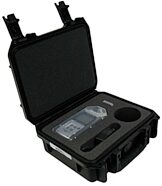
SKB 3IZOOH4N Waterproof Case for Zoom H4N
$104.99
- No Credit Check6 x$17.50
- No Credit Check4 x$26.25

This is a carousel with product cards. Use the previous and next buttons to navigate.
Related Accessories
-
SKB 3IZOOH4N Waterproof Case for Zoom H4N
$104.99
- No Credit Check6 x$17.50
- No Credit Check4 x$26.25
This is a carousel with product cards. Use the previous and next buttons to navigate.
People who bought this item also bought

Fender American Performer Telecaster Humbucker Electric Guitar, Maple Fingerboard (with Gig Bag)
$1,449.99
- 12 x$120.83
- 8 x$181.25
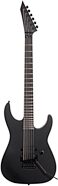
ESP LTD M Black Metal Electric Guitar
$1,099.00
- 18 x
- 12 x$91.58
- 8 x$137.38
- No Credit Check6 x$183.17
- No Credit Check4 x$274.75
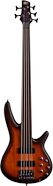
Ibanez SRF705 Portamento Fretless Electric Bass, 5-String
$1,049.99
- 18 x
- 12 x$87.50
- 8 x$131.25
- No Credit Check6 x$175.00
- No Credit Check4 x$262.50
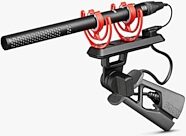
Rode NTG5 Kit Condenser Shotgun Mic With PG2-R
$499.00
- 8 x$62.38
- No Credit Check6 x$83.17
- No Credit Check4 x$124.75
Roland SP-404MKII Sampling Workstation
$499.99
- 8 x$62.50
- No Credit Check6 x$83.33
- No Credit Check4 x$125.00