

Steinberg Cubase 6 Recording Software (Macintosh and Windows)
No longer available at zZounds

zZounds Gear Experts Say...
Create like never before with Steinberg's Cubase 6 recording software, which features updated effects, premium synths and intuitive controls.
Overview
Why does Steinberg Cubase have such a gargantuan, fanatical user base? Perhaps it's the software's legendary stability. Or maybe it's open-ended support for all makes of audio interfaces, plug-ins, and both Mac and PC operating systems. It could also be Steinberg's decades-long tradition of listening intently to what its customers really need, and responding with timely, intelligent updates. Our guess is: all of the above. If you're tired of being tied to a particular operating system, a particular line of hardware, or a limited mode of thinking, Cubase is the music production software you've been looking for.
From its auspicious beginning on the Atari Console PC, Cubase has been at the cutting edge of the digital home recording revolution. Starting as a MIDI-only sequencer, over the years Steinberg has integrated digital audio recording, video support, professional score arranging and printing, studio monitor routing, and more. And let's not forget that Steingberg developed the VS plug-in, revolutionizing the digital recording industry in the process. This version retains this total home studio solution mentality, adding intuitive tools for beat-making and loop-mangling. It also sports a bunch of in-the-box features that set it apart from the crowd.
What do you want to do with your music? Do you want to program that killer new hip-hop beat? Remix the week's top pop tune for the club? Record a professional four-track EP for your band? Produce an hour-long editorial program for NPR? Score a feature-length film? How about any of the above? From a simple laptop-based, portable music creation station to the core system of a world-class, tricked out recording studio, Steinberg Cubase gives you the power and freedom to do it all. read less
From its auspicious beginning on the Atari Console PC, Cubase has been at the cutting edge of the digital home recording revolution. Starting as a MIDI-only sequencer, over the years Steinberg has integrated digital audio recording, video support, professional score arranging and printing, studio monitor routing, and more. And let's not forget that Steingberg developed the VS plug-in, revolutionizing the digital recording industry in the process. This version retains this total home studio solution mentality, adding intuitive tools for beat-making and loop-mangling. It also sports a bunch of in-the-box features that set it apart from the crowd.
Included Plug-In Suite, with upgraded Vocal Production Tools
Of course Cubase supports a wide range of plug-ins for any audio project, but more importantly it ships with its own suite of compressors, equalizing tools, reverbs,… read more instruments, and more. It's like moving into a fully furnished recording studio. Also, the software now offers an updated set of vocal production tools, including one of the most intuitive pitch correction programs ever developed. Imagine editing vocal and solo instrument tracks as if they were MIDI tracks, and you'll begin to understand how easy it is to whip your audio into shape.Loop and Beat Creation
Now the intuitive workflow that graces MIDI and Audio editing in Cubase can be applied to loop- and beat-creation with the inclusion of three native plug-ins. LoopMash is the world's first "loop synthesizer," offering a unique take on mixing and creating mash-up tracks. Groove Agent ONE is a sampling plug-in with an interface based on the MPC-style pad boxes that transformed hip-hop in the late 80s. Beat Designer is a virtual step sequencer in the style of the 808--except with a practically infinite number of sounds to craft your beats from. No matter how you like to work with beat creation, Cubase has the tools to inspire your creativity.Premium Virtual Synths And Multi-sample Instruments
Many DAWs come with starter instruments, virtual synths, and sample libraries that are "good enough" to get you through until you can afford to upgrade to some third party product. Cubase, on the other hand, is brimming with professional quality instruments right out of the box, including the celebrated HALion ONE multi-sample player workstation. With HALion, you'll have instant access to world instruments, percussion, orchestral elements, pianos, organs, and thousands of other sounds. There's also a selection of powerful virtual synthesizers from the Monologue virtual analog monophonic synth to the sophisticated Mystic polyphonic comb-filter synth. Throbbing bass, searing leads, ambient pads, and special effects are all at your disposal right out of the gate. You're getting an entire production studio in one powerful program.Total Mixing Freedom
This version boasts a mixer with 32-bit floating point processing that rivals the summing of any analog mixer. Plus, it makes full use of the freedom that the digital realm provides. Customize your mixer interface and save templates. Routing has been completely freed of real-world limitations. Send sub-group outputs to the Aux-in of a separate channel, configure any VST3 into a side-chain arrangement--or whatever configuration you can dream up! There are no physical wires to tie you down to one routing scheme, so you can truly let your imagination take over. The mix matrix also supports enough inputs and outputs for integration with even the most sophisticated recording studio.What do you want to do with your music? Do you want to program that killer new hip-hop beat? Remix the week's top pop tune for the club? Record a professional four-track EP for your band? Produce an hour-long editorial program for NPR? Score a feature-length film? How about any of the above? From a simple laptop-based, portable music creation station to the core system of a world-class, tricked out recording studio, Steinberg Cubase gives you the power and freedom to do it all. read less
Specs
Steinberg Cubase 6 Requirements
Mac- Operating System: Mac OS X Version 10.6
- CPU: Intel dual core CPU
- Memory: 2 GB RAM
- Display Resolution: 1280 x 800 recommended
- Hardware: CoreAudio compatible audio hardware
- Storage: 8 GB of free HD space
- Optical Drive: DVD-ROM dual-layer drive
- USB: USB port for USB-eLicenser (license management)
- Internet: Internet connection for license activation
- * Native 32-bit and 64-bit Cubase version included.
Windows
- Operating System: Windows 7
- CPU: Intel or AMD dual core CPU
- Memory: 2 GB RAM
- Display Resolution: of 1280 x 800 recommended
- Hardware: Windows compatible audio hardware
- (ASIO compatible recommended for low-latency performance)
- Storage: 8 GB of free HD space
- Optical Drive: DVD-ROM dual-layer drive
- USB: USB port for USB-eLicenser (license management)
- Internet: Internet connection for license activation
- * Native 32-bit and 64-bit Cubase version included.
Documents and Manuals
For support or warranty questions, please contact the manufacturer:
Phone: 844-358-4022
Email: steinbergussupport@yamaha.com
Web: https://helpcenter.steinberg.de
Phone: 844-358-4022
Email: steinbergussupport@yamaha.com
Web: https://helpcenter.steinberg.de
Steinberg's Description
Steinberg Cubase 6 DAW Software
Having defined the industry standards for more than 26 years, Steinberg has constantly pushed back the boundaries of what is possible in digital audio. Cubase 6's advanced technologies offer flexible, cost-effective and intuitive ways of realizing the artist's full creative and professional potential. Steinberg's experience in developing high performing cross-platform applications gives Mac and Windows PC users the option to enjoy the software equally.Features
- Designed for Singer/Songwriters, Composers, Bands and Producers- Unlimited audio tracks, MIDI tracks and instrument tracks
- 256 physical inputs, 256 group channels and 192 kHz sampling rate support
- VST instrument rack with 64 instrument slots
- Raises the bar for multitrack drum editing tasks on all levels
- VST Expression 2 allows dynamic expression per MIDI note even on chords
- VST Expression Map speeds the setup of VST Expression maps
- VST Amp Rack customizable virtual guitar amplifier and effects suite
- Seven distinct amp models
- Sixteen legendary stomp boxes
- Six classic speaker cabinets
- Two microphone choices
- Built-in Tuner
- HALion Sonic SE - a streamlined version of HALion Sonic
- Highly evolved LoopMash 2 for creating fresh variations of your music
- Redesigned and extended VST 3 versions of Steinberg's VST 2 plug-ins
- De-esser
- Surround Panner
- Mixer Delay
- SMPTE Generator
- Mix 6 to 2
- Test Generator
- Global project compatibility
- PC and Mac Compatible
VST 3.5
Steinberg's industry standard Virtual Studio Technology, VST 3.5 is the leading Virtual Studio Technology (VST) standard, developed by Steinberg. It creates a full, professional studio environment on your PC or Mac and allows the seamless integration of virtual effect processors and instruments right into your sequencing software. The revolutionary VST standard recently reached a new stage with the release of VST 3.5, a groundbreaking new version with a host of new capabilities, including VST 3 controller and Note Expression support as well as VST Expression Maps integration.VST Sound
Steinberg's universal media management format is a fundamental part of VST 3, Steinberg's industry standard Virtual Studio Technology. By supporting VST Sound, plug-ins and instruments from third-party manufacturers can be directly integrated into MediaBay -- the media management system used in Steinberg's host applications. This integration makes the entire process of finding and working with any form of media file including audio, loops, VSTi presets, videos, MIDI parts and Track Presets, much faster and simpler.ASIO
Steinberg's low-latency, high-performance audio standardforms the backbone of VST. ASIO addresses any needs a professional audio recording solution might have. It does this by supporting variable bit depths and sample rates, multi-channel operation and synchronization. As a result, the user gets low latency, high performance, easy set up and stable audio recording within VST. Since its introduction, ASIO has become a supported standard by many leading audio hardware manufacturers -- for good reason.
Drum Editing Deluxe
Developed in conjunction with recording professionals and top-flight studio drummers, Cubase 6 raises the bar for multitrack drum editing tasks on all levels. Incorporating an entire new transient and tempo detection, phase stable audio quantization and drum replacement functions, it offers a complete toolset to perfect the rhythm, feel and flavor of live-recorded drum tracks. Whether it is about non-destructively correct timing issues or changing the tempo of a drum performance seamlessly -- a tight groove is just a few clicks away.Drum Editing Features Include:
- All new transient detection- Straightforward drum replacement
- Advanced tempo detection
- Multitrack audio quantization
VST Expression 2 - Maximum expression on every note
The perfect choice for demanding orchestral arrangements and creating unique sound effects, Note Expression allows controller values to be drawn directly onto single note events in the Key Editor. Because each individual note event contains its own set of controller data, even polyphonic sounding notes can now be dynamically controlled -- fully independent from each other. This way, composers can access controller information such as volume or pitch bend in one place, making it easy to scale, shift or delete several values at once.Best of all, when moving or copying a note event, the associated controller data will follow as well. Each single note event and controllers are treated as one unit, which makes working with instrument articulations faster and more intuitive than ever before. Breaking the traditional MIDI limitations opens up entirely new creative possibilities: Imagine a chord containing different filter sweeps, volume curves or dynamic expressions for every single note!
Insane Guitar Tones
VST Amp Rack is the new reference virtual guitar amplifier and effects suite, featuring the best in convolution technology. With the push of a button, VST Amp Rack delivers a comprehensive collection of outstanding guitar tones across an array of genres and styles from vintage to modern.Based on some of the finest guitar amplifiers ever crafted, VST Amp Rack comes with seven distinct amp models that exactly reproduce the unique character of their originals. Whether it is crystal clean, creamy crunch or singing sustain, VST Amp Rack always delivers the perfect tone for studio-grade guitar tracks.
More to Stay For
Cubase 6 comes with many new and exciting features that make the latest incarnation possibly the most comprehensive DAW to date. But it's also all the small details that have been refined or newly introduced that make the overall experience not only more powerful but truly inspiring.Plug-in Generation - It also includes redesigned and extended VST 3 versions of some of Steinberg's most popular, first-class VST 2 plug-ins: the powerful De-esser, the greatly enhanced Surround Panner, Mixer Delay, SMPTE Generator, Mix 6 to 2 and the really useful Test Generator.
More Grid options - You can now adjust the grid of the Project window and MIDI editors to your quantize settings. Simply select Use Quantize as the grid type and pick the quantize preset of your choice to get a triplets grid in the Project window, for example.
Pristine Time-Stretching - The stunning zplane algorithms have been customized for tonal, complex, single and percussive audio material. These algorithms are optimized for extreme time-stretching so you will be amazed how good they sound. This is one jaw-dropping tool you won't want to miss after the first try.
Take your MediaBay With You - You can now store the loops and samples in your MediaBay on external USB hard drives. Take your content along with you and call it up within another MediaBay with no further indexing required. The latest MediaBay version also sports a new Mini Browser which displays all the information you need at a glance.
Notepad Track Data Export - This useful feature lets you export all information stored in each track's Notepad as one consolidated text file so you don't have to open numerous files to find the data you're looking for.
Plenty of Eye Candy
Cubase 6 features a significantly redesigned graphical user interface that not only looks good but also makes the huge feature set even more accessible. Color and contrast optimization minimize eye strain and viewing fatigue during extended viewing sessions -- this is pivotal when working long hours to meet project deadlines.The brand-new look for Parts, Events, Arranger and Marker tracks helps you to distinguish between what's important and what may not be so important in the Project window, while the revised Inspector and the overall new color scheme round out the fresh new design.
X64 support for Mac
The native 64-bit support under Mac OS X 10.6 64-bit increases the addressable amount of RAM from 2 gigabytes to an astonishing 1 terabyte. In plain words, the bigger your memory, the more tracks, plug-ins and samples you can use in Cubase. This also means you can easily use all the compatible libraries available on the market today. That's what 64-bit support is all about.Reviews
Reviewers gave this product an overall rating of 5 out of 5 stars.
(334 ratings)
Submitted September 11, 2005 by a customer from comcast.net
"Cubase will always be my #1 pick for music creation."
Verified Customer
zZounds has verified that this reviewer made a purchase from us.
other than the $150 upgrades for certain times......It's the king of the jungle.
Sound
This program has been my nerve center and workhorse, with nothing but nicely put together music...man not much to say here but, very satisfied!!
Features
packed with enough features to keep you busy for awhile, uh hum....quality features.
Quality
No complaints out of the 4 years i have used cubase, big jump from the vst32 version with sx and then to the sx2, haven't really felt the need yet to go to the 3.0 upgrade although i will just to stay on top of the game of this EXCELLENT program!!! Cubase should never be underestimated of it's power and stability
Value
compared to all out there and the fact that pro tools is pretty much needing the limbs of the hardware for it to really be a cubase competitor....
Manufacturer Support
Never used it once....why?
The Wow Factor
very sleek and clean....not really into the whole let's round everything off like buttons and bubble it all up type programs...like uh.....pro tools....which is still a great program but just not at the finish line with cubase in my opinion...worked with protools in school and buddies house and it's just not the same, i love my cubase. It has that adult feel to it, not meant to impress elementary kids.
Musical Background:
Recording Engineer/Instrumentalist/writer/producer
Musical Style:
R&B/Rap/Dance and more
79 of 84 people (94%) people found this review helpful. Did you?
Thanks for your opinion!
No longer available at zZounds
In most cases, a product is unavailable because it has been discontinued by the manufacturer

This is a carousel with product cards. Use the previous and next buttons to navigate.
People who bought this item also bought

Yamaha HS5 Active Studio Monitor
$199.99
- No Credit Check6 payments of$33.33/mo
Comes in 2 Quantities, 2 Colors-
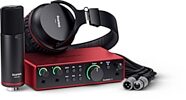
Focusrite Scarlett 2i2 Studio Gen 4 Audio Interface Recording Package
$339.99
- 8 payments of$42.50/mo
- No Credit Check6 payments of$56.66/mo
-


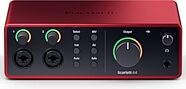
Focusrite Scarlett 4i4 Gen 4 USB Audio Interface
$309.99
- 8 payments of$38.75/mo
- No Credit Check6 payments of$51.66/mo
-

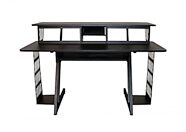
On-Stage WS7700 Large Studio Workstation
$698.95
- 12 payments of$58.25/mo
- No Credit Check6 payments of$116.49/mo
-

Audio-Technica ATH-M50x Headphones
$159.00
- No Credit Check6 payments of$26.50/mo
Comes in 2 Colors, 2 Mfg Models-