Apple Mighty Mouse USB Optical Mouse
No longer available at zZounds


zZounds Gear Experts Say...
Scroll Ball. Touch Sensitive Technology.
Overview
Meet the mouse that reinvented the wheel. The scroll wheel, that is. Mighty Mouse features the revolutionary Scroll Ball that lets you move anywhere inside a document, without lifting a finger. And with touch-sensitive technology concealed under the seamless top shell, you get the programability of a four-button mouse in a single-button design. Click, roll, squeeze and scroll. This mouse just aced the maze.
Spry and Mighty
In the beginning, there was one button. Then there were two. Then there were clickable scroll wheels and programmable toggles and solid-state slides. But nobody made a mouse as easy to use as your Mac. Until now. Mighty Mouse combines the capability of a multibutton mouse with Apple's signature top-shell design for the best of both form and function. Use it any way you work: Stick with single-button simplicity or click with multibutton efficiency.
Get Around
Time is round. Space is curved. Why should your mouse be linear? Plenty of applications require you to do more than scroll up and down. Mighty Mouse offers 360-degree scrolling capability, thanks to its Scroll Ball, perfectly positioned to roll smoothly under just one finger. Explore the farthest reaches of your files - pan images in iPhoto, view timelines in iMovie HD and Final Cut Pro, traverse bars in GarageBand and Logic Pro - with one hand tied behind your back (or holding a cup of coffee or typing). Mighty Mouse gives you room to roam.
You'll Really Click
Touch-sensitive technology under Mighty… read more Mouse's seamless top shell detect where you're clicking, transforming your sleek, one-button mouse into a two-button wonder. But the innovation doesn't end there. Apple engineers added force-sensing buttons on either side of Mighty Mouse that let you squeeze the mouse between your thumb and finger, activating Mac OS X Tiger Dashboard, Expos read less
Spry and Mighty
In the beginning, there was one button. Then there were two. Then there were clickable scroll wheels and programmable toggles and solid-state slides. But nobody made a mouse as easy to use as your Mac. Until now. Mighty Mouse combines the capability of a multibutton mouse with Apple's signature top-shell design for the best of both form and function. Use it any way you work: Stick with single-button simplicity or click with multibutton efficiency.
Get Around
Time is round. Space is curved. Why should your mouse be linear? Plenty of applications require you to do more than scroll up and down. Mighty Mouse offers 360-degree scrolling capability, thanks to its Scroll Ball, perfectly positioned to roll smoothly under just one finger. Explore the farthest reaches of your files - pan images in iPhoto, view timelines in iMovie HD and Final Cut Pro, traverse bars in GarageBand and Logic Pro - with one hand tied behind your back (or holding a cup of coffee or typing). Mighty Mouse gives you room to roam.
You'll Really Click
Touch-sensitive technology under Mighty… read more Mouse's seamless top shell detect where you're clicking, transforming your sleek, one-button mouse into a two-button wonder. But the innovation doesn't end there. Apple engineers added force-sensing buttons on either side of Mighty Mouse that let you squeeze the mouse between your thumb and finger, activating Mac OS X Tiger Dashboard, Expos read less
Specs
Power Source: USB cable
Cables: USB 1.1 (compatible with either USB 1.1 or USB 2.0 ports)
Scroll Ball: 360-degree Scroll Ball with adjustable scrolling
Buttons: Up to four programmable buttons: full-body button with touch-sensitive technology beneath for left-, right- and Scroll Ball clicking. Force-sensing side buttons.
Tracking: Optical
Shape: Elliptical
System Requirements: Mac OS X (programmability requires Mac OS X v10.4.2 Tiger or later), or Windows 2000 or Windows XP.
Compatible Features
Mac OS X v10.4.2 or later
Enable or disable scrolling, assign primary and secondary buttons, activate Expos
Cables: USB 1.1 (compatible with either USB 1.1 or USB 2.0 ports)
Scroll Ball: 360-degree Scroll Ball with adjustable scrolling
Buttons: Up to four programmable buttons: full-body button with touch-sensitive technology beneath for left-, right- and Scroll Ball clicking. Force-sensing side buttons.
Tracking: Optical
Shape: Elliptical
System Requirements: Mac OS X (programmability requires Mac OS X v10.4.2 Tiger or later), or Windows 2000 or Windows XP.
Compatible Features
Mac OS X v10.4.2 or later
Enable or disable scrolling, assign primary and secondary buttons, activate Expos
No longer available at zZounds
In most cases, a product is unavailable because it has been discontinued by the manufacturer
This is a carousel with product cards. Use the previous and next buttons to navigate.
People who bought this item also bought
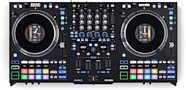
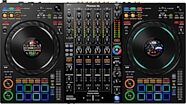




Pioneer DJ DDJ-REV5 DJ Controller
$1,189.00
- 12 payments of$99.08/mo
- No Credit Check6 payments of$198.17/mo
-