Apple Logic Express Music Production Software (Macintosh)
No longer available at zZounds
zZounds Gear Experts Say...
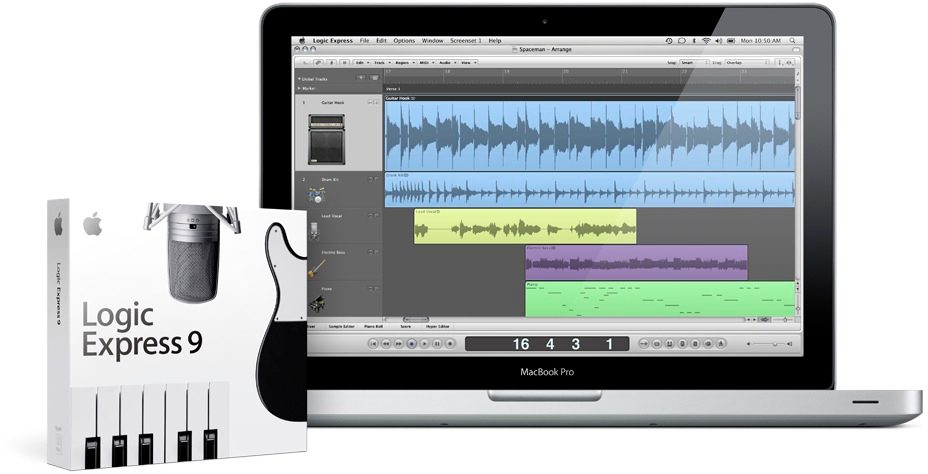
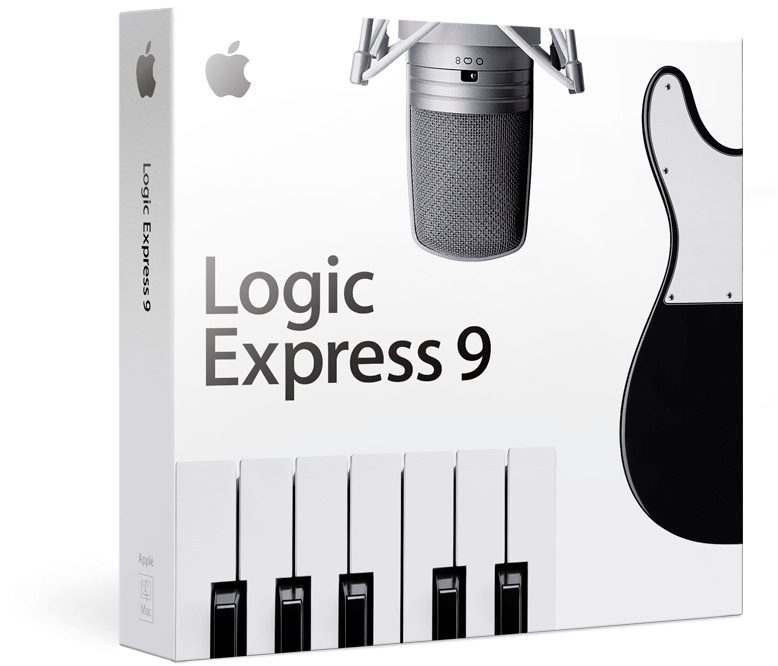
Logic Express 9. Record, edit, and mix music on your Mac.
Overview
New in Logic Express 9.
The new Logic Express adds an amazing collection of amps, speaker cabinets, and effects pedals that guitar players can use in traditional combinations to re-create legendary sounds or mix and match for something truly original. It also features new production tools that make it easier than ever for musicians to set up and record, edit timing and tempo, and create pro mixes.
Record, edit, and mix your music on a Mac using the new Logic Express 9. Open your GarageBand files and get right to work, or start from scratch with a new composition. Logic Express 9 is a guitar player's dream, with Amp Designer and Pedalboard, two new plug-ins that re-create the sound of legendary amps and stompbox effect pedals. You can build your own amp model and try any combination of stompboxes. An improved set of music creation tools makes it even easier to capture and develop your musical inspirations. Use the new Flex Time tools to easily manipulate audio timing and tempo. And make music right out of the box with over 100 instrument and effect plug-ins from Logic Studio.
Features
- Perfect for capturing and developing your musical inspirations
- Seamless compatibility with GarageBand files
- Flex Time features that make editing audio timing and tempo easier than ever
- More than 70 studio-quality effect plug-ins, including vintage and modern compressors, delays, reverbs, and more
- New Amp Designer plug-in to help you re-create the sound of 25 legendary amps and 25… read more speaker cabinets
- New Pedalboard plug-in with an assortment of 30 virtual stompbox pedals inspired by the classics
- 36 software instrument plug-ins, including the Ultrabeat drum synth and beatbox, ES2 synth, and EXS24 sampler
Put the flow back into your workflow.
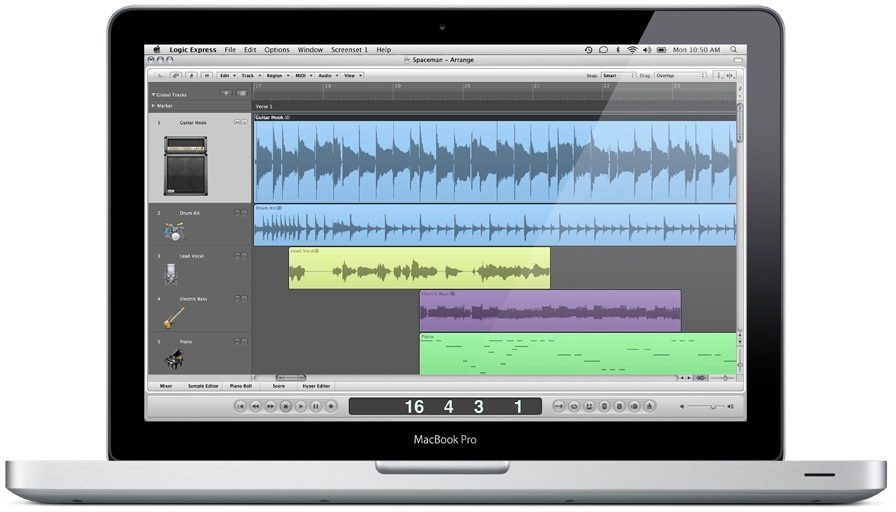
With Logic Express, all your editing tools and content browsers are integrated into a single, beautifully designed window. And that means everything can happen faster. Your shortcut menus, toolbars, and transport bars are right there for you, not spread across a maze of windows. And you can customize your workspace using 99 storable screen configurations and more than 1000 definable key commands to make it even better.
Get rolling, fast.
Templates get you set up instantly to write, record, mix, or master - and you can customize them as much as you want. For classic sounds, the Explore templates let you choose from a range of instruments already paired with effects and processing. Just grab one and start playing. The Compose templates put everything in place for writing and tracking in a specific genre, from rock to hip-hop to orchestral music. You get an entire studio of typical instruments and processing, wired and configured so you can jump right in. Want to track, edit, mix, or master a large-scale project? The Production templates give you a big head start.
Share ideas between projects.
Selective Track Import lets you easily transfer setups and track content between projects. Since you can select components on a track-by-track basis, it's simple to grab the guitar track from a different session or import that perfect drum mix you created for another project.
Zero in on the sound you need.
Built-in library browsers make it easy to navigate thousands of effect settings, instrument settings, Apple Loops, and even sounds you've created yourself - all without leaving the track you're working on.
The Apple Loop browser serves up thousands of royalty-free loops by category, such as instrument, genre, and mood, so you can easily find what you're looking for. Choose one and it automatically conforms to the tempo and key of your project. Special software instrument loops even let you edit the instrument, processing, or original MIDI performance.
Writing in Logic Express 9
When it's time to write the next song, you've got everything you need to run with your ideas.
Go wild, then go back.
Nondestructive, region-based editing allows you to tinker with individual sections of a track and hear the results as you go. You can experiment all you want, knowing your original performances are always kept intact.
Instant sampler instruments.
In one simple step, you can transform any audio region into a sampler instrument, along with a MIDI track that will trigger the samples so they sound just like the original track. From there, it's easy to modify and re-sequence the part.
Edit MIDI your way.
As a full-featured MIDI sequencer, Logic Express lets you choose how you want to view and edit MIDI data. Use the Piano Roll Editor to graphically edit note velocity and length, while monitoring the results in real time. Or if you're used to working with traditional notation, go to the Score Editor where new duration bars make it easy to graphically edit the length of notes.
Music notation the way it should be.
Logic Express features a complete set of music notation tools, including comprehensive layout and print options, instrument transposition, drum notation, and adaptive lyric input. You can generate guitar tablature with an expanded set of ornaments for notating hammer-ons, bends, fingering, and more. Snap guides make it easy to add the new chord grids, whether you choose from the library of more than 4000 or create your own.
You can transform MIDI performances into music notation in real time. If you prefer not to perform your compositions, you can use MIDI Step Input to enter notes one at a time using your computer keyboard, or define pitch and velocity with a MIDI keyboard as you go.
Scoring and sound design for video.
Advanced music-for-picture features make scoring and sound design easier than ever. Flexible video display options let you view synchronized QuickTime movies within the interface or on a separate monitor using output options like Digital Cinema Desktop. You can locate scene changes visually via a thumbnail track or automatically mark transitions using the scene detect option. read less
The new Logic Express adds an amazing collection of amps, speaker cabinets, and effects pedals that guitar players can use in traditional combinations to re-create legendary sounds or mix and match for something truly original. It also features new production tools that make it easier than ever for musicians to set up and record, edit timing and tempo, and create pro mixes.
Record, edit, and mix your music on a Mac using the new Logic Express 9. Open your GarageBand files and get right to work, or start from scratch with a new composition. Logic Express 9 is a guitar player's dream, with Amp Designer and Pedalboard, two new plug-ins that re-create the sound of legendary amps and stompbox effect pedals. You can build your own amp model and try any combination of stompboxes. An improved set of music creation tools makes it even easier to capture and develop your musical inspirations. Use the new Flex Time tools to easily manipulate audio timing and tempo. And make music right out of the box with over 100 instrument and effect plug-ins from Logic Studio.
Features
- Perfect for capturing and developing your musical inspirations
- Seamless compatibility with GarageBand files
- Flex Time features that make editing audio timing and tempo easier than ever
- More than 70 studio-quality effect plug-ins, including vintage and modern compressors, delays, reverbs, and more
- New Amp Designer plug-in to help you re-create the sound of 25 legendary amps and 25… read more speaker cabinets
- New Pedalboard plug-in with an assortment of 30 virtual stompbox pedals inspired by the classics
- 36 software instrument plug-ins, including the Ultrabeat drum synth and beatbox, ES2 synth, and EXS24 sampler
Put the flow back into your workflow.
With Logic Express, all your editing tools and content browsers are integrated into a single, beautifully designed window. And that means everything can happen faster. Your shortcut menus, toolbars, and transport bars are right there for you, not spread across a maze of windows. And you can customize your workspace using 99 storable screen configurations and more than 1000 definable key commands to make it even better.
Get rolling, fast.
Templates get you set up instantly to write, record, mix, or master - and you can customize them as much as you want. For classic sounds, the Explore templates let you choose from a range of instruments already paired with effects and processing. Just grab one and start playing. The Compose templates put everything in place for writing and tracking in a specific genre, from rock to hip-hop to orchestral music. You get an entire studio of typical instruments and processing, wired and configured so you can jump right in. Want to track, edit, mix, or master a large-scale project? The Production templates give you a big head start.
Share ideas between projects.
Selective Track Import lets you easily transfer setups and track content between projects. Since you can select components on a track-by-track basis, it's simple to grab the guitar track from a different session or import that perfect drum mix you created for another project.
Zero in on the sound you need.
Built-in library browsers make it easy to navigate thousands of effect settings, instrument settings, Apple Loops, and even sounds you've created yourself - all without leaving the track you're working on.
The Apple Loop browser serves up thousands of royalty-free loops by category, such as instrument, genre, and mood, so you can easily find what you're looking for. Choose one and it automatically conforms to the tempo and key of your project. Special software instrument loops even let you edit the instrument, processing, or original MIDI performance.
Writing in Logic Express 9
When it's time to write the next song, you've got everything you need to run with your ideas.
Go wild, then go back.
Nondestructive, region-based editing allows you to tinker with individual sections of a track and hear the results as you go. You can experiment all you want, knowing your original performances are always kept intact.
Instant sampler instruments.
In one simple step, you can transform any audio region into a sampler instrument, along with a MIDI track that will trigger the samples so they sound just like the original track. From there, it's easy to modify and re-sequence the part.
Edit MIDI your way.
As a full-featured MIDI sequencer, Logic Express lets you choose how you want to view and edit MIDI data. Use the Piano Roll Editor to graphically edit note velocity and length, while monitoring the results in real time. Or if you're used to working with traditional notation, go to the Score Editor where new duration bars make it easy to graphically edit the length of notes.
Music notation the way it should be.
Logic Express features a complete set of music notation tools, including comprehensive layout and print options, instrument transposition, drum notation, and adaptive lyric input. You can generate guitar tablature with an expanded set of ornaments for notating hammer-ons, bends, fingering, and more. Snap guides make it easy to add the new chord grids, whether you choose from the library of more than 4000 or create your own.
You can transform MIDI performances into music notation in real time. If you prefer not to perform your compositions, you can use MIDI Step Input to enter notes one at a time using your computer keyboard, or define pitch and velocity with a MIDI keyboard as you go.
Scoring and sound design for video.
Advanced music-for-picture features make scoring and sound design easier than ever. Flexible video display options let you view synchronized QuickTime movies within the interface or on a separate monitor using output options like Digital Cinema Desktop. You can locate scene changes visually via a thumbnail track or automatically mark transitions using the scene detect option. read less
Specs
Minimum requirements to install all applications
- Mac computer with an Intel processor
- 1GB of RAM (2GB or more highly recommended)
- Display with 1280-by-800 or higher resolution
- Mac OS X v10.5.7 or later
- QuickTime 7.6 or later
- DVD drive for installation
- PCI Express, ExpressCard/34, USB, or FireWire-based audio interface recommended
Available disk space: 8GB to install all applications and content
Content: Application DVD, content DVD, printed and electronic documentation
- Mac computer with an Intel processor
- 1GB of RAM (2GB or more highly recommended)
- Display with 1280-by-800 or higher resolution
- Mac OS X v10.5.7 or later
- QuickTime 7.6 or later
- DVD drive for installation
- PCI Express, ExpressCard/34, USB, or FireWire-based audio interface recommended
Available disk space: 8GB to install all applications and content
Content: Application DVD, content DVD, printed and electronic documentation
Reviews
Reviewers gave this product an overall rating of 5 out of 5 stars.
(4 ratings)
Submitted May 17, 2008 by a customer from yahoo.com
"Easy, Reliable, & Cost Efficient!"
I've owned Pro Tools Le, Cubase 4, Sonar 5, & Abelton. Logic is the ONE!
Sound
crystal clear!
Features
this is the one to get if you are serious about saving $ and you own a Mac!
Ease of Use
Too easy, everything is right there! forget sample tank!
Quality
Sampler, Mastering, all kinds of good toys!
Value
If you own a Mac & you're serious about quality music production ; Mac- M Audio Axiom 49-Lexicon Lambda-KRK monitors-Logic Express - It's Own!
Manufacturer Support
no rating, never had to call
The Wow Factor
I have it!
Musical Background:
Recording Engineer ,Singer ,Musician
Musical Style:
Contemporary Gospel , Praise & Worship, Smooth Jazz
19 of 21 people (90%) people found this review helpful. Did you?
Thanks for your opinion!
No longer available at zZounds
In most cases, a product is unavailable because it has been discontinued by the manufacturer
This is a carousel with product cards. Use the previous and next buttons to navigate.
People who bought this item also bought

Universal Audio Apollo Twin X Duo Gen 2 Thunderbolt Audio Interface, Analog Classics Edition
$999.00
- 12 payments of$83.25/mo
- No Credit Check6 payments of$166.50/mo
-

Yamaha HS5 Active Studio Monitor
$169.99
- No Credit Check6 payments of$28.33/mo
Comes in 2 Quantities, 2 Colors-
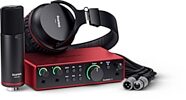
Focusrite Scarlett 2i2 Studio Gen 4 Audio Interface Recording Package
$329.99
- 8 payments of$41.25/mo
- No Credit Check6 payments of$55.00/mo
-



Audio-Technica ATH-M50x Headphones
$159.00
- No Credit Check6 payments of$26.50/mo
Comes in 2 Colors, 2 Mfg Models-