
Sabine BT300 Backtrak Riff Decoder/Sampler
No longer available at zZounds
Overview
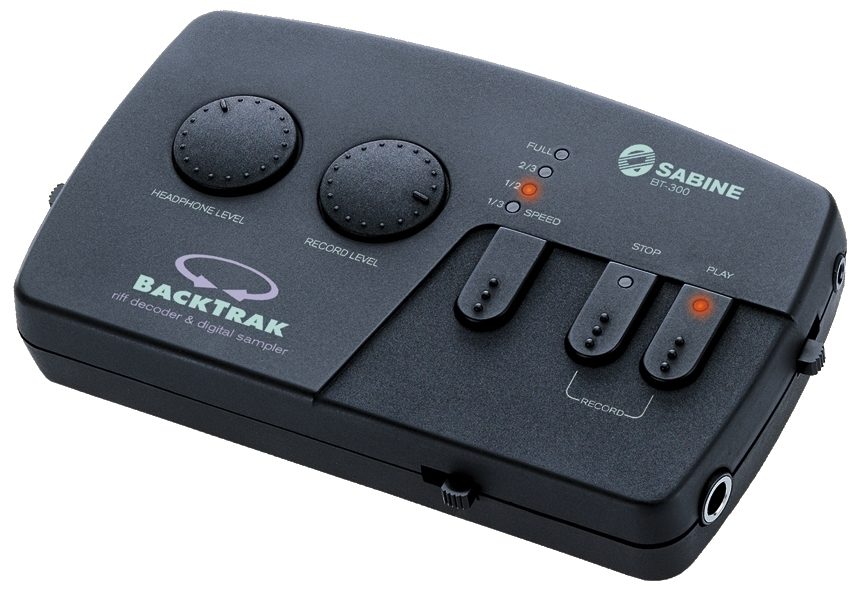
The Backtrak BT-300 has 4 playback speeds (full speed, 2/3 speed, 1/2 speed, 1/3 speed). These speeds allow you to slow your recorded sample while maintaining the "key" or "pitch" in which the original was recorded. This powerful feature lets you slow down parts or phrases of songs so that you can "decode" and learn them. Before long, you'll decode and master the most difficult musical passages. For lyrics, the BT-300 lets you slow down a wordy section so you can hear each lyric at a speed you can understand. You can even use the sample playback capabilities of the BACKTRAK during a performance, adding a dimension of sound effects that, until now, you never thought possible.
Mix/Split Switch
The Mix/Split Switch lets you choose what you'll hear in the headphones. In the MIX position, hear yourself playing mixed with the sample in both the left and right channels of your headphones. In the SPLIT position, hear yourself isolated in the right channel, and the sample in the left channel.
Headphone Level
The BT-300 Headphone level controls the output volume level to the 1/8th inch stereo headphone jack. The Headphone level determines the volume level of what you hear exiting the BackTrak BT-300, including the sample being played as well as your own playing.
Record Level
The BT-300 Record level controls the input levels to be recorded. Since the array of devices you can use as a source of program material will have output levels that vary, (such as a cassette or CD player, a Radio,… read more a VCR etc., via line outs, headphone outs, etc.) the BackTrak allows you to compensate for low and high, line level outputs.
Speed Selector & Indicators
The speed selector switch allows you to select any one of 4 speeds; full, 2/3rd, 1/2, or 1/3 speed. The LED Indicators light to tell you which speed you are using. The BT-300 maintains the pitch of your material at any one of the 4 speeds.
Stop, Play, and Record Buttons
The Stop, Play, and Record Buttons operate the same as those found on a standard cassette player. The Play button features a Red LED that indicates the BT-300 is in Play mode. When the BackTrack is in Record mode, the Red LED on the Stop Button and the Play button both illuminate.
Power Switch
The Power Switch of the BT-300 turns the unit on and also clears the memory of the last recorded sample. When the BackTrak is turned on, LED's will light indicating the unit is on.
Instrument Input
The Instrument Input to the BackTrak uses a standard 1/4" Phone jack. You can plug in an instrument (guitar, keyboards, etc.) and listen to your playing through the BackTrak's headphone or line out. The BT-300 does not record via this input.
Input Channel Selector & CD Tape In
The BackTrak Input Channel Selector allows you to choose which channel(s) of your program source to record. In some instances, the part you wish to record may be more prominent in a particular channel. Use this switch to choose which channel to record. The CD/Tape Input uses 1/8" stereo mini plugs and you can connect your personal CD, Cassette, Radio, etc., to the BackTrak via this input. read less
Mix/Split Switch
The Mix/Split Switch lets you choose what you'll hear in the headphones. In the MIX position, hear yourself playing mixed with the sample in both the left and right channels of your headphones. In the SPLIT position, hear yourself isolated in the right channel, and the sample in the left channel.
Headphone Level
The BT-300 Headphone level controls the output volume level to the 1/8th inch stereo headphone jack. The Headphone level determines the volume level of what you hear exiting the BackTrak BT-300, including the sample being played as well as your own playing.
Record Level
The BT-300 Record level controls the input levels to be recorded. Since the array of devices you can use as a source of program material will have output levels that vary, (such as a cassette or CD player, a Radio,… read more a VCR etc., via line outs, headphone outs, etc.) the BackTrak allows you to compensate for low and high, line level outputs.
Speed Selector & Indicators
The speed selector switch allows you to select any one of 4 speeds; full, 2/3rd, 1/2, or 1/3 speed. The LED Indicators light to tell you which speed you are using. The BT-300 maintains the pitch of your material at any one of the 4 speeds.
Stop, Play, and Record Buttons
The Stop, Play, and Record Buttons operate the same as those found on a standard cassette player. The Play button features a Red LED that indicates the BT-300 is in Play mode. When the BackTrack is in Record mode, the Red LED on the Stop Button and the Play button both illuminate.
Power Switch
The Power Switch of the BT-300 turns the unit on and also clears the memory of the last recorded sample. When the BackTrak is turned on, LED's will light indicating the unit is on.
Instrument Input
The Instrument Input to the BackTrak uses a standard 1/4" Phone jack. You can plug in an instrument (guitar, keyboards, etc.) and listen to your playing through the BackTrak's headphone or line out. The BT-300 does not record via this input.
Input Channel Selector & CD Tape In
The BackTrak Input Channel Selector allows you to choose which channel(s) of your program source to record. In some instances, the part you wish to record may be more prominent in a particular channel. Use this switch to choose which channel to record. The CD/Tape Input uses 1/8" stereo mini plugs and you can connect your personal CD, Cassette, Radio, etc., to the BackTrak via this input. read less
Specs
Dimensions: 15 x 9 x 2.2 cm (6 x 3.4 x .9 in.)
Weight: 5.6 oz. (157 g)
Processor: 8 bit
Input impedence CD/Tape: 10k ohms
Guitar: 100k ohms
Output impedence Line out: 100 ohms
Headphone: >32 ohm personal headphone
Power: 9 Volt @<300mA wall mount transformer, 50/60Hz, ~115V/230V
Weight: 5.6 oz. (157 g)
Processor: 8 bit
Input impedence CD/Tape: 10k ohms
Guitar: 100k ohms
Output impedence Line out: 100 ohms
Headphone: >32 ohm personal headphone
Power: 9 Volt @<300mA wall mount transformer, 50/60Hz, ~115V/230V
Reviews
Reviewers gave this product an overall rating of 5 out of 5 stars.
(17 ratings)
Submitted November 12, 2012 by miguel c in lanzarote, NA
"sabine bt-300"
I don´t agree with most of the other reviewers.This machine works very well in order to record difficult musical phrases, then slow the pace and learn to play them, this is where this recorder excels and that's what is intended for: record, play at lower speed and help you learning new and complex licks, not by note.It´s very exciting when you realize those "hidden" notes of your favorite solos no matter the stile :jazz, rock ,country..this machine will make a way better guitar (or any other instrument) player yourself. Sometimes I get rid of my computer, or go to a gig in the road, then I take the Sabine BT 300 in my guitar´s case and take it everywhere, it´s that practical..I love it!!
Musical Background:
player for 40 years,guitar, proffesional
Musical Style:
Many styles, mostly jazz, blues, rock, classical and never flamenco (I do hate this stuff!)
2 of 2 people (100%) people found this review helpful. Did you?
Thanks for your opinion!
No longer available at zZounds
In most cases, a product is unavailable because it has been discontinued by the manufacturer
This is a carousel with product cards. Use the previous and next buttons to navigate.
People who bought this item also bought
Gibson Les Paul Junior Vintage Electric Guitar (with Case)
$1,599.00
- 18 payments of$88.83/mo
Comes in 3 Colors-
Electro-Voice EVERSE 12 Battery-Powered PA Speaker
$1,099.00
- 12 payments of$91.58/mo
- No Credit Check6 payments of$183.17/mo
Comes in 2 Quantities, 2 Colors-
Fender American Professional II Telecaster Electric Guitar, Maple Fingerboard (with Case)
$1,639.99
- 18 payments of$91.11/mo
Comes in 3 Colors-
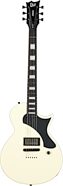
ESP LTD Deluxe EC-01FT Electric Guitar
$899.95
- 12 payments of$75.00/mo
- No Credit Check6 payments of$149.99/mo
Comes in 3 Colors-
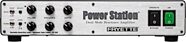
Fryette PS-100 Power Station One Hundred Integrated Reactance Amplifier
$1,199.00
- 12 payments of$99.92/mo
- No Credit Check6 payments of$199.83/mo
-

Fender Player II Modified Active Precision Bass, Rosewood Fingerboard (with Gig Bag)
$1,149.99
- 18 payments of$63.89/mo
- No Credit Check6 payments of$191.66/mo
Comes in 2 Colors-
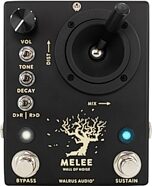
Walrus Audio Melee Wall of Noise Reverb/Distortion Pedal
$299.99
- 8 payments of$37.50/mo
- No Credit Check6 payments of$50.00/mo
Comes in 2 Colors-
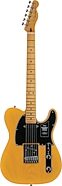
Fender Player II Telecaster Chambered Ash Electric Guitar (with Maple Fingerboard)
$949.99
- 12 payments of$79.17/mo
- No Credit Check6 payments of$158.33/mo
-
Martin 000-10E Retro Acoustic-Electric Guitar (with Soft Case)
$999.99
- 12 payments of$83.33/mo
- No Credit Check6 payments of$166.66/mo
-

Electro-Voice EVERSE 8 Battery-Powered PA Speaker
$799.00
- 12 payments of$66.58/mo
- No Credit Check6 payments of$133.17/mo
Comes in 2 Quantities, 2 Colors-