
Rode XDM-100 Dynamic USB Gaming Microphone


zZounds Gear Experts Say...
Designed with gaming and streaming in mind, the XDM-100 USB mic rejects room noise and includes a pop filter and shock mount for smooth, pro-quality audio.
Overview
The Rode XDM-100 is a professional dynamic USB microphone optimised for streaming and gaming. It delivers rich broadcast sound with superior room noise rejection, and features premium circuitry, including an ultra-low-noise, high-gain Revolution Preamp, and a zero-latency headphone output with level control and mute functionality. It also comes with a high-quality pop filter and shock mount.
Importantly, the XDM-100 is fully compatible with UNIFY, which unlocks advanced APHEX audio processing, powered by internal DSP.
- Sound signature optimised for streaming and gamin
- Superior room noise rejection
- Zero-latency headphone output with level control and mute button
- Plug-and-play USB-C connectivity
- Pop shield and shock mount included
- Free UNIFY download
Importantly, the XDM-100 is fully compatible with UNIFY, which unlocks advanced APHEX audio processing, powered by internal DSP.
Features:
- Professional dynamic USB microphone- Sound signature optimised for streaming and gamin
- Superior room noise rejection
- Zero-latency headphone output with level control and mute button
- Plug-and-play USB-C connectivity
- Pop shield and shock mount included
- Free UNIFY download
Specs
- Microphone Type: Dynamic USB microphone with internal DSP
- Capsule: Large dynamic diaphragm capsule
- Polar Pattern: Cardioid
- Frequency Response: 20 Hz - 20 kHz
- Bit Depth: 24-bit
- Sample Rate: 48 kHz
- Connectivity: USB-C
- Power Requirements: USB bus powered
- Operating System Compatibility: macOS 12 or later; Windows 10 Version 1803 or later
- Latency: Zero-latency monitoring
- Controls: Headphone volume control with built-in mute switch
- Capsule: Large dynamic diaphragm capsule
- Polar Pattern: Cardioid
- Frequency Response: 20 Hz - 20 kHz
- Bit Depth: 24-bit
- Sample Rate: 48 kHz
- Connectivity: USB-C
- Power Requirements: USB bus powered
- Operating System Compatibility: macOS 12 or later; Windows 10 Version 1803 or later
- Latency: Zero-latency monitoring
- Controls: Headphone volume control with built-in mute switch
Dimensions and Weight in Packaging
Base Item
- Shipping Weight: 4.26 lbs
- Shipping Dimensions: 11 x 9 x 5 in
- Manufacturer Part Number (MPN): XDM100
Open Box (Like New)
- Shipping Weight: 4.26 lbs
- Shipping Dimensions: 11 x 9 x 5 in
- Manufacturer Part Number (MPN): XDM100
Documents and Manuals
For support or warranty questions, please contact the manufacturer:
Phone: 562-364-7400
Web: https://rode.com/en/support/contact
Phone: 562-364-7400
Web: https://rode.com/en/support/contact
Open Box (Like New)
What is Open Box (Like New)?
$199.95
you're approved! No credit check!
- No interest and no late fees
- No paperwork
- No social security number required
- No questions about your income
Just provide your credit or debit card number in checkout as usual, and we’ll ship your order before the end of the business day.
FREE
-Day
Shipping!
Get it
for
Get it
(or get it
with an order of
),
if you order within
Shipping to
Related Accessories

Related Accessories
This is a carousel with product cards. Use the previous and next buttons to navigate.
People who bought this item also bought

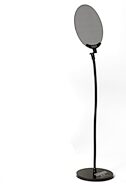
Rode PSA1 Plus Swivel-Mount Studio Arm Microphone Stand
$139.00
- No Credit Check6 payments of$23.17/mo
Comes in 8 Colors-
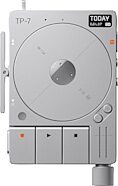
Teenage Engineering TP-7 Digital Tape Recorder
$1,499.00
- 12 payments of$124.92/mo
Comes in 2 Colors-

ADAM Audio A7V Active Studio Monitor
$939.99
- 12 payments of$78.33/mo
- No Credit Check6 payments of$156.66/mo
Comes in 2 Quantities-
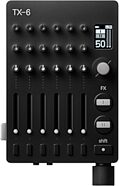
Teenage Engineering TX-6 6-Channel Portable Mixer
$1,199.00
- 12 payments of$99.92/mo
- No Credit Check6 payments of$199.83/mo
Comes in 2 Colors-

Akai MPC Key 37 G2 Music Production Center Keyboard
$999.00
- 12 payments of$83.25/mo
- No Credit Check6 payments of$166.50/mo
-

Yamaha HS5 Active Studio Monitor
$199.99
- No Credit Check6 payments of$33.33/mo
Comes in 2 Quantities, 2 Colors-

Rode RODECaster Pro II Audio Production Studio
$699.00
- 12 payments of$58.25/mo
- No Credit Check6 payments of$116.50/mo
Comes in 2 Colors-

Gibson Les Paul Studio Session Electric Guitar (with Soft Case)
$1,999.00
- 12 payments of$166.58/mo
Comes in 6 Colors-
