
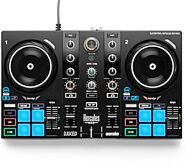
Hercules DJControl Inpulse 200 MK3 USB DJ Controller


zZounds Gear Experts Say...
Get started DJing with the Hercules DJControl Inpulse 200 MK3, a hands-on DJ controller with jog wheels, performance pads, and Serato Lite included.
Overview
The Hercules DJControl Inpulse 200 MK3 USB DJ Controller is an ideal entry point for aspiring DJs, offering an intuitive 2-deck layout and built-in learning tools that help you start mixing with confidence. Connect it to your Mac or PC via USB-C and jump into DJing with included DJUCED software and Serato DJ Lite, complete with built-in audio outputs for speakers and headphones.
Dynamic light guides on the controller teach you how to beatmatch by showing where to move the tempo fader and jog wheels, helping you develop real mixing skills without relying on the screen. With responsive jog wheels, performance pads for hot cues, loops, effects, and samples, plus stems controls for separating vocals and instrumentals to create mashups and smooth transitions, the Inpulse 200 MK3 makes learning to mix both accessible and fun. It also supports streaming services like Beatport, Beatsource, TIDAL, and SoundCloud, and includes a virtual sound card for easily broadcasting your DJ sets online.
- The ideal controller to start DJing
- Connect it to the USB-C port on your PC/Mac computer
- Mix with Serato DJ Lite and DJUCED
- Learn how to beatmatch manually by looking at the built-in dynamic light guides
- Separate the sound into stems (vocals/instrumentals) to remix tracks
- Mix and scratch, have fun and improve your skills!
- Beatport, Beatsource, TIDAL and SoundCloud streaming services
- Broadcast your performances using the included virtual sound card
- THE GOLD STANDARD FOR 2-DECK… read more MIXING
- Built-in audio: Master (speakers) and monitoring (headphones) outputs
- Decks: 2 Play, Cue, Sync, Shift sections / 2 jog wheels / 2 x 4 pads with 4 modes (Hot Cue, FX, Loop, Sampler) / 2 tempo faders / 2 x 2 stems buttons
- Mixing: 1 crossfader , 2 mixers (3-band EQ, Filter, Volume), monitoring controls, master volume
- STEMS
Split up tracks into instrumental and vocal stems
- Create mashups by playing the vocal from track A over the instrumental from track B
- Create transitions by mixing the instrumental of the next track over the vocal of the one that's playing
- BEATMATCH GUIDE
Built-in light guides: no need to look at a screen
- Tempo guide: indicates where to move the tempo fader
- Beat Align guide: indicates which direction to turn the jog wheel
- DJUCED mixing and performance DJ software from Hercules
- Assistant: suggests the best upcoming tracks, so that you'll always stay inspired
- Stems: separate the vocal and instrumental parts for a different kind of mixing
- Precise audio engine and full DJing features
- Serato DJ Lite with features for learning to mix and scratch
- Use stems to separate a cappella and instrumental parts, and create mashups
- Includes a free 2-week trial of Serato DJ Pro
- Serato DJ Lite is based on the same technology as Serato DJ Pro
- Compatible with streaming services: mix millions of tracks from Beatport LINK,
- Beatsource LINK, SoundCloud Go+ and TIDAL (+ Apple Music in Serato DJ).
- Hercules Official Music
- Royalty-free tracks that you can mix with on any media.
- Virtual sound card
- The virtual sound card establishes a virtual link between the DJ controller's master output and the broadcasting app's audio input.
- Split vocals and instrumentals for mashups and pro-level transitions.
- USB-C connection with built-in audio for headphones & speakers.
- Includes Serato DJ Lite + DJUCED, plus a Serato DJ Pro trial.
- Compatible with Beatport, Beatsource, TIDAL & SoundCloud.
- 2 jog wheels, performance pads, EQ, filters, and all core DJ controls.
- Virtual sound card makes livestreaming effortless.
- Royalty-free tracks included to start mixing right away.
read less
Dynamic light guides on the controller teach you how to beatmatch by showing where to move the tempo fader and jog wheels, helping you develop real mixing skills without relying on the screen. With responsive jog wheels, performance pads for hot cues, loops, effects, and samples, plus stems controls for separating vocals and instrumentals to create mashups and smooth transitions, the Inpulse 200 MK3 makes learning to mix both accessible and fun. It also supports streaming services like Beatport, Beatsource, TIDAL, and SoundCloud, and includes a virtual sound card for easily broadcasting your DJ sets online.
- The ideal controller to start DJing
- Connect it to the USB-C port on your PC/Mac computer
- Mix with Serato DJ Lite and DJUCED
- Learn how to beatmatch manually by looking at the built-in dynamic light guides
- Separate the sound into stems (vocals/instrumentals) to remix tracks
- Mix and scratch, have fun and improve your skills!
- Beatport, Beatsource, TIDAL and SoundCloud streaming services
- Broadcast your performances using the included virtual sound card
- THE GOLD STANDARD FOR 2-DECK… read more MIXING
- Built-in audio: Master (speakers) and monitoring (headphones) outputs
- Decks: 2 Play, Cue, Sync, Shift sections / 2 jog wheels / 2 x 4 pads with 4 modes (Hot Cue, FX, Loop, Sampler) / 2 tempo faders / 2 x 2 stems buttons
- Mixing: 1 crossfader , 2 mixers (3-band EQ, Filter, Volume), monitoring controls, master volume
- STEMS
Split up tracks into instrumental and vocal stems
- Create mashups by playing the vocal from track A over the instrumental from track B
- Create transitions by mixing the instrumental of the next track over the vocal of the one that's playing
- BEATMATCH GUIDE
Built-in light guides: no need to look at a screen
- Tempo guide: indicates where to move the tempo fader
- Beat Align guide: indicates which direction to turn the jog wheel
- DJUCED mixing and performance DJ software from Hercules
- Assistant: suggests the best upcoming tracks, so that you'll always stay inspired
- Stems: separate the vocal and instrumental parts for a different kind of mixing
- Precise audio engine and full DJing features
- Serato DJ Lite with features for learning to mix and scratch
- Use stems to separate a cappella and instrumental parts, and create mashups
- Includes a free 2-week trial of Serato DJ Pro
- Serato DJ Lite is based on the same technology as Serato DJ Pro
- Compatible with streaming services: mix millions of tracks from Beatport LINK,
- Beatsource LINK, SoundCloud Go+ and TIDAL (+ Apple Music in Serato DJ).
- Hercules Official Music
- Royalty-free tracks that you can mix with on any media.
- Virtual sound card
- The virtual sound card establishes a virtual link between the DJ controller's master output and the broadcasting app's audio input.
Features:
- Dynamic light guides teach beatmatching without the screen.- Split vocals and instrumentals for mashups and pro-level transitions.
- USB-C connection with built-in audio for headphones & speakers.
- Includes Serato DJ Lite + DJUCED, plus a Serato DJ Pro trial.
- Compatible with Beatport, Beatsource, TIDAL & SoundCloud.
- 2 jog wheels, performance pads, EQ, filters, and all core DJ controls.
- Virtual sound card makes livestreaming effortless.
- Royalty-free tracks included to start mixing right away.
Specs
- Size: 12.6" x 7.7" x 1.9" / 320 x 195 x 49 mm
- Weight: 2.0 lb / 0.9 kg
- Jog Wheel Diameter: 3.5" / 90 mm
- Connections:
- Master Output: 2 x RCA jacks
- Headphones/Monitoring Output: 1/8" (3.5 mm) stereo mini-jack
- Computer Connection: Male USB-C connector
- Mixing Controls:
- 1 filter knob
- 3 EQ knobs
- 1 volume fader per deck
- Crossfader
- Master volume knob
- Headphones volume knob
- Controls per Deck:
- Jog wheel with touch detection (vinyl mode)
- 4 pads x 4 modes: Hot Cue / FX / Loop / Sampler
- Stems section (instruments/vocals)
- Tempo fader
- Browser Controls: Browser knob + 2 Load buttons + Assistant button
- Beatmatch Guide:
- Tempo: Light guide alongside each tempo fader
- Beat Align: Light guide below each jog wheel
- Assistant: DJUCED track suggestions based on BPM, key, and energy
- DJ Academy: Video tutorials to learn DJing and software basics
- Official Music: Dozens of royalty-free tracks for mixing
- Software: DJUCED, Serato DJ Lite
- Virtual Sound Card: Enables audio input broadcast through apps (e.g., OBS) when streaming DJ performance online
- System Requirements:
- https://serato.com/dj/lite/downloads?systemrequirements
- https://www.djuced.com/downloaddjuced/
- Weight: 2.0 lb / 0.9 kg
- Jog Wheel Diameter: 3.5" / 90 mm
- Connections:
- Master Output: 2 x RCA jacks
- Headphones/Monitoring Output: 1/8" (3.5 mm) stereo mini-jack
- Computer Connection: Male USB-C connector
- Mixing Controls:
- 1 filter knob
- 3 EQ knobs
- 1 volume fader per deck
- Crossfader
- Master volume knob
- Headphones volume knob
- Controls per Deck:
- Jog wheel with touch detection (vinyl mode)
- 4 pads x 4 modes: Hot Cue / FX / Loop / Sampler
- Stems section (instruments/vocals)
- Tempo fader
- Browser Controls: Browser knob + 2 Load buttons + Assistant button
- Beatmatch Guide:
- Tempo: Light guide alongside each tempo fader
- Beat Align: Light guide below each jog wheel
- Assistant: DJUCED track suggestions based on BPM, key, and energy
- DJ Academy: Video tutorials to learn DJing and software basics
- Official Music: Dozens of royalty-free tracks for mixing
- Software: DJUCED, Serato DJ Lite
- Virtual Sound Card: Enables audio input broadcast through apps (e.g., OBS) when streaming DJ performance online
- System Requirements:
- https://serato.com/dj/lite/downloads?systemrequirements
- https://www.djuced.com/downloaddjuced/
Dimensions and Weight in Packaging
Base Item
- Shipping Weight: 3.93 lbs
- Shipping Dimensions: 16 x 11 x 4 in
- Manufacturer Part Number (MPN): DJC-INPULSE-200-MK3
Open Box (Like New)
- Shipping Weight: 3.93 lbs
- Shipping Dimensions: 16 x 11 x 4 in
- Manufacturer Part Number (MPN): DJC-INPULSE-200-MK3
Documents and Manuals
For support or warranty questions, please contact the manufacturer:
Phone: 929-900-1628
Web: https://support.hercules.com
Phone: 929-900-1628
Web: https://support.hercules.com
New
$119.99
you're approved! No credit check!
- No interest and no late fees
- No paperwork
- No social security number required
- No questions about your income
Just provide your credit or debit card number in checkout as usual, and we’ll ship your order before the end of the business day.
FREE
-Day
Shipping!
Get it
for
Get it
(or get it
with an order of
),
if you order within
Shipping to

This is a carousel with product cards. Use the previous and next buttons to navigate.
People who bought this item also bought

QSC K12.2 Powered Loudspeaker (2000 Watts, 1x12")
$899.99
- 12 payments of$75.00/mo
- No Credit Check6 payments of$150.00/mo
-

Odyssey Rane Four 1U-Flight Case with Glide Style Laptop Platform and Wheels
$359.95
- 8 payments of$44.99/mo
- No Credit Check6 payments of$59.99/mo
-

Headliner Pitch Black Flight Case for Rane Four/Performer
$369.99
- 8 payments of$46.25/mo
- No Credit Check6 payments of$61.66/mo
-

Headliner Pitch Black Flight Case for DDJ-REV5 Controller
$369.99
- 8 payments of$46.25/mo
- No Credit Check6 payments of$61.66/mo
-

JBL EON715 Powered Loudspeaker
$599.00
- 12 payments of$49.92/mo
- No Credit Check6 payments of$99.83/mo
-
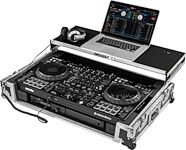
Odyssey 1U Flight Case for DDJ-FLX10 with Glide Style Laptop Platform and Corner Wheels
$409.95
- 8 payments of$51.24/mo
- No Credit Check6 payments of$68.32/mo
-

Electro-Voice EVOLVE 30M Powered Column PA System with 8-Channel Mixer
$1,399.00
- 12 payments of$116.58/mo
-
Items You Recently Viewed
Hercules DJControl Inpulse 200 MK3 USB DJ Controller
$119.99
- No Credit Check6 payments of$20.00/mo
-