Customer Kudos
"The Play as You Pay plan literally stocked my entire studio and live performance rig — without it, having this caliber of gear simply wouldn't have been feasible as a working musician. It allowed me to invest in pro-level instruments, live sound, and production equipment that earn their keep on stage every week. Real gear, zero hassle, and unmatched support for active players. Thank you, zZounds!"
October 12, 2026
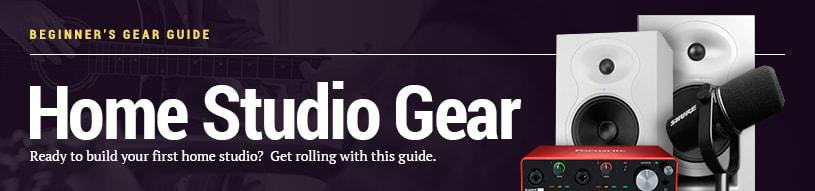
Beginner's Gear Guides: Home Studio
Ready to build your first home studio? Get rolling with this guide.
There's no doubt about it: professional studios are no longer the only way to create high-quality recordings. With a computer and few additional pieces of gear, you can have your own fully functional, professional-sounding home recording studio right in the comfort of your basement or that extra bedroom you never use.
Follow our guide below to find all the basic building blocks of the home studio: an audio interface to connect your gear to your computer, studio monitor speakers for critical listening, microphones for recording vocals and acoustic instruments, digital audio workstation software, and cables to connect it all.
There's no doubt about it: professional studios are no longer the only way to create high-quality recordings. With a computer and few additional pieces of gear, you can have your own fully functional, professional-sounding home recording studio right in the comfort of your basement or that extra bedroom you never use.
Follow our guide below to find all the basic building blocks of the home studio: an audio interface to connect your gear to your computer, studio monitor speakers for critical listening, microphones for recording vocals and acoustic instruments, digital audio workstation software, and cables to connect it all.
Digital Audio Interfaces: Connect your gear to your computer
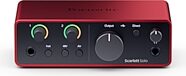
Digital audio interfaces are external sound cards that can connect to your computer with a USB or Thunderbolt cable. An interface converts analog audio to digital signals that your computer can record. Most interfaces have XLR inputs to plug in microphones, 1/4" Hi-Z instrument jacks for guitar or bass, and 1/4" line-level inputs for keyboards and other line-level gear. Some audio interfaces also have MIDI I/O, which is useful for connecting controllers with 5-pin MIDI jacks to your computer.
To choose an interface, make sure it's compatible with your computer and has enough microphone preamp channels for all the mics you want to record at once.
To choose an interface, make sure it's compatible with your computer and has enough microphone preamp channels for all the mics you want to record at once.
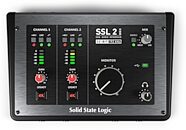
Solid State Logic SSL 2 MKII 2x2 USB-C Audio Interface
$199.99
- No Credit Check6 payments of$33.33/mo
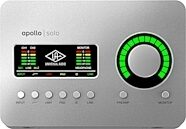
Universal Audio Apollo Solo Thunderbolt 3 Audio Interface
$690.45
- 12 payments of$57.54/mo
- No Credit Check6 payments of$115.07/mo
Studio Monitors: Ensure your mix sounds the way you want it to
Once you've plugged in your instruments and mics to your interface's inputs, you'll want to connect the interface's outputs to a good pair of studio monitor speakers. Monitors ensure that what you hear is what you get: they don't exaggerate certain frequencies like consumer-grade speakers do.
Monitors are generally much larger than typical computer speakers, so be sure to consider how much space you have. In general, bigger speakers are capable of sounding better -- the larger the speaker's woofer cone, the better it will reproduce bass -- but monitors with 5" or 6" woofers are a great fit for many home studios. Need something smaller that still sounds good? Check out our selection of Desktop/Multimedia Monitors.
Monitors are generally much larger than typical computer speakers, so be sure to consider how much space you have. In general, bigger speakers are capable of sounding better -- the larger the speaker's woofer cone, the better it will reproduce bass -- but monitors with 5" or 6" woofers are a great fit for many home studios. Need something smaller that still sounds good? Check out our selection of Desktop/Multimedia Monitors.
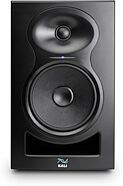
Kali Audio LP-6 V2 Powered Studio Monitor
$249.00
- No Credit Check6 payments of$41.50/mo
Comes in 2 Colors
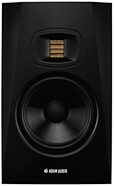
ADAM Audio T7V Active Studio Monitor
$289.99
- No Credit Check6 payments of$48.33/mo
Comes in 2 Quantities
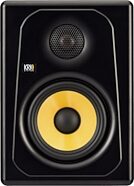
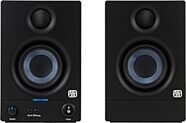
PreSonus Eris 3.5 Generation 2 Active Studio Monitors
$99.99
- No Credit Check6 payments of$16.66/mo
Condenser Microphones: Record vocals and acoustic instruments
Condenser microphones are the classic choice for capturing realistic, detailed recordings. As a general rule, large-diaphragm condenser microphones are great for recording vocals, whereas small-diaphragm condensers are excellent for capturing the fast transients on acoustic guitars or hanging over drum kits. Most condenser mics require +48V phantom power to work, so make sure your interface's microphone preamps provide phantom power. While you could easily drop thousands of dollars on a high-end condenser microphone, these beginner-friendly choices will get your studio started out on the right foot for a nice price.
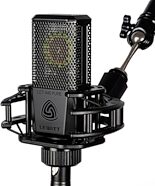
Lewitt LCT 440 PURE Large-Diaphragm Condenser Microphone
$249.00
- No Credit Check6 payments of$41.50/mo
Comes in 2 Quantities

Rode NT1 Signature Series Studio Condenser Microphone
$148.00
- No Credit Check6 payments of$23.17/mo
Comes in 8 Colors
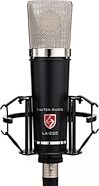
Lauten Audio LA-220 V2 Large-Diaphragm Condenser Microphone
$359.00
- 8 payments of$44.88/mo
- No Credit Check6 payments of$59.83/mo

sE Electronics sE7 Small-Diaphragm Condenser Microphone
$119.00
- No Credit Check6 payments of$19.83/mo
Dynamic Microphones: Record drums, guitar amps, loud vocals and voiceover
Do you need to record loud sources like electric guitar amplifiers, kick drum, and snare drum? Try a tough dynamic microphone like those from Shure's Nexadyne series or Sennheiser's MD 421 Kompakt. For vocals and voiceover, if you're looking for a tighter, dryer, more focused sound, try a dynamic microphone -- Rode's PodMic is a solid option at a beginner-friendly price.
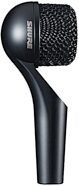
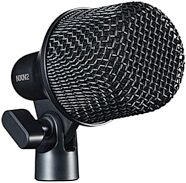

Sennheiser MD 421 Kompakt Dynamic Cardioid Microphone
$319.00
- 8 payments of$37.38/mo
- No Credit Check6 payments of$49.83/mo
Comes in 2 Colors

Rode PodMic Cardioid Dynamic Podcast Microphone
$86.00
- No Credit Check4 payments of$21.50/mo
Comes in 2 Colors
Digital Audio Workstations: Where it all comes together
Your digital audio workstation (DAW) software is the heart of your studio. It's the software that allows you to record audio, add effects, play audio back, make edits, and bounce your mix into a file to upload to streaming platforms or press an album. Most DAWs come with samples and virtual instrument plug-ins that allow you to add drums, strings, piano, synths, and more. You can buy more virtual instruments and effects and add them to your DAW (just make sure they're compatible with your computer and operating system).
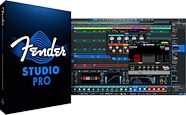
Fender Studio Pro Music Production Software - Perpetual License
$199.99
- No Credit Check6 payments of$33.33/mo
Avid Pro Tools Studio Music Production Software (Perpetual License) with 1-Year Software Updates + Support Plan
$599.00
- 12 payments of$49.92/mo
- No Credit Check6 payments of$99.83/mo
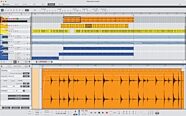
Reason Studios Reason 13 Software
$499.00
- 8 payments of$62.38/mo
- No Credit Check6 payments of$83.17/mo
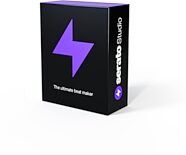
MIDI Controllers: Take control of virtual instruments
All DAW software -- from entry-level DAWs like Apple GarageBand to pro-level software like Fender Studio Pro -- comes with built-in virtual instruments. Virtual instruments, also known as software instruments, are pieces of plug-in software hosted within your DAW that can play back samples of instrument sounds, or synthesize sounds in real time. To play virtual instruments, you'll need a MIDI controller. Even if you don't have a piano background, you can get a lot of mileage out of a small MIDI controller keyboard, as you learn how to trigger sounds from virtual synths!
Most modern MIDI controllers have USB output, so they can connect directly to your computer's USB port without a dedicated MIDI interface.
Most modern MIDI controllers have USB output, so they can connect directly to your computer's USB port without a dedicated MIDI interface.
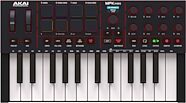
Akai MPK Mini IV USB MIDI Keyboard Controller, 25-Key
$99.00
- No Credit Check6 payments of$16.50/mo
Comes in 2 Colors
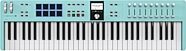
Arturia KeyLab Essential 61 MK3 MIDI Keyboard Controller, 61-Key
$299.00
- 8 payments of$37.38/mo
- No Credit Check6 payments of$49.83/mo
Comes in 3 Colors

Native Instruments Komplete Kontrol M32 USB MIDI Keyboard
$179.95
- No Credit Check6 payments of$29.99/mo
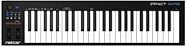
Nektar Impact GX49 USB MIDI Keyboard Controller, 49-Key
$109.99
- No Credit Check6 payments of$18.33/mo
Cables: Consider your connections
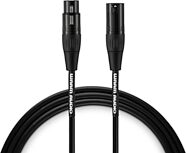
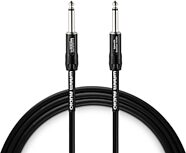
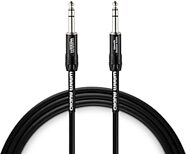
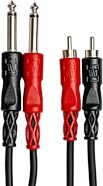
To connect all this gear, you're going to need cables -- lots of cables. You'll need cables that connect your microphones or instruments to your interface, cables that connect your interface to your computer, and cables that connect your interface to your studio monitors. A typical home studio will need XLR cables for microphones, 1/4" instrument cables for guitars and/or basses, 1/4" TRS cables for (most) studio monitors, and RCA cables for other electronics.