Zoom Q8n-4K Handy Video and 4-Track Audio Recorder
Truly a camera made for musicians, Zoom's Q8n-4K captures 4K video and 4 audio tracks with X/Y mics plus two XLR inputs. USB output makes livestreaming easy!
$399.99
- 8 payments of$50.00/mo
- No Credit Check6 payments of$66.66/mo
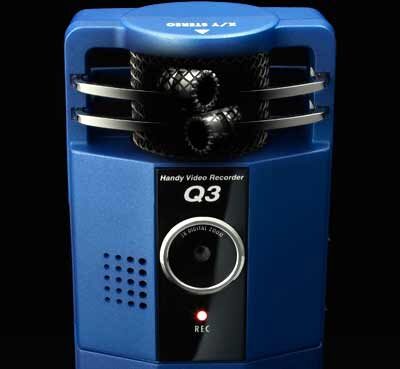
Zoom Q3 Handy Video Recorder
No longer available at zZounds

zZounds Gear Experts Say...
Record up to one hour of video plus pristine stereo audio on the Zoom Q3 handheld recorder, then use the included YouTube uploader to share your creation.
Overview
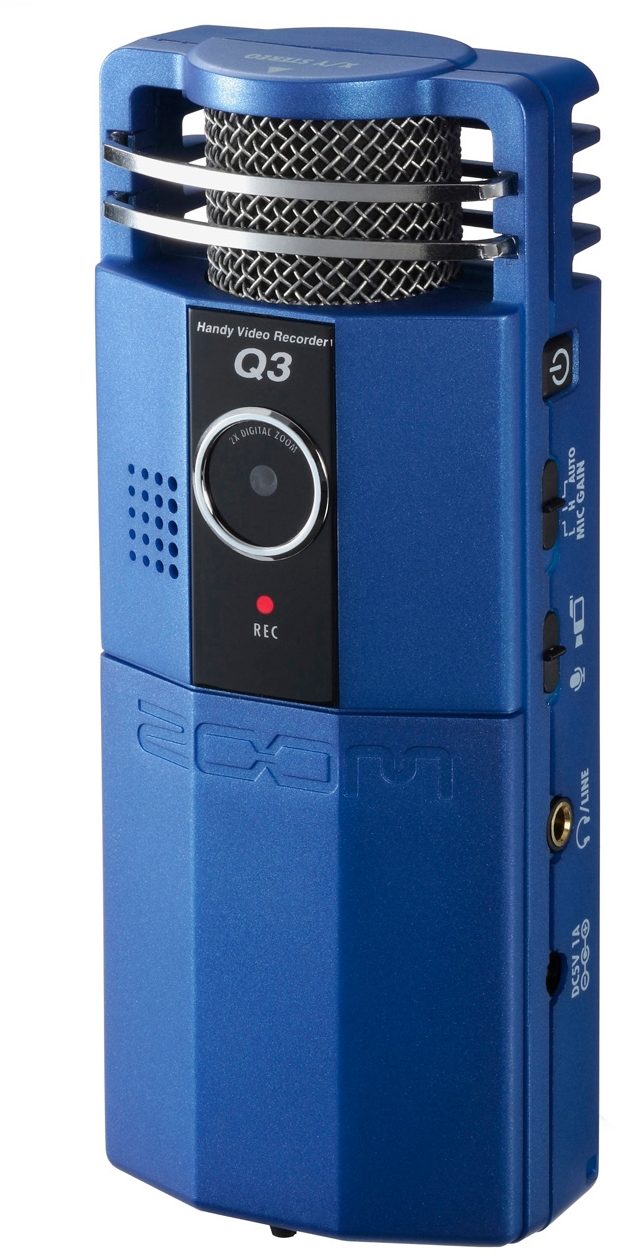
Anyone who's ever experienced a film with great audio knows how vital sound is to the movie. The Q3 Handy Video Recorder brings our renowned audio technology to the camcorder, making it the best sounding video camcorder you've ever heard.
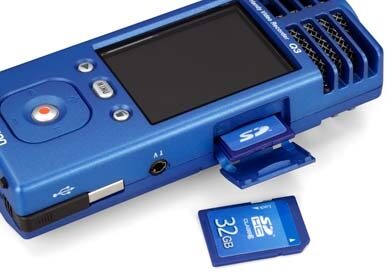
Designed with everything you need to make your movies right out of the box, the Q3 includes HandyShare software for editing, and a 2GB SD card for up to 1 hour of video recording time. And the Q3 will also accept up to 32GB SDHC cards for a staggering 16 hours of moviemaking!
- Carry Pouch
- 2 GB SD Card
- AV Cable
- 2 AA Batteries
- Get up to 1 hour of video with bundled 2GB SD card
- Accepts up to a 32GB SDHC card for 16 hours of recording time
- Large 2.4-inch LCD display with a resolution of 320 x 240
- Video resolution of 640 x 480 at 30 frames/sec
- Video Format: MPEG-4 SP
- NTSC / PAL TV output
- Optics Lens Type: Fixed Focus (0.8m to infinity) with 2x digital zoom
- Audio formats with video include 44.1/48kHz 16/24-bit Linear PCM WAV or MP3 up to 320kbps
- Audio only formats include 96kHz 16/24-bit Linear PCM WAV
- Auto Record Level automatically adjusts audio levels during recordings
- Uses two standard AA batteries or NiMH rechargeable batteries
- USB 2.0 with built-in cable
- Windows and Mac OS compatible
- Built-in speaker and tripod mount
- Includes onboard editing software, YouTube uploader software, Apple Quicktime, TV cable, softcase, windscreen, 2GB SD card, two AA Batteries
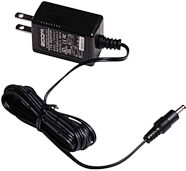
- Optional power adapter available (Zoom AD14) read less
Brilliant Stereo Recording
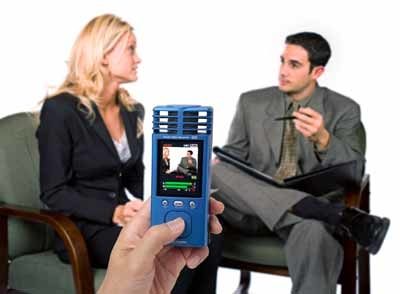
The Q3 uses the same microphone capsules as our industry-leading H4n Handy Recorder and is perfect for recording anything where great audio and video are a must. From live musical performances and rehearsals, interviews, conferences to video podcasts, journalism, education, recitals, weddings or sports, the Q3's pristine audio quality takes your videos to another level.Designed with everything you need to make your movies right out of the box, the Q3 includes HandyShare software for editing, and a 2GB SD card for up to 1 hour of video recording time. And the Q3 will also accept up to 32GB SDHC cards for a staggering 16 hours of moviemaking!
Cutting Room, Distribution Included
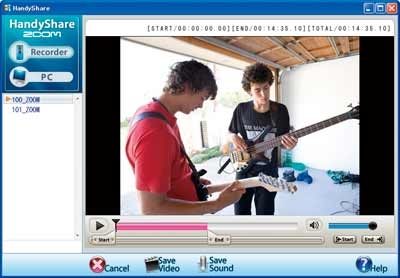
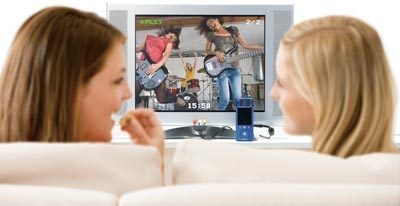
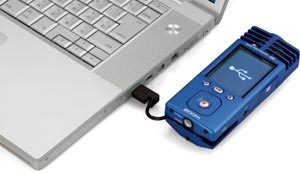
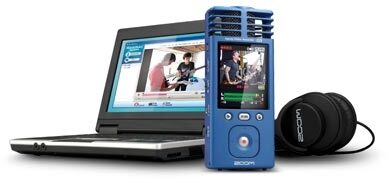
When your shoot is complete, the Q3's cleverly designed USB cable lets you upload your movies to your computer. Then use HandyShare to edit and share them on your favorite websites including YouTube, Facebook and MySpace. Or, plug in the included TV cable and watch your videos on television.Q3 TV
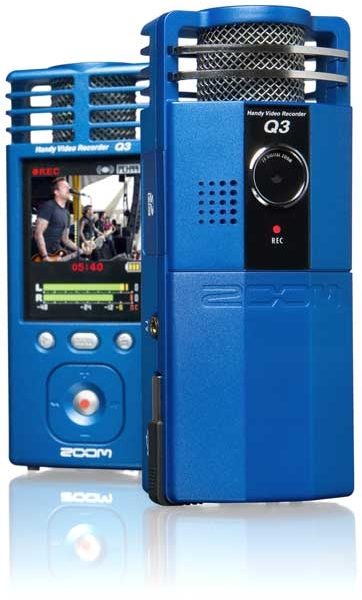
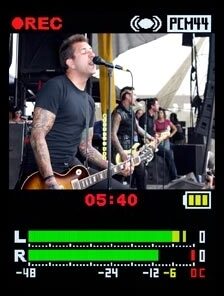
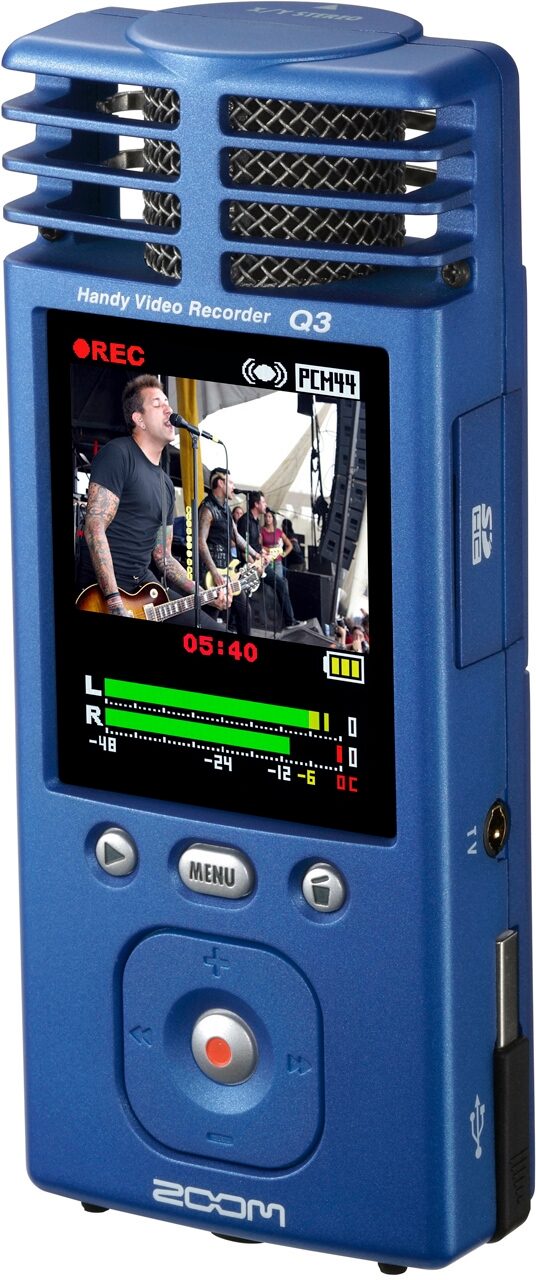
With its high-quality, MPEG-4 SP video format at 30 frames per second, the Q3 renders crystal-clear video at 640 x 480 resolution. And the Q3's large, 2.4" LCD screen with a resolution of 320 x 240 makes viewing easy on the go. Its… read more display also includes audio meters so you can quickly set and monitor your levels as you shoot.True Stereo Sound
The Q3 has two condenser mics onboard, engineered in the same X/Y pattern that gives recording pros the best stereo recording possible. Arranged with the right and left mics on the same axis, this design ensures that the mics are always an equal distance from the sound source for perfect localization without phase shifting. The result is a great sounding recording with natural depth and highly accurate stereo imaging every time... all at the touch of a button.Get Closer to the Action
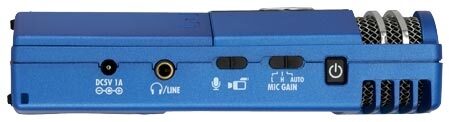
The Q3's X/Y microphones are directional, so you can "focus" the mics on your sound source like an "audio zoom" function. Use the onboard audio meters to set the gain to Low, High or Auto so you can record in very loud or very soft environments. Or use the Q3's Auto Record Level function to automatically set the appropriate recording levels for the situation! Shoot your video with the confidence that the Q3 is capturing great audio at the absolute best level possible.Sound Matters on YouTube
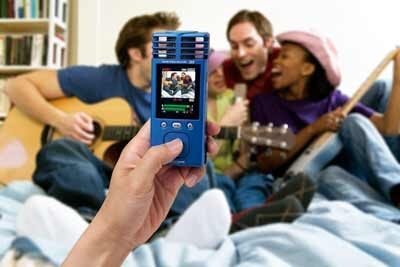
With the Q3, all your videos will sound like they were recorded in a professional studio. Ideal for shooting any kind of musical performance from jazz to classical to metal, solo to orchestral, the Q3 will make it fun and easy to shoot your music videos anywhere, anytime.Q3 Used in Room
The Q3 also makes it easy to share your videos with your friends on YouTube. Simply plug the Q3 into your computer, launch the onboard HandyShare software and select the videos you want to put on the web. And if your vision needs a few edits, you can use HandyShare to cut your movie before you share it with the world.Reduce the Learning Curve
To play music better, seeing your performance can be almost as important as hearing yourself. With the Q3, you get both capabilities. Music educators and students alike will find a plethora of applications for the Q3 from the classroom to the practice room. Ideal for recording auditions or making video lessons available to students, the Q3's amazing stereo recording will capture every nuance while the video rolls.Dress Up Your Videography
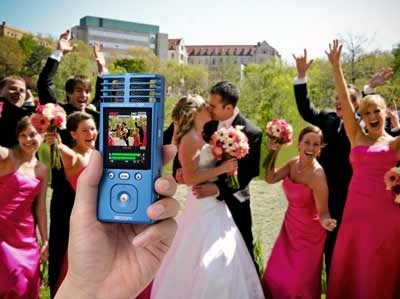
The Q3 makes an excellent accessory for anyone who does videography as a full-time occupation or as a hobby. Imagine being able to use the Q3 for individualized video shoots of the bride and groom before a wedding. Or give a Q3 to everyone in the wedding party for personalized video clips. Capture the wedding music with ease. The possibilities are truly endless. And with pristine, focused audio, you'll never miss a moment, even in a noisy environment.Make Your Own Sports Center
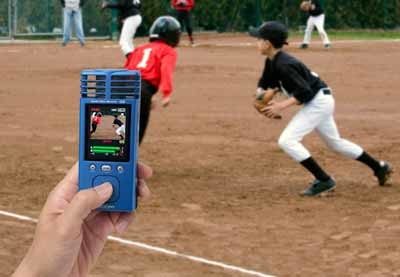
Have great seats? Every crack of the bat, swing of the club or bone-crunching tackle can be captured with amazing clarity... especially when you're close to the action. Capture the sights and sounds of the game from the little leagues to the big leagues.Go Blogging Heads
It's never been more important for journalists and bloggers to be versatile in the field. Shoot "on the scene" video, edit and upload with ease, all with broadcast-ready audio. And because the Q3 has a standard tripod mount, you can put it just about anywhere for the perfect shot in any environment.Q3 Used in Journalism
The Q3 puts a little bit of video and a whole lot of audio together in one quick and easy to use camcorder that lets you produce great movies on the go!Included Accessories
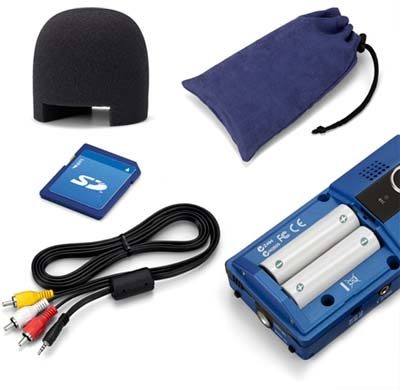
- Windscreen- Carry Pouch
- 2 GB SD Card
- AV Cable
- 2 AA Batteries
Features
- Built-in stereo condenser microphones with X/Y configuration for true stereo imaging- Get up to 1 hour of video with bundled 2GB SD card
- Accepts up to a 32GB SDHC card for 16 hours of recording time
- Large 2.4-inch LCD display with a resolution of 320 x 240
- Video resolution of 640 x 480 at 30 frames/sec
- Video Format: MPEG-4 SP
- NTSC / PAL TV output
- Optics Lens Type: Fixed Focus (0.8m to infinity) with 2x digital zoom
- Audio formats with video include 44.1/48kHz 16/24-bit Linear PCM WAV or MP3 up to 320kbps
- Audio only formats include 96kHz 16/24-bit Linear PCM WAV
- Auto Record Level automatically adjusts audio levels during recordings
- Uses two standard AA batteries or NiMH rechargeable batteries
- USB 2.0 with built-in cable
- Windows and Mac OS compatible
- Built-in speaker and tripod mount
- Includes onboard editing software, YouTube uploader software, Apple Quicktime, TV cable, softcase, windscreen, 2GB SD card, two AA Batteries
- Optional power adapter available (Zoom AD14) read less
Documents and Manuals
For support or warranty questions, please contact the manufacturer:
Phone: 631-542-5270
Email: info@zoom-na.com
Web: https://zoomcorp.com/en/us/contact/
Phone: 631-542-5270
Email: info@zoom-na.com
Web: https://zoomcorp.com/en/us/contact/
Reviews
Reviewers gave this product an overall rating of 5 out of 5 stars.
(19 ratings)
Submitted October 15, 2009 by a customer from aol.com
"An all-in-one recording marvel at an amazing price!"
Verified Purchaser
zZounds has verified that this reviewer purchased this specific product from us.
I will be satisfied with this product for as long as it lasts.
Sound
I have mixed feelings about Zoom products-as they are hit or miss,but I think that Zoom portable recorders dominate the market....stunning quality and innovative features on a budget...this is as good as it gets!! The channel separation that these two little mics produce is mind blowing...incredible surround sound!! The audio quality of this recorder is so impressive,that it has multiple uses....field recording for killer samples,studio vocals and well...for anything you could dream up.
Features
The most useful features is the audio recording quality-obviously. For the money,I can find no fault with the video end of it-especially since I had no high expectations anyway.....but as you might have guessed,the camera is virtually useless in low light conditions. However though-in adequately illuminated rooms and the outdoors,this video recording works fine and it's quite decent in quality for it's tiny size.
Ease of Use
Seamlessly simple and amazing results in the audio department....no learning curve whatsoever-FANTASTIC! This little gem will record ANYTHING with shockingly good results!
Quality
Considering how lightweight this recorder is,the build quality is fairly decent,but I would strongly recommend that you use the velvet sack and free gig bag for storage and buy a wrist… read more strap for it(when in use).
Manufacturer Support
I have dealt with the Samson end of this company when I had a pair of Resolv 40a monitors...one channel crapped out after a year and a local repair shop bungled the repair and then I sent the speaker to Samson directly. What I received in return,is a different pair of refurbished monitors....needless to say,I was f**king pi*sed. Hopefully I will not have to deal with future repairs with this product.
The Wow Factor
Tasty blue color,very large & legible LCD screen....a very sexy product!
read less
Sound
I have mixed feelings about Zoom products-as they are hit or miss,but I think that Zoom portable recorders dominate the market....stunning quality and innovative features on a budget...this is as good as it gets!! The channel separation that these two little mics produce is mind blowing...incredible surround sound!! The audio quality of this recorder is so impressive,that it has multiple uses....field recording for killer samples,studio vocals and well...for anything you could dream up.
Features
The most useful features is the audio recording quality-obviously. For the money,I can find no fault with the video end of it-especially since I had no high expectations anyway.....but as you might have guessed,the camera is virtually useless in low light conditions. However though-in adequately illuminated rooms and the outdoors,this video recording works fine and it's quite decent in quality for it's tiny size.
Ease of Use
Seamlessly simple and amazing results in the audio department....no learning curve whatsoever-FANTASTIC! This little gem will record ANYTHING with shockingly good results!
Quality
Considering how lightweight this recorder is,the build quality is fairly decent,but I would strongly recommend that you use the velvet sack and free gig bag for storage and buy a wrist… read more strap for it(when in use).
Manufacturer Support
I have dealt with the Samson end of this company when I had a pair of Resolv 40a monitors...one channel crapped out after a year and a local repair shop bungled the repair and then I sent the speaker to Samson directly. What I received in return,is a different pair of refurbished monitors....needless to say,I was f**king pi*sed. Hopefully I will not have to deal with future repairs with this product.
The Wow Factor
Tasty blue color,very large & legible LCD screen....a very sexy product!
read less
70 of 75 people (93%) people found this review helpful. Did you?
Thanks for your opinion!
No longer available at zZounds

This is a carousel with product cards. Use the previous and next buttons to navigate.
People who bought this item also bought
Rode RODECaster Video S All-In-One Production Console for Audio and Video
$799.00
- 12 payments of$66.58/mo
- No Credit Check6 payments of$133.17/mo
-
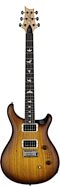
PRS Paul Reed Smith CE 24-08 Swamp Ash Electric Guitar (with Gig Bag)
$1,949.00
- 12 payments of$162.42/mo
Comes in 4 Colors-
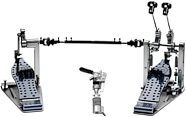
Drum Workshop USA MDD Double Bass Drum Pedal
$1,249.99
- 12 payments of$104.17/mo
- No Credit Check6 payments of$208.33/mo
-
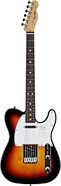
Fender Standard Telecaster Electric Guitar, Laurel Fingerboard
$679.99
- 12 payments of$56.67/mo
- No Credit Check6 payments of$113.33/mo
Comes in 2 Colors-
Electro-Voice ELX200-12SP Powered Subwoofer Speaker (1200 Watts)
$899.00
- 12 payments of$74.92/mo
- No Credit Check6 payments of$149.83/mo
Comes in 2 Quantities, 2 Colors-