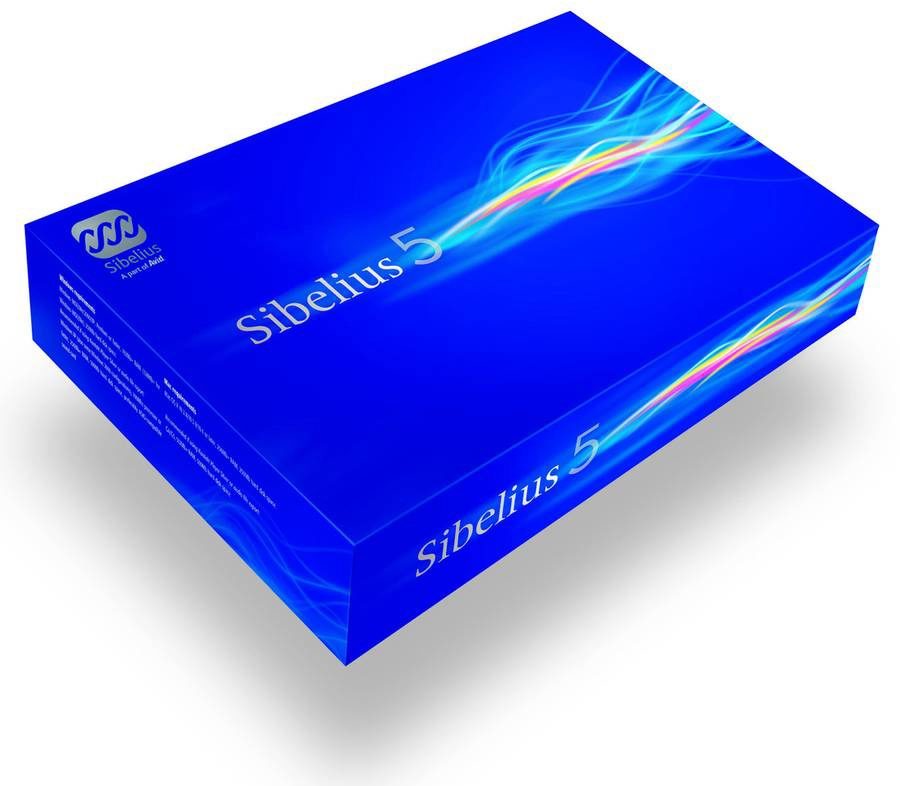
Sibelius Music Notation Software (Macintosh and Windows)
No longer available at zZounds
zZounds Gear Experts Say...
The fastest, smartest, easiest way to write music is now even better.
Overview
Whatever your musical style, Sibelius 5 makes writing scores a breeze - giving you more time to focus on the music. Stunning new features like Panorama mean you don’t need to think about pages while you’re composing or arranging. You can just let you creativity flow. Ideas Hub is a real first for music software. It lets you instantly capture your musical ideas, and then find them again in a second - so you’ll never lose another idea. Plus new, high-quality, built-in sounds play back your scores with astounding realism, because there’s no better way to perfect your music than by hearing it.
New Features
Ideas Hub
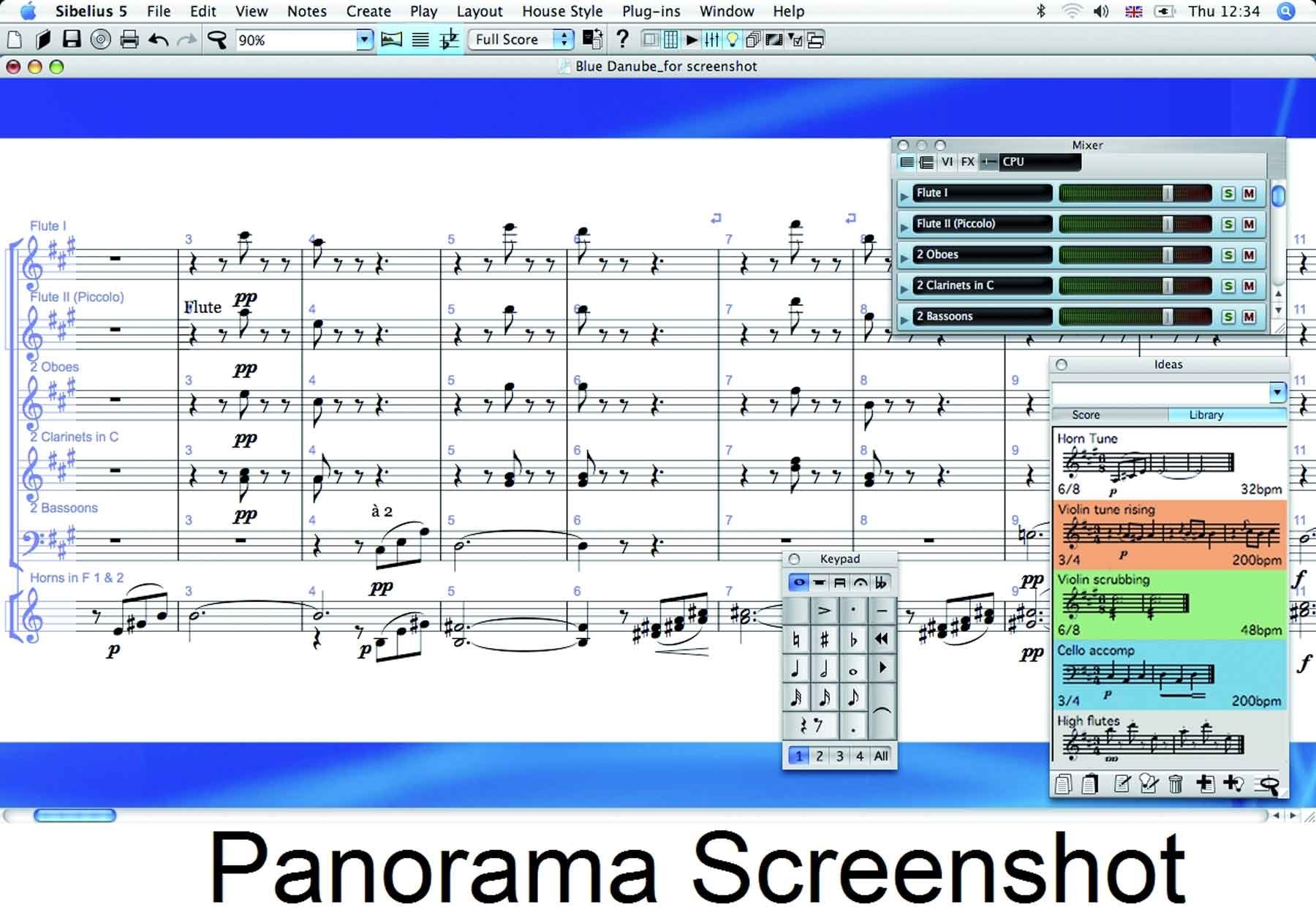
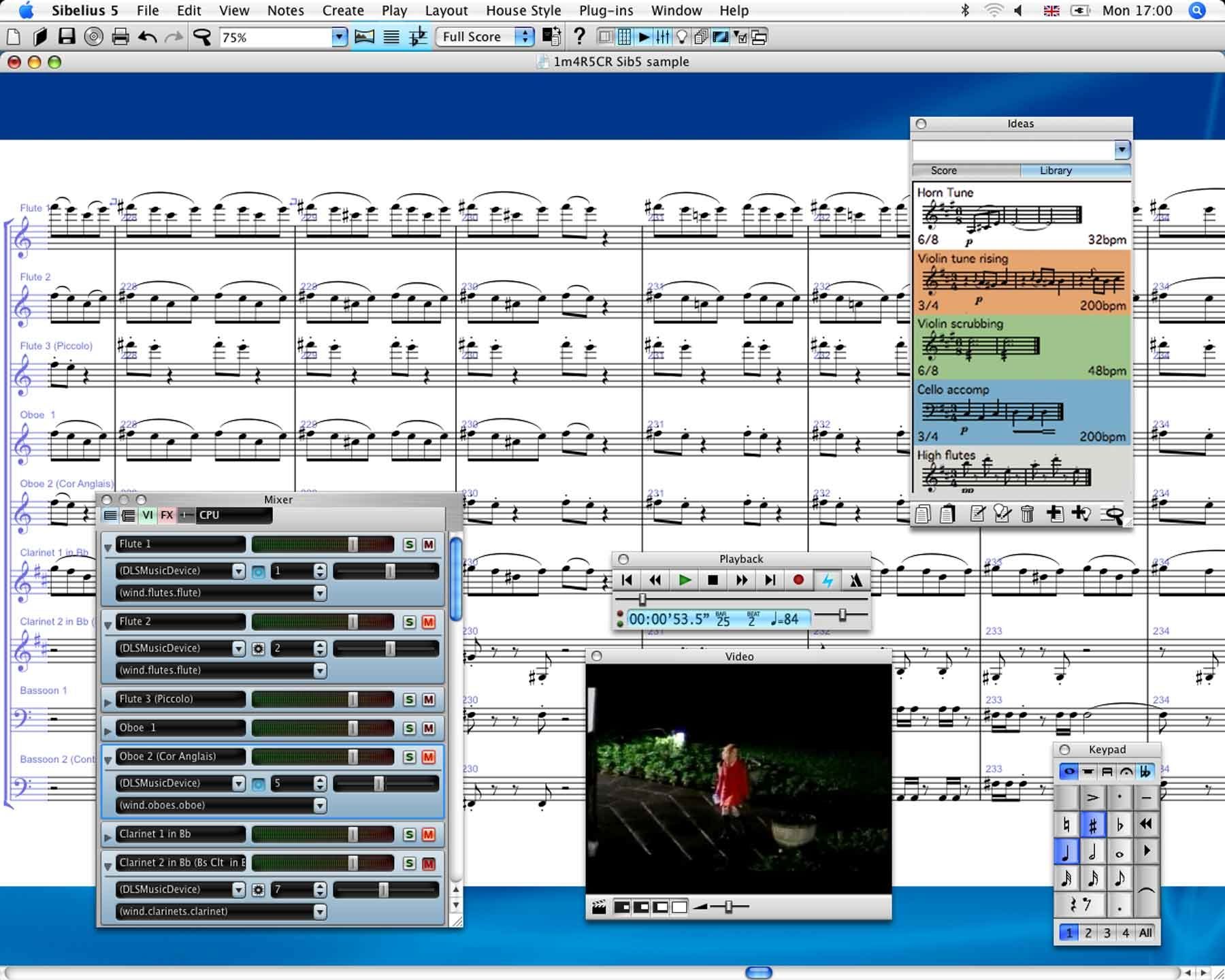
Ideas are precious. That's why Sibelius 5 gives you the Ideas Hub - the easy way to capture, tag, find and bring together your musical ideas. With Ideas Hub, you'll never let another flash of inspiration slip by again.
As well as your own ideas, Ideas Hub comes preloaded with over 2000 ready-made ideas. They cover all styles of music and help provide useful inspiration for your compositions.
Stunning new built-in sounds
Sibelius 5 comes with Sibelius Sounds Essentials as standard – a 2GB collection of sounds selected from top-name libraries such as Garritan Personal Orchestra, Garritan Jazz & Big Band, Garritan Concert & Marching Band, and Tapspace Virtual Drumline.
VST & Audio Units support
A huge variety of VST and Audio Unit instruments are available from numerous manufacturers – and now Sibelius 5 can play back using any of them! So you can hear your… read more scores played back by the world’s most advanced sound libraries
Panorama
Panorama is a new, clearer way of viewing music in Sibelius. Instead of being chopped up into systems and pages, the music is shown in a single, infinitely-wide strip – far easier to read and navigate around. So now you can just think about the notes, and forget about page layout until you’re ready to print.
Easy cues & instrument changes
Creating cues in parts is now the work of a moment. Just copy the music you want to appear in the cue, and choose Paste As Cue. Sibelius 5 does the rest for you. And changing instruments on a score is now equally simple.
Complete layout control
Sibelius 5 also offers users complete and easy layout control, covering bar and page numbering, blank pages, sheet music margins and more – making it easier than ever to produce beautiful scores.
Power tools & undoable plug-ins
Incredible new hand written-style fonts, chord symbols, note names, functional analysis, early music and avant garde symbols, new plug-ins with undo… Sibelius 5 has it all. read less
New Features
Ideas Hub
Ideas are precious. That's why Sibelius 5 gives you the Ideas Hub - the easy way to capture, tag, find and bring together your musical ideas. With Ideas Hub, you'll never let another flash of inspiration slip by again.
As well as your own ideas, Ideas Hub comes preloaded with over 2000 ready-made ideas. They cover all styles of music and help provide useful inspiration for your compositions.
Stunning new built-in sounds
Sibelius 5 comes with Sibelius Sounds Essentials as standard – a 2GB collection of sounds selected from top-name libraries such as Garritan Personal Orchestra, Garritan Jazz & Big Band, Garritan Concert & Marching Band, and Tapspace Virtual Drumline.
VST & Audio Units support
A huge variety of VST and Audio Unit instruments are available from numerous manufacturers – and now Sibelius 5 can play back using any of them! So you can hear your… read more scores played back by the world’s most advanced sound libraries
Panorama
Panorama is a new, clearer way of viewing music in Sibelius. Instead of being chopped up into systems and pages, the music is shown in a single, infinitely-wide strip – far easier to read and navigate around. So now you can just think about the notes, and forget about page layout until you’re ready to print.
Easy cues & instrument changes
Creating cues in parts is now the work of a moment. Just copy the music you want to appear in the cue, and choose Paste As Cue. Sibelius 5 does the rest for you. And changing instruments on a score is now equally simple.
Complete layout control
Sibelius 5 also offers users complete and easy layout control, covering bar and page numbering, blank pages, sheet music margins and more – making it easier than ever to produce beautiful scores.
Power tools & undoable plug-ins
Incredible new hand written-style fonts, chord symbols, note names, functional analysis, early music and avant garde symbols, new plug-ins with undo… Sibelius 5 has it all. read less
Specs
System Requirements
Windows
Windows XP SP2 or Windows Vista, 512MB+ RAM, 350MB hard disk space, DVD-ROM drive
You must be running at least Windows XP Service Pack 2 to install and run Sibelius 5. If you have Windows 95, Windows 98, Windows Me, Windows 2000 or Windows NT 4.x, you need to purchase an upgrade to a more recent version of the Windows operating system.
Additional recommendations for using Sibelius Sounds Essentials and Kontakt Player 2, especially for scores with many instruments:
1GB+ total RAM, 3.5GB total hard disk space, ASIO-compatible soundcard. You can use Sibelius Sounds Essentials if your computer doesn’t meet the recommended requirements, but you may find that you cannot use as many sounds simultaneously.
Macintosh
Mac OS X 10.4 or later, 512MB+ RAM, 350MB hard disk space, DVD-ROM drive.
Sibelius 5 is a Universal application, which means that it runs on both older Macs with PowerPC processors and new Macs with Intel processors.
If you are running a version of Mac OS X earlier than Mac OS X 10.4, you cannot install and run Sibelius. You may want to upgrade Mac OS X now, although this normally incurs an upgrade fee. See www.apple.com for details.
Additional recommendations for using Sibelius Sounds Essentials and Kontakt Player 2, especially for scores with many instruments:
G5 or Intel processor, 1GB+ total RAM, 3.5GB total hard disk space
You can use Sibelius Sounds Essentials if your computer doesn’t meet the recommended requirements, but you may find that you cannot use as many sounds simultaneously.
Windows
Windows XP SP2 or Windows Vista, 512MB+ RAM, 350MB hard disk space, DVD-ROM drive
You must be running at least Windows XP Service Pack 2 to install and run Sibelius 5. If you have Windows 95, Windows 98, Windows Me, Windows 2000 or Windows NT 4.x, you need to purchase an upgrade to a more recent version of the Windows operating system.
Additional recommendations for using Sibelius Sounds Essentials and Kontakt Player 2, especially for scores with many instruments:
1GB+ total RAM, 3.5GB total hard disk space, ASIO-compatible soundcard. You can use Sibelius Sounds Essentials if your computer doesn’t meet the recommended requirements, but you may find that you cannot use as many sounds simultaneously.
Macintosh
Mac OS X 10.4 or later, 512MB+ RAM, 350MB hard disk space, DVD-ROM drive.
Sibelius 5 is a Universal application, which means that it runs on both older Macs with PowerPC processors and new Macs with Intel processors.
If you are running a version of Mac OS X earlier than Mac OS X 10.4, you cannot install and run Sibelius. You may want to upgrade Mac OS X now, although this normally incurs an upgrade fee. See www.apple.com for details.
Additional recommendations for using Sibelius Sounds Essentials and Kontakt Player 2, especially for scores with many instruments:
G5 or Intel processor, 1GB+ total RAM, 3.5GB total hard disk space
You can use Sibelius Sounds Essentials if your computer doesn’t meet the recommended requirements, but you may find that you cannot use as many sounds simultaneously.
Reviews
Reviewers gave this product an overall rating of 4.5 out of 5 stars.
(67 ratings)
Submitted May 25, 2004 by a customer from hotmail.com
"Best Notation software for PC (esp. for newbies)"
This will last for a long time but I would recommend upgrading to Sibelius 3 (something Im planning on doing).
Sound
The sound depends on your sound card or midi face, but it plays most of everything you notate as you would want it. I cant get it to play manually inserted falls and rips and turns for some reason, which is why it gets a 9.
Features
The features are great for notation software but I wish it came with a way to make custom template scores. Far to often I have to open up a lead sheet and add the instruments I want because of the lack of that option. Its not a huge deal, however, which is why it still gets a 9.
Quality
Ive had very few crashes and bug problems compared to my experiences with Macintosh and Encore. I'd give it a 10 but it does seem to crash sometimes whenever I accidently paste a lot of material in the wrong place...so again..9.
Value
It is a little too high in cost for the typical musician. It should be around the $325-375 area. I know a lot of musicians who would like to buy it but can't afford it (without saving up for a few months) which = 9.
Manufacturer Support
The help menu and the online help are great! No complaints here.
The Wow Factor
I like the way it works, especially compared to Finale 2004 which would take a few days just to figure out what it's menu does. So for PC, there's no other option as far as Im concerned.
12 of 12 people (100%) people found this review helpful. Did you?
Thanks for your opinion!
No longer available at zZounds
In most cases, a product is unavailable because it has been discontinued by the manufacturer
This is a carousel with product cards. Use the previous and next buttons to navigate.
People who bought this item also bought
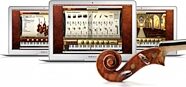
IK Multimedia Miroslav Philharmonik 2 Software
$499.99
- 8 payments of$62.50/mo
- No Credit Check6 payments of$83.33/mo
-

Celestion Vintage 30 Classic Series Guitar Speaker (60 Watts, 12")
$169.00
- No Credit Check6 payments of$28.17/mo
-