Roland JUNO-D6 Keyboard Synthesizer, 61-Key
With a large selection of sounds and easy sound manipulation, the JUNO-D6 61-note keyboard synth is great for live performance, production, and studio work.
$989.99
- 12 payments of$82.50/mo
- No Credit Check6 payments of$165.00/mo
Roland JUNO-Di 61-Key Synthesizer with Song Player
No longer available at zZounds





zZounds Gear Experts Say...
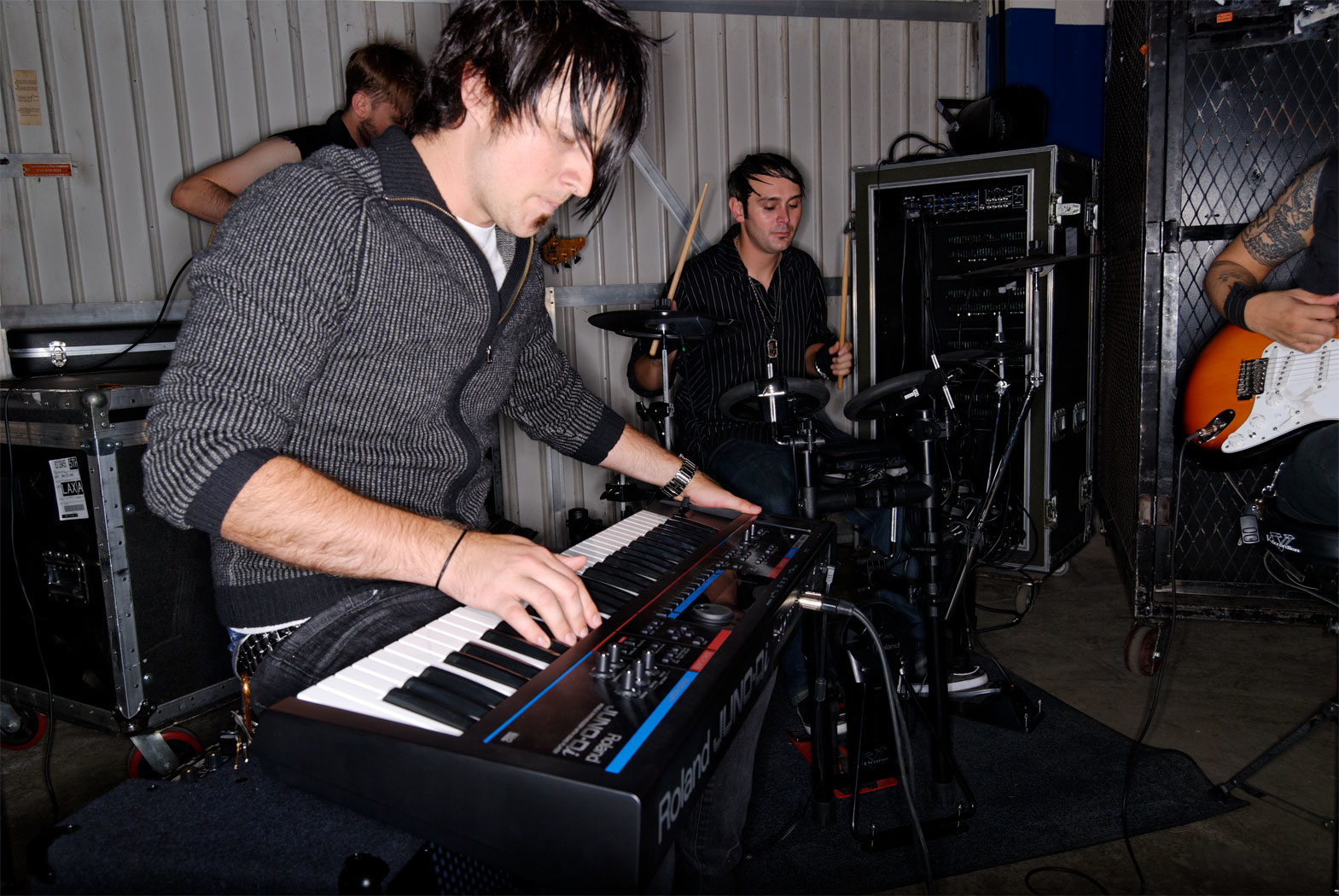
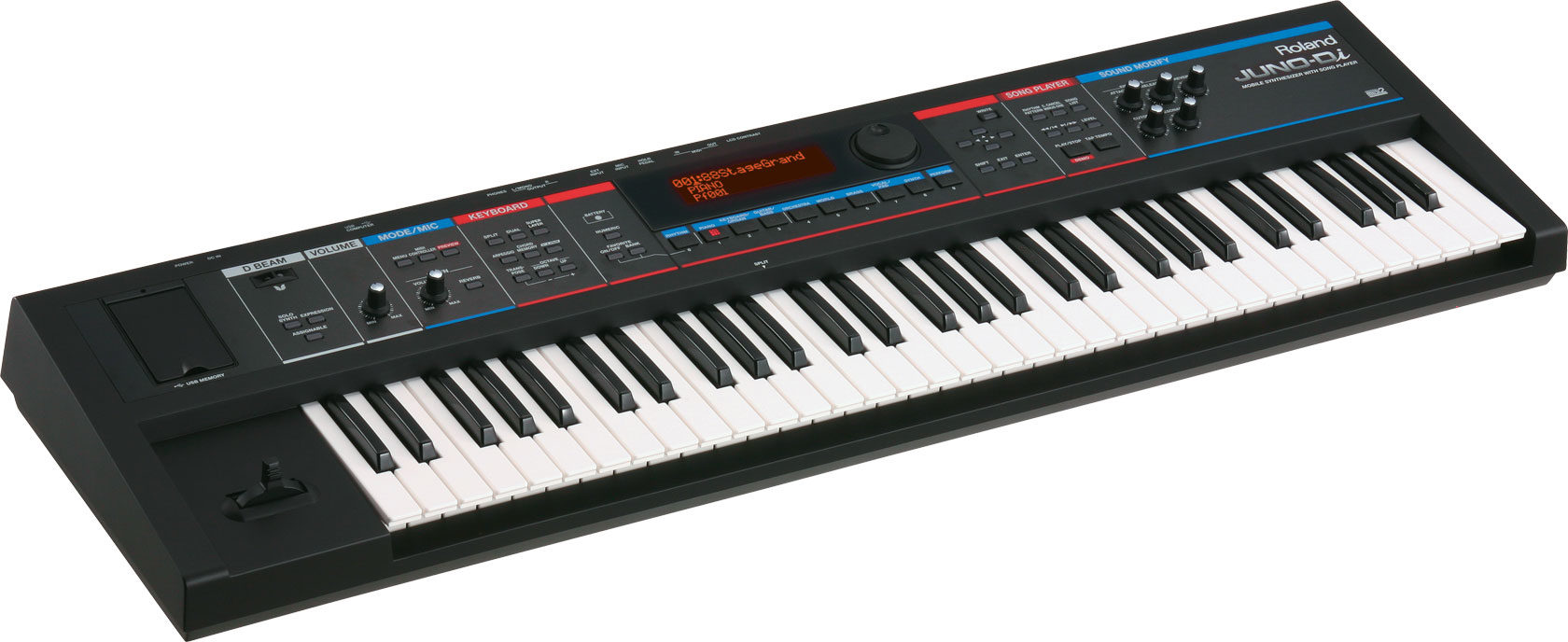
Bring your performance anywhere with the under-12-pound Roland JUNO-Di synth, built for live gigs with over 1,000 patches and dozens of BOSS-quality effects.
Overview
Let's say you play keyboard in a band, and you're looking for a new "main axe" for live gigs. You've ruled out the heavy, expensive workstation boards, but you want more sonic flexibility than a simple digital piano. You want hundreds of playable onboard sounds, and you want to be able to grab knobs to shape your sound live without paging through menus. You want easy access to onboard multi-effects and a friendly, intuitive interface -- and you want it all in an uber-compact, portable, lightweight design. Built for the live keyboardist, the Roland JUNO-Di delivers all this and more in an inexpensive package.
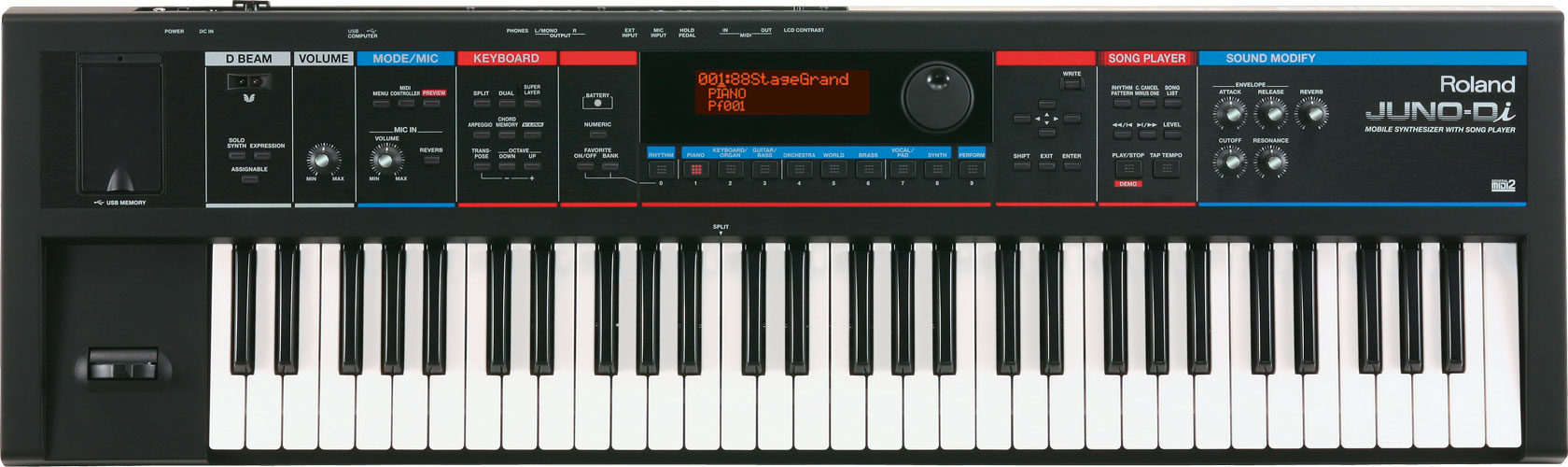
- Over 1,000 onboard sounds in an easy-to-navigate interface with large-character display
- 5 dedicated control knobs, D-Beam, and modulation/pitch bend lever
- MP3, WAV, AIFF and standard MIDI file playback from any USB thumb drive
- Microphone input with dedicated reverb, vocoder, and independent volume control
- 79 built-in effects: reverb, chorus, flanger, distortion, overdrive, and more
- PC/Mac JUNO-Di Editor software included
Power Supply: Can be powered either by 8 Ni-MH AA size rechargeable Batteries (Not Included) or PSB-1U AC Adapter (Included) read less
Sounds for Live Performance
The JUNO-Di packs in more than 1,000 instruments with an emphasis on the piano, organ, strings, brass, and synth sounds that are crucial to live performance. It couldn't be easier to find the sounds you need fast, on the JUNO's adjustable-brightness large-character display. Press the button for Piano, Keyboard/Organ, Orchestra, World Music, Brass, Vocal/Pad, Synth, or Guitar/Bass, and use the jog wheel to scroll and select the perfect sound. You can create your own splits (for example, play organ with your right hand and bass with your left) or layer sounds such as piano and strings. Sixty-four useful splits and layers are preconfigured as Performance patches. Save your 10 favorite tones, splits, or layers, then hit the Favorite button to quickly access them through the 10 sound bank buttons. Plus, it's easy to tweak your tones live, with… read more five analog-style dedicated knobs on the JUNO-Di's front panel.USB Connectivity
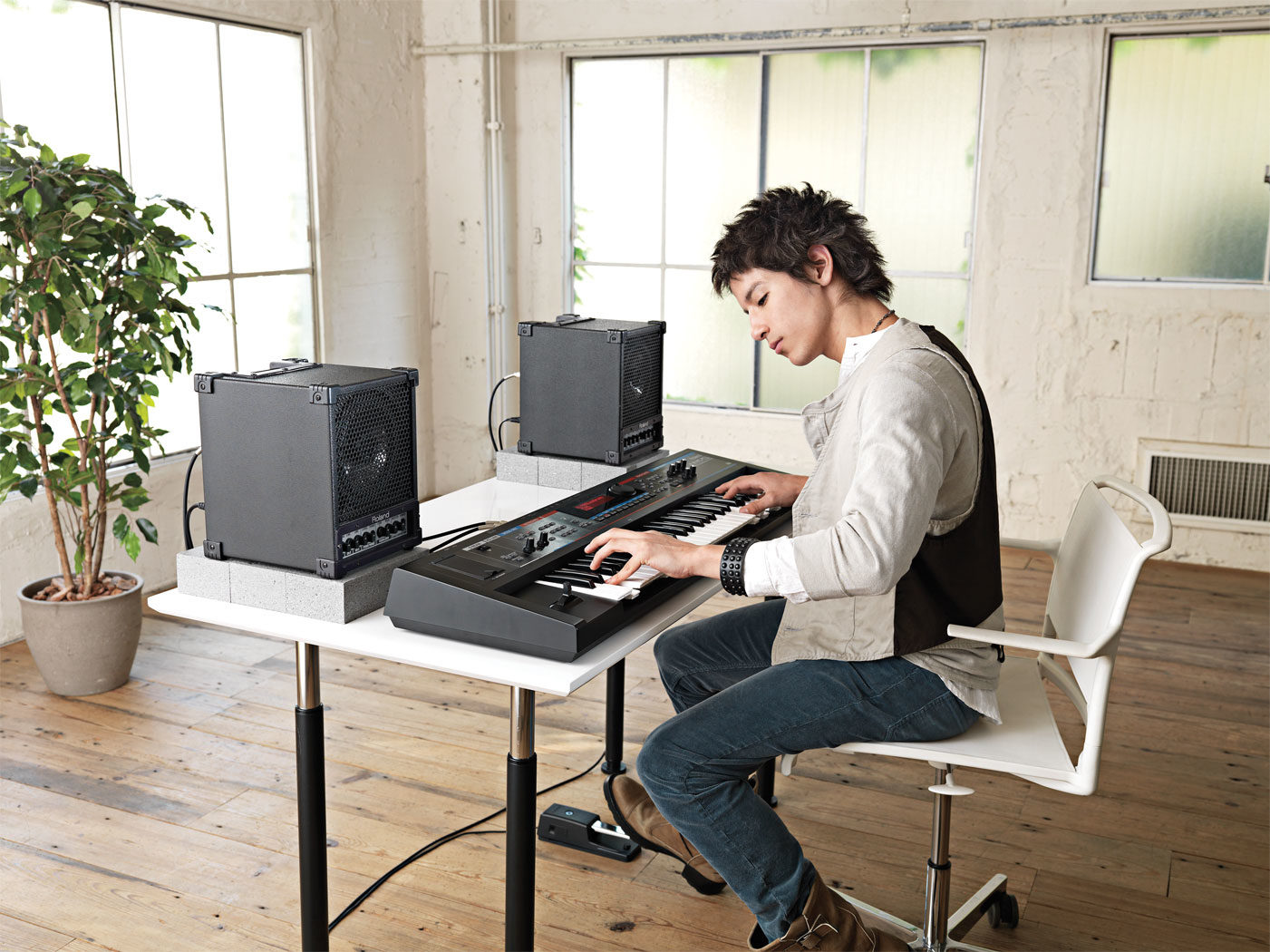
Suppose your bandmate emails you a quick MP3 demo of a song they've written at home, or perhaps you're looking for a way to use WAV or AIFF files as backing tracks when you play shows. Either way, you can save the files on a USB memory stick and plug it into the USB port on the JUNO-Di's front panel. Your files will show up on the JUNO's text display. Use the Song Player's playback controls, adjust the volume independently, or even adjust tempo when you open a standard MIDI file. If you crave the ability to dig deep into detailed sound editing, or you want to build your own patches for the JUNO, run the included JUNO-Di Editor software on your Mac or PC. You can load your new sounds on the JUNO via USB, and even back up your JUNO's internal settings to your USB thumb drive. In addition to the USB port, you'll find all the standard connections on the back of the JUNO: MIDI I/O, dual 1/4-inch audio outs, 1/4-inch mic in, headphone out, and an 1/8-inch audio input.Take It To The Streets
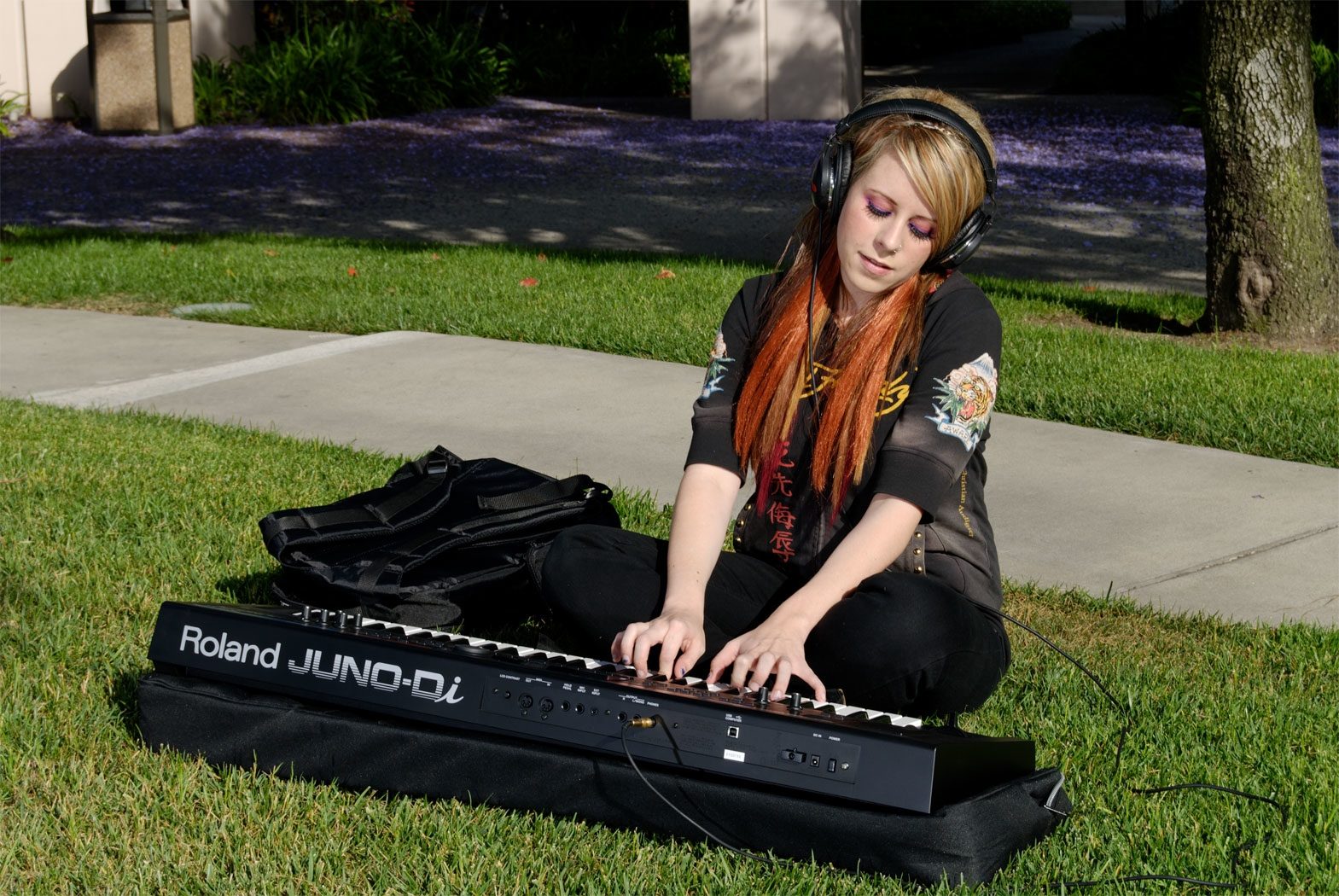
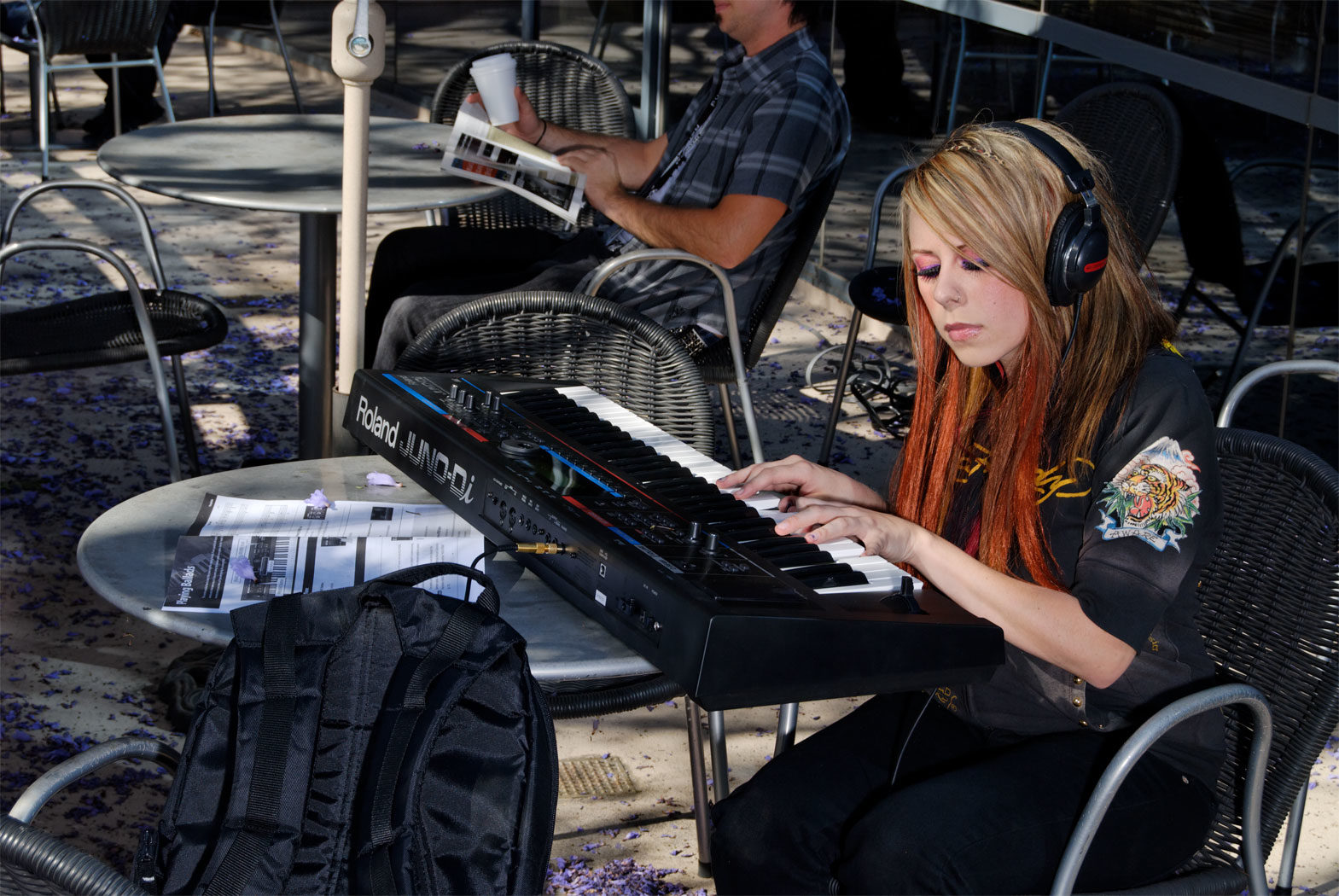
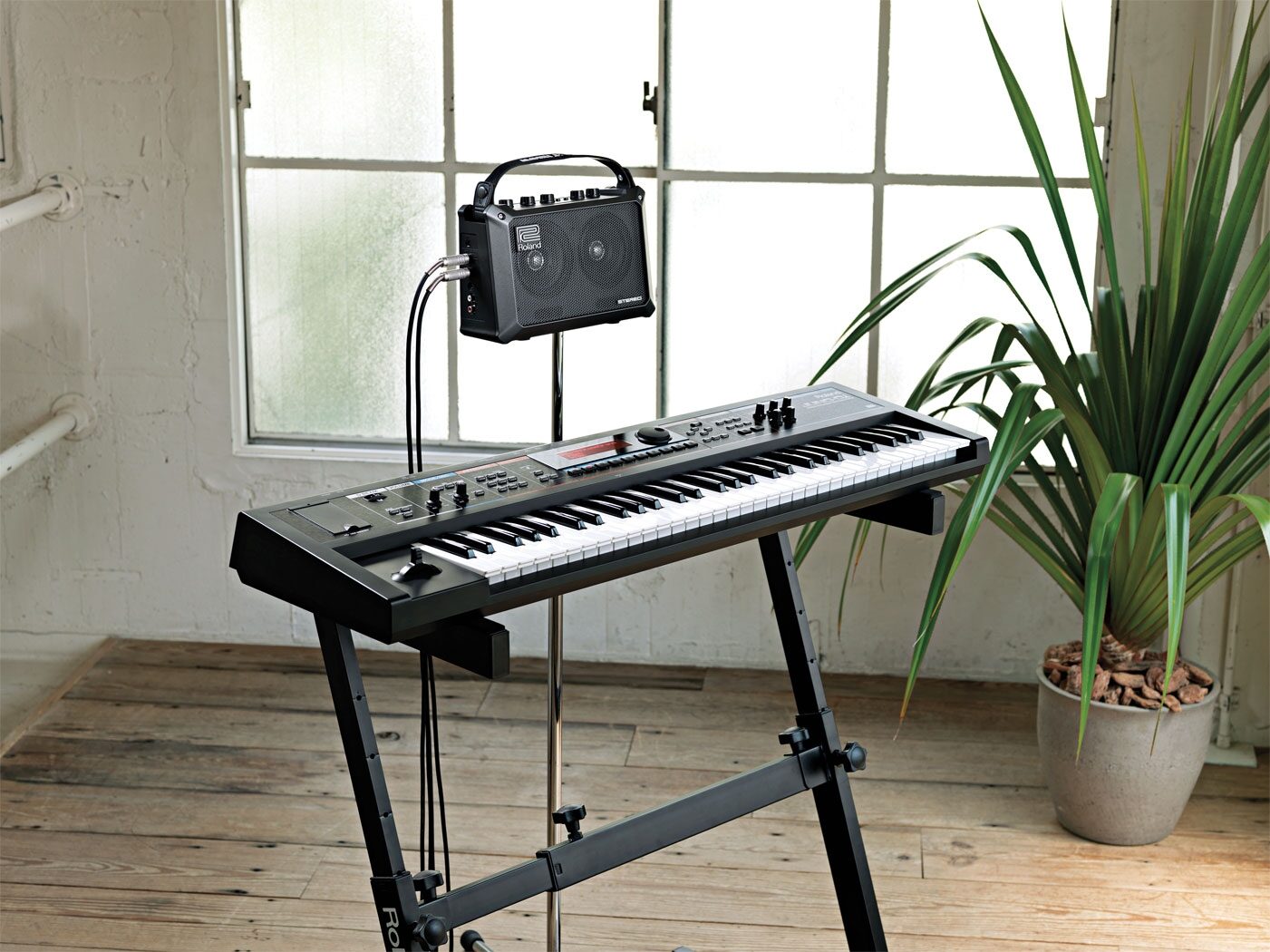
At under 12 pounds, the JUNO-Di is light enough to carry under your arm. And if you forget to bring the included power adapter, you can run this keyboard for three hours on eight AA batteries! There's a battery-life indicator on the front panel. All you need for a live street performance is a 1/4-inch instrument cable, a battery-powered amp, and your own musical ideas. When it comes to ultra-portable instruments, why should guitarists have all the fun? Throw your JUNO-Di in a backpack-style gig bag, and you're off to the races. Such a full-featured keyboard has never been so portable.Layers of Live Effects
When it comes to live effects processing, the JUNO-Di is no lightweight. You can enhance any of the onboard sounds just by grabbing the dedicated Reverb knobs on the front panel. There's a dedicated channel for Chorus as well. When reverb and chorus just aren't enough, you can layer up to three more of the 79 built-in effects: delays, flangers, distortion, and much more, including a host of multi-effects options - even a rotary speaker simulator. Make the guitarist in your band jealous, with these BOSS-quality effects built right into your keyboard! There's even a vocoder for the JUNO-Di's microphone input, and the vocal mic has its own dedicated reverb and independent volume control, so you can get the exact sound you want. It's ideal for the keyboardist who also sings. There's even a Roland D-Beam controller, so you can control effects with the wave of your hand -- a showstopping performance feature. With all these onboard effects, the JUNO-Di may be the only live keyboard you'll ever need.Features:
- Under 12 pounds and battery-powered for extreme portability- Over 1,000 onboard sounds in an easy-to-navigate interface with large-character display
- 5 dedicated control knobs, D-Beam, and modulation/pitch bend lever
- MP3, WAV, AIFF and standard MIDI file playback from any USB thumb drive
- Microphone input with dedicated reverb, vocoder, and independent volume control
- 79 built-in effects: reverb, chorus, flanger, distortion, overdrive, and more
- PC/Mac JUNO-Di Editor software included
Power Supply: Can be powered either by 8 Ni-MH AA size rechargeable Batteries (Not Included) or PSB-1U AC Adapter (Included) read less
Specs
Keyboard: 61 keys (with velocity)
Sound Generator Section:
Maximum Polyphony: 128 voices
Parts: 16 parts
Wave Memory: 64 M bytes (16-bit linear equivalent)
Preset Memory:
- Patches: 1082 + 256 (GM2)
- Rhythm Sets: 20 + 9 (GM2)
- Performances: 64
User Memory
- Patches: 128
- Rhythm Sets: 8
- Performances: 64
- Favorites: 100
Effects
- Multi-Effects: 3 systems, 79 types
- Chorus: 3 types
- Reverb: 5 types
- Mic Input Reverb: 8 types
SMF/Audio File Player Section:
File Format:
- Standard MIDI File: format-0/1
- Audio File: WAV, AIFF, MP3
Others:
Rhythm Pattern Preset: 24 groups x 6
Arpeggiator Preset: 128
Chord Memory Preset: 17
Controllers:
- D Beam Controller
- Pitch Bend/Modulation Lever
- Sound Modify Knob x 5
Display: 18 characters 1 line + 20 characters 2 lines custom LCD (with backlit)
External Storage Device: USB Memory (supports USB 2.0 Hi-Speed Flash Memory)
Connectors:
- Output Jacks (L/MONO, R): 1/4 inch phone type
- Headphone Jack: Stereo 1/4 inch phone type
- Mic Input Jack: 1/4 inch phone type
- EXT INPUT Jack: Stereo miniature phone type
- Hold Pedal Jack
- MIDI Connectors (IN, OUT)
- USB COMPUTER Connector (supports USB MIDI)
Power Supply: DC 9 V: AC Adaptor or Ni-MH AA SIZE Rechargeable Battery (optional) x 8
Current Draw: 600 mA
Battery life for continuous use:
Rechargeable nickel metal hydride batteries: approximately 5 hours
- differs depending on the conditions of use
- approximately 4 hours if USB memory is connected
- Carbon-zinc or alkaline batteries cannot be used.
Accessories:
- Owner's Manual
- CD-ROM (Sound Editor, Librarian, Playlist Editor, USB Driver)
- USB Memory Protector
- AC Adaptor (PSB-1U)
- Power Cord
JUNO-Di Editor System Requirements:
Windows:
Operating System:
- Microsoft (R) Windows (R) XP Home Edition/Professional
- Microsoft (R) Windows Vista (R)
- This does not work with the 64-bit Edition of Windows (R).
- This does not work with the Windows (R) XP Media Center Edition.
CPU: Intel (R), Core (TM), Pentium (R) processor 1.5 GHz or higher
RAM: 512 MB or more
Hard Disk: 200 MB or more of free space
Display/Colors: 1024 x 768 dots or higher/24 bit Full Color or more
CD-ROM Drive
USB port
Mac:
Operating System: Mac OS X v10.4.3 or later
CPU: Intel (R), Core (TM)/Xeon (TM), PowerPC G5
RAM: 512 MB or more * For Mac OS X v10.5 or later, 1GB or more.
Hard Disk: 200 MB or more of free space
Display/Colors: 1024 x 768 dots or higher/16.7 million colors or more
UCD-ROM Drive
SB port
Size and Weight:
Width: 1,008 mm (39-11/16 inches)
Depth: 300 mm (11-13/16 inches)
Height: 104 mm (4-1/8 inches)
Weight: 5.2 kg (11 lbs. 8 oz.)
Sound Generator Section:
Maximum Polyphony: 128 voices
Parts: 16 parts
Wave Memory: 64 M bytes (16-bit linear equivalent)
Preset Memory:
- Patches: 1082 + 256 (GM2)
- Rhythm Sets: 20 + 9 (GM2)
- Performances: 64
User Memory
- Patches: 128
- Rhythm Sets: 8
- Performances: 64
- Favorites: 100
Effects
- Multi-Effects: 3 systems, 79 types
- Chorus: 3 types
- Reverb: 5 types
- Mic Input Reverb: 8 types
SMF/Audio File Player Section:
File Format:
- Standard MIDI File: format-0/1
- Audio File: WAV, AIFF, MP3
Others:
Rhythm Pattern Preset: 24 groups x 6
Arpeggiator Preset: 128
Chord Memory Preset: 17
Controllers:
- D Beam Controller
- Pitch Bend/Modulation Lever
- Sound Modify Knob x 5
Display: 18 characters 1 line + 20 characters 2 lines custom LCD (with backlit)
External Storage Device: USB Memory (supports USB 2.0 Hi-Speed Flash Memory)
Connectors:
- Output Jacks (L/MONO, R): 1/4 inch phone type
- Headphone Jack: Stereo 1/4 inch phone type
- Mic Input Jack: 1/4 inch phone type
- EXT INPUT Jack: Stereo miniature phone type
- Hold Pedal Jack
- MIDI Connectors (IN, OUT)
- USB COMPUTER Connector (supports USB MIDI)
Power Supply: DC 9 V: AC Adaptor or Ni-MH AA SIZE Rechargeable Battery (optional) x 8
Current Draw: 600 mA
Battery life for continuous use:
Rechargeable nickel metal hydride batteries: approximately 5 hours
- differs depending on the conditions of use
- approximately 4 hours if USB memory is connected
- Carbon-zinc or alkaline batteries cannot be used.
Accessories:
- Owner's Manual
- CD-ROM (Sound Editor, Librarian, Playlist Editor, USB Driver)
- USB Memory Protector
- AC Adaptor (PSB-1U)
- Power Cord
JUNO-Di Editor System Requirements:
Windows:
Operating System:
- Microsoft (R) Windows (R) XP Home Edition/Professional
- Microsoft (R) Windows Vista (R)
- This does not work with the 64-bit Edition of Windows (R).
- This does not work with the Windows (R) XP Media Center Edition.
CPU: Intel (R), Core (TM), Pentium (R) processor 1.5 GHz or higher
RAM: 512 MB or more
Hard Disk: 200 MB or more of free space
Display/Colors: 1024 x 768 dots or higher/24 bit Full Color or more
CD-ROM Drive
USB port
Mac:
Operating System: Mac OS X v10.4.3 or later
CPU: Intel (R), Core (TM)/Xeon (TM), PowerPC G5
RAM: 512 MB or more * For Mac OS X v10.5 or later, 1GB or more.
Hard Disk: 200 MB or more of free space
Display/Colors: 1024 x 768 dots or higher/16.7 million colors or more
UCD-ROM Drive
SB port
Size and Weight:
Width: 1,008 mm (39-11/16 inches)
Depth: 300 mm (11-13/16 inches)
Height: 104 mm (4-1/8 inches)
Weight: 5.2 kg (11 lbs. 8 oz.)
Documents and Manuals
For support or warranty questions, please contact the manufacturer:
Phone: 323-890-3700
Web: https://www.roland.com/us/support/
Phone: 323-890-3700
Web: https://www.roland.com/us/support/
Roland's Description
Roland JUNO-Di 61-Key Synthesizer
Onstage or in the streets, the JUNO-Di is a traveling musician's dream. It's lightweight, it can run on batteries, and it's easy to use, yet it performs and sounds like a heavyweight synth. It's packed with a wide variety of top-quality sounds -- over 1,000 to choose from! It has a friendly "direct access" control panel for easy editing and a Song Player for larger-than-life performances. First-timers and pros alike will love this friendly, portable, great-sounding synth.Features:
- Professional synthesizer with over 1,000 instruments onboard- Friendly, intuitive user interface
- Battery operation for mobile use (supports Ni-MH AA-size rechargeable batteries)
- MP3, WAV, AIFF, and SMF playback capability via optional USB memory -- perfect for backing tracks when performing live
- Microphone input with dedicated reverb and vocoder effects for sing-along
- PC/Mac Editor software included
Over 1,000 Great Sounds
At the heart of this exciting synth is a top-of-the-line voice engine that delivers world-class sounds -- including grand and electric pianos, lush strings, beautiful guitars, powerful brass, percussion, plus banks of exotic instruments, modern synth sounds, and much more. The sound-bank is so diverse, it can compliment any style of music! And if you want to customize the sounds, the dedicated "Sound Modify" knobs on the front panel let you instantly cater each sound to your specifications, even while you're playing. A software editor is also provided if you prefer more advanced editing via PC.Simple Navigation
With so many sounds onboard, it could be a daunting task to find what you need. But fear not -- the JUNO-Di simplifies the process of finding sounds with its dedicated category buttons. If you want a piano, for example, just press the Piano button. You can even assign your most-used sounds to the Favorite buttons for instant access. Editing is easy too. If you want to create layers or splits, dedicated buttons and the large LCD make the process fast and friendly. And don't forget the onboard rhythm patterns, which can be easily adjusted on the fly with a dedicated tempo control. It's a great tool for practice and performance.Let's Go
The JUNO-Di was born to travel. It's strong yet amazingly lightweight (only 5.2kg) making it easy to lift and carry. The battery compatibility lets you play for up to five hours without plugging in (uses Ni-MH AA-size rechargeable batteries). When used in conjunction with a battery-powered amp such as Roland's famous Cube Street or Mobile Cube, the JUNO-Di can be played and heard anywhere. A battery-life indicator on the front panel ensures that you won't lose power unexpectedly.Sing Along
More than meets the eye, the JUNO-Di lets you plug a microphone into its external input and process your voice through the built-in vocoder. A dedicated reverb is assigned to the input, so you can add lush ambience to your voice without taking away from the main onboard effects. Sing along with your performances and transform your voice in colorful and creative ways, from silky smooth to sci-fi robotic.Built-In Song Player
With its USB memory port and Song Player function, the JUNO-Di enables direct playback and control of backing tracks from a USB key. You can play MP3, WAV, AIFF, and SMF files, and control them from the dedicated buttons on the front panel. Impress your audiences with full-band performances from a single keyboard! Additionally, the Center Cancel feature lets you sing along karaoke-style with audio files in the Song Player for a complete entertainment experience. You can also connect MP3 players directly to the JUNO-Di through its external input.Power Supply: Can be powered either by 8 Ni-MH AA size rechargeable Batteries (Not Included) or PSB-1U AC Adapter (Included)
Reviews
Reviewers gave this product an overall rating of 5 out of 5 stars.
(19 ratings)
Submitted August 27, 2013 by Rayshod Caldwell in Houston, TX
"The best Keyboard I have ever had"
Verified Purchaser
zZounds has verified that this reviewer purchased this specific product from us.
I purchased this keyboard for accessory purposes and it has more than enough sounds for the demand of gospel music. horn patches are great, synth patches are off the chain and the strings are so beautiful. Very easy to mix on projects. I might be a roland fanatic because this keyboard along with my other roland equipment is a must have.
Musical Background:
Professional recording artist and musician
Musical Style:
Christian
12 of 12 people (100%) people found this review helpful. Did you?
Thanks for your opinion!
No longer available at zZounds

This is a carousel with product cards. Use the previous and next buttons to navigate.
People who bought this item also bought

Solid State Logic SSL The Bus+ 2-Channel Bus Compressor and Dynamic Equalizer
$2,999.99
- 12 payments of$250.00/mo
-


Yamaha HS8 Active Studio Monitor
$339.14
- 8 payments of$42.39/mo
- No Credit Check6 payments of$56.52/mo
Comes in 2 Quantities, 3 Colors, 2 Editions-
Gator GTSA-KEY61 TSA ATA Molded 61-Key Keyboard with Wheels
$429.99
- 8 payments of$53.75/mo
- No Credit Check6 payments of$71.66/mo
-
Universal Audio Volt 876 24x28 USB Audio Interface
$999.00
- 12 payments of$83.25/mo
- No Credit Check6 payments of$166.50/mo
-