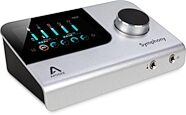
Apogee Symphony Desktop USB Audio Interface
With the same high-quality converters and preamps from Apogee's rackmount Symphony, this desktop-sized USB audio interface for Mac or PC offers 10x14 I/O.
$1,599.00
- 12 payments of$133.25/mo
Digidesign Mbox 2 Micro USB Audio Interface (Mac and Windows)
No longer available at zZounds
zZounds Gear Experts Say...
The smallest, most portable USB-powered Pro Tools LE system for on-the-go Pro Tools professionals and musicians.
Overview
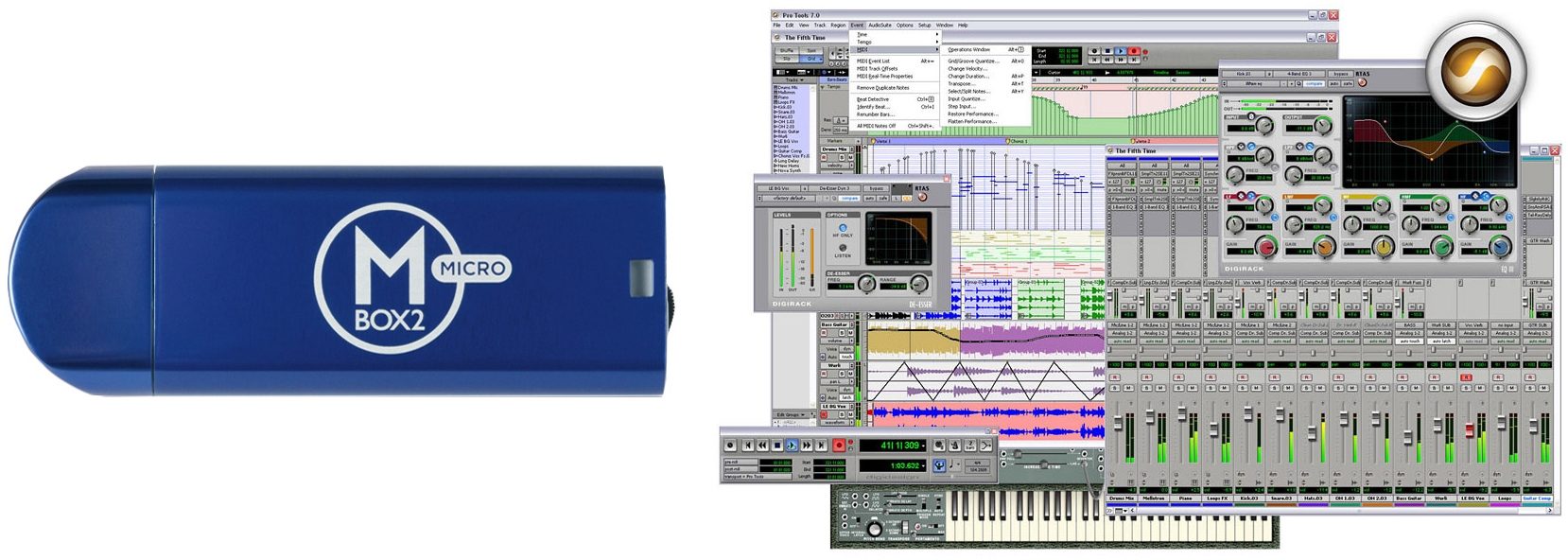
As the much anticipated answer to one of the top requests from Pro Tools users, ultra-small Mbox 2 Micro enables Pro Tools users to edit, sequence, and mix sessions created on Pro Tools HD, Pro Tools LE, and Pro Tools M-Powered systems on the go, as well as compose music with virtual instruments and loops.
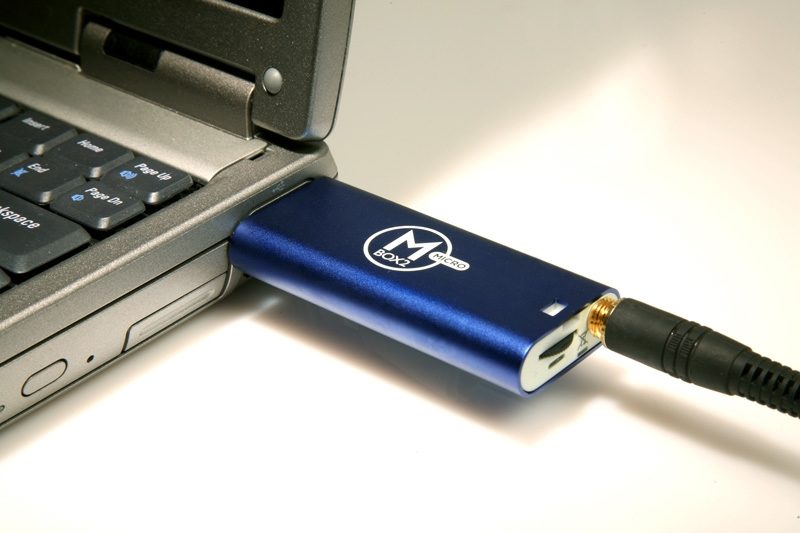
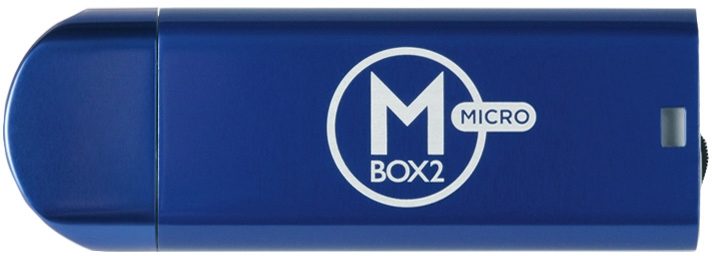
About the size of a typical USB flash drive, Mbox 2 Micro offers high-quality 24-bit / 48 kHz sound, a 1/8-inch stereo output for headphone or speaker monitoring (no audio inputs*), and a convenient volume wheel, providing you with the freedom of true editing, sequencing, and mixing mobility. Whether youre looking to work on studio-created or live sound Pro Tools sessions on the go, or create loop-based or virtual instrument-driven music, Mbox 2 Micro lets you work wherever inspiration takes you.
* Mbox 2 Micro features analog outputs only. For a Pro Tools LE analog recording solution, check out the Mbox 2 Mini, or another member of the Mbox 2 or 003 families.
Hardware
Mbox 2 Micro sports a slick yet rugged anodized aluminum casing thats small enough to fit in any size pocket, making it the ultimate mobile Pro Tools editing and mixing solution.
* Ultra-portable, anodized aluminum design for on-the-go editing, mixing, and music creation
* High-quality sound up to 24-bit, 48 kHz (higher sample rates require pre-conversion)
* 1/8-inch stereo output jack for headphone or speaker monitoring (no audio inputs*)
* Convenient volume wheel for quick headphone adjustments… read more
* Powered by USB (USB 1.1 connection, includes USB extension cable)
Software
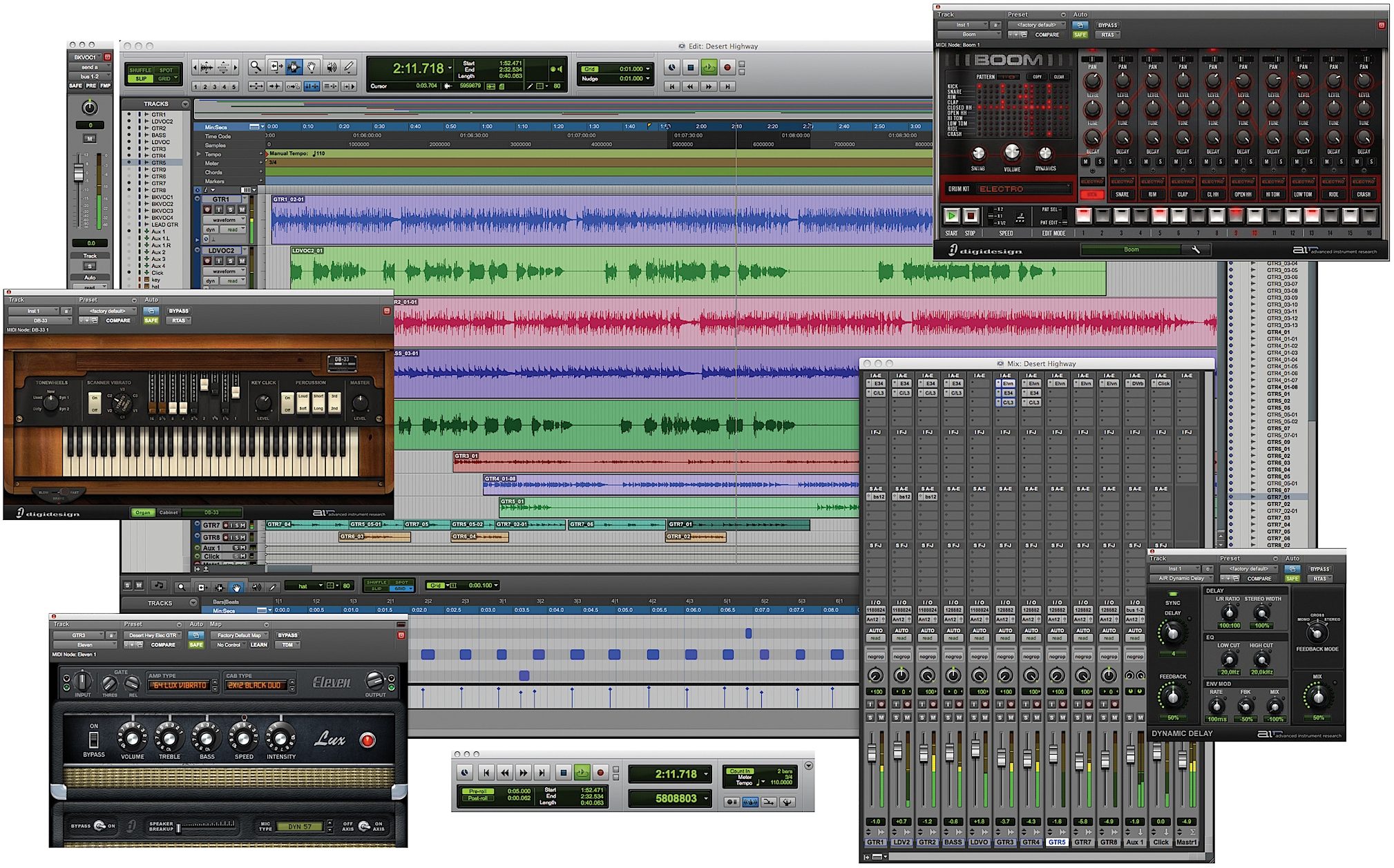
Pro Tools software is used in countless professional studios around the world, and includes all the tools you need to easily compose, record, edit, mix, and master your projects with pro results every time.
Features
* Award-winning Pro Tools recording, editing, and mixing
* 48 simultaneous stereo audio tracks (expandable with Toolkit options)
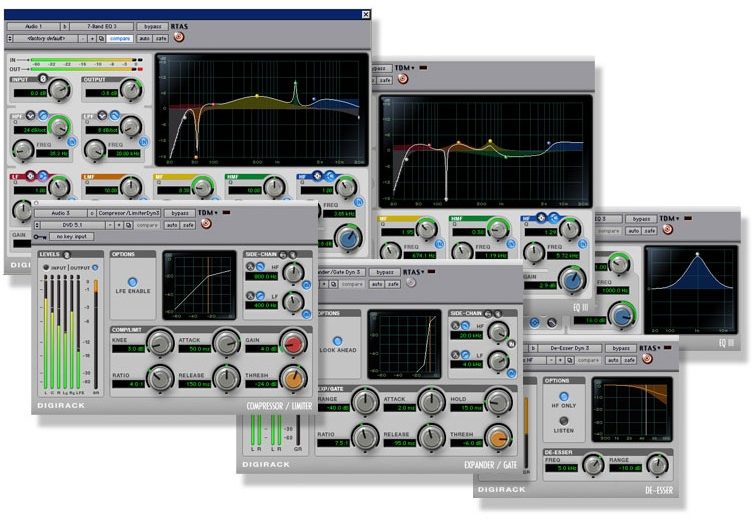
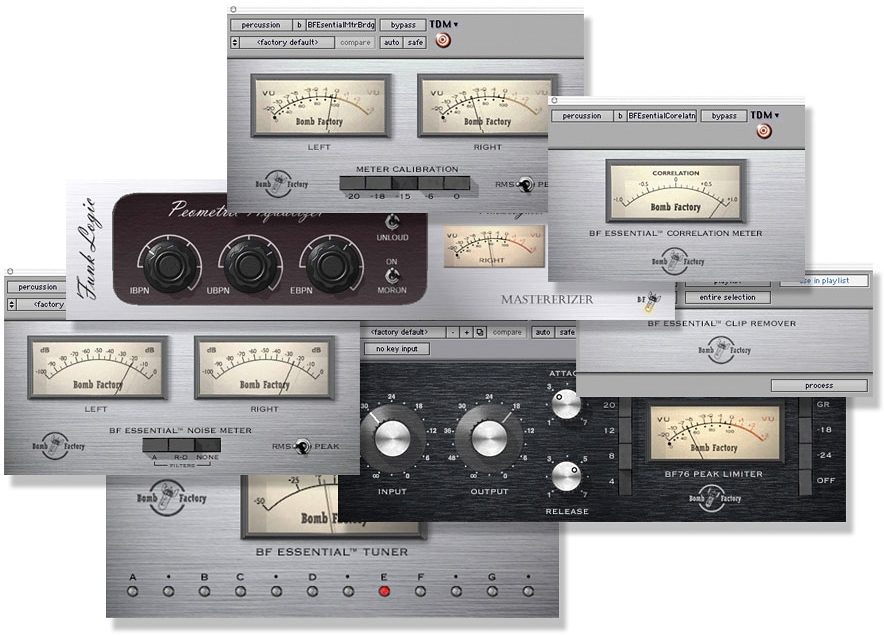
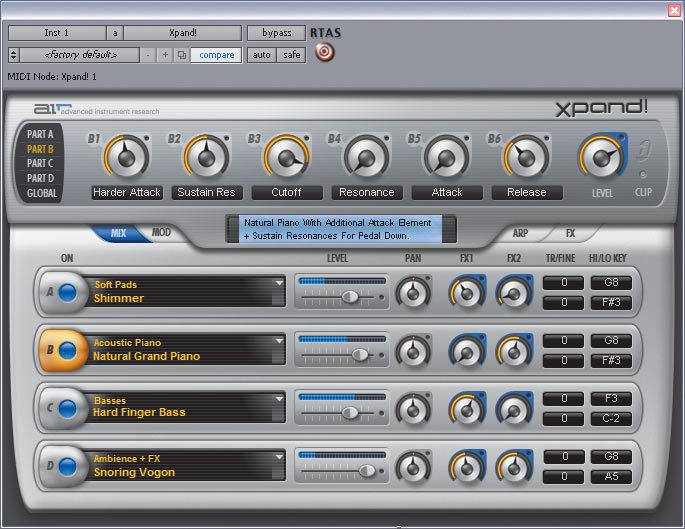
* Includes dozens of pro effects processing plug-ins and virtual instruments
* Professional MIDI sequencing with dedicated MIDI Editor window
* Integrated Score Editor based on award-winning Sibelius notation software
* Full Elastic Time and Elastic Pitch to easily adjust timing and pitch on your tracks
* Unique Beat Detective LE automatic groove analysis and correction tool
* ReWire support for streaming you favorite applications right into Pro Tools
* Support for the Digidesign C24 and Command 8 control surfaces
* Huge selection of compatible third-party plug-ins and software options
* Works on Windows and Mac computers
Bundled Plug-ins
In addition to M-Audio Torq LE DJ software and an incredible 8 GB collection of pro-quality loops from industry sound heavyweights Big Fish Audio, Pro Tools software includes a comprehensive bundle of amazing virtual instruments, effects, and utility plug-ins. read less
About the size of a typical USB flash drive, Mbox 2 Micro offers high-quality 24-bit / 48 kHz sound, a 1/8-inch stereo output for headphone or speaker monitoring (no audio inputs*), and a convenient volume wheel, providing you with the freedom of true editing, sequencing, and mixing mobility. Whether youre looking to work on studio-created or live sound Pro Tools sessions on the go, or create loop-based or virtual instrument-driven music, Mbox 2 Micro lets you work wherever inspiration takes you.
* Mbox 2 Micro features analog outputs only. For a Pro Tools LE analog recording solution, check out the Mbox 2 Mini, or another member of the Mbox 2 or 003 families.
Hardware
Mbox 2 Micro sports a slick yet rugged anodized aluminum casing thats small enough to fit in any size pocket, making it the ultimate mobile Pro Tools editing and mixing solution.
* Ultra-portable, anodized aluminum design for on-the-go editing, mixing, and music creation
* High-quality sound up to 24-bit, 48 kHz (higher sample rates require pre-conversion)
* 1/8-inch stereo output jack for headphone or speaker monitoring (no audio inputs*)
* Convenient volume wheel for quick headphone adjustments… read more
* Powered by USB (USB 1.1 connection, includes USB extension cable)
Software
Pro Tools software is used in countless professional studios around the world, and includes all the tools you need to easily compose, record, edit, mix, and master your projects with pro results every time.
Features
* Award-winning Pro Tools recording, editing, and mixing
* 48 simultaneous stereo audio tracks (expandable with Toolkit options)
* Includes dozens of pro effects processing plug-ins and virtual instruments
* Professional MIDI sequencing with dedicated MIDI Editor window
* Integrated Score Editor based on award-winning Sibelius notation software
* Full Elastic Time and Elastic Pitch to easily adjust timing and pitch on your tracks
* Unique Beat Detective LE automatic groove analysis and correction tool
* ReWire support for streaming you favorite applications right into Pro Tools
* Support for the Digidesign C24 and Command 8 control surfaces
* Huge selection of compatible third-party plug-ins and software options
* Works on Windows and Mac computers
Bundled Plug-ins
In addition to M-Audio Torq LE DJ software and an incredible 8 GB collection of pro-quality loops from industry sound heavyweights Big Fish Audio, Pro Tools software includes a comprehensive bundle of amazing virtual instruments, effects, and utility plug-ins. read less
Specs
System Requirements
Digidesign-qualified Windows Vista (32-bit Business or Ultimate), XP- or Mac OS X 10.5-based computer
Minimum 1 GB of RAM
DVD-ROM (or equivalent) drive for software installation
Available USB port (USB hubs not supported)
Minimum 1024 x 768 screen resolution
Audio Outputs
Connector: One 1/8 in. stereo jack
(for headphone or speaker monitoring) with volume control
Maximum Output: +3 dBV into 600 Ohms
Frequency Response: -2/+0 dB, 20 Hz - 20 kHz
Dynamic Range: 103 dB A-weighted (THD+N: 0.002%)
Digital Specifications
Supported Sample Rates: 44.1, 48 kHz
Maximum Word Length: 24 bit
Host Connection: One USB 1.1 type A connector (extension cable included)
Size / Weight / Power
Height: 3-1/2 in.
Width: 1-1/4 in.
Depth: 7/16 in.
Weight: 1.2 oz.
Power Requirements: Powered by USB bus only
Digidesign-qualified Windows Vista (32-bit Business or Ultimate), XP- or Mac OS X 10.5-based computer
Minimum 1 GB of RAM
DVD-ROM (or equivalent) drive for software installation
Available USB port (USB hubs not supported)
Minimum 1024 x 768 screen resolution
Audio Outputs
Connector: One 1/8 in. stereo jack
(for headphone or speaker monitoring) with volume control
Maximum Output: +3 dBV into 600 Ohms
Frequency Response: -2/+0 dB, 20 Hz - 20 kHz
Dynamic Range: 103 dB A-weighted (THD+N: 0.002%)
Digital Specifications
Supported Sample Rates: 44.1, 48 kHz
Maximum Word Length: 24 bit
Host Connection: One USB 1.1 type A connector (extension cable included)
Size / Weight / Power
Height: 3-1/2 in.
Width: 1-1/4 in.
Depth: 7/16 in.
Weight: 1.2 oz.
Power Requirements: Powered by USB bus only
No longer available at zZounds
This is a carousel with product cards. Use the previous and next buttons to navigate.
People who bought this item also bought
Teenage Engineering TP-7 Digital Tape Recorder
$1,499.00
- 12 payments of$124.92/mo
Comes in 2 Colors-

ADAM Audio A7V Active Studio Monitor
$819.99
- 12 payments of$68.33/mo
- No Credit Check6 payments of$136.66/mo
Comes in 2 Quantities-
Teenage Engineering TX-6 6-Channel Portable Mixer
$1,199.00
- 12 payments of$99.92/mo
- No Credit Check6 payments of$199.83/mo
Comes in 2 Colors-

Akai MPC Key 37 G2 Music Production Center Keyboard
$999.00
- 12 payments of$83.25/mo
- No Credit Check6 payments of$166.50/mo
-

Yamaha HS5 Active Studio Monitor
$199.99
- No Credit Check6 payments of$33.33/mo
Comes in 2 Quantities, 2 Colors-

Gibson Les Paul Studio Session Electric Guitar (with Soft Case)
$1,999.00
- 12 payments of$166.58/mo
Comes in 6 Colors-

Yamaha HS8 Active Studio Monitor
$398.99
- 8 payments of$49.87/mo
- No Credit Check6 payments of$66.50/mo
Comes in 2 Quantities, 2 Colors-