
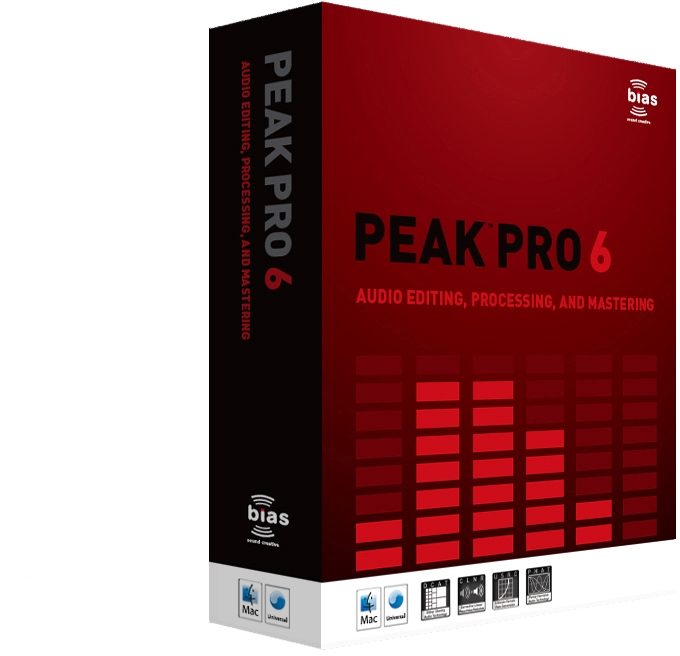
Bias Peak Pro Editing and Mastering Software (Macintosh)
No longer available at zZounds
zZounds Gear Experts Say...
Record up to 32-bit/10MHz. Ultra-fast RAM based editing & processing - no hard drive access delay.
Overview
Whether you're a musician, composer, sound designer, audio editor, podcast/multimedia producer, or mastering engineer, Peak Pro offers more creative potential than ever before. Reliably mature, yet always inspired. Feature rich, yet flexible and friendly. By itself, or with your favorite DAW, Peak Pro streamlines your workflow with industry renowned sonic quality and precision.
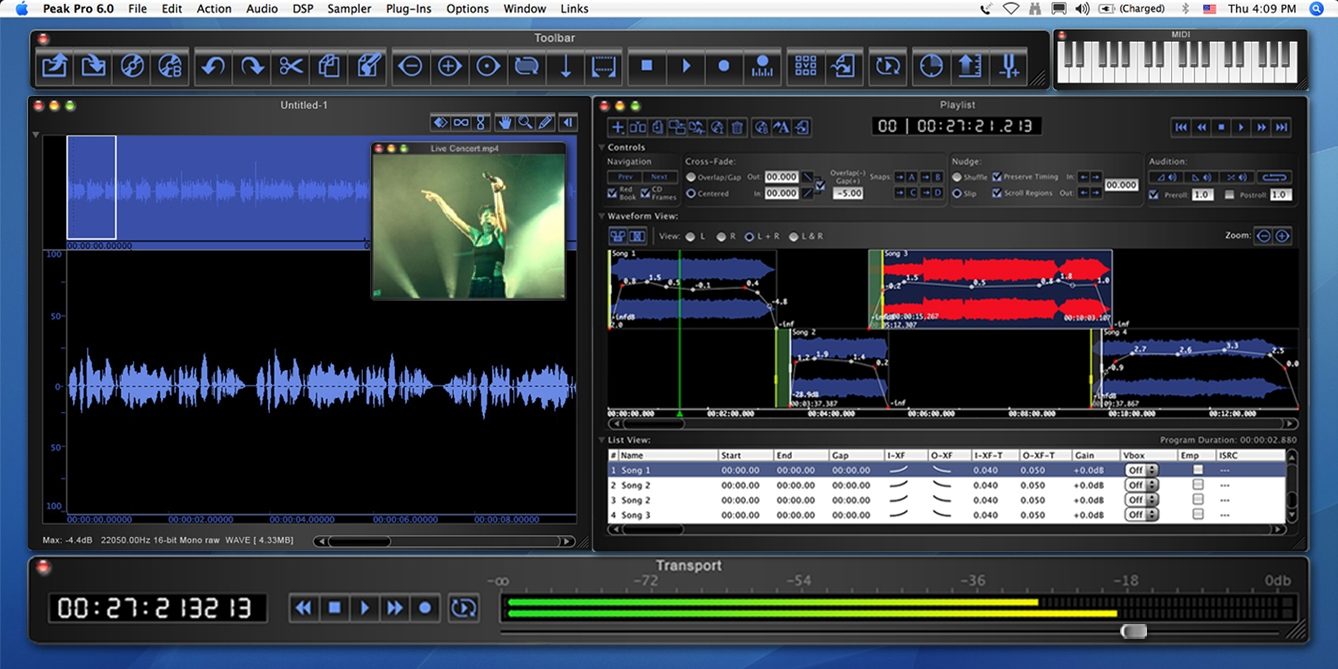
Peak Pro 5 featured a major revision to the playlist, including a new waveform cross-fade view as well as direct 100% Red Book compliant CD burning complete with CD-TEXT, PQ editing, ISRC codes, a DDP export option, and more. Peak Pro 6 adds even more functionality, making an already robust playlist even more powerful and flexible with the addition of fully customizable real-time volume envelopes, sample level zooming and editing, overlap/gap or centered cross-fades for either mastering or "classical"/take style workflows, new navigation and audition controls and more. Ideal for editing complex musical takes, preparing tracks for commercial CD replication, or simply arranging sections of a remix, the new playlist in Peak Pro 6 is even more powerful and optimized for the task.
Editing, Processing & Sound Design Power:
Since its inception, Peak has offered a robust selection of on-board DSP, and more DSP processing, editing, and sound design features have been added with each new release. Peak Pro 6 continues this with the addition of several new processing tools. Perpetual Looper is a new DSP feature… read more that ensures perfect "beat free" sustained loops of single line instrument samples (ideal for developing instrument sample libraries). Pitch Envelope allows pitch changes to be controlled via a user customizable envelope (a popular feature request that is ideal for creating special pitch based effects over time). Convolve Envelope offers dynamic control over the amount of convolution being applied over time (excellent for producing new sounds by mapping the harmonic spectrum of one file over another).
Voiceover Ducking
Analyzes amplitude of a voiceover and automatically adjusts volume of mixed background source accordingly so that the music dips in volume during voiceover (perfect for quick Podcast production where a voiceover needs to be mixed with background music). Vbox Link offers new cross-synthesis between virtual instruments, effects and live input with real-time mix, convolve, vocode, modulate, and magnitude multiply modes (offering unparalleled special effects and processing options for advanced sound design or live performance). Change Duration now offers algorithm selection for optimizing results when adjusting audio speed/length while retaining pitch of solo vocals versus music mixes. Cache in RAM provides an ultra-fast editing option that stores audio in RAM - avoiding disc access bottlenecks when working with large files and increasing processing speed of some DSP commands by up to 500%.
Multiple Delivery Tools
Peak Pro is widely used to prepare files for CD, web, video, game consoles, and other delivery formats. Version 6 adds new export capabilities while streamlining integration between other applications. Enhanced PQ sheet/text export generates user configurable playlist reports complete with track durations, indexes, CD-TEXT, notes and more that may be printed, saved as .pdf, or exported as tab delimited text (to ensure accurate reproduction and organization of playlist data). iTunes integration - with so much content destined for iPods, Peak Pro 6 streamlines the process allowing quick and easy export of playlist regions directly to iTunes while offering bi-directional drag-and-drop integration for individual songs and regions. Integrated Podcasting - many Podcast producers already employ Peak for its arsenal of recording, editing and processing power. Podcasts can be authored and uploaded directly from Peak Pro 6 as RSS feeds without requiring a separate Podcasting application. Default Save As stores frequently used file type, bit depth, and compression settings in the Save as dialog. Metadata audio file support - Peak Pro 6 offers comprehensive reading and writing of metadata (audio information stored within the file such as artist, title and SMPTE start time) for most major file types including Broadcast WAVE.
User Interface Enhancements:
Peak Pro 6 sports a sleek new user interface design featuring a global contrast control, scroll bars, buttons, and more - making this version even more modern and flexible. New high-resolution logarithmic meters with user configurable standard calibrations feature prominently in the new transport, and "magnetic" windows now snap together for optimal screen management. The included new Vbox effects and instruments matrix offers additional preset viewing and selection controls plus MIDI channel assignments. Additionally, the playlist offers an improved and disclosable cross-fade control area along with a new stereo view and user adjustable waveform to list view ratio. read less
Peak Pro 5 featured a major revision to the playlist, including a new waveform cross-fade view as well as direct 100% Red Book compliant CD burning complete with CD-TEXT, PQ editing, ISRC codes, a DDP export option, and more. Peak Pro 6 adds even more functionality, making an already robust playlist even more powerful and flexible with the addition of fully customizable real-time volume envelopes, sample level zooming and editing, overlap/gap or centered cross-fades for either mastering or "classical"/take style workflows, new navigation and audition controls and more. Ideal for editing complex musical takes, preparing tracks for commercial CD replication, or simply arranging sections of a remix, the new playlist in Peak Pro 6 is even more powerful and optimized for the task.
Editing, Processing & Sound Design Power:
Since its inception, Peak has offered a robust selection of on-board DSP, and more DSP processing, editing, and sound design features have been added with each new release. Peak Pro 6 continues this with the addition of several new processing tools. Perpetual Looper is a new DSP feature… read more that ensures perfect "beat free" sustained loops of single line instrument samples (ideal for developing instrument sample libraries). Pitch Envelope allows pitch changes to be controlled via a user customizable envelope (a popular feature request that is ideal for creating special pitch based effects over time). Convolve Envelope offers dynamic control over the amount of convolution being applied over time (excellent for producing new sounds by mapping the harmonic spectrum of one file over another).
Voiceover Ducking
Analyzes amplitude of a voiceover and automatically adjusts volume of mixed background source accordingly so that the music dips in volume during voiceover (perfect for quick Podcast production where a voiceover needs to be mixed with background music). Vbox Link offers new cross-synthesis between virtual instruments, effects and live input with real-time mix, convolve, vocode, modulate, and magnitude multiply modes (offering unparalleled special effects and processing options for advanced sound design or live performance). Change Duration now offers algorithm selection for optimizing results when adjusting audio speed/length while retaining pitch of solo vocals versus music mixes. Cache in RAM provides an ultra-fast editing option that stores audio in RAM - avoiding disc access bottlenecks when working with large files and increasing processing speed of some DSP commands by up to 500%.
Multiple Delivery Tools
Peak Pro is widely used to prepare files for CD, web, video, game consoles, and other delivery formats. Version 6 adds new export capabilities while streamlining integration between other applications. Enhanced PQ sheet/text export generates user configurable playlist reports complete with track durations, indexes, CD-TEXT, notes and more that may be printed, saved as .pdf, or exported as tab delimited text (to ensure accurate reproduction and organization of playlist data). iTunes integration - with so much content destined for iPods, Peak Pro 6 streamlines the process allowing quick and easy export of playlist regions directly to iTunes while offering bi-directional drag-and-drop integration for individual songs and regions. Integrated Podcasting - many Podcast producers already employ Peak for its arsenal of recording, editing and processing power. Podcasts can be authored and uploaded directly from Peak Pro 6 as RSS feeds without requiring a separate Podcasting application. Default Save As stores frequently used file type, bit depth, and compression settings in the Save as dialog. Metadata audio file support - Peak Pro 6 offers comprehensive reading and writing of metadata (audio information stored within the file such as artist, title and SMPTE start time) for most major file types including Broadcast WAVE.
User Interface Enhancements:
Peak Pro 6 sports a sleek new user interface design featuring a global contrast control, scroll bars, buttons, and more - making this version even more modern and flexible. New high-resolution logarithmic meters with user configurable standard calibrations feature prominently in the new transport, and "magnetic" windows now snap together for optimal screen management. The included new Vbox effects and instruments matrix offers additional preset viewing and selection controls plus MIDI channel assignments. Additionally, the playlist offers an improved and disclosable cross-fade control area along with a new stereo view and user adjustable waveform to list view ratio. read less
Specs
System Requirements:
G4, G5, or Intel-based Mac (>400MHz processor recommended)
Mac OS X v. 10.4.3 or higher - including Leopard (contact BIAS for compatibility with earlier versions of Mac OS X)
Minimum 1024 x 768 screen resolution
256 MB RAM (512 MB or more recommended)
330 MB available free disk space
18 ms hard drive (average seek time) or faster
QuickTime 6.0 or later
Support for third-party audio hardware may require compatible Core Audio drivers
G4, G5, or Intel-based Mac (>400MHz processor recommended)
Mac OS X v. 10.4.3 or higher - including Leopard (contact BIAS for compatibility with earlier versions of Mac OS X)
Minimum 1024 x 768 screen resolution
256 MB RAM (512 MB or more recommended)
330 MB available free disk space
18 ms hard drive (average seek time) or faster
QuickTime 6.0 or later
Support for third-party audio hardware may require compatible Core Audio drivers
No longer available at zZounds
In most cases, a product is unavailable because it has been discontinued by the manufacturer