
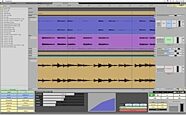
Mackie Tracktion Music Production Software (Macintosh and Windows)
Unlimited track count, REX/Apple Loop/Acid loop support, and built-in Time Stretching/Pitch Shifting.
Overall User Ratings (based on 20 ratings)
Submitted June 4, 2007 by a customer from yahoo.com
"Transparent software for getting on with the business of making music."
Verified Customer
zZounds has verified that this reviewer made a purchase from us.
I am a working musician who has been around the block and have been sequencing since MasterTrax Pro came out for the Apple II. I can do what I need to do in Tracktion and it will probably take me a long time to outgrow this product.
Sound
Quality is commesurate with the best of the best. I can record 192kHz tracks and render to stereo at the same resolution.
Features
Not so stripped down as you might think! Don't underestimate this product. There is a lot of horsepower under the hood for mixing, routing, mastering and ReWiring. Version 3 is even richer but keeps the UI very concise and clutter free.
Ease of Use
Get up and running right away. Drag and drop filters, VSTIs, effects onto the mixer or onto clips themselves. Click the component and edit settings in the properties window. Smooth! I recommend the video tutorial which runs nearly four hours.
Quality
I've run numerous sequencers in the past and this one is reasonably stable on my PC.
Value
This is where this product shines. You get a lot of recording and arranging power for your bucks.
Manufacturer Support
Pretty good support. Escalated one issue with MIDI timing up through the support channel and was not able to satisfy my issue completely, but ultimately I figured out on my own what was going on.
The Wow Factor
Interface is great. I run it on a single monitor with no wishes for a second so I can mix (unlike other products I've used).
Musical Background:
Active Musician
Musical Style:
Acid Jazz, Nu Jazz, Jazz
19 of 20 people (95%) people found this review helpful. Did you?
Thanks for your opinion!
Submitted May 7, 2007 by a customer from adbe.org
"A great sequencer capable of working for both the absolute beginner, and the seasoned DAW expert."
I can't see myself changing sequencer any time soon, so I guess that's a vote of full confidence.
Sound
All DAWS should essentially sound the same. Tracktion is no exception.
Features
While Tracktion may not have all the features of some of its more expensive competitors, the tools that are there are extremely accessible. This means that you'll spend less time digging through menus and dialogue boxes and more time making/recording your music.
Ease of Use
Easy to use, and fast to use too!
Quality
I've used Tracktion for years and I've experienced very few stability problems.
Value
Value for money? Awesome. If you are looking for a great sequencer to get started, you really can;t go wrong.
Manufacturer Support
The Mackie support forums are not always well manned, but I've heard very good things about Mackie support. Personally I've never had cause to call them though.
The Wow Factor
Tracktion still suffers from being seen as a second rate player, perhaps in part because the price point is so good.
Musical Background:
Hobbyist / software developer
Musical Style:
Techno
17 of 19 people (89%) people found this review helpful. Did you?
Thanks for your opinion!
Submitted March 6, 2008 by a customer from webmail.co.za
"Tracktion WORKS!"
I've used T2 for a long time but wavered on upgrading, thinking that I didn't really need the new features. Well, I sprang for it, and now that I have it, I can't imagine songwriting without it. If you have Reason or Live, I say go for the cheap version, as Rewire works flawlessly here, and those programs already have such a wealth of synthesis and sampling options that you really won't need the fancy extras in the more expensive T3 packages.
Sound
64 bit mix bus. Great built in Mackie effects, standard Tracktion effects extremely useable as well.
Features
I upgraded from Tracktion 2 over the web, so I can't comment on the goodies in the box, but what's not to like about lots of synths, drum vst's and loops? Speaking of which, the loop browser is Extremely useful, and it's the one feature I thought I'd use the least. You can load new loops of your own, multi-select them and set up all sorts of genre metadata to search on. Rolling and saving your own loops is an extremely satisfying passtime unto itself with this new addition! There is no notation editor here, so if that's important to you, you might want to look elsewhere. Folder tracks are superbly done, a closed folder giving you a peek at the enclosed tracks in miniature. Folder tracks also let you control that groups volume, which is nicee. I LOVE the folders. You can work with a lot of different tracks and sections and keep the screen uncluttered. Dragging and dropping tracks to and from one folder to another is easy. Time-stretching and such works a treat once you get it figured out. Imported wav loops can be easily tamed to follow tempo and pitch. This is a real time saver and keeps creativity flowing.
Ease of Use
Tracktion's workflow is a little different from other sequencers, but not as much as it might look at a glance. If you're not sure about something, just hover over it and read the help text in the upper right-hand corner. Lot's of logically set up right-click menues, and a brief but useful and very readable manual. Tracktion is a pleasure to use, and stays well out of your way when the creativity is flowing.
Quality
The earliest versions of T3 have had some problems, so the frustration expressed by another reviewer is not entirely off the mark, but it has come a long way now and updates are forthcoming on a pretty regular basis. A lot of folks are doing a lot of great work with this software, and for the money it's just unbeatable. By all means read the forum at KVR and DOWNLOAD THE DEMO. Mackie has an extremely useable T3 demo which will speak volumes more than I could type here.
Value
For $100 you can be off and running, with no track limits or restrictions. The different T3 boxes differ ONLY in the extras included (vst's, loops and tutorial dvd's). That's unlike any other sequencer out there. NOTHING is dumbed down here in any way. Pro Tools (oft maligned ; ) has come a long way and I seriously considered that, but for the money, Tracktion does everything I need and lets me use the gear I've already got, rather than haveing to spring for a whole new interface.
Manufacturer Support
An active an intelligent user forum is all the support I have ever really needed from any product, and there are some very sharp and experienced folks at the KVR forum. I haven't dealt with Mackie directly and don't forsee ever needing to unless I run into a license issue or something like that.
The Wow Factor
It a very comfortable environment to work in, flow-wise and visually. This may seem frivolous to some but it's important for me. The included Mackie plug-ins are very high quality. Final Mix itself sells alone for $400! You get that free with the $99 version OR the $250 version. Yes, you want it! ; )
Musical Background:
Active Musician, Recording Engineer
Musical Style:
Rock, Alternative, Singer-songwriter with a liberal sprinkling of Synthesizer Jive
of 1 people (0%) people found this review helpful. Did you?
Thanks for your opinion!
Submitted December 10, 2007 by a customer from gmail.com
"Stay away. There are MUCH better alternatives. Seriously, stay away from Tracktion."
I've already paid money for a replacement.
Sound
If you are considering buying Tracktion, take some time to read the independent Tracktion forum at KVR Audio (http://www.kvraudio.com/forum/viewforum.php?f=22). You will find that many users on both Mac and PC are having extreme problems such as the MIDI editor being unusably slow, other parts of the app being incredibly slow, and the whole app just suddenly disappearing. In the forums, this last problem is called a "poof crash" and it's mentioned often by users. I bought Tracktion 3 not too long after it was released and I have not been able to get any work done using it at all. I've tried using it on Win XP system and a MacBook Pro.
Shame on Mackie for releasing this badly flawed software and then leaving their customers out to dry, offering zero help or explanation. I posted repeated queries asking for some help with these problems on Mackie's own forums and was completely ignored.
Features
I'd have to rate it pretty low because, although many great features are promised, this software is badly flawed, so you may not be able to actually use those features.
Ease of Use
I wasn't able to get any use out of it at all.
Quality
Absolutely terrible. I've only ever bought one other software package that was this bad.
Value
Stay away from this disastrously bad software.
Manufacturer Support
I posted repeated queries on Mackie's forums practically begging for help. All were ignored.
The Wow Factor
"Sex appeal"?? Come on, this is getting ridiculous. I would have no idea how to answer this as I'm not sexually turned on by software. God help you if you are.
Musical Background:
Active musician
Musical Style:
Experimental, jazz
1 of 5 people (20%) people found this review helpful. Did you?
Thanks for your opinion!
Submitted January 29, 2010
Mackie Tracktion Customer Review
I plan on using this program a lot in the future for a very long time.
Sound
Very clear mixes. Lots of clarity and 64-bit mixing for more headroom.
Features
The rack filters are fun and creative to play with.
Ease of Use
Easiest I've come across so far. It just can't get any more easier. It's a very complex program with very simplified GUI and workflow.
Quality
Some of my vst fx plugins don't load up. But I mostly rewire Reason 4 to it and use only the effects I really like (most of which work). For the next update, they should fix those bugs.
Value
You're getting a 'powerful DAW' for such a small price. It's hard to say no.
Manufacturer Support
I've only used the forum so far. Never asked any other support place.
The Wow Factor
You can customize your own Color Scheme for the program. So the 'i want it' factor varies on person to person.
Did you find this review helpful?
Thanks for your opinion!
Submitted October 29, 2008
Mackie Tracktion Customer Review
I'm afraid this software is abandonware, since there are no updates of the serious bugs. It's still sold on the other hand, so we just have to wait, to see what's going to happen.
Sound
Sound is very good
Features
Many features and options
Ease of Use
After a very confusing hour, you'll understand Tracktion and love how it works.
Quality
Tracktion 2 was one of the most stable daw's I know. Tracktion 3, however, is something completely different. Mackie managed to cripple the software, causing it to crash to desktop (POOF).
No updates for half a year, no.
I'm now using T2 and too bad I cannot use the extra functionality of T3. Yeah, why spend money on software you can't use?
Would be nice if Mackie cared enough to fix the issues and make Tracktion the best DAW again.
Manufacturer Support
Don't know, I'm finding out now.
of 1 people (0%) people found this review helpful. Did you?
Thanks for your opinion!
Submitted February 26, 2008
"Very good workflow! Great sound."
I'll update. Hopefully it remains on the market for a good long time.
Sound
Sounds Great
Features
Not as deep as cubase out of the box. This can be remedied with vst plug ins. Better easier to use interface. Good easy to use time stretching capabilities.
Ease of Use
Simply great!
Quality
I've had very few problems. Had a rendering problem with drumcore and found a workaround. other rewire programs work great!
Value
Incredible value.
Manufacturer Support
They mainly direct you to forums. Hit or miss. Found my own solution for drumcore problem.
The Wow Factor
I put cubase on the back burner after using this.
of 2 people (0%) people found this review helpful. Did you?
Thanks for your opinion!
Submitted July 19, 2007
"Tracktion, Pretty Damn good"
Not perfect, but it's a great piece of software. Try the demo and see how easy it gets.
Features
Its fixed a lot of it's "problems" from tracktion 2. The midi scoring could be better, but other than that it does everything I need. I do use the midi scoring but I don't do anything complicated with it, so it suits me quite well.
Ease of Use
Very easy to use. Everything is on a single screen and nothing feels cluttered. Learn a few hot keys and you're well on your way to maximizing your workflow.
Value
Very good value. I can't believe how cheap it is yet I honestly prefer it to both pro tools and logic. It's a tad more difficult to use auxiliaries than PT, but I find everything else much easier.
Manufacturer Support
Haven't needed to deal with support
The Wow Factor
As someone else said, it's not that desirable because it's so cheap, something that hurts potential buyer's views, but it sure helped my wallet.
4 of 5 people (80%) people found this review helpful. Did you?
Thanks for your opinion!
Please wait.