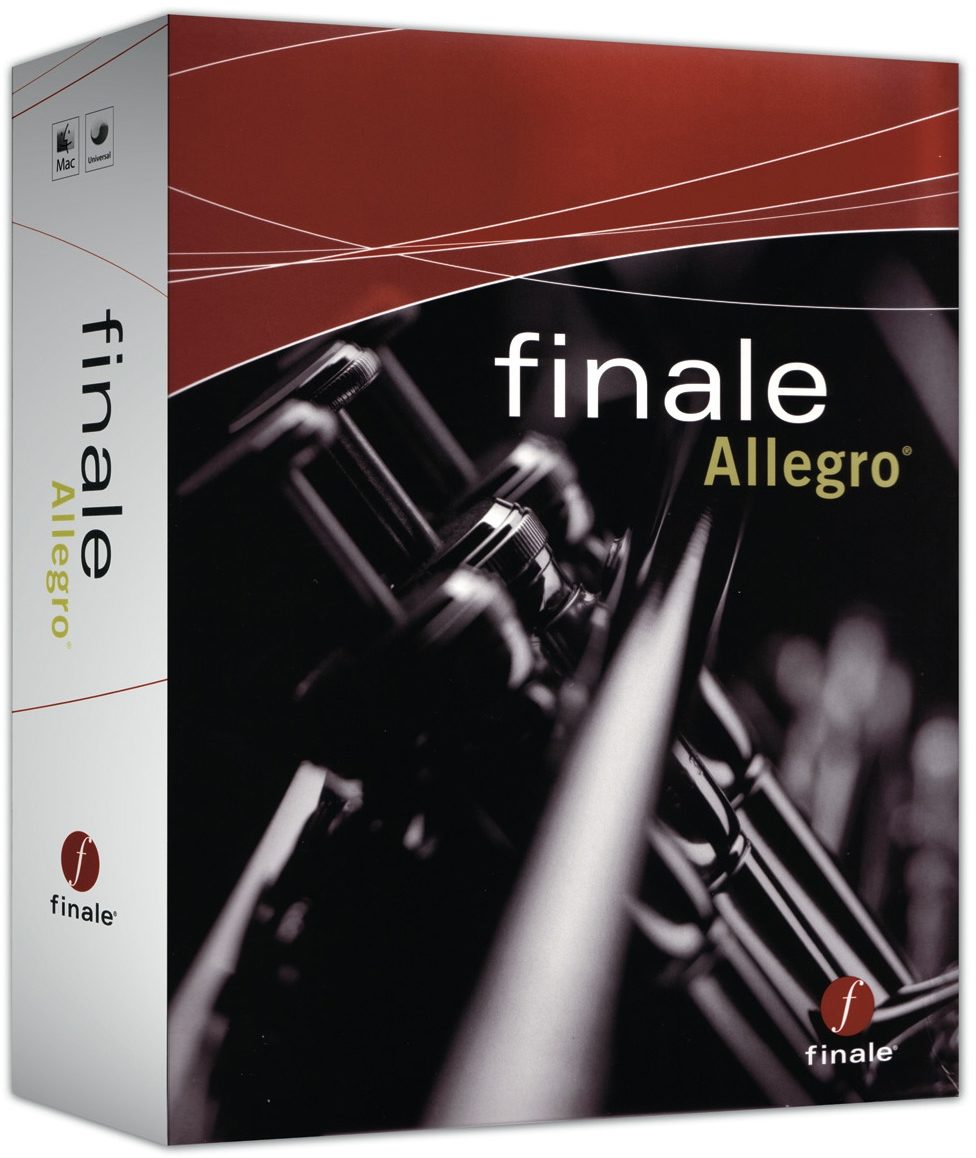
MakeMusic Finale Allegro Notation Software (Mac and Windows)
No longer available at zZounds
zZounds Gear Experts Say...
Enter notes with your mouse, computer keyboard, and/or MIDI keyboard (including sustain pedal) in step- or real-time.
Overview
Finale Allegro is perfect for educators, performing musicians, composers, arrangers, worship directors and students.
Getting Started
- Launch Window puts the power of Allegro within a single mouse-click.
- Setup Wizard and pre-designed templates help quickly create new music.
- QuickStart Videos show you how - on your computer screen.
Entering Notes
- Enter notes with your mouse, computer keyboard, and/or MIDI keyboard (including sustain pedal) in step- or real-time.
- Enter notes by playing your brass or woodwind instrument into a mic with Allegro's exclusive MicNotator(R).
- Scan sheet music with SmartScore(R) Lite (included) and import MIDI and MusicXML files.
Composing and Arranging
- Automatically add two- and three-voice auto-harmonization from Band-in-a-Box(R) Auto Harmonizing.
- Automatically add Drum Grooves (and easily expand your choice of styles).
- Transpose to any key and extract parts.
Teaching Music
- Exercise Wizard instantly creates warm-ups for the whole band, orchestra, or choir.
- Setup Wizard includes diverse options, including Orff instruments and marching percussion.
- Create quizzes and tests by exporting music as a TIFF file into a word processing program.
Hearing Your Music
- Play back with integrated software sounds (including Row-Loff(TM) marching percussion) or via external MIDI devices.
- Human Playback(R) adds expression, phrasing, swing, and dynamics - automatically.
- Powerful mixer offers control of volume, panning, patch, and reverb as… read more well as the choice of mute, solo, or record.
Adding Markings, Lyrics, and More
- Unlimited number of lyric verses.
- Add dynamics, tempos, chord symbols, guitar fretboards and tablature, and more.
Sharing Your Music
- Print your score or parts: Finale(R) technology ensures world-class output.
- Save as audio file (including .MP3) to create CDs.
- Export MIDI and MusicXML files.
- Export entire pages as TIF graphics files to add music to word processing documents.
What's New in Allegro 2007
Powerful Mixer and Reverb Options
Integrated controls for each staff enable you to set volume and panning as well as choose to mute, solo, or record.
Learn more.
Textured Paper
New textured paper backgrounds to make your on-screen page easy on the eyes.
Chord Analysis
Allegro analyzes the harmonic progression of a selected region of your score and adds chord symbols automatically.
Create Codas
Allegro automatically creates space, text, and symbols as well as controls playback.
Improved Pick-up Measures
Pickup measures now include improved tuplet compatibility and entering extra notes for tuplets or grace notes in pickup measures has been simplified.
More
Universal binary support for Intel-based Macs, Auto-Slur Melismas, and auto insert copyright symbol. read less
Getting Started
- Launch Window puts the power of Allegro within a single mouse-click.
- Setup Wizard and pre-designed templates help quickly create new music.
- QuickStart Videos show you how - on your computer screen.
Entering Notes
- Enter notes with your mouse, computer keyboard, and/or MIDI keyboard (including sustain pedal) in step- or real-time.
- Enter notes by playing your brass or woodwind instrument into a mic with Allegro's exclusive MicNotator(R).
- Scan sheet music with SmartScore(R) Lite (included) and import MIDI and MusicXML files.
Composing and Arranging
- Automatically add two- and three-voice auto-harmonization from Band-in-a-Box(R) Auto Harmonizing.
- Automatically add Drum Grooves (and easily expand your choice of styles).
- Transpose to any key and extract parts.
Teaching Music
- Exercise Wizard instantly creates warm-ups for the whole band, orchestra, or choir.
- Setup Wizard includes diverse options, including Orff instruments and marching percussion.
- Create quizzes and tests by exporting music as a TIFF file into a word processing program.
Hearing Your Music
- Play back with integrated software sounds (including Row-Loff(TM) marching percussion) or via external MIDI devices.
- Human Playback(R) adds expression, phrasing, swing, and dynamics - automatically.
- Powerful mixer offers control of volume, panning, patch, and reverb as… read more well as the choice of mute, solo, or record.
Adding Markings, Lyrics, and More
- Unlimited number of lyric verses.
- Add dynamics, tempos, chord symbols, guitar fretboards and tablature, and more.
Sharing Your Music
- Print your score or parts: Finale(R) technology ensures world-class output.
- Save as audio file (including .MP3) to create CDs.
- Export MIDI and MusicXML files.
- Export entire pages as TIF graphics files to add music to word processing documents.
What's New in Allegro 2007
Powerful Mixer and Reverb Options
Integrated controls for each staff enable you to set volume and panning as well as choose to mute, solo, or record.
Learn more.
Textured Paper
New textured paper backgrounds to make your on-screen page easy on the eyes.
Chord Analysis
Allegro analyzes the harmonic progression of a selected region of your score and adds chord symbols automatically.
Create Codas
Allegro automatically creates space, text, and symbols as well as controls playback.
Improved Pick-up Measures
Pickup measures now include improved tuplet compatibility and entering extra notes for tuplets or grace notes in pickup measures has been simplified.
More
Universal binary support for Intel-based Macs, Auto-Slur Melismas, and auto insert copyright symbol. read less
Specs
Specifications
Finale Allegro 2007 for Windows(R)
Windows 2000/XP. Windows Vista 32-bit computers also supported with Allegro 2007b. (Available via free download to registered Allegro 2007 users.)
800x600 minimum monitor resolution
CD-ROM drive
Minimum 256MB RAM recommended
200 MB hard drive space required for software and user manual
Finale Allegro 2007 for Macintosh(R)
G4 or higher recommended. OS 10.3.9 or 10.4. *
800X600 minimum monitor resolution
CD-ROM drive
Minimum 256MB RAM recommended
200 MB hard drive space required for software and user manual
Optional
- MIDI interface
- MIDI input and/or playback device
- Printer
- Scanner
- Microphone required for use of MicNotator(R)
Authorization
Allegro requires that you authorize the software within 30 days after installation. You are allowed to install Allegro on two operating systems (multiple licenses excluded).
File Compatibility
Finale family software can open files in the same or newer software version, but files created in a newer version cannot be opened in an older version unless converted via MusicXML. More.
Windows Users: Although Allegro 2007 does not officially support Vista, we have completed limited testing without encountering any significant problems.
Macintosh Users: Allegro 2007 runs natively on Intel-based Macs.
Finale Allegro 2007 for Windows(R)
Windows 2000/XP. Windows Vista 32-bit computers also supported with Allegro 2007b. (Available via free download to registered Allegro 2007 users.)
800x600 minimum monitor resolution
CD-ROM drive
Minimum 256MB RAM recommended
200 MB hard drive space required for software and user manual
Finale Allegro 2007 for Macintosh(R)
G4 or higher recommended. OS 10.3.9 or 10.4. *
800X600 minimum monitor resolution
CD-ROM drive
Minimum 256MB RAM recommended
200 MB hard drive space required for software and user manual
Optional
- MIDI interface
- MIDI input and/or playback device
- Printer
- Scanner
- Microphone required for use of MicNotator(R)
Authorization
Allegro requires that you authorize the software within 30 days after installation. You are allowed to install Allegro on two operating systems (multiple licenses excluded).
File Compatibility
Finale family software can open files in the same or newer software version, but files created in a newer version cannot be opened in an older version unless converted via MusicXML. More.
Windows Users: Although Allegro 2007 does not officially support Vista, we have completed limited testing without encountering any significant problems.
Macintosh Users: Allegro 2007 runs natively on Intel-based Macs.
Documents and Manuals
For support or warranty questions, please contact the manufacturer:
No longer available at zZounds
In most cases, a product is unavailable because it has been discontinued by the manufacturer

This is a carousel with product cards. Use the previous and next buttons to navigate.
People who bought this item also bought
IK Multimedia Miroslav Philharmonik 2 Software
$499.99
- 8 payments of$62.50/mo
- No Credit Check6 payments of$83.33/mo
-

Celestion Vintage 30 Classic Series Guitar Speaker (60 Watts, 12")
$169.00
- No Credit Check6 payments of$28.17/mo
-