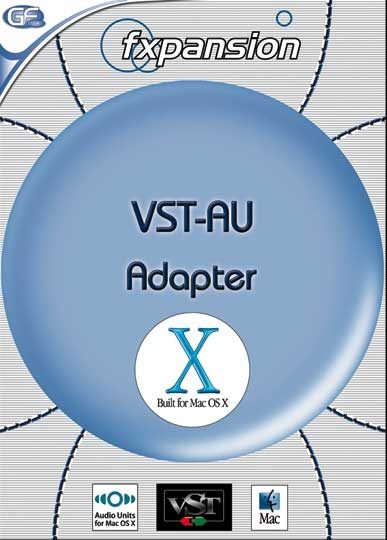
FXpansion VST to AU Plug-In Wrapper (Macintosh)
No longer available at zZounds
zZounds Gear Experts Say...
Converts VST plug-ins to AU format. Now compatible with Logic 7 and more.
Overview
VST-AU Adapter is a must-have utility for Emagic Logic Audio / OS X users. Once installed, it makes all your OS X VST* plugins compatible with the new AudioUnit standard used by Logic Audio. VST-AU Adapter is all you need to access hundreds of plug-ins from a huge range of vendors.
*OS X-compatible ("Carbon" or "Mach-O") VST plug-ins only.
The VST to AudioUnit Adapter for Mac OS X is a highly-integrated plug-in wrapper that allows users of AudioUnit-compatible applications such as Emagic's Logic Audio 7.x and MOTU's Digital Performer 4.x (as well as Logic 6, Final Cut Pro 4.x, Soundtrack, Garage Band and many others) to integrate VST plug-ins and instruments seamlessly in to their working environment. Once installed and configured, the wrapper creates "virtual AudioUnits" for each of your VST plug-ins, which behave exactly the same as true AudioUnits in every respect. It uses virtually no CPU (less than 0.1% per instance on a 550MHz PowerBook G4), and offers total compatibility with a huge selection of VST plug-ins from a wide range of vendors.
FXpansion has tested the adapter succesfully with plug-ins from all the following vendors: Steinberg, Waves, TC-Works, Prosoniq, LinPlug, MDA, reFX, Ohm Force, Synapse Audio, DSound, PSP, Waldorf, INA-GRM, Elemental Audio, Arturia, AAS, Bitshift Audio, Bitheadz, DMI, GMedia, Green Oak, Rumpelrausch Taips, Spectrasonics, Swar Systems, Yellow Tools, Silverspike, Destroyfx, Antares, DigitalFishPhones, Rob Papen Virtual Instruments.… read more
It's also incredibly easy to use!
Step 1: copy your VST plug-ins to the adapter's folder.
The VST to AU Adapter comes with its own VSTPlugins folder -- copy any Carbon VST plug-ins you want to wrap in to this folder.
Step 2: Run the configuration utility
Run the configuration utility which lets you choose which class of Mac OS X VST plug-ins you want to scan, and whether you want to install the virtual Audio Units for everyone that uses your Mac, or just for your own use.
Step 3: Press the "Scan..." button
When you press the Scan button, the adapter scans its VST plug-ins folder for plug-ins to be converted to virtual AudioUnits. It can take it a minute or two to complete the scan, especially if you have a lot of plug-ins, but once it's done -- that's it! Your VST plug-ins have now been wrapped to AudioUnits and are ready to use in your AudioUnit-compatible application.
Step 4: Start your AU-compatible host!
All your VST instruments are available as AudioUnits
Step 5: Check out the effects...
Step 6: Go make some music!
... need we say more? read less
*OS X-compatible ("Carbon" or "Mach-O") VST plug-ins only.
The VST to AudioUnit Adapter for Mac OS X is a highly-integrated plug-in wrapper that allows users of AudioUnit-compatible applications such as Emagic's Logic Audio 7.x and MOTU's Digital Performer 4.x (as well as Logic 6, Final Cut Pro 4.x, Soundtrack, Garage Band and many others) to integrate VST plug-ins and instruments seamlessly in to their working environment. Once installed and configured, the wrapper creates "virtual AudioUnits" for each of your VST plug-ins, which behave exactly the same as true AudioUnits in every respect. It uses virtually no CPU (less than 0.1% per instance on a 550MHz PowerBook G4), and offers total compatibility with a huge selection of VST plug-ins from a wide range of vendors.
FXpansion has tested the adapter succesfully with plug-ins from all the following vendors: Steinberg, Waves, TC-Works, Prosoniq, LinPlug, MDA, reFX, Ohm Force, Synapse Audio, DSound, PSP, Waldorf, INA-GRM, Elemental Audio, Arturia, AAS, Bitshift Audio, Bitheadz, DMI, GMedia, Green Oak, Rumpelrausch Taips, Spectrasonics, Swar Systems, Yellow Tools, Silverspike, Destroyfx, Antares, DigitalFishPhones, Rob Papen Virtual Instruments.… read more
It's also incredibly easy to use!
Step 1: copy your VST plug-ins to the adapter's folder.
The VST to AU Adapter comes with its own VSTPlugins folder -- copy any Carbon VST plug-ins you want to wrap in to this folder.
Step 2: Run the configuration utility
Run the configuration utility which lets you choose which class of Mac OS X VST plug-ins you want to scan, and whether you want to install the virtual Audio Units for everyone that uses your Mac, or just for your own use.
Step 3: Press the "Scan..." button
When you press the Scan button, the adapter scans its VST plug-ins folder for plug-ins to be converted to virtual AudioUnits. It can take it a minute or two to complete the scan, especially if you have a lot of plug-ins, but once it's done -- that's it! Your VST plug-ins have now been wrapped to AudioUnits and are ready to use in your AudioUnit-compatible application.
Step 4: Start your AU-compatible host!
All your VST instruments are available as AudioUnits
Step 5: Check out the effects...
Step 6: Go make some music!
... need we say more? read less
Reviews
Reviewers gave this product an overall rating of 4 out of 5 stars.
(4 ratings)
Submitted July 8, 2004 by a customer from mac.com
"Transparent VST access for Logic - as advertised!"
Verified Purchaser
zZounds has verified that this reviewer purchased this specific product from us.
Assuming I don't find a bunch of VST's that don't work properly with the adapter, I expect to be using this for a long time.
Quality
Simple configuration interface. No more knobs or doo-dads than needed to get the job done.
Value
This opens up the world of VST insert and instrument plugins to use Logic folks. If you need VST's and use Logic then you need this utility. Would have been nice if it came with a handful of demo VST's to quickly verify functionality, but I guess if you're buying this you already have some VST's in mind and/or in hand.
Musical Style:
Techno and Ambient
3 of 3 people (100%) people found this review helpful. Did you?
Thanks for your opinion!
No longer available at zZounds
In most cases, a product is unavailable because it has been discontinued by the manufacturer

This is a carousel with product cards. Use the previous and next buttons to navigate.
People who bought this item also bought
Solid State Logic SSL Fusion Stereo Analogue Colour Mix Bus Processor
$2,699.99
- 12 payments of$225.00/mo
-
Universal Audio Apollo Solo Thunderbolt 3 Audio Interface
$699.00
- 12 payments of$58.25/mo
- No Credit Check6 payments of$116.50/mo
-
Universal Audio UAD-2 Satellite USB OCTO Core DSP Accelerator (for Windows PC)
$1,199.00
- 12 payments of$99.92/mo
- No Credit Check6 payments of$199.83/mo
-
Avid Pro Tools Studio Music Production Software (Perpetual License) with 1-Year Software Updates + Support Plan
$599.00
- 12 payments of$49.92/mo
- No Credit Check6 payments of$99.83/mo
-
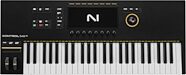
Native Instruments Kontrol S49 MK3 USB MIDI Keyboard Controller, 49-Key
$749.00
- 12 payments of$62.42/mo
- No Credit Check6 payments of$124.83/mo
-
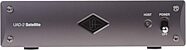
Universal Audio UAD-2 Satellite Thunderbolt 3 OCTO Core DSP Accelerator
$1,199.00
- 12 payments of$99.92/mo
- No Credit Check6 payments of$199.83/mo
-

Arturia V Collection 11 Pro Software
$699.00
- 12 payments of$58.25/mo
- No Credit Check6 payments of$116.50/mo
-