Waves Q-Clone Sampling EQ Plug-In (Macintosh and Windows)
No longer available at zZounds
zZounds Gear Experts Say...
Captures the sound of your hardware EQ. Use this freely across multiple tracks.
Overview
Q-Clone is a revolutionary new product utilizing unique technology that lets you use your outboard hardware equalizer in a completely new way. By capturing the sound of your own gear, Q-Clone allows you to use that sound freely throughout your session, adjusting the sound of each track just as you would if you had dozens of that same hardware equalizer.
Real Knobs, Real Hardware Sound
Let's be clear: we're not talking about mousing around on a plug-in 'simulation' with 'virtual' knobs. You're using YOUR gear, not a software version of it. Turn the knobs on your classic box - Q-Clone captures and holds the exact sound in real time.
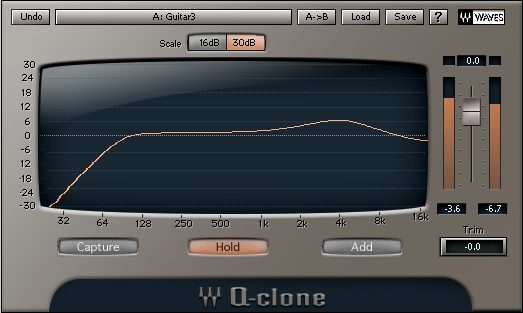
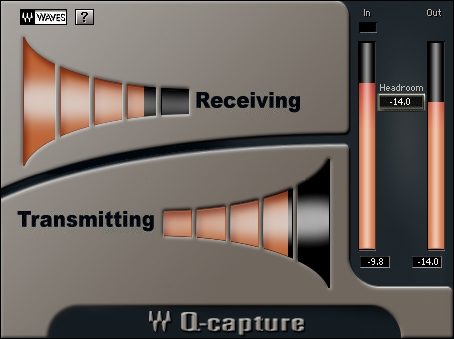
Q-Clone has two components: Q-Capture, which is used to capture the sound of your hardware, and Q-Clone, which shows you the equalization curve of your hardware and provides other functions. Q-Capture constantly samples the hardware unit's sound, tracking every twist you make on your gear's knobs in real time. The calibration feature lets you tune Q-Capture precisely to your unit's headroom and dB range.
Put Your Hardware EQ on as Many Tracks as You Like - Simultaneously!
Even the most well-equipped studios have a limited supply of outboard EQs, which limits the channels you can put them on. That limitation disappears with Q-Clone. It's like opening a closet and finding stacks and stacks (e.g. up to 24 instances of Q-Clone on a Mac G5 dual 2.5 with Pro Tools or 25 instances of Q-Clone on PC P4 3.6 with Pro Tools) of your favorite box--enough for… read more every channel and more.
Put Q-Capture on an Aux track or dedicated audio track (depending on the DAW). Put Q-Clone on any of the other tracks that you want to process with your hardware EQ.
Save and Recall the Sound of Your Outboard Unit Inside Your DAW Session
No more writing down the settings on your box to get the same sound when you return to the mix. Q-Clone holds your sound right there when your session opens.
Even more, save MULTIPLE settings as presets and instantly load, A/B and adjust them.
Q-Clone shows you the EQ curve your hardware unit is creating. The Add feature lets you equalize that equalization - like have two of your hardware units chained together. And the Trim adjustment ensures that gain is under control.
Create Unlimited Hardware Chains
If your sound involves putting two EQs in a chain, Q-Clone can clone that composition sound, too. Using the Add feature, you can apply new equalization to a track that's already been equalized. Or create an 8-band EQ version out of your 4-band favorite hardware. Save the whole as a preset, and get your signature sound without even having the hardware present.
Have Your Outboard EQ and Eat it Too
There's no substitute for the sound and feel of working with a classic analog equalizer. Keep the sound and feel of your hardware, keep your hands on the knobs, and augment those tenfold with Q-Clone.
It's So Easy
The Q-Clone package consists of two components: Q-Capture and Q-Clone. Using them is easy:
1. Set up Q-Capture so it sends its special capturing signal through your audio interface to your outboard hardware EQ unit and returns the equalized signal back.
2. Open Q-Clone on the first track you want to EQ. Adjust the knobs on your hardware EQ unit until you get the sound you want.
3. On the Q-Clone plug-in, hit the Hold button, and the EQ for that track will now remain just as you set it, while you repeat the process on as many tracks as your computer can handle.
You can change and reset the equalization on each track as often as you need, and save the results as a preset. Using the Add button, you can also make adjustments on top of the original setting - like having the signal running through two of your EQ units at once. And Q-Clone comes with presets captured from a selection of world-class hardware equalizers. Q-Clone is available separately and is not included in any bundle. read less
Real Knobs, Real Hardware Sound
Let's be clear: we're not talking about mousing around on a plug-in 'simulation' with 'virtual' knobs. You're using YOUR gear, not a software version of it. Turn the knobs on your classic box - Q-Clone captures and holds the exact sound in real time.
Q-Clone has two components: Q-Capture, which is used to capture the sound of your hardware, and Q-Clone, which shows you the equalization curve of your hardware and provides other functions. Q-Capture constantly samples the hardware unit's sound, tracking every twist you make on your gear's knobs in real time. The calibration feature lets you tune Q-Capture precisely to your unit's headroom and dB range.
Put Your Hardware EQ on as Many Tracks as You Like - Simultaneously!
Even the most well-equipped studios have a limited supply of outboard EQs, which limits the channels you can put them on. That limitation disappears with Q-Clone. It's like opening a closet and finding stacks and stacks (e.g. up to 24 instances of Q-Clone on a Mac G5 dual 2.5 with Pro Tools or 25 instances of Q-Clone on PC P4 3.6 with Pro Tools) of your favorite box--enough for… read more every channel and more.
Put Q-Capture on an Aux track or dedicated audio track (depending on the DAW). Put Q-Clone on any of the other tracks that you want to process with your hardware EQ.
Save and Recall the Sound of Your Outboard Unit Inside Your DAW Session
No more writing down the settings on your box to get the same sound when you return to the mix. Q-Clone holds your sound right there when your session opens.
Even more, save MULTIPLE settings as presets and instantly load, A/B and adjust them.
Q-Clone shows you the EQ curve your hardware unit is creating. The Add feature lets you equalize that equalization - like have two of your hardware units chained together. And the Trim adjustment ensures that gain is under control.
Create Unlimited Hardware Chains
If your sound involves putting two EQs in a chain, Q-Clone can clone that composition sound, too. Using the Add feature, you can apply new equalization to a track that's already been equalized. Or create an 8-band EQ version out of your 4-band favorite hardware. Save the whole as a preset, and get your signature sound without even having the hardware present.
Have Your Outboard EQ and Eat it Too
There's no substitute for the sound and feel of working with a classic analog equalizer. Keep the sound and feel of your hardware, keep your hands on the knobs, and augment those tenfold with Q-Clone.
It's So Easy
The Q-Clone package consists of two components: Q-Capture and Q-Clone. Using them is easy:
1. Set up Q-Capture so it sends its special capturing signal through your audio interface to your outboard hardware EQ unit and returns the equalized signal back.
2. Open Q-Clone on the first track you want to EQ. Adjust the knobs on your hardware EQ unit until you get the sound you want.
3. On the Q-Clone plug-in, hit the Hold button, and the EQ for that track will now remain just as you set it, while you repeat the process on as many tracks as your computer can handle.
You can change and reset the equalization on each track as often as you need, and save the results as a preset. Using the Add button, you can also make adjustments on top of the original setting - like having the signal running through two of your EQ units at once. And Q-Clone comes with presets captured from a selection of world-class hardware equalizers. Q-Clone is available separately and is not included in any bundle. read less
Specs
This product requires an iLok USB Smart Key (not included) and internet access.
System Requirements
Mac OS X
Digidesign: Supports RTAS and HTDM only on Pro-tools 6.7cs5
VST: Only Cubasesx 3/Nuendo 3
Audio Units: Full Support in Logic 7 only
MAS: Full Support
Windows
Digidesign: Supports RTAS and HTDM only on Pro-tools 6.7cs5
VST: Cubase sx 3.0.1/Nuendo 3
DirectX: On Sonar 3.1.1 Cubase sx 3.0.1 and Nuendo 3
System Requirements
Mac OS X
Digidesign: Supports RTAS and HTDM only on Pro-tools 6.7cs5
VST: Only Cubasesx 3/Nuendo 3
Audio Units: Full Support in Logic 7 only
MAS: Full Support
Windows
Digidesign: Supports RTAS and HTDM only on Pro-tools 6.7cs5
VST: Cubase sx 3.0.1/Nuendo 3
DirectX: On Sonar 3.1.1 Cubase sx 3.0.1 and Nuendo 3
Reviews
Reviewers gave this product an overall rating of 4.5 out of 5 stars.
(2 ratings)
Submitted July 16, 2005 by a customer from ak.net
"Wow Waves has done it again!!!!"
Verified Customer
zZounds has verified that this reviewer made a purchase from us.
the satisfaction length of this product is endless. No other product can do this type of work, to this degree. If I lost this plug in, I'd replace it. If someone stole it, I would hunt that person down and..... Well, I'd replace it. This was a good investment on my part. My studio just got a severe boost, when I purchased this.
Sound
This is one of the best plug ins I have ever used. I use it with Cubase SX, and I have used several separate eq's and captured the sound with q clone. If you are serious about your EQ and also serious about computer recording, do yourself a favor and get this plug in.
Features
The ability to capture your hardware eq and use it on every track if you choose too, with different settings is the best feature.
Quality
Waves makes great products overall anyway. My computer based studio uses their products often, and this one has risen to the top.
Value
Can't beat this product. You could easily have 20 or more different hardware based EQ's with one plug in. Two good hardware Eq units would run you the cost of this plug in. I think that speaks volumes in itself.
Manufacturer Support
I emailed Waves a question once and they got back to me in 4 hours time with a solution. I've only had a problem one time with 3 Waves products, that I have used for over 5 years. So needless to say, I don't know much about their support because, I haven't had to use it.
The Wow Factor
I read about it, I saw it, I got it.
Musical Background:
Studio owner
Musical Style:
Hip Hop/ R&B
of 2 people (0%) people found this review helpful. Did you?
Thanks for your opinion!
No longer available at zZounds
In most cases, a product is unavailable because it has been discontinued by the manufacturer
This is a carousel with product cards. Use the previous and next buttons to navigate.
People who bought this item also bought
Solid State Logic SSL Fusion Stereo Analogue Colour Mix Bus Processor
$2,699.99
- 12 payments of$225.00/mo
-
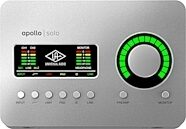
Universal Audio Apollo Solo Thunderbolt 3 Audio Interface
$699.00
- 12 payments of$58.25/mo
- No Credit Check6 payments of$116.50/mo
-
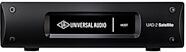
Universal Audio UAD-2 Satellite USB OCTO Core DSP Accelerator (for Windows PC)
$1,199.00
- 12 payments of$99.92/mo
- No Credit Check6 payments of$199.83/mo
-
Avid Pro Tools Studio Music Production Software (Perpetual License) with 1-Year Software Updates + Support Plan
$599.00
- 12 payments of$49.92/mo
- No Credit Check6 payments of$99.83/mo
-
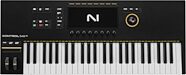
Native Instruments Kontrol S49 MK3 USB MIDI Keyboard Controller, 49-Key
$749.00
- 12 payments of$62.42/mo
- No Credit Check6 payments of$124.83/mo
-
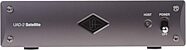
Universal Audio UAD-2 Satellite Thunderbolt 3 OCTO Core DSP Accelerator
$1,199.00
- 12 payments of$99.92/mo
- No Credit Check6 payments of$199.83/mo
-

Arturia V Collection 11 Pro Software
$699.00
- 12 payments of$58.25/mo
- No Credit Check6 payments of$116.50/mo
-