MXR M188 Bass Auto Q Pedal
No longer available at zZounds

zZounds Gear Experts Say...
Knobs for Range, Q, Volume, Decay, Blend, and Rate.
Overview
Using textures to enhance your sound enhances your personality as a player and can contribute substantially to defining your signature as an artist. Whether on record or played live, the magic of an exquisite musical texture played in an inspired moment can be the stuff that launches legends or cements them in history. With the MXR Bass Auto Q, your own moments of magic await you. The Bass Auto Q can instantly "funkify" your sound and especially exceeds when applied to sustained notes and chords. Incorporated into even the simplest rhythms and lead lines the Bass Auto Q can create dramatic, counter rhythmical textural effects.
Some of the more basic features of the Bass Auto Q include volume and decay controls while the "Q" and range and controls provide for super precision attenuation to accentuate even the subtlest but critical nuances of an expressive sound. Dial in the variable shimmer effect that is unique to the Bass Auto Q by tweaking the rate and blend controls to determine the shimmer effect's dominance against the auto Q effect. Encased in a classic MXR, indestructible black metal housing, the control stencils and pointer knobs are intelligently screened in "glow in the dark" stencil for performances on dark stages. Powering the Bass Auto Q is your choice by either opting for a DC 9-volt or AC wall adapter. Another important option for powering the Auto Q as well as all floor-based effects is the Dunlop DC power brick.
Some of the more basic features of the Bass Auto Q include volume and decay controls while the "Q" and range and controls provide for super precision attenuation to accentuate even the subtlest but critical nuances of an expressive sound. Dial in the variable shimmer effect that is unique to the Bass Auto Q by tweaking the rate and blend controls to determine the shimmer effect's dominance against the auto Q effect. Encased in a classic MXR, indestructible black metal housing, the control stencils and pointer knobs are intelligently screened in "glow in the dark" stencil for performances on dark stages. Powering the Bass Auto Q is your choice by either opting for a DC 9-volt or AC wall adapter. Another important option for powering the Auto Q as well as all floor-based effects is the Dunlop DC power brick.
Specs
Footswitch: Toggles Effect On/Bypass (red LED indicates on)
Range Knob: Controls frequency floor of effect
Q Knob: Adjusts the intensity of the wah effect
Volume: Controls overall effect output level (inactive in Bypass mode)
Decay Knob: Controls the drop-off of the wah effect (with Blend knob off) or transition between wah and shimmer (with Blend dialed up)
Blend Knob: Controls the mix between auto-wah and shimmer
Rate Knob: Controls the speed of the shimmer effect
Band Switch: Selects favored frequency range of effect
Power: Single 9-volt battery or optional Dunlop ECB03 AC adapter
Dimensions: 4-1/4 x 4-1/2 x 1-1/4 in.
Weight: 1.8 lbs.
Color: Grey
Range Knob: Controls frequency floor of effect
Q Knob: Adjusts the intensity of the wah effect
Volume: Controls overall effect output level (inactive in Bypass mode)
Decay Knob: Controls the drop-off of the wah effect (with Blend knob off) or transition between wah and shimmer (with Blend dialed up)
Blend Knob: Controls the mix between auto-wah and shimmer
Rate Knob: Controls the speed of the shimmer effect
Band Switch: Selects favored frequency range of effect
Power: Single 9-volt battery or optional Dunlop ECB03 AC adapter
Dimensions: 4-1/4 x 4-1/2 x 1-1/4 in.
Weight: 1.8 lbs.
Color: Grey
Documents and Manuals
For support or warranty questions, please contact the manufacturer:
Phone: 707-745-2722
Web: https://www.jimdunlop.com/gear-support/
Phone: 707-745-2722
Web: https://www.jimdunlop.com/gear-support/
No longer available at zZounds
In most cases, a product is unavailable because it has been discontinued by the manufacturer
Related Accessories

Related Accessories
This is a carousel with product cards. Use the previous and next buttons to navigate.
People who bought this item also bought

Line 6 HX Stomp Compact Amp and Effects Processor
$699.99
- 12 payments of$58.33/mo
- No Credit Check6 payments of$116.66/mo
-
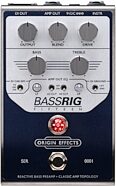
Origin Effects BassRIG 15 Preamp and Overdrive Pedal
$579.00
- 8 payments of$72.38/mo
- No Credit Check6 payments of$96.50/mo
-
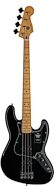
Fender Player II Jazz Electric Bass, with Maple Fingerboard
$849.99
- 12 payments of$70.83/mo
- No Credit Check6 payments of$141.66/mo
-
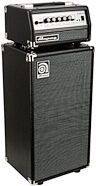
Ampeg MICRO-VR Bass Amplifier Half Stack with SVT MICRO-VR Head and SVT210AV Micro Classic Cabinet
$999.98
- 12 payments of$83.33/mo
- No Credit Check6 payments of$166.66/mo
-
Ernie Ball Music Man StingRay 5 Special Electric Bass, 5-String (with Case)
$2,799.00
- 12 payments of$233.25/mo
-
Sire Marcus Miller M7 Electric Bass Guitar, 4-String
$1,199.00
- 12 payments of$99.92/mo
- No Credit Check6 payments of$199.83/mo
-