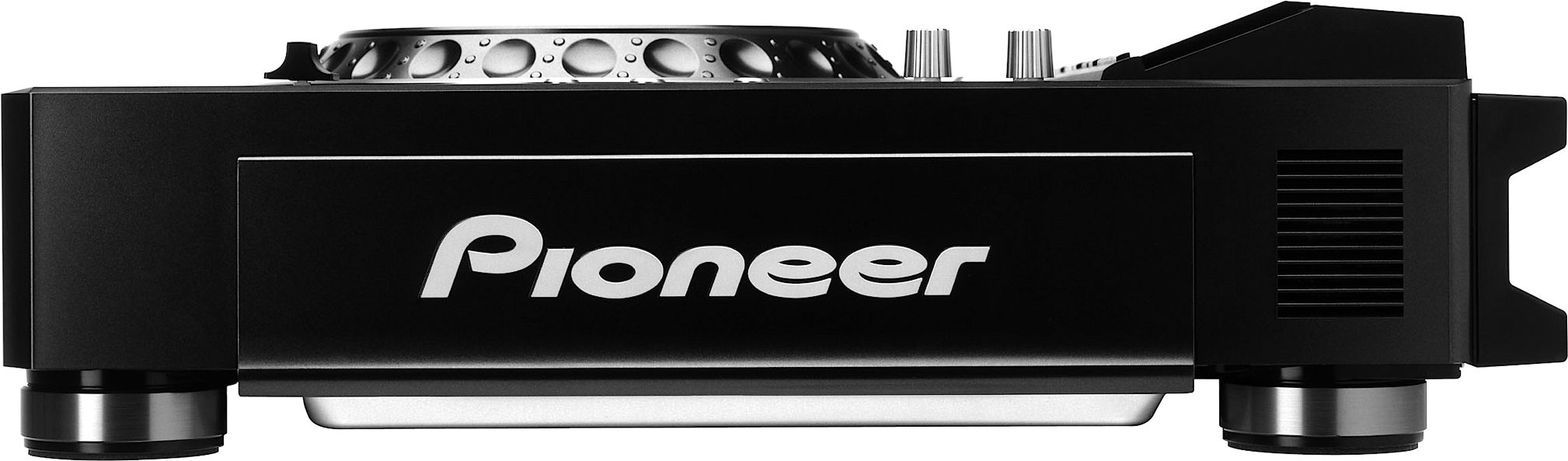
Pioneer DVJX1 Professional DVD Turntable
No longer available at zZounds
zZounds Gear Experts Say...
Manipulate digital video and audio just like vinyl!
Overview
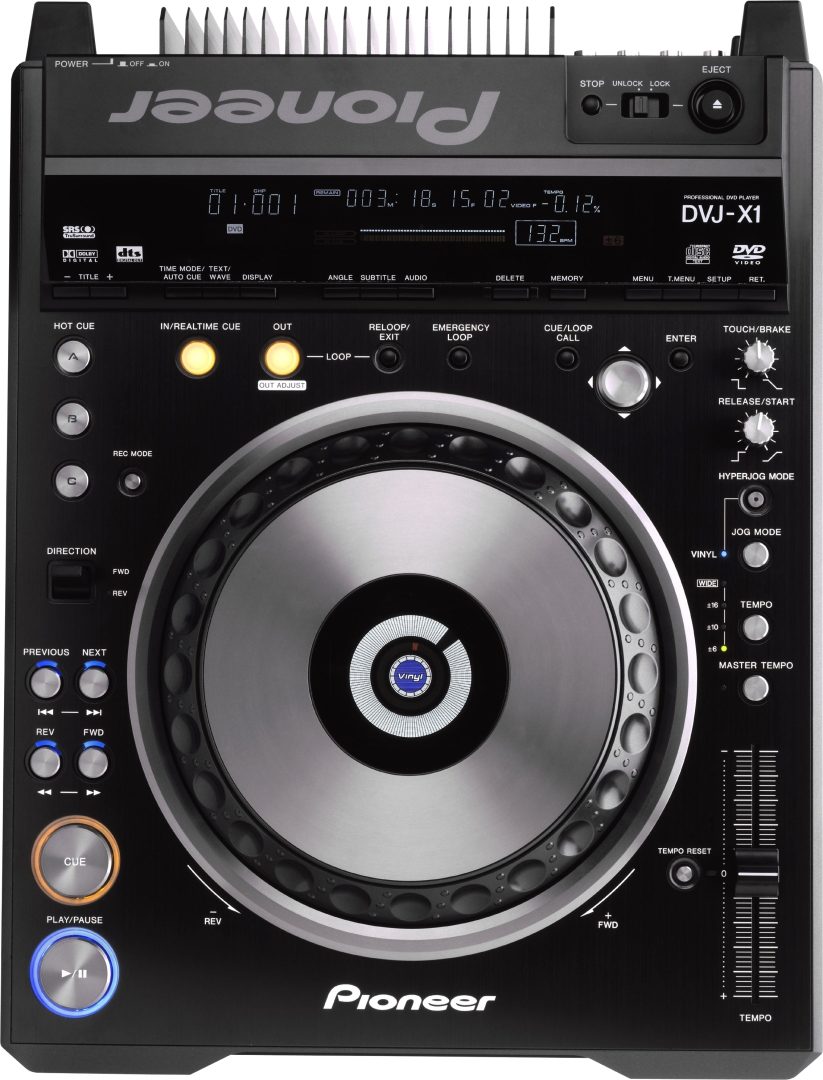
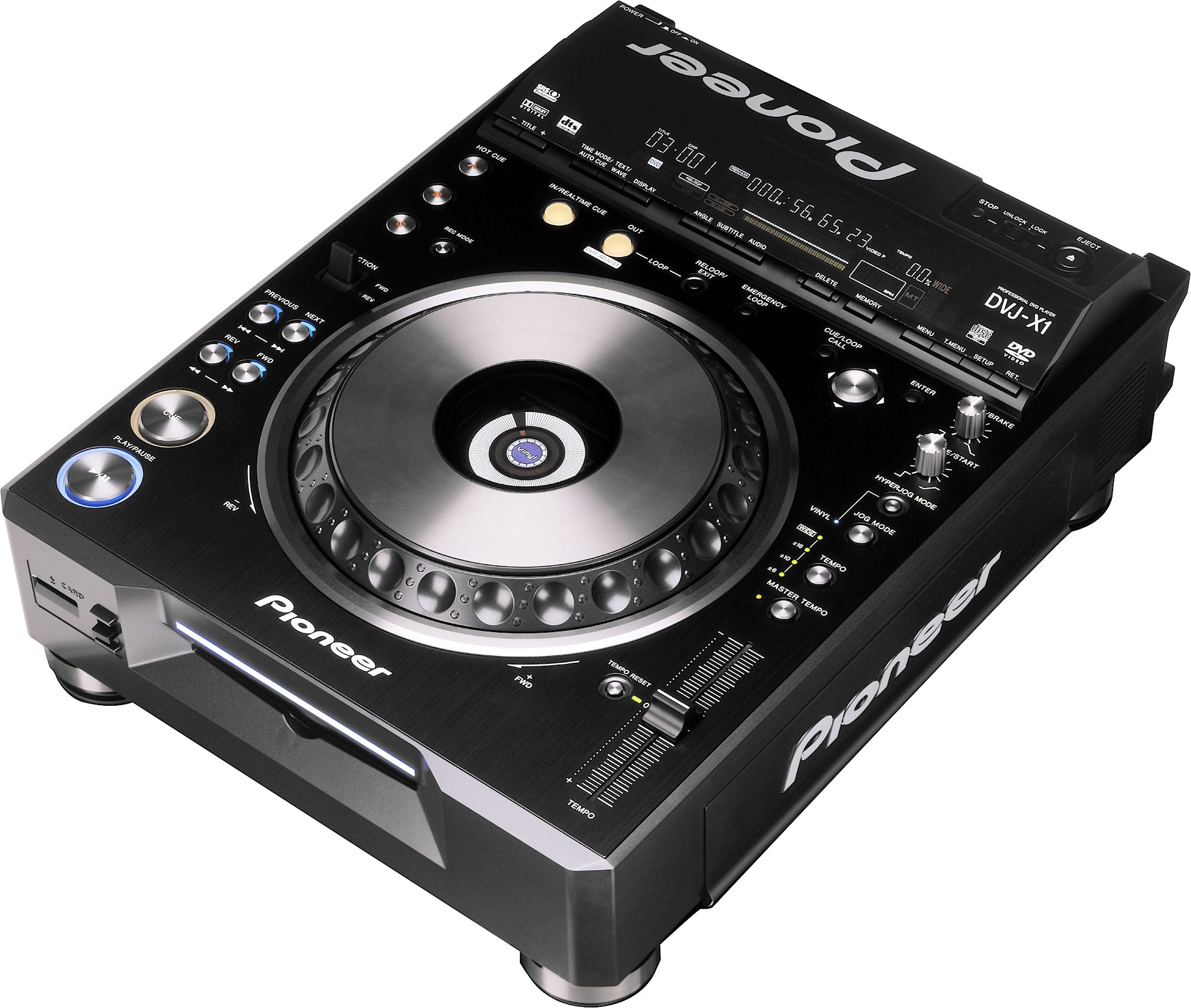
Introducing the future of DJ technology with the DVJ-X1 digital audio and video turntable! This groundbreaking product allows users to manipulate and playback synchronized digital audio and video in a way that will revolutionize the DJ industry. By imitating the form and functionality of Pioneer's digital CD turntables like the CDJ-1000MK2, Pioneer is making it simple for DVJs to manipulate DVD visuals in exactly the same way as they would music. So real-time digital video scratches, loops and instant cues are all possible with the DVJ-X1, while the video and audio streams always stay in perfect sync, even when they're being reversed and pitched.
Revolutionary Video Control
Realtime DVD Video Manipulation is possible - anything you could do with vinyl, and more, can now be done with DVD Video.
Hot Cue (sampler)
Memorizes up to 3 cue points per DVD/CD. These points can then be recalled by hitting either of the A, B or C buttons. This function can also be used like a mini sampler adding amazing versatility to a video show.
Reverse
Instant reverse is controlled by using a flickable switch. With no loss of tempo or pitch, it can be used immediately within any track without having to stop or start. Reverse can also be used with the Hot Cue and the Loop Sampler providing endless combinations and effects.
Real Time Seamless Loop
A quick and simple way to set a loop while a track is playing. Once the loop is set, it can then be looped continuously or until the ReLoop / Exit button… read more is pressed. When released, the track continues playing without any pause. The loop can be re-trigged at any time by hitting the ReLoop button
Loop Out Adjust
You have the ability to adjust the Out point of a loop stored in memory. So now fine tuning a loop is both quick and easy.
Reloop
Hitting the Reloop button instantly takes you back to the beginning of the loop stored in the DVJ-X1's memory. This can be done either while the loop is playing or at any time while the current track is playing. Clever use of Reloop can create some sample like effects. The same loop is always stored in memory until replaced with a new loop.
Emergency Loop
The Emergency Loop automatically creates a 4 beat loop based on the BPM of the track.
Memory
SD - SecureDigital
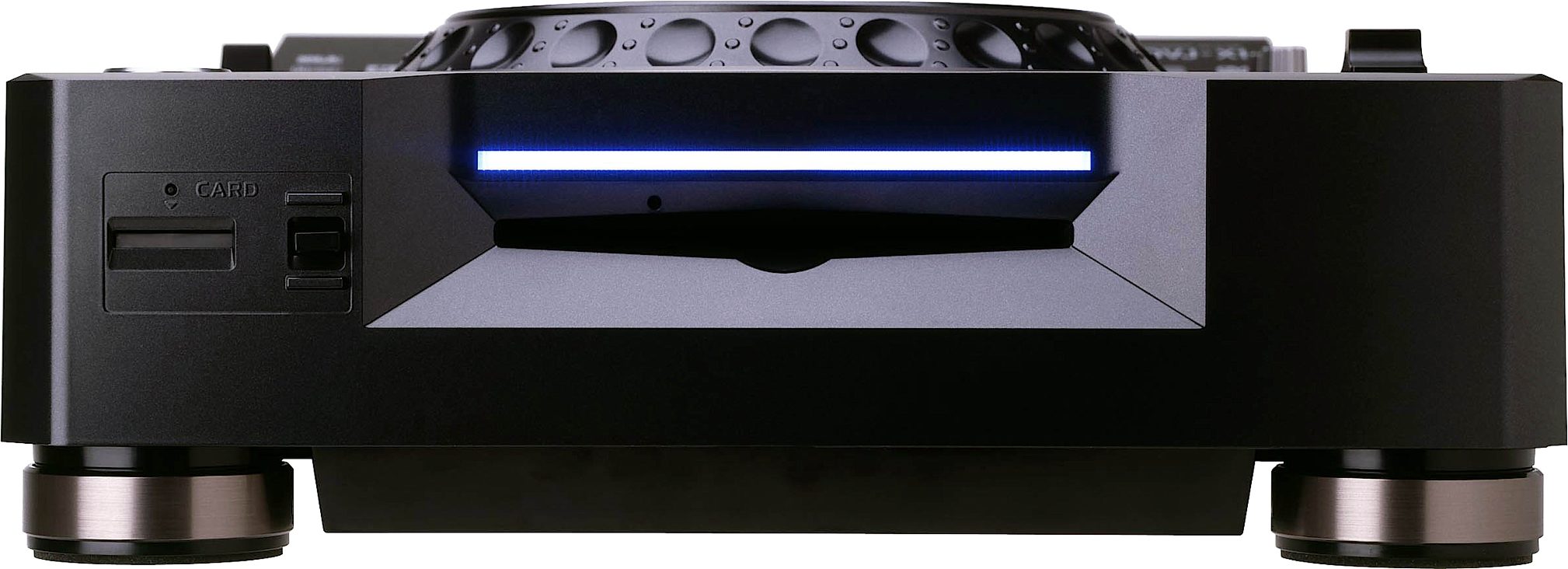
The DVJ-X1 has a memory feature that lets you store Wave data and Cue and Loop points with a thumbnail image* (thumnail for DVD memory points only). The data can be stored on a removable memory card (SD) or the player's internal memory. The removable SD card can also be used in any DVJ-X1, so once you've stored your favorite cue and loop points you can take them with you. (A 16MB SD card is supplied with the player which will hold 500 memory points.)
Cue / Loop Memory
Once you set a cue or loop point you can save it to either the internal memory or SD card by hitting this button.
Delete
Gets rid of those Cue or Loop points that you shouldn't have bothered saving in the first place.
Call
A quick and easy way to scroll through saved cue and loop points.
Wave Data
Audio Wave data is always saved on to the SD when inserted and then appears instantly.
DVD/CD Control
Standard DVD/CD Control Buttons
High Quality Aluminium buttons
Track Search, Search, Cue and Play / Pause.
Advanced DVD Control Buttons
All the common DVD controls are available - 4 way directional control, Enter, Menu, Track Menu, Setup
Jog Dial
Cue your track with the world's largest touch sensitive jog dial (7" / 206mm diameter) designed to emulate the control characteristics of a Vinyl Turntable, together with all the features from Pioneer's industry standard CDJ range of CD players. The DVJ-X1 offers a feel similar to the familiar CDJ-1000MK2.
Pitch Bend
Is used to either speed up or slow down the tempo of the video and audio depending on the direction the jog dial is rotated - either forward or reverse.
Jog Mode
The DVJ-X1 can be set in either Vinyl or CDJ mode. In CDJ mode, the jog dial functions just like a Pioneer CDJ player, but without the touch sensitivity.
Scratch Play / Cue
When the DVJ-X1 is in vinyl mode, the top of the jog dial functions just like a Vinyl Turntable. Pressing down stops the music and allows you to scratch or cue your track by
rotating the jog dial in either direction.
Vinyl Speed Adjust Touch/Brake
This allows adjustment in the speed at which the DVD/CD slows down until it stops.
Vinyl Speed Adjust Release/Start
This allows adjustment of the speed at which the CD returns to normal playback speed.
Tempo Control
Pioneer's Master Tempo locks the pitch of the audio track even when you change the speed. You can speed up or slow down the beat without any noticeable difference in how the vocal and instruments sound. A 100mm linear high precision slider connected to a 0.02% (at +/- 6%) adjustment indication on the display panel. Gives the DJ's that total control and ensures that the tempo adjustment is easy and accurate. Ranges of +/- 6%, +/-10%, +/-16% and +70%/-100% can be assigned to the Tempo Control slider to offer an amazing range of adjustment for more creative mixes.
Eject Button & CD Lock
The DVJ-X1 does have a guard to prevent you from accidentally pressing it the eject button. The disc is locked until the track is stopped. This can be deactivated as well if you are looking to do quick mixes.
Multi-Read Format
The DVJ-X1 can read DVD Video, DVD-R (Video Mode), DVD-RW (Video Mode), CD, CD-R and CD-RW disks.
Front Loading
Loading discs without having to open doors or trays makes swapping discs and selecting tracks that much faster. It also helps to keep dirt and any nasty substances out of the drive's working parts.
Auto Cue
This is the fastest way to find the beginning of a track. The sound level can also be changed to suit your style of music (-36db to +78db). There is also an option to turn it off if you prefer to cue up your CD tracks manually.
Manual Cue
Cue points can be set anywhere on the DVD/CD using either the Vinyl or CDJ mode. Adjustment is made by using either the jog dial or manual search buttons. The cue point is automatically stored in the internal memory (If SD is inserted in DVJ-X1, the cue point is automatically stored in the SD.) until it is overwritten with a new cue point. (Jog resolution for both audio for Vinyl and CDJ modes - 135 frames per revolution / 75 frames = 1 second. Resolution for video for Vinyl and CDJ modes - 135 frames per revolution / 30 frames = 1 second.)
*If an SD card is inserted into the DVJ-X1, the cue point is automatically stored in the card's memory.
Real Time Cue
A cue point can be set on the fly and stored into the internal memory by just simply hitting the In / Real-time cue button.
Cue Marker Display
The current cue point is indicated within the jogdial's center display to show where the cuepoint is relative to the current play position.
Fader Start / Back Cue
Start When the DVJ-X1 is used with the DJM-909, DJM-707, DJM-600, DJM-500, DJM-300S or DJM-3000 mixer, you can start the music by sliding the cross fader. By sliding the fader back, it will return the DVJ-X1 back to the previously selected cue point.
Built For The Professional DJ / VJ
To prevent accidental CD ejection or loss of mains power, the DVJ-X1 has safety guards around the power and eject buttons together with a locking feature.
Relay Play
Connecting two DVJ-X1's with a standard 3.5mm mini-plug cable allows one unit to be put on standby whilst the other plays. Relay Play automatically starts the second player enabling them to play 'back to back' to give you endless music play.
Legato Link Conversion For High Quality Sound (CD Audio Only)
Equipped with Pioneer's wide range technology- Legato Link Conversion. The DVJ-X1 is capable of reproducing sound frequencies above 20kHz, which are lost during normal CD-format playback. Not only does this give great sound reproduction but sounds closer to the original recording and more analog like vinyl.
Shock-Proof Memory and Anti-Vibration Construction
Sound jumps or skipping is prevented by using a 16 second shock-proof memory for normal DVD/CD play (minimum of 10 seconds if scratching and reading wave data at the same time in Vinyl mode). Anti-Vibration! An Oil-dampened floating suspension prevents sound skipping, even when the player is subjected to impact during use or vibrations generated from high volume music and low frequency bass.
Digital Audio Output
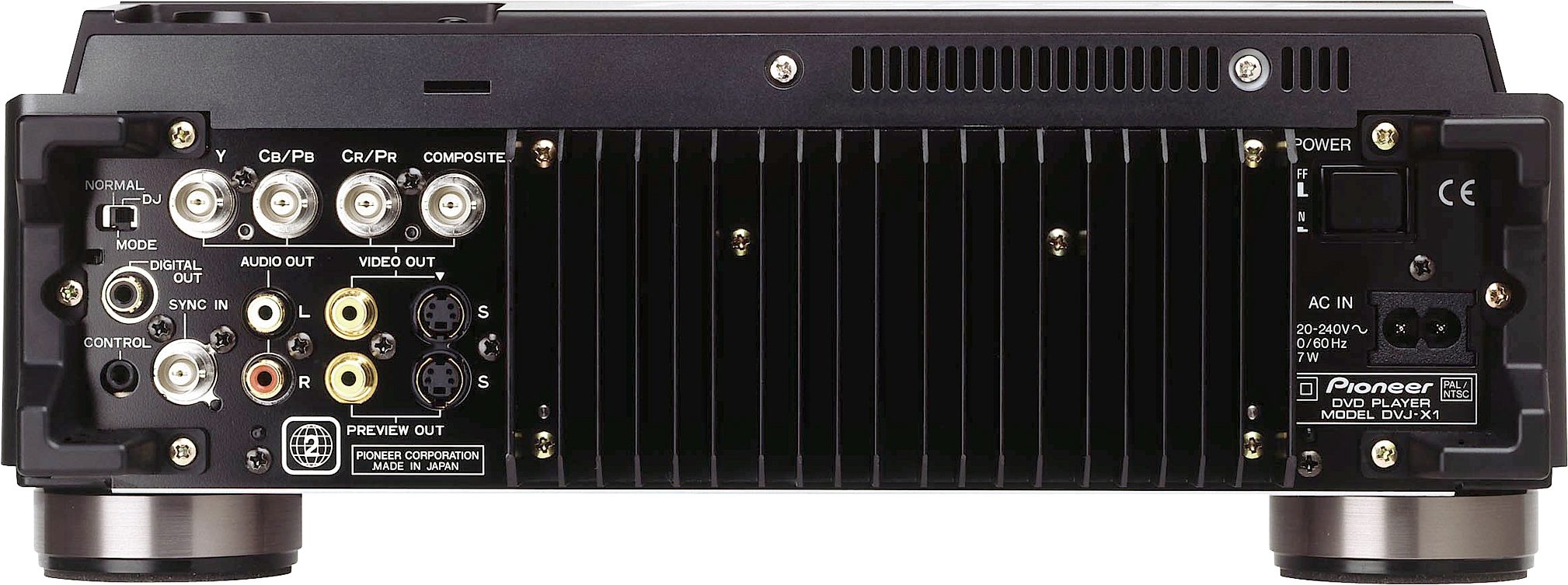
The DVJ-X1 is equipped with full-feature digital audio output. This means you can keep your scratching and master tempo playback entirely in the digital domain. Users who simply want to use the digital audio output for archival purposes may do so via the digital mode switch on the rear of the unit. read less
Revolutionary Video Control
Realtime DVD Video Manipulation is possible - anything you could do with vinyl, and more, can now be done with DVD Video.
Hot Cue (sampler)
Memorizes up to 3 cue points per DVD/CD. These points can then be recalled by hitting either of the A, B or C buttons. This function can also be used like a mini sampler adding amazing versatility to a video show.
Reverse
Instant reverse is controlled by using a flickable switch. With no loss of tempo or pitch, it can be used immediately within any track without having to stop or start. Reverse can also be used with the Hot Cue and the Loop Sampler providing endless combinations and effects.
Real Time Seamless Loop
A quick and simple way to set a loop while a track is playing. Once the loop is set, it can then be looped continuously or until the ReLoop / Exit button… read more is pressed. When released, the track continues playing without any pause. The loop can be re-trigged at any time by hitting the ReLoop button
Loop Out Adjust
You have the ability to adjust the Out point of a loop stored in memory. So now fine tuning a loop is both quick and easy.
Reloop
Hitting the Reloop button instantly takes you back to the beginning of the loop stored in the DVJ-X1's memory. This can be done either while the loop is playing or at any time while the current track is playing. Clever use of Reloop can create some sample like effects. The same loop is always stored in memory until replaced with a new loop.
Emergency Loop
The Emergency Loop automatically creates a 4 beat loop based on the BPM of the track.
Memory
SD - SecureDigital
The DVJ-X1 has a memory feature that lets you store Wave data and Cue and Loop points with a thumbnail image* (thumnail for DVD memory points only). The data can be stored on a removable memory card (SD) or the player's internal memory. The removable SD card can also be used in any DVJ-X1, so once you've stored your favorite cue and loop points you can take them with you. (A 16MB SD card is supplied with the player which will hold 500 memory points.)
Cue / Loop Memory
Once you set a cue or loop point you can save it to either the internal memory or SD card by hitting this button.
Delete
Gets rid of those Cue or Loop points that you shouldn't have bothered saving in the first place.
Call
A quick and easy way to scroll through saved cue and loop points.
Wave Data
Audio Wave data is always saved on to the SD when inserted and then appears instantly.
DVD/CD Control
Standard DVD/CD Control Buttons
High Quality Aluminium buttons
Track Search, Search, Cue and Play / Pause.
Advanced DVD Control Buttons
All the common DVD controls are available - 4 way directional control, Enter, Menu, Track Menu, Setup
Jog Dial
Cue your track with the world's largest touch sensitive jog dial (7" / 206mm diameter) designed to emulate the control characteristics of a Vinyl Turntable, together with all the features from Pioneer's industry standard CDJ range of CD players. The DVJ-X1 offers a feel similar to the familiar CDJ-1000MK2.
Pitch Bend
Is used to either speed up or slow down the tempo of the video and audio depending on the direction the jog dial is rotated - either forward or reverse.
Jog Mode
The DVJ-X1 can be set in either Vinyl or CDJ mode. In CDJ mode, the jog dial functions just like a Pioneer CDJ player, but without the touch sensitivity.
Scratch Play / Cue
When the DVJ-X1 is in vinyl mode, the top of the jog dial functions just like a Vinyl Turntable. Pressing down stops the music and allows you to scratch or cue your track by
rotating the jog dial in either direction.
Vinyl Speed Adjust Touch/Brake
This allows adjustment in the speed at which the DVD/CD slows down until it stops.
Vinyl Speed Adjust Release/Start
This allows adjustment of the speed at which the CD returns to normal playback speed.
Tempo Control
Pioneer's Master Tempo locks the pitch of the audio track even when you change the speed. You can speed up or slow down the beat without any noticeable difference in how the vocal and instruments sound. A 100mm linear high precision slider connected to a 0.02% (at +/- 6%) adjustment indication on the display panel. Gives the DJ's that total control and ensures that the tempo adjustment is easy and accurate. Ranges of +/- 6%, +/-10%, +/-16% and +70%/-100% can be assigned to the Tempo Control slider to offer an amazing range of adjustment for more creative mixes.
Eject Button & CD Lock
The DVJ-X1 does have a guard to prevent you from accidentally pressing it the eject button. The disc is locked until the track is stopped. This can be deactivated as well if you are looking to do quick mixes.
Multi-Read Format
The DVJ-X1 can read DVD Video, DVD-R (Video Mode), DVD-RW (Video Mode), CD, CD-R and CD-RW disks.
Front Loading
Loading discs without having to open doors or trays makes swapping discs and selecting tracks that much faster. It also helps to keep dirt and any nasty substances out of the drive's working parts.
Auto Cue
This is the fastest way to find the beginning of a track. The sound level can also be changed to suit your style of music (-36db to +78db). There is also an option to turn it off if you prefer to cue up your CD tracks manually.
Manual Cue
Cue points can be set anywhere on the DVD/CD using either the Vinyl or CDJ mode. Adjustment is made by using either the jog dial or manual search buttons. The cue point is automatically stored in the internal memory (If SD is inserted in DVJ-X1, the cue point is automatically stored in the SD.) until it is overwritten with a new cue point. (Jog resolution for both audio for Vinyl and CDJ modes - 135 frames per revolution / 75 frames = 1 second. Resolution for video for Vinyl and CDJ modes - 135 frames per revolution / 30 frames = 1 second.)
*If an SD card is inserted into the DVJ-X1, the cue point is automatically stored in the card's memory.
Real Time Cue
A cue point can be set on the fly and stored into the internal memory by just simply hitting the In / Real-time cue button.
Cue Marker Display
The current cue point is indicated within the jogdial's center display to show where the cuepoint is relative to the current play position.
Fader Start / Back Cue
Start When the DVJ-X1 is used with the DJM-909, DJM-707, DJM-600, DJM-500, DJM-300S or DJM-3000 mixer, you can start the music by sliding the cross fader. By sliding the fader back, it will return the DVJ-X1 back to the previously selected cue point.
Built For The Professional DJ / VJ
To prevent accidental CD ejection or loss of mains power, the DVJ-X1 has safety guards around the power and eject buttons together with a locking feature.
Relay Play
Connecting two DVJ-X1's with a standard 3.5mm mini-plug cable allows one unit to be put on standby whilst the other plays. Relay Play automatically starts the second player enabling them to play 'back to back' to give you endless music play.
Legato Link Conversion For High Quality Sound (CD Audio Only)
Equipped with Pioneer's wide range technology- Legato Link Conversion. The DVJ-X1 is capable of reproducing sound frequencies above 20kHz, which are lost during normal CD-format playback. Not only does this give great sound reproduction but sounds closer to the original recording and more analog like vinyl.
Shock-Proof Memory and Anti-Vibration Construction
Sound jumps or skipping is prevented by using a 16 second shock-proof memory for normal DVD/CD play (minimum of 10 seconds if scratching and reading wave data at the same time in Vinyl mode). Anti-Vibration! An Oil-dampened floating suspension prevents sound skipping, even when the player is subjected to impact during use or vibrations generated from high volume music and low frequency bass.
Digital Audio Output
The DVJ-X1 is equipped with full-feature digital audio output. This means you can keep your scratching and master tempo playback entirely in the digital domain. Users who simply want to use the digital audio output for archival purposes may do so via the digital mode switch on the rear of the unit. read less
Specs
Disc Format: DVD Video, DVD-R (Video Mode), DVD-RW (Video Mode), CD, CD-R, CD-RW
Frequency response (CD): 4Hz to 20kHz
Frequency response (DVD, 96kHz): 4Hz to 44kHz
Signal-to-Noise Ratio: 115 dB or more
Total Harmonic Distortion: 0.006%
Audio Output: 2.0 V
Power Requirements: AC 120 V 60 Hz
Power Consumption: 47W
Net Weight: 7.3kg (16.1lb)
Dimensions: 13-11/16 in. (W) x 17-3/4 in. (D) x 5-1/16 in, 348mm (W) x 451mm (D) x 128mm (H)
Main Video Out
Composite Video Output: RCA (1), BNC (1)
Component Video Output: BNC (1)
S-video Output: 4 pin mini DIN (1)
Preview Video Out
Composite Video Output: RCA (1)
S-video Output: 4 pin mini DIN (1)
Audio output (2ch): RCA (1)
Digital audio output (coaxial): RCA (1)
Control terminal: 1/8 inch phone jack
Specifications and design are subject to possible modification without notice.
Frequency response (CD): 4Hz to 20kHz
Frequency response (DVD, 96kHz): 4Hz to 44kHz
Signal-to-Noise Ratio: 115 dB or more
Total Harmonic Distortion: 0.006%
Audio Output: 2.0 V
Power Requirements: AC 120 V 60 Hz
Power Consumption: 47W
Net Weight: 7.3kg (16.1lb)
Dimensions: 13-11/16 in. (W) x 17-3/4 in. (D) x 5-1/16 in, 348mm (W) x 451mm (D) x 128mm (H)
Main Video Out
Composite Video Output: RCA (1), BNC (1)
Component Video Output: BNC (1)
S-video Output: 4 pin mini DIN (1)
Preview Video Out
Composite Video Output: RCA (1)
S-video Output: 4 pin mini DIN (1)
Audio output (2ch): RCA (1)
Digital audio output (coaxial): RCA (1)
Control terminal: 1/8 inch phone jack
Specifications and design are subject to possible modification without notice.
Documents and Manuals
For support or warranty questions, please contact the manufacturer:
Phone: 800-421-1404
Web: https://support.pioneerdj.com/
Phone: 800-421-1404
Web: https://support.pioneerdj.com/
Reviews
Reviewers gave this product an overall rating of 5 out of 5 stars.
(28 ratings)
Submitted March 27, 2006 by a customer from topfrequency.com
"Top of the line"
Verified Customer
zZounds has verified that this reviewer made a purchase from us.
I have used this in a downtown club and it is great! If you have an extensive ( HUGE CD BOOKS FILLED ) with DVD's full of music video's, updated every month, plasmas all over the place, I recommend this unit! If not, it is overkill. Sometimes though music videos ( like hypnotize ) have gaps and it throws you off and makes ya mad. I recommend if you have the cash.
Musical Background:
Hobbyist
Musical Style:
Hip Hop/Rap/Club
1 of 1 people (100%) people found this review helpful. Did you?
Thanks for your opinion!
No longer available at zZounds
In most cases, a product is unavailable because it has been discontinued by the manufacturer