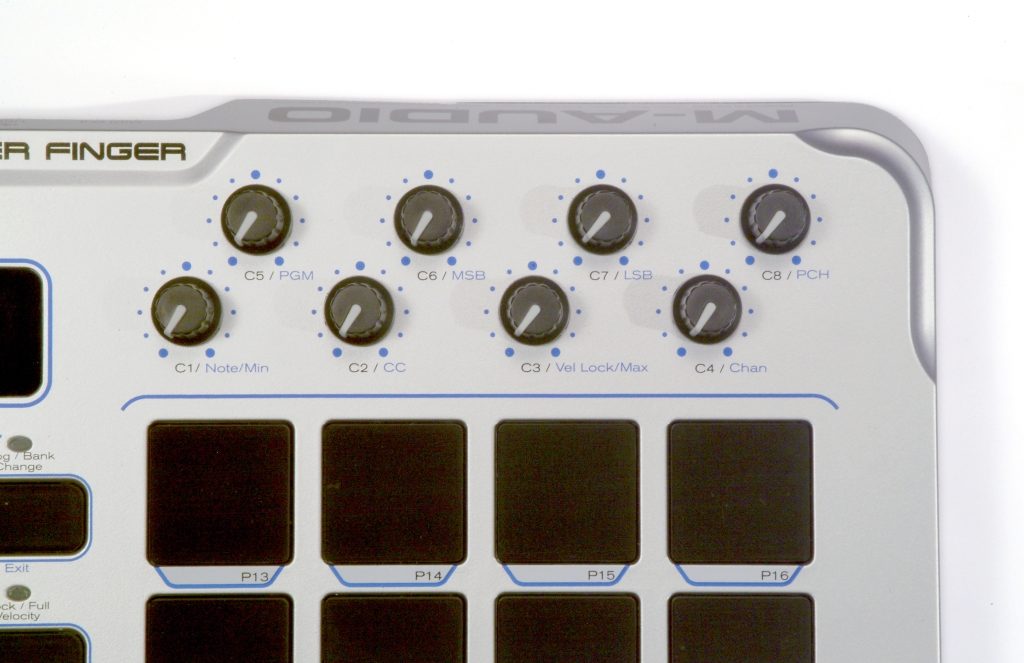
M-Audio Trigger Finger MIDI Controller with Pads
No longer available at zZounds


zZounds Gear Experts Say...
16 velocity-sensitive pads, plus 8 knobs and 4 faders.
Overview
Trigger Finger puts the power to program and perform expressive percussion and drum parts at your fingertips. Its 16 velocity-sensitive pads are perfect for playing the drum sounds in your favorite software, launching loops and samples, or even controlling video projections -- and applying pressure to the pads can generate any MIDI controller you wish. Trigger Finger also gives you 8 knobs and 4 faders that are freely assignable to MIDI parameters such as volume, pan, pitch, and effects. Pre-programmed maps for Reason, Live, GM Drum, XG Drum, iDrum, and more make setup a snap -- and full programmability lets you customize the unit to fit your needs. Settings are easy to store via 16 presets, and M-Audio's free Enigma librarian software for PC and Mac lets you create a collection of even more. A simple USB cable is all it takes to connect and power Trigger Finger with your computer. It's time to take full control of your drum programming -and Trigger Finger is the right tool for the job.
Features
16 velocity and pressure-sensitive pads
8 assignable knobs
4 assignable faders
Pre-programmed maps for Live, Reason, GM Drum, XG Drum, and iDrum
Velocity control including fixed velocity mode
Program/bank change capability
Powered via USB connection or optional DC power supply
16 MIDI presets
Programmable with free Enigma librarian software
3-digit LED display
Class compliant with Windows XP and Mac OS X
Includes free Ableton Live Lite 4 software
Features
16 velocity and pressure-sensitive pads
8 assignable knobs
4 assignable faders
Pre-programmed maps for Live, Reason, GM Drum, XG Drum, and iDrum
Velocity control including fixed velocity mode
Program/bank change capability
Powered via USB connection or optional DC power supply
16 MIDI presets
Programmable with free Enigma librarian software
3-digit LED display
Class compliant with Windows XP and Mac OS X
Includes free Ableton Live Lite 4 software
Specs
Size: 11 in. (w) x 10 in. (d) x 2 1/4 in. (h)
279.4mm (w) x 254mm (d) x 57.2mm (h)
Compatibility:
-- MME
-- DirectX
-- Core MIDI
Windows minimum system requirements:
-- Windows XP
-- Available USB Port
Mac minimum system requirements:
-- Mac OS X 10.2.8 or higher
-- Available USB Port
279.4mm (w) x 254mm (d) x 57.2mm (h)
Compatibility:
-- MME
-- DirectX
-- Core MIDI
Windows minimum system requirements:
-- Windows XP
-- Available USB Port
Mac minimum system requirements:
-- Mac OS X 10.2.8 or higher
-- Available USB Port
Reviews
Reviewers gave this product an overall rating of 5 out of 5 stars.
(50 ratings)
Submitted June 16, 2005 by a customer from hotmail.com
M-Audio Trigger Finger Customer Review
This review has been selected by our experts as particularly helpful.
I am very happy with this product.
Sound
doesn't have any drum sounds but i use some quality samples from my PC
Features
features everything that the MPD has and then some.
Quality
it feels better than the AKAI MPD. for what I use this thing, i do not need an MPC 1000 etc. I have thousands of samples on my computer and i can use those. what the MPC does is takes away the need of a computer. I use a computer to produce so i am very happy with my trigger finger
Value
more features and better feel than MPD-16.....but lower price.....
Manufacturer Support
never needed
The Wow Factor
its a must have for computer producers
Musical Background:
Active Musician
Musical Style:
Hip-hop, r&b, pop, rock, etc.
35 of 37 people (95%) people found this review helpful. Did you?
Thanks for your opinion!
No longer available at zZounds
In most cases, a product is unavailable because it has been discontinued by the manufacturer

This is a carousel with product cards. Use the previous and next buttons to navigate.
People who bought this item also bought


Akai MPK Mini IV USB MIDI Keyboard Controller, 25-Key
$99.99
- No Credit Check6 payments of$16.66/mo
-
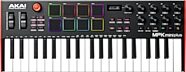
Akai MPK Mini Plus USB MIDI Keyboard Controller, 37-Key
$169.00
- No Credit Check6 payments of$28.17/mo
-
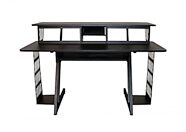
On-Stage WS7700 Large Studio Workstation
$698.95
- 12 payments of$58.25/mo
- No Credit Check6 payments of$116.49/mo
-
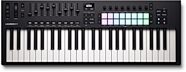
Novation Launchkey 49 MK4 USB MIDI Keyboard Controller
$279.99
- No Credit Check6 payments of$46.66/mo
-

Korg Multi/Poly Virtual Analog Synthesizer
$999.99
- 12 payments of$83.33/mo
- No Credit Check6 payments of$166.66/mo
-
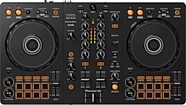
Pioneer DJ DDJ-FLX4 DJ Controller
$329.00
- 8 payments of$41.13/mo
- No Credit Check6 payments of$54.83/mo
-